> ## Documentation Index
> Fetch the complete documentation index at: https://docs.altoura.com/llms.txt
> Use this file to discover all available pages before exploring further.
# Profile, Themes, and Pair Device
> Use the profile menu, switch themes, pair a device, and sign out.
The profile avatar opens the user menu.
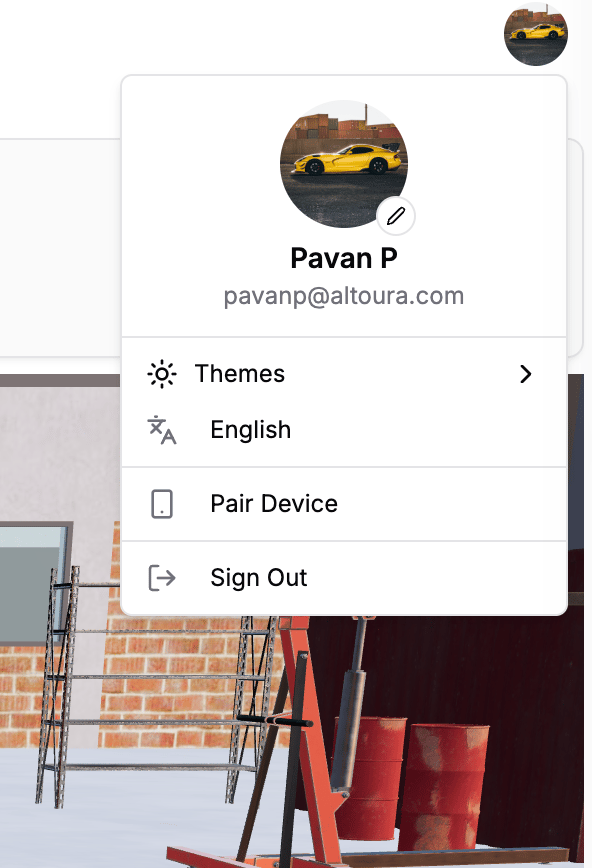 *Profile menu with theme options, device pairing, and sign-out.*
## Profile Menu Contents
The profile menu includes:
* A profile card with avatar, display name, and email
* Avatar change button
* `Themes` submenu
* Static `English` row
* `Pair Device`
* `Sign Out`
## Themes
Users can switch the app theme from:
* The profile menu
* The footer toggle
Available theme modes are:
* `LightMode`
* `DarkMode`
* `System`
## Language
Supported language is English.
## Pair Device
Users can pair a device from the profile menu.
*Profile menu with theme options, device pairing, and sign-out.*
## Profile Menu Contents
The profile menu includes:
* A profile card with avatar, display name, and email
* Avatar change button
* `Themes` submenu
* Static `English` row
* `Pair Device`
* `Sign Out`
## Themes
Users can switch the app theme from:
* The profile menu
* The footer toggle
Available theme modes are:
* `LightMode`
* `DarkMode`
* `System`
## Language
Supported language is English.
## Pair Device
Users can pair a device from the profile menu.
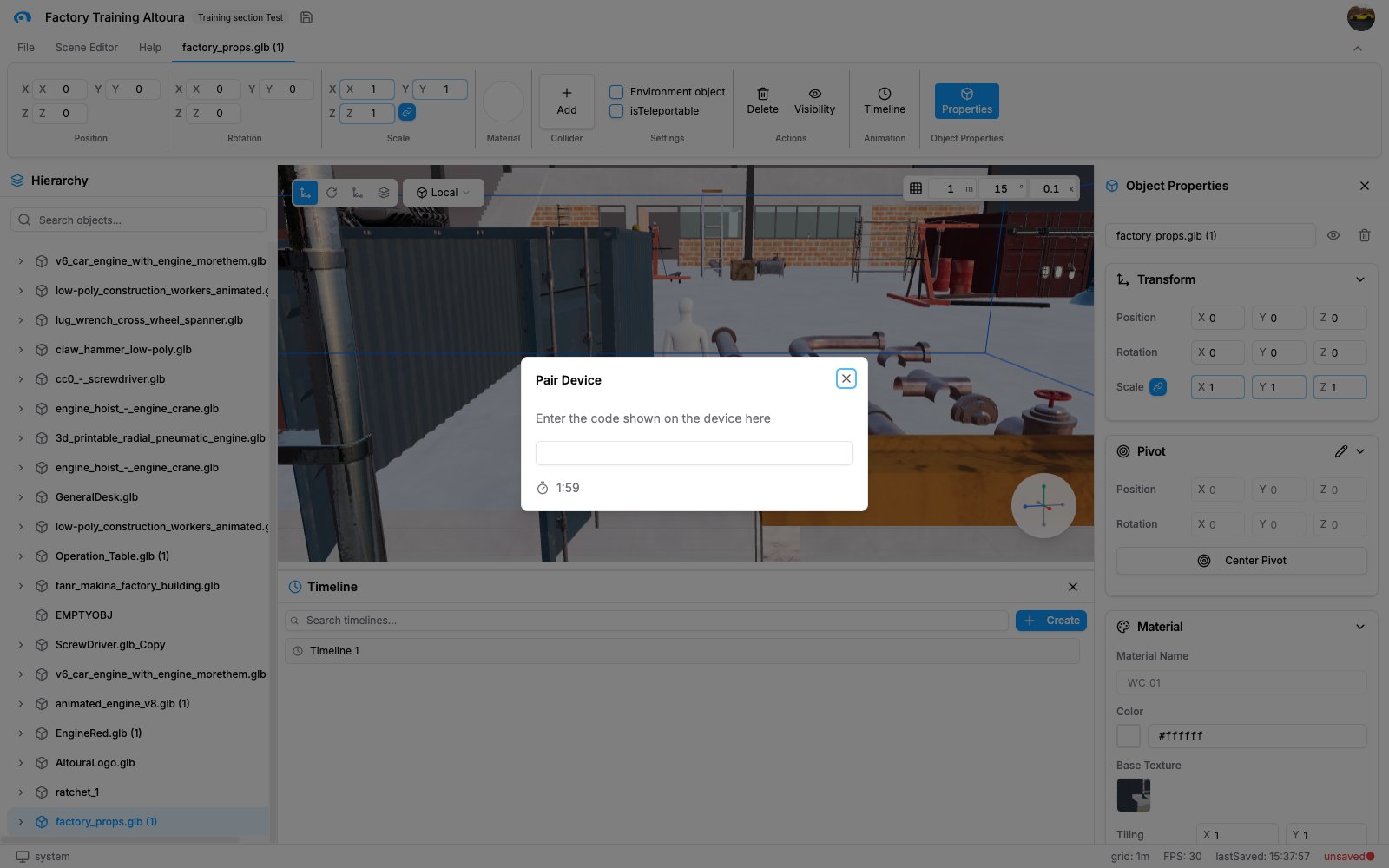 *Pair Device modal for entering the 6-digit pairing code.*
The modal includes:
* Title: `Pair Device`
* Instruction: `Enter the code shown on the device here`
* A 6-digit entry field
* Timer display
* `Restart Timer` after expiry
* `Validating code...`
* `Invalid code`
* `Pairing is Successful.`
### Pairing Flow
1. Open the profile menu.
2. Click `Pair Device`.
3. Wait for the session to initialize.
4. Enter the 6-digit code shown on the device.
5. Complete pairing before the timer expires.
## Sign Out
To sign out, open the profile menu and select `Sign Out`.
After you sign out, you are logged out and returned to the login flow.
*Pair Device modal for entering the 6-digit pairing code.*
The modal includes:
* Title: `Pair Device`
* Instruction: `Enter the code shown on the device here`
* A 6-digit entry field
* Timer display
* `Restart Timer` after expiry
* `Validating code...`
* `Invalid code`
* `Pairing is Successful.`
### Pairing Flow
1. Open the profile menu.
2. Click `Pair Device`.
3. Wait for the session to initialize.
4. Enter the 6-digit code shown on the device.
5. Complete pairing before the timer expires.
## Sign Out
To sign out, open the profile menu and select `Sign Out`.
After you sign out, you are logged out and returned to the login flow.