> ## Documentation Index
> Fetch the complete documentation index at: https://docs.altoura.com/llms.txt
> Use this file to discover all available pages before exploring further.
# Hand Representation
> How your hands can appear as gloved hands during a Training.
A Training can change how your hands look, so they match the protective equipment you'd wear for the real task. For example, you might see latex gloves in a lab procedure or work gloves on a factory floor.
The Training chooses one of these:
| Hand representation | What you see |
| - | - |
| **Default Hands** | Your normal hands, or your controllers |
| **Latex Gloves** | Hands wearing latex gloves |
| **Isolator Gloves** | Hands wearing isolator gloves |
| **Work Gloves** | Hands wearing heavy work gloves |
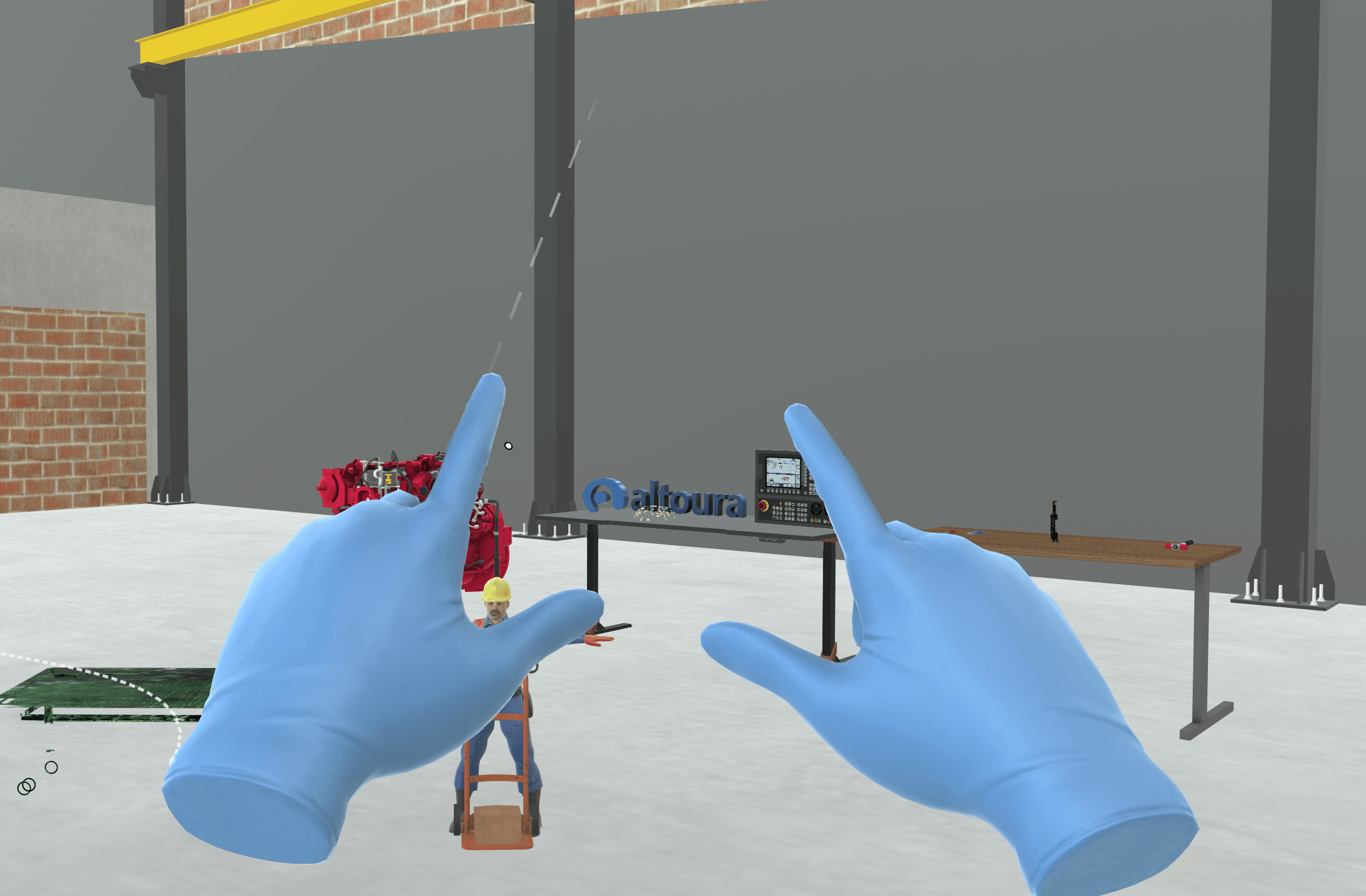
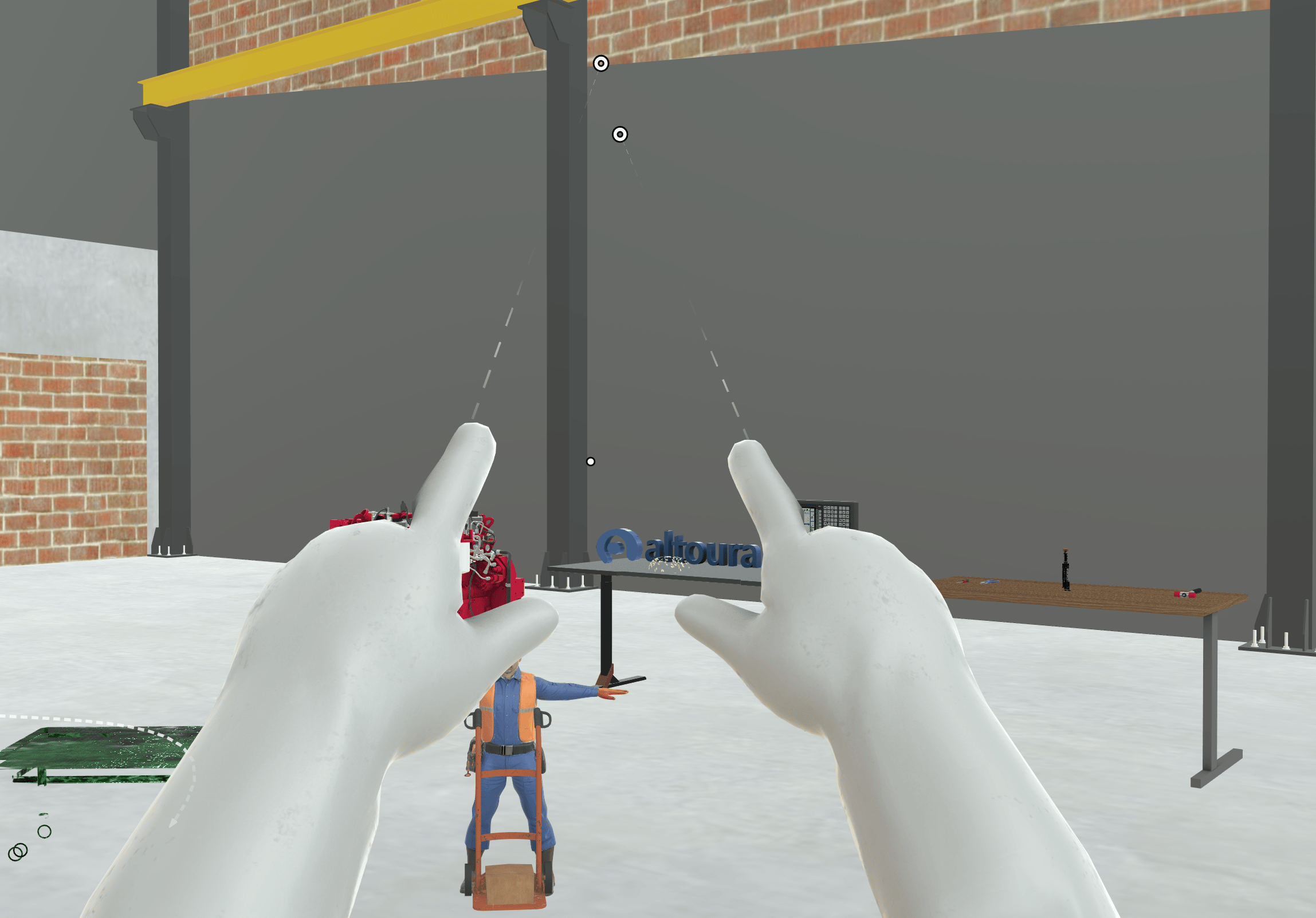
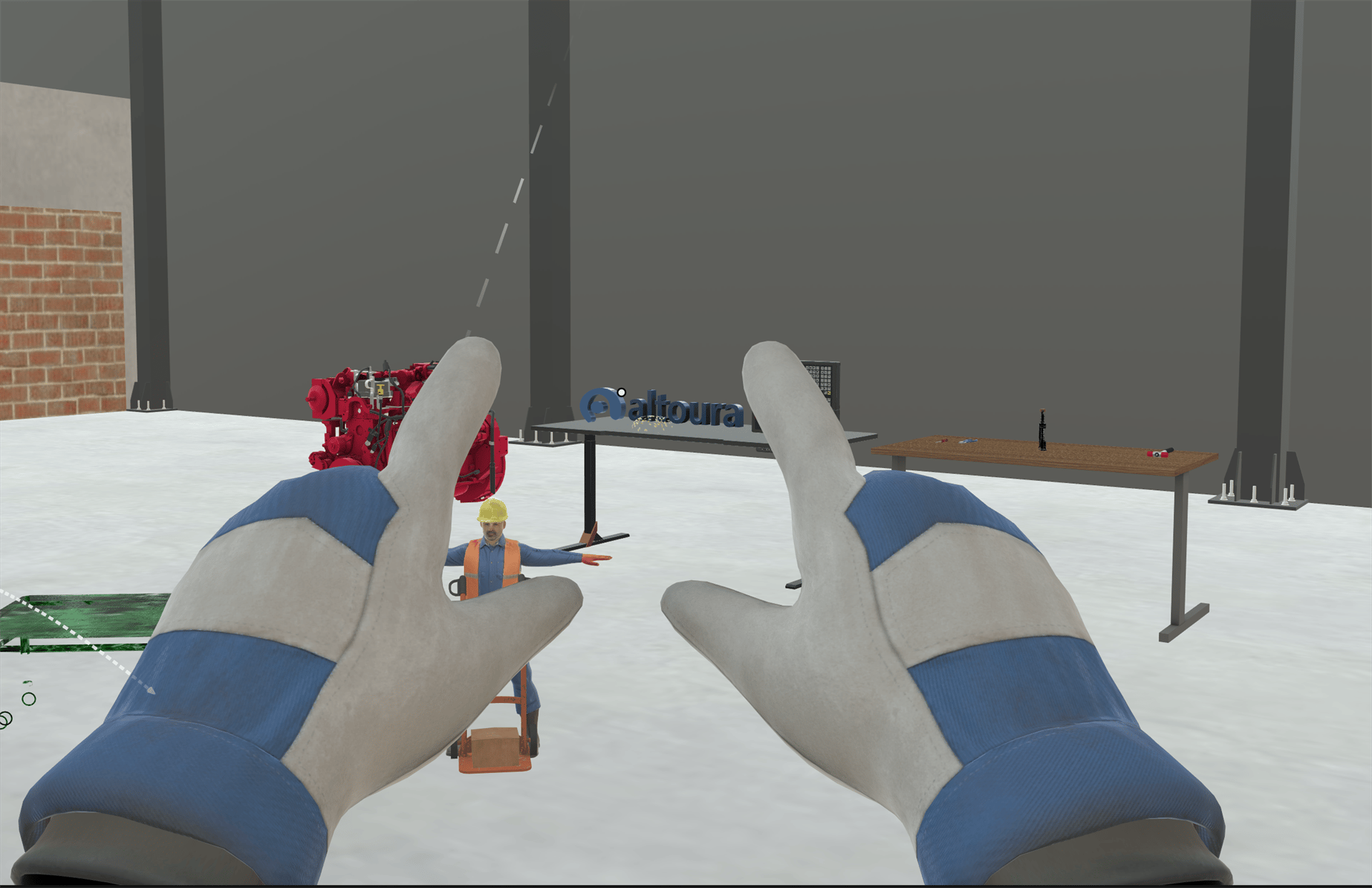 The gloves apply whether you use your hands or controllers. When you're using controllers, a gloved hand replaces the controller model. With **Default Hands**, you see your controllers as usual. You interact in the same way as before; only the look changes.
The gloves stay on until the Training changes them. If you use [Reset Step](/creator-studio/trainee-client/reset-step) or **Restart Training**, the correct gloves for that point in the Training are put back on. When you close the Training, your hands go back to Default Hands.
***
## For Creators
To change the hand representation in a Training, see [Set Hand Representation](/creator-studio/creator-app/actions/set-hand-representation).
## Related
* [Tools](/creator-studio/trainee-client/tools): holding forceps during a Training
This documentation is built and hosted on [Mintlify](https://mintlify.com), a developer documentation platform.
The gloves apply whether you use your hands or controllers. When you're using controllers, a gloved hand replaces the controller model. With **Default Hands**, you see your controllers as usual. You interact in the same way as before; only the look changes.
The gloves stay on until the Training changes them. If you use [Reset Step](/creator-studio/trainee-client/reset-step) or **Restart Training**, the correct gloves for that point in the Training are put back on. When you close the Training, your hands go back to Default Hands.
***
## For Creators
To change the hand representation in a Training, see [Set Hand Representation](/creator-studio/creator-app/actions/set-hand-representation).
## Related
* [Tools](/creator-studio/trainee-client/tools): holding forceps during a Training
This documentation is built and hosted on [Mintlify](https://mintlify.com), a developer documentation platform.