> ## Documentation Index
> Fetch the complete documentation index at: https://docs.altoura.com/llms.txt
> Use this file to discover all available pages before exploring further.
# User Menu
## Open User Menu
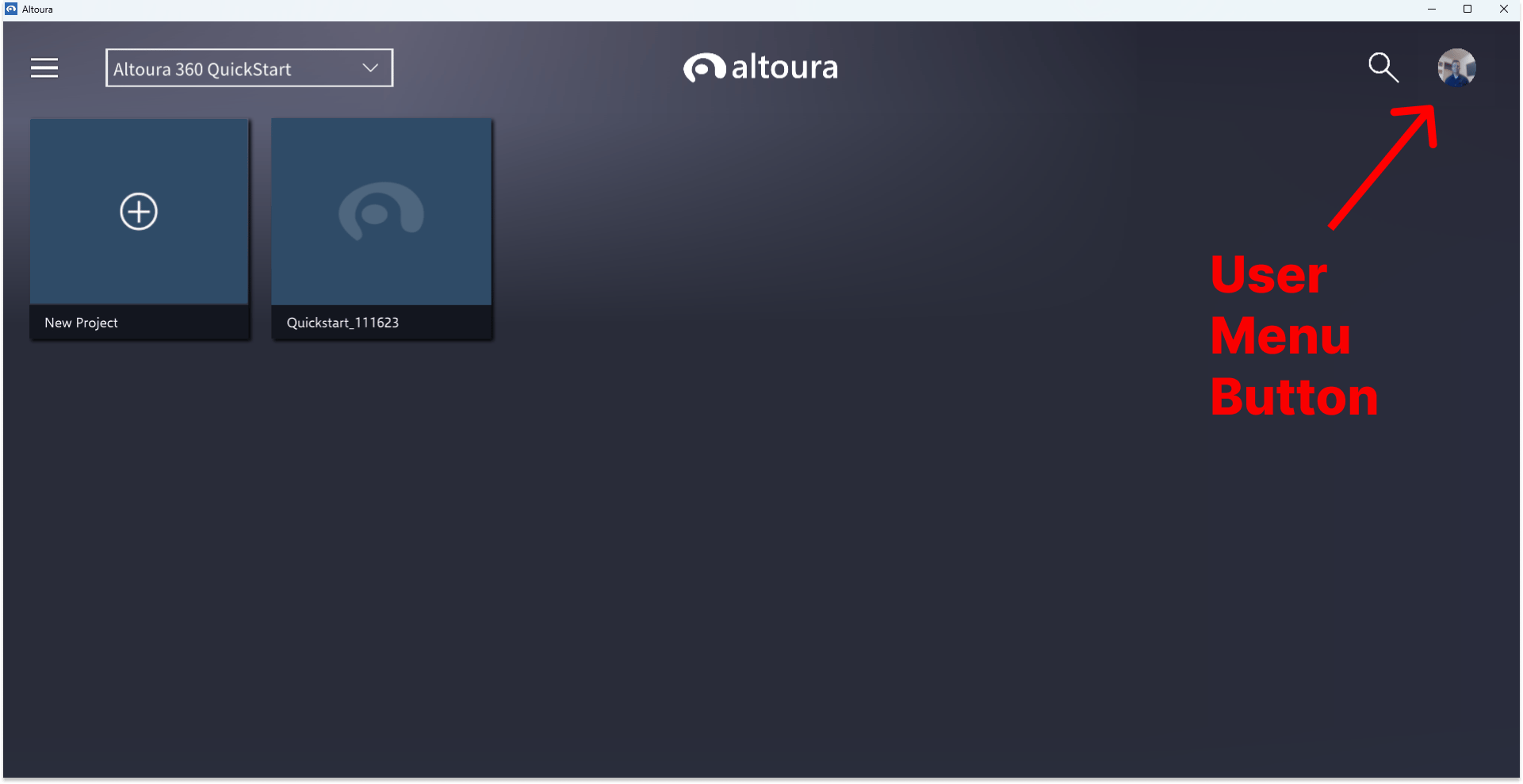
To open the user menu, click the button in the upper right corner of your Home screen.
 ## User Menu Options
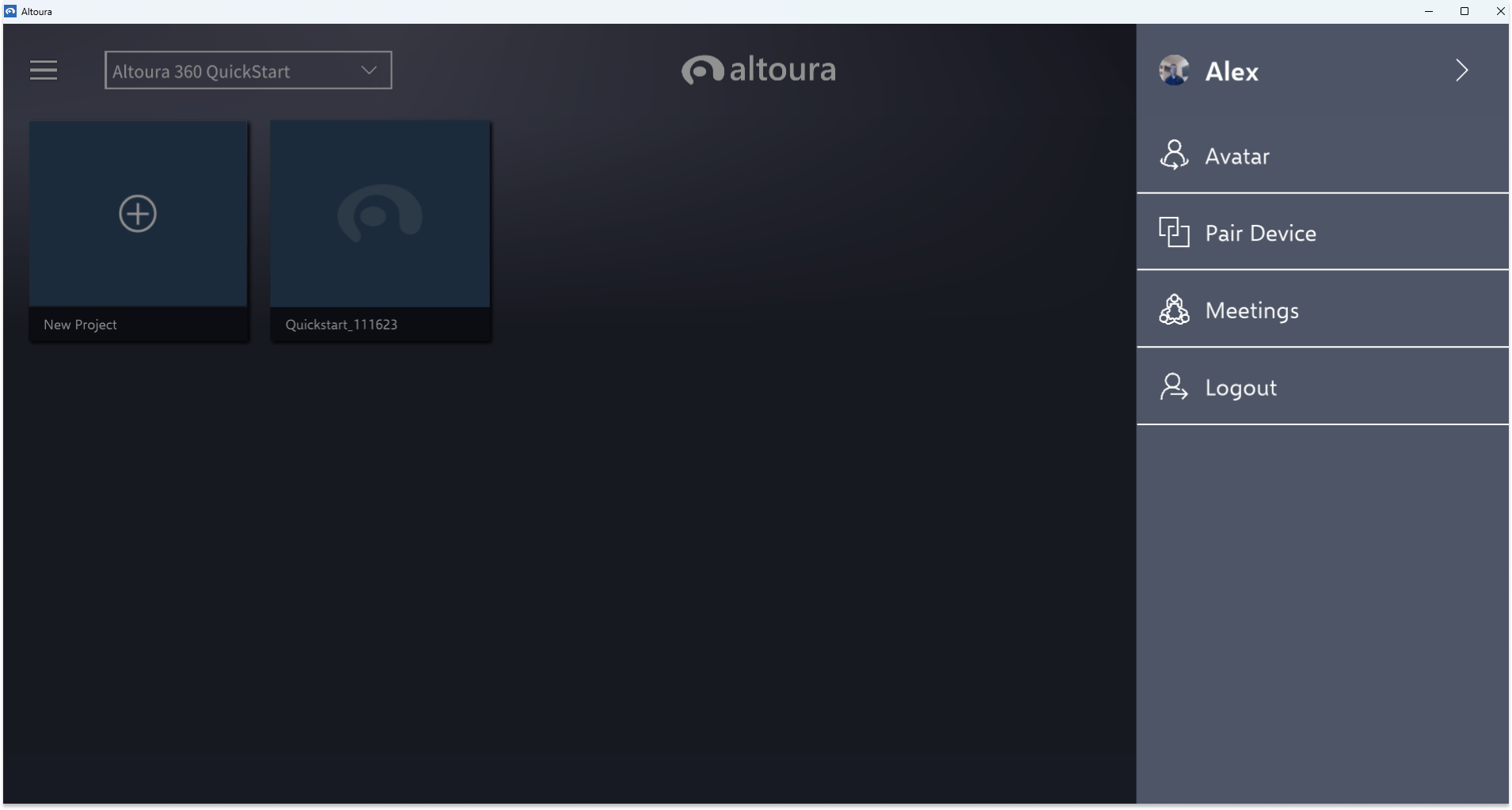
Once in the user menu, you can choose from the options:
* Avatar - [set or change your avatar](/docs/app-user/desktop/avatar)
* Pair Device - [Sign in on another device by pairing](/docs/app-user/mobile/pairing-hmd)
* Meetings - [create or join a meeting](/docs/app-user/desktop/meetings/create)
* Logout
## User Menu Options
Once in the user menu, you can choose from the options:
* Avatar - [set or change your avatar](/docs/app-user/desktop/avatar)
* Pair Device - [Sign in on another device by pairing](/docs/app-user/mobile/pairing-hmd)
* Meetings - [create or join a meeting](/docs/app-user/desktop/meetings/create)
* Logout