> ## Documentation Index
> Fetch the complete documentation index at: https://docs.altoura.com/llms.txt
> Use this file to discover all available pages before exploring further.
# Height Adjustment
The up/down height adjustment feature is supported on HTC Vive.
To adjust the camera height:
1. Click and hold the **Grip** button on the controller.
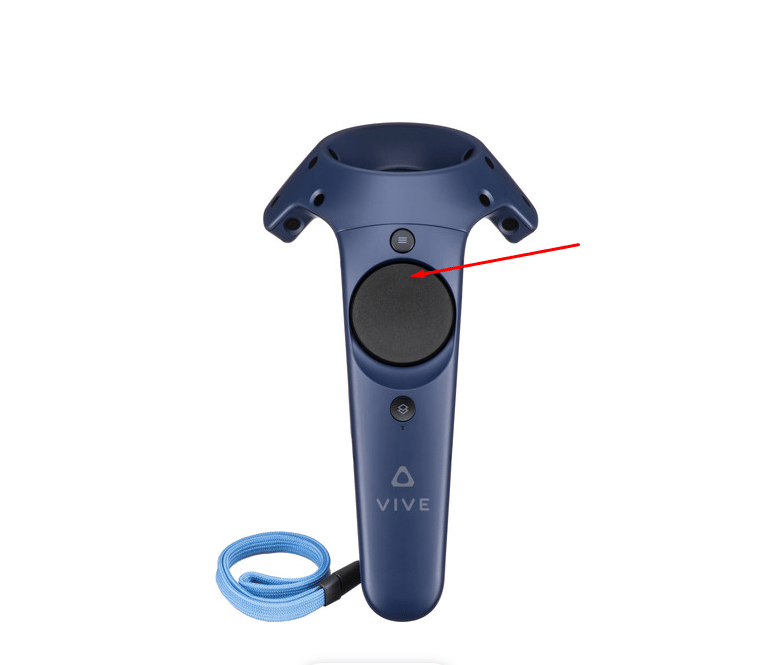
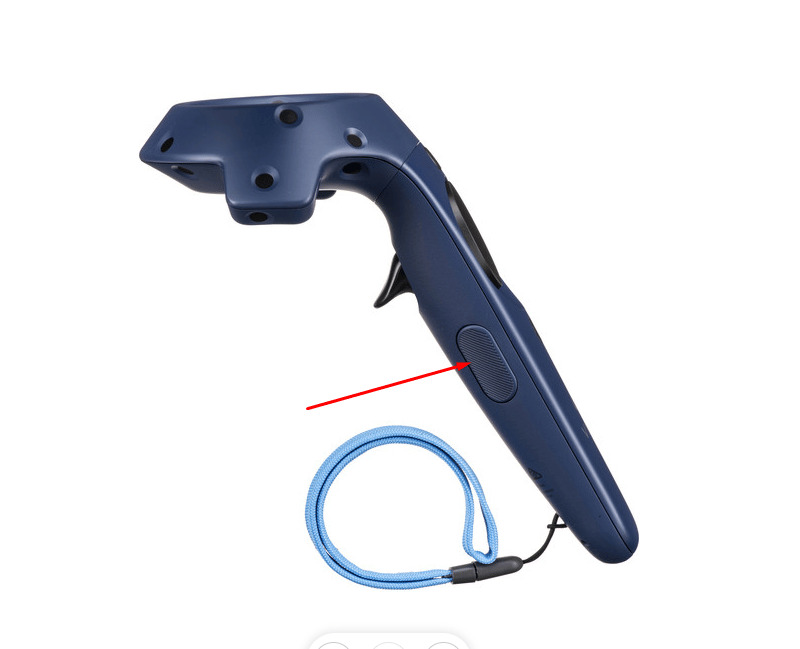 2. While holding the Grip button, push forward on the **trackpad** to increase the height, or pull backward on the trackpad to decrease the height.
 This documentation is built and hosted on [Mintlify](https://mintlify.com), a developer documentation platform.