> ## Documentation Index
> Fetch the complete documentation index at: https://docs.altoura.com/llms.txt
> Use this file to discover all available pages before exploring further.

# Reset Step

> During training, there may be scenarios where a user wants to restart a step from its initial state. This could be due to the panel being moved out of view, the user navigating to an unreachable location, or simply wanting to interact with an object from its original position. In such cases, the user can use the "Reset Step" option to return to the state they were in upon first arriving at that specific step.

If **Time Tracking** is enabled or the step involves a **DID** node, any incorrect interactions or elapsed timers will **not** be reset. These values will persist as they are.

On PC and Mobile devices, the Reset Step option can be found in the hamburger menu.
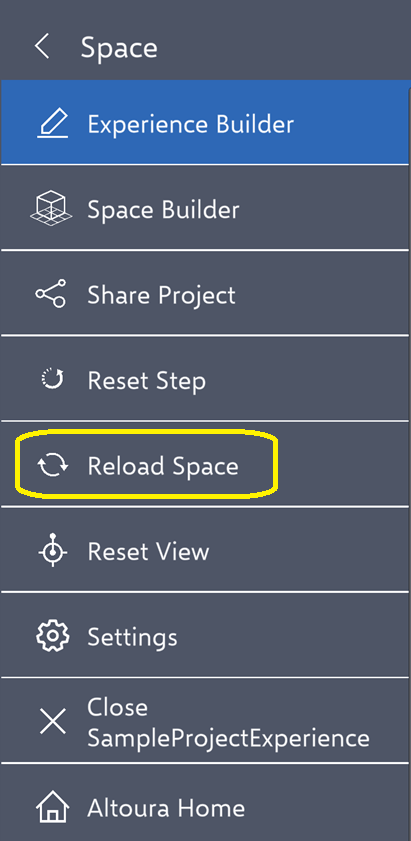
<img src="https://mintcdn.com/altoura-785c3552/z2_JFZPNE9ekTL9F/images/docs/a5036f0de27e77f85d48ea7aa88780ab7093860d7ea9b429edc212ce00b7ced1-image.png?fit=max&auto=format&n=z2_JFZPNE9ekTL9F&q=85&s=68954853b993889a8b8c879cd856b707" alt="" width="411" height="841" data-path="images/docs/a5036f0de27e77f85d48ea7aa88780ab7093860d7ea9b429edc212ce00b7ced1-image.png" />

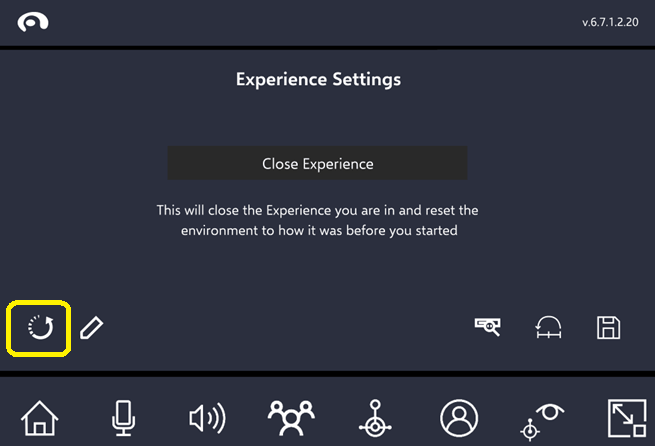
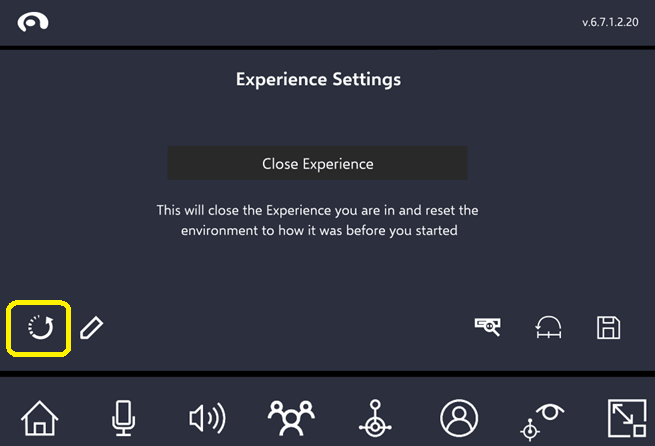
On HMD devices, it is available in the tool belt menu.
<img src="https://mintcdn.com/altoura-785c3552/rSHiWKFaLfV4dcN7/images/docs/6f2c28ec017c75bf4c49182568fe210f6103e3c2b9f77b1e7929f892042e7a90-image.png?fit=max&auto=format&n=rSHiWKFaLfV4dcN7&q=85&s=3dcb29389a4ea060618c89af940a6abe" alt="" width="655" height="446" data-path="images/docs/6f2c28ec017c75bf4c49182568fe210f6103e3c2b9f77b1e7929f892042e7a90-image.png" />

<img src="https://mintcdn.com/altoura-785c3552/RIgkSrBJFuycivOX/images/docs/ff89dd27b90f234b98de670e7d6dcc8334ad4a176fff2edcc7f3887c4fa6897a-image.png?fit=max&auto=format&n=RIgkSrBJFuycivOX&q=85&s=d758d44fe530765d2d1aa9a2bfaa3ca4" alt="" width="655" height="446" data-path="images/docs/ff89dd27b90f234b98de670e7d6dcc8334ad4a176fff2edcc7f3887c4fa6897a-image.png" />