> ## Documentation Index
> Fetch the complete documentation index at: https://docs.altoura.com/llms.txt
> Use this file to discover all available pages before exploring further.
# Object System
# Objects for Surface Types
When creating for the object system there are a few requirements based on the surface type for the object to be able to spawn on.
## Floor Object
*Object Requirements:*
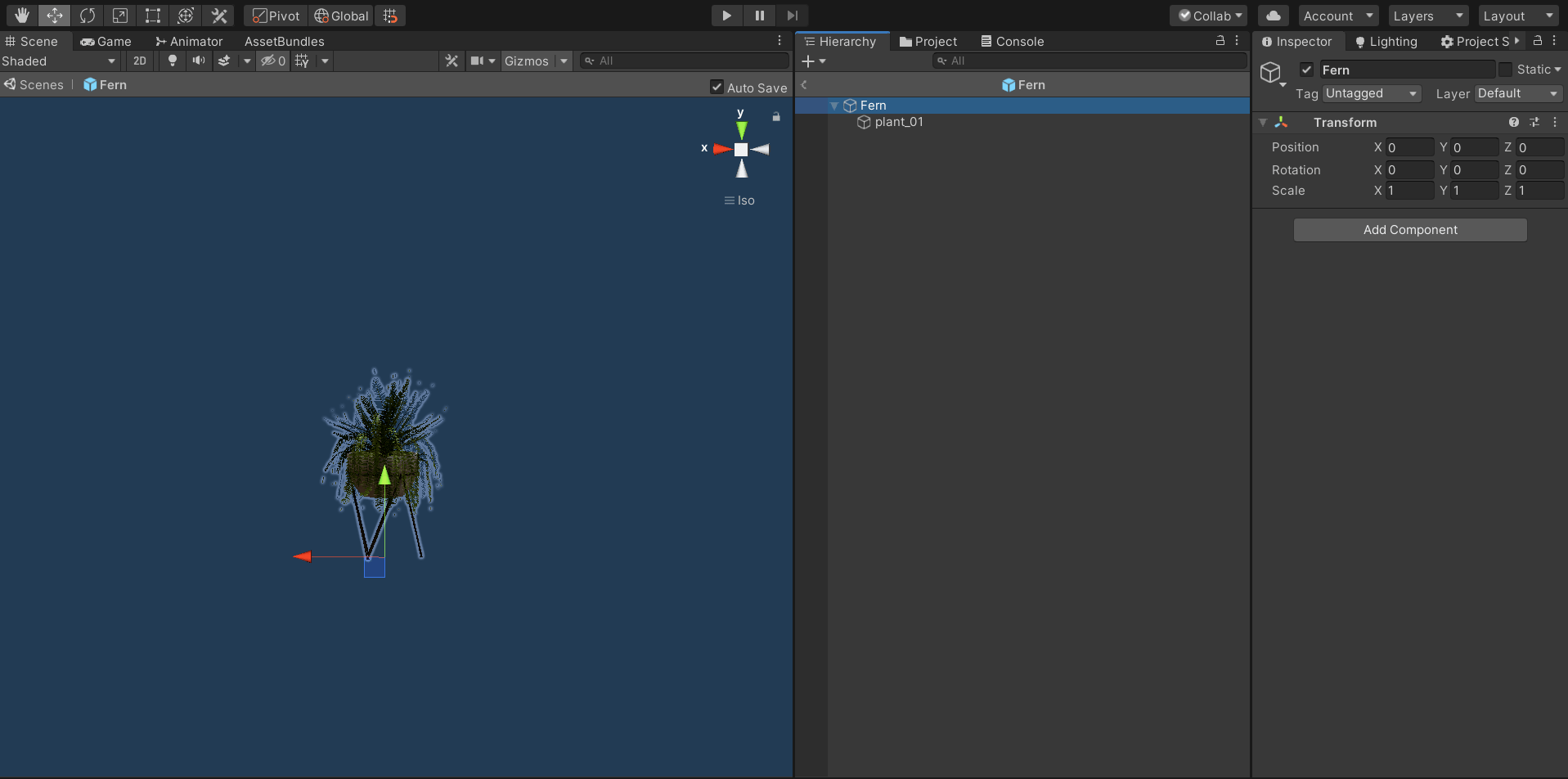
* the pivot of the GameObject parent should be at the bottom center of the mesh object
* a collider on the GameObject parent that covers the area of the object that will be clickable / draggable (if there is no collider added at this level there will be a box collider generated on this level by the code)
*Portal Requirements:*
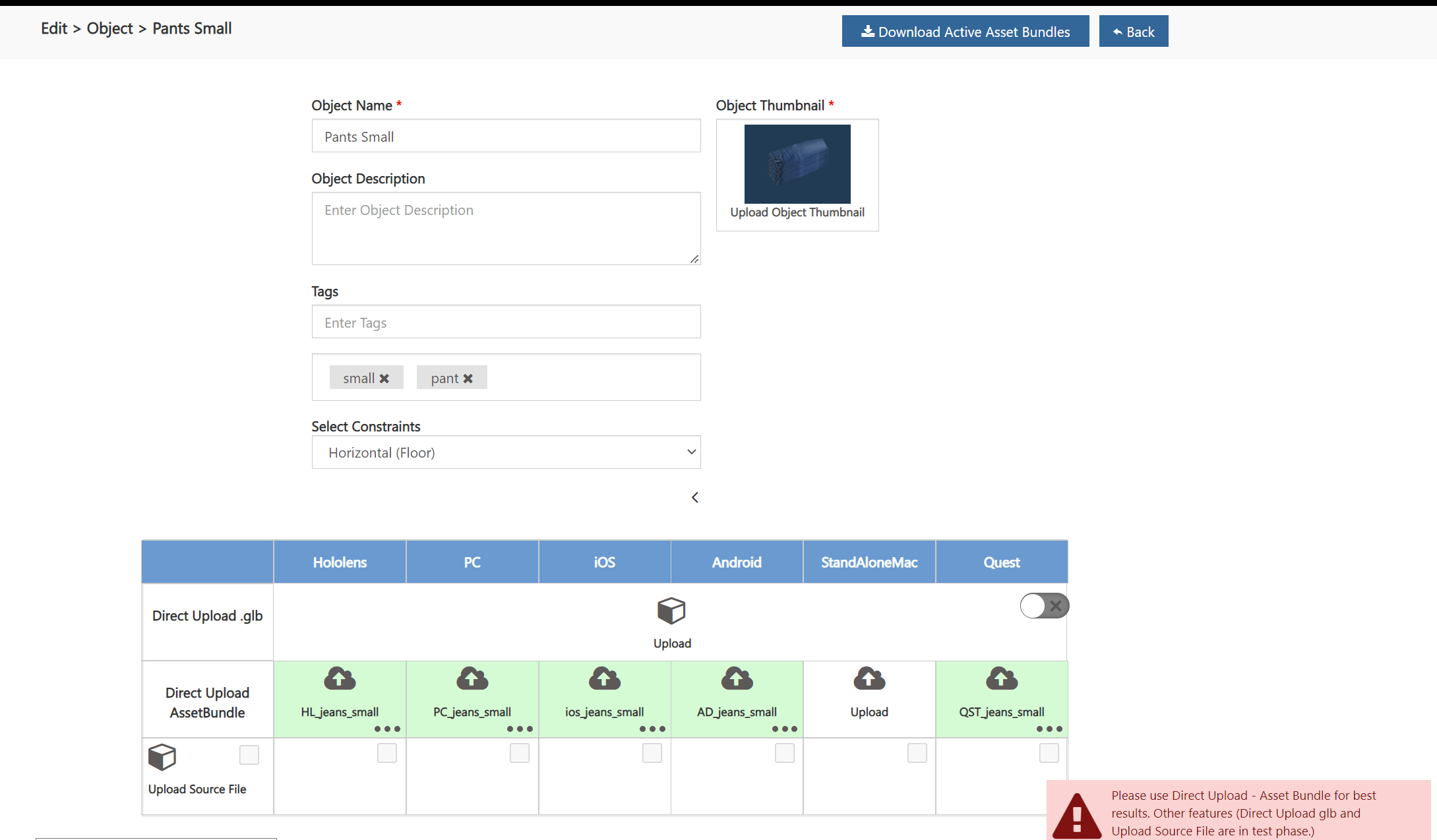
* set the constraints of the object to **Horizontal (Floor)** when creating or editing the object in the portal
 ## Wall Object
*Object Requirements:*
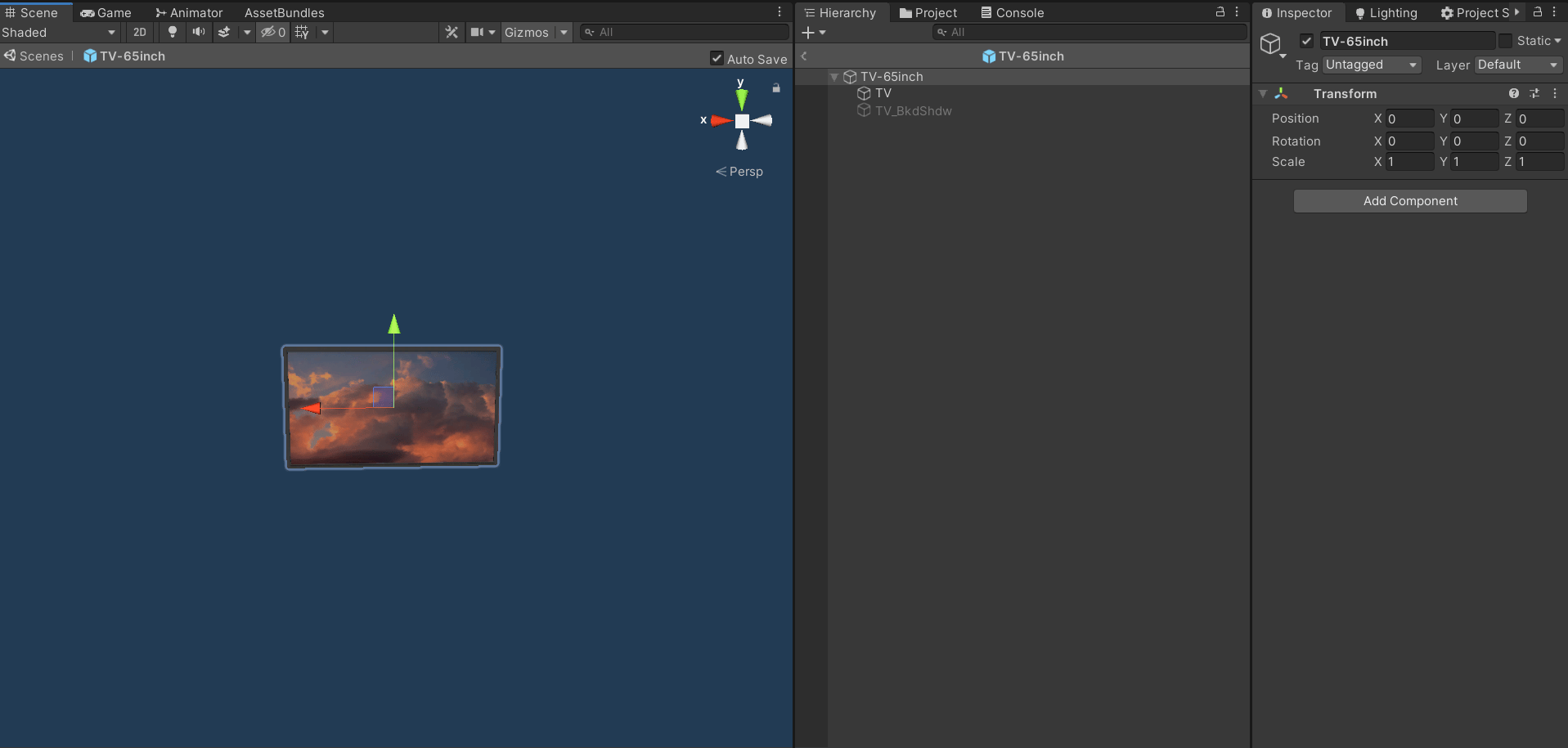
* the pivot of the GameObject parent should be at the back center of the mesh object
* the z forward of the pivot should be facing backwards to define the front of the GameObject is
* a collider on the GameObject parent that covers the area of the object that will be clickable / draggable (if there is no collider added at this level there will be a box collider generated on this level by the code)
*Portal Requirements:*
* set the constraints of the object to **Vertical (Wall)** when creating or editing the object in the portal
## Wall Object
*Object Requirements:*
* the pivot of the GameObject parent should be at the back center of the mesh object
* the z forward of the pivot should be facing backwards to define the front of the GameObject is
* a collider on the GameObject parent that covers the area of the object that will be clickable / draggable (if there is no collider added at this level there will be a box collider generated on this level by the code)
*Portal Requirements:*
* set the constraints of the object to **Vertical (Wall)** when creating or editing the object in the portal
 ## Ceiling Object
*Object Requirements:*
* the pivot of the GameObject parent should be at the top center of the mesh object
* a collider on the GameObject parent that covers the area of the object that will be clickable / draggable (if there is no collider added at this level there will be a box collider generated on this level by the code)
*Portal Requirements:*
* set the constraints of the object to **Ceiling** when creating or editing the object in the portal
## Ceiling Object
*Object Requirements:*
* the pivot of the GameObject parent should be at the top center of the mesh object
* a collider on the GameObject parent that covers the area of the object that will be clickable / draggable (if there is no collider added at this level there will be a box collider generated on this level by the code)
*Portal Requirements:*
* set the constraints of the object to **Ceiling** when creating or editing the object in the portal
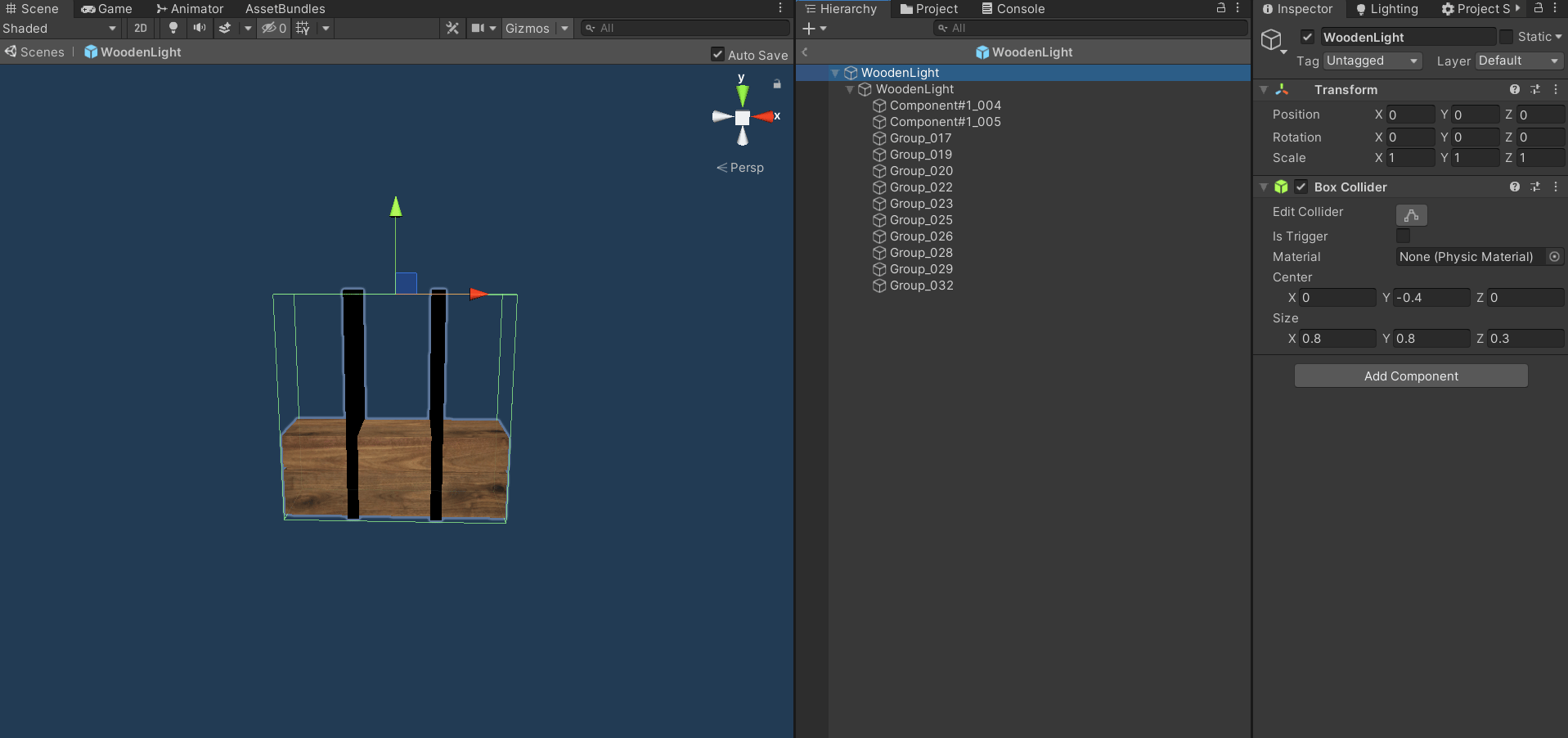 ## Hanger Object
*Object Requirements:*
* the pivot of the GameObject parent should be at the top center of the mesh object
* a collider on the GameObject parent that covers the area of the object that will be clickable / draggable (if there is no collider added at this level there will be a box collider generated on this level by the code)
*Portal Requirements:*
* set the constraints of the object to **Hanger** when creating or editing the object in the portal
## Hanger Object
*Object Requirements:*
* the pivot of the GameObject parent should be at the top center of the mesh object
* a collider on the GameObject parent that covers the area of the object that will be clickable / draggable (if there is no collider added at this level there will be a box collider generated on this level by the code)
*Portal Requirements:*
* set the constraints of the object to **Hanger** when creating or editing the object in the portal
 # Additional Object Customization
## Adding a Horizontal Surface
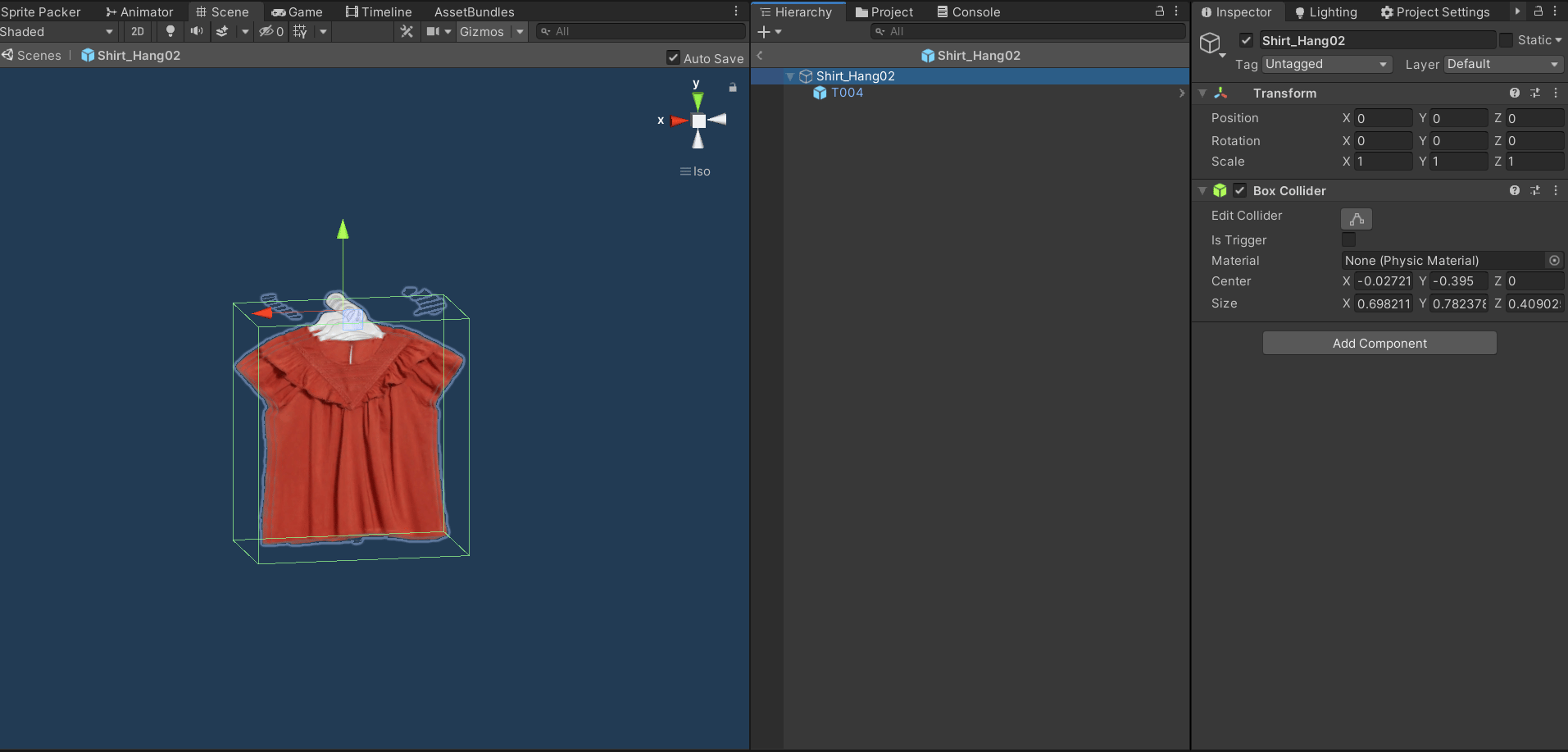
Adding a horizontal surface to an object will allow for other objects with the horizontal constraint to be added on top of the object.
*Object Requirements:*
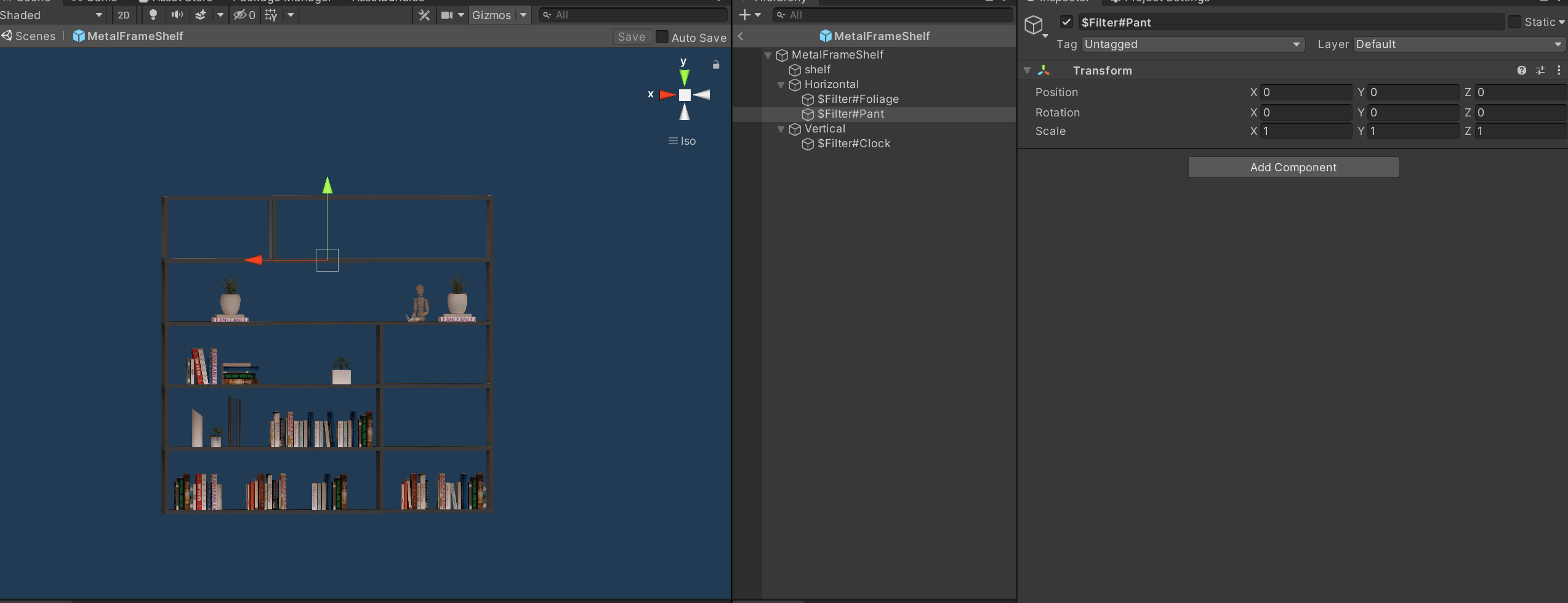
* a GameObject named 'Horizontal' as a child of the object parent
* a collider on the GameObject parent that covers the area of the object that will be clickable to add a another object to
# Additional Object Customization
## Adding a Horizontal Surface
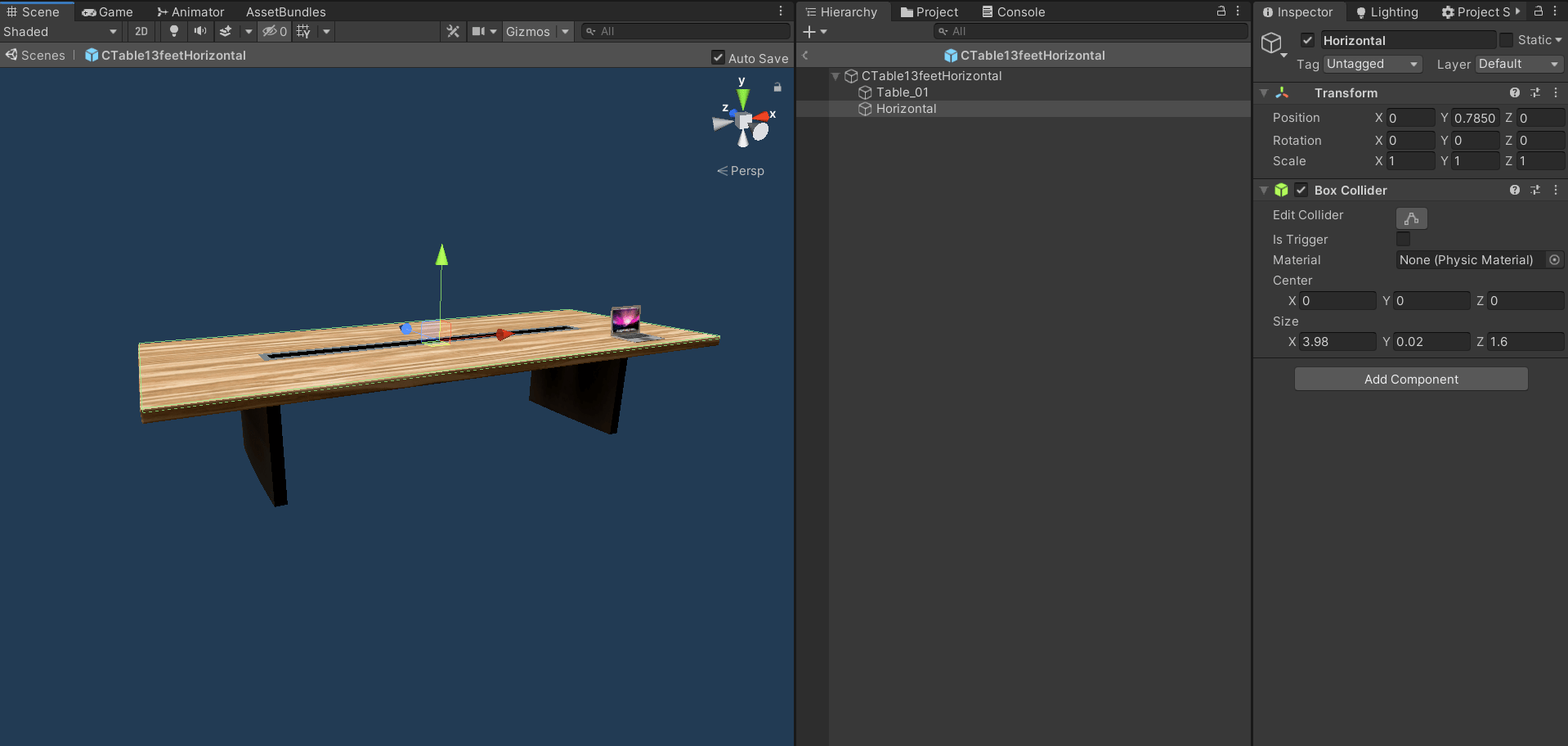
Adding a horizontal surface to an object will allow for other objects with the horizontal constraint to be added on top of the object.
*Object Requirements:*
* a GameObject named 'Horizontal' as a child of the object parent
* a collider on the GameObject parent that covers the area of the object that will be clickable to add a another object to
 ## Adding a Vertical Surface
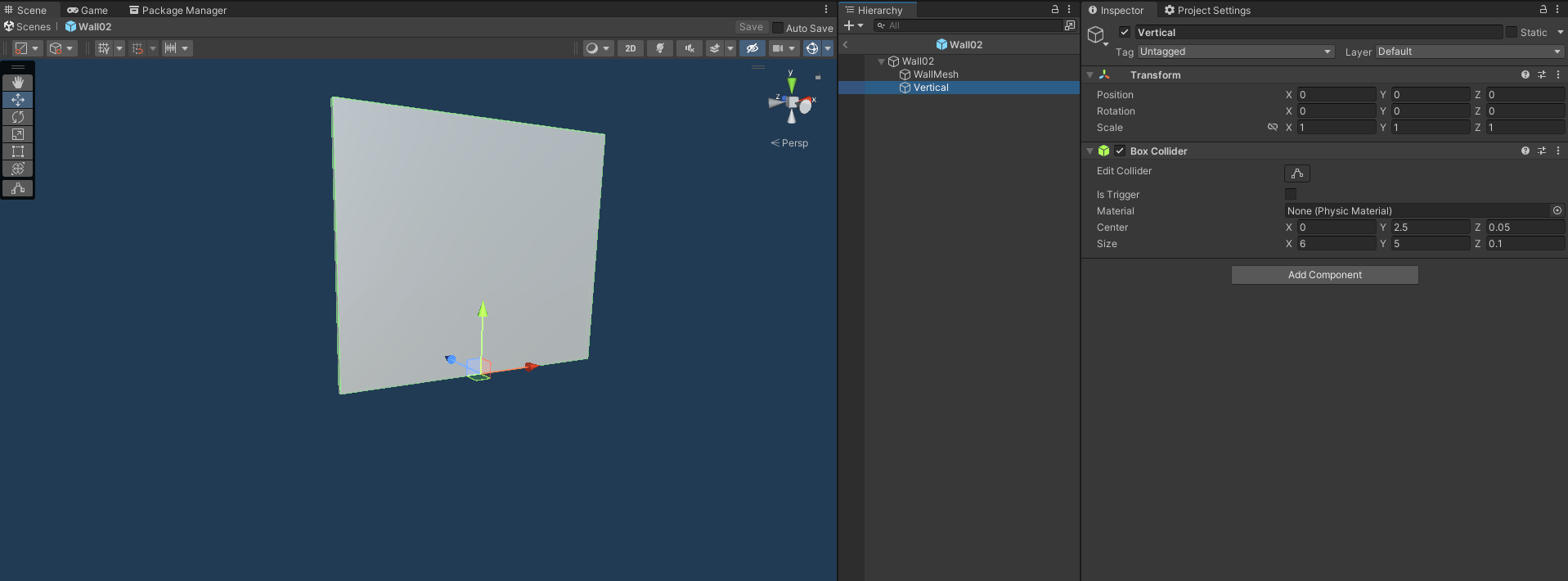
Adding a vertical surface to an object will allow for other objects with the vertical constraint to be added on top of the object.
*Object Requirements:*
* a GameObject named 'Vertical' as a child of the object parent
* a collider on the GameObject parent that covers the area of the object that will be clickable to add a another object to
## Adding a Vertical Surface
Adding a vertical surface to an object will allow for other objects with the vertical constraint to be added on top of the object.
*Object Requirements:*
* a GameObject named 'Vertical' as a child of the object parent
* a collider on the GameObject parent that covers the area of the object that will be clickable to add a another object to
 ## Adding Slots to an Object
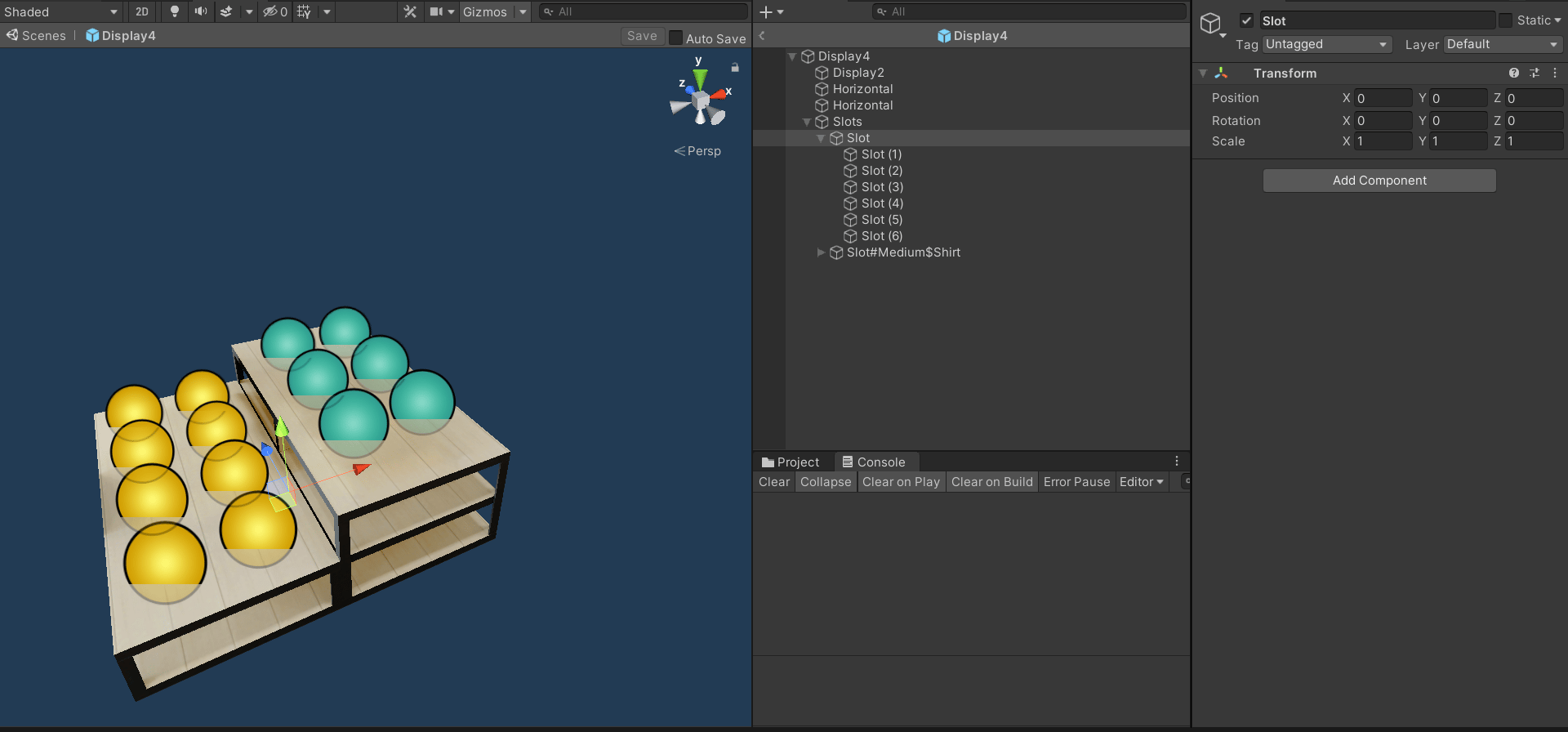
Adding a slots to an object will allow for other objects to be added in specific slots on the object if there are horizontal surfaces defined in the object.
### Slots for objects of any size or type
*Object Requirements:*
* horizontal surfaces on the object (see above for how to add a horizontal surface to an object)
* a GameObject named 'Slot' with children at the positions of the slots
## Adding Slots to an Object
Adding a slots to an object will allow for other objects to be added in specific slots on the object if there are horizontal surfaces defined in the object.
### Slots for objects of any size or type
*Object Requirements:*
* horizontal surfaces on the object (see above for how to add a horizontal surface to an object)
* a GameObject named 'Slot' with children at the positions of the slots
 ### Slots for objects of a specific type and any size
*Object Requirements:*
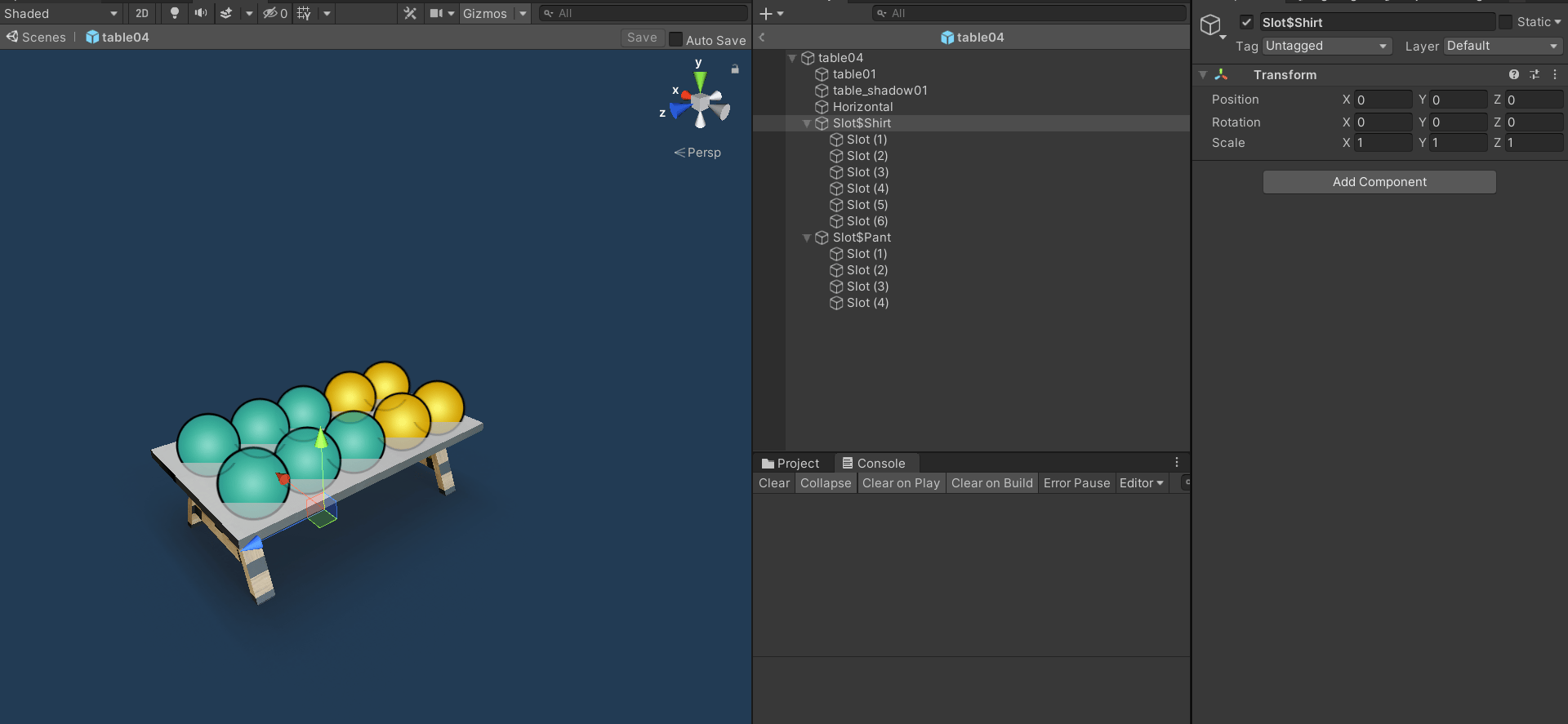
* the 'Slot' GameObject parent name to follow the pattern: Slot$TypeOfObject ex. Slot$Shirt
*Portal Requirements:*
* add type (can be any tag) to tag list when creating or editing the object in the portal
### Slots for objects of a specific type and any size
*Object Requirements:*
* the 'Slot' GameObject parent name to follow the pattern: Slot$TypeOfObject ex. Slot$Shirt
*Portal Requirements:*
* add type (can be any tag) to tag list when creating or editing the object in the portal
 ### Slots for objects of a specific type and size
*Object Requirements:*
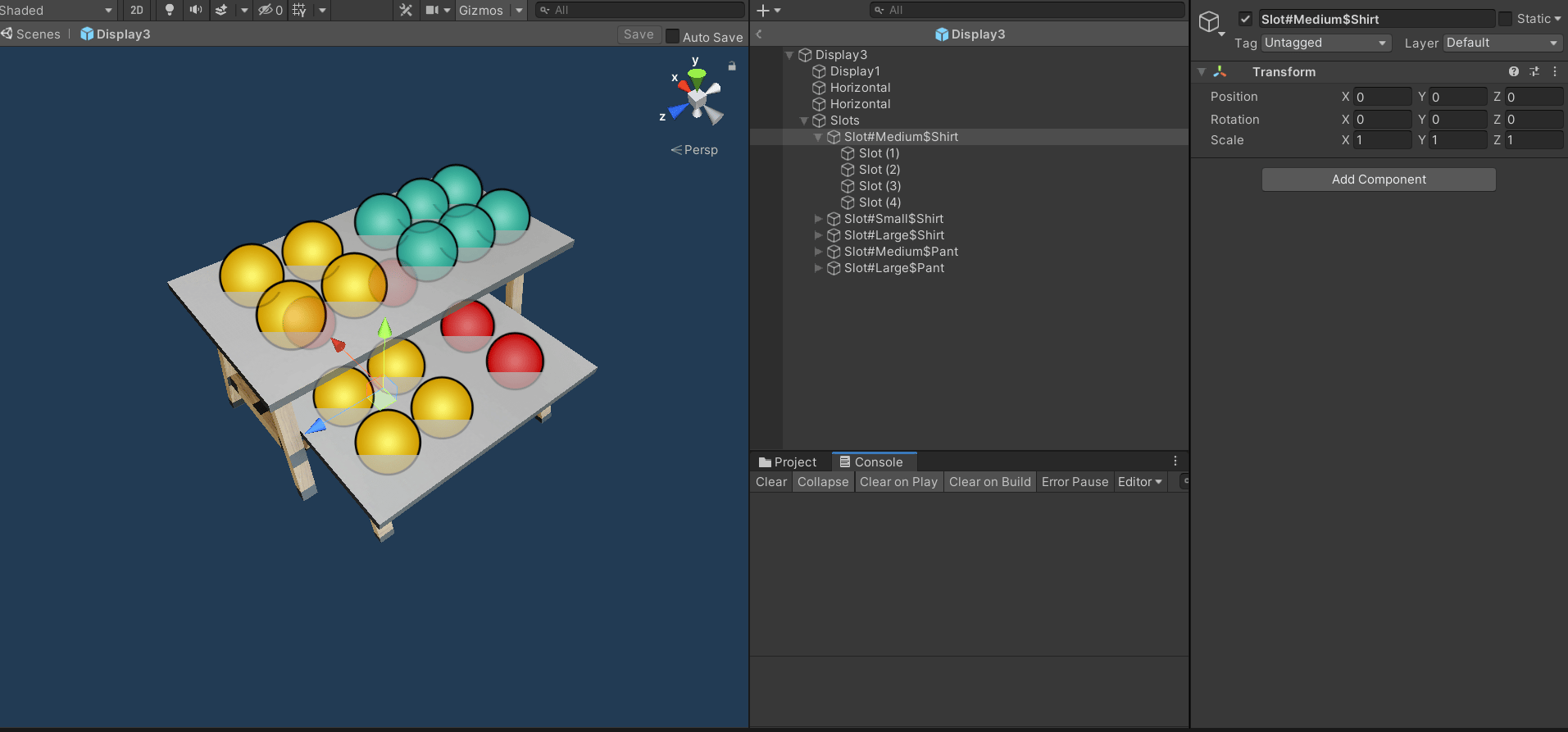
* the 'Slot' GameObject parent name to follow the pattern: Slot$SizeofSlot#TypeOfObject ex. Slot$Medium#Shirt
*Portal Requirements:*
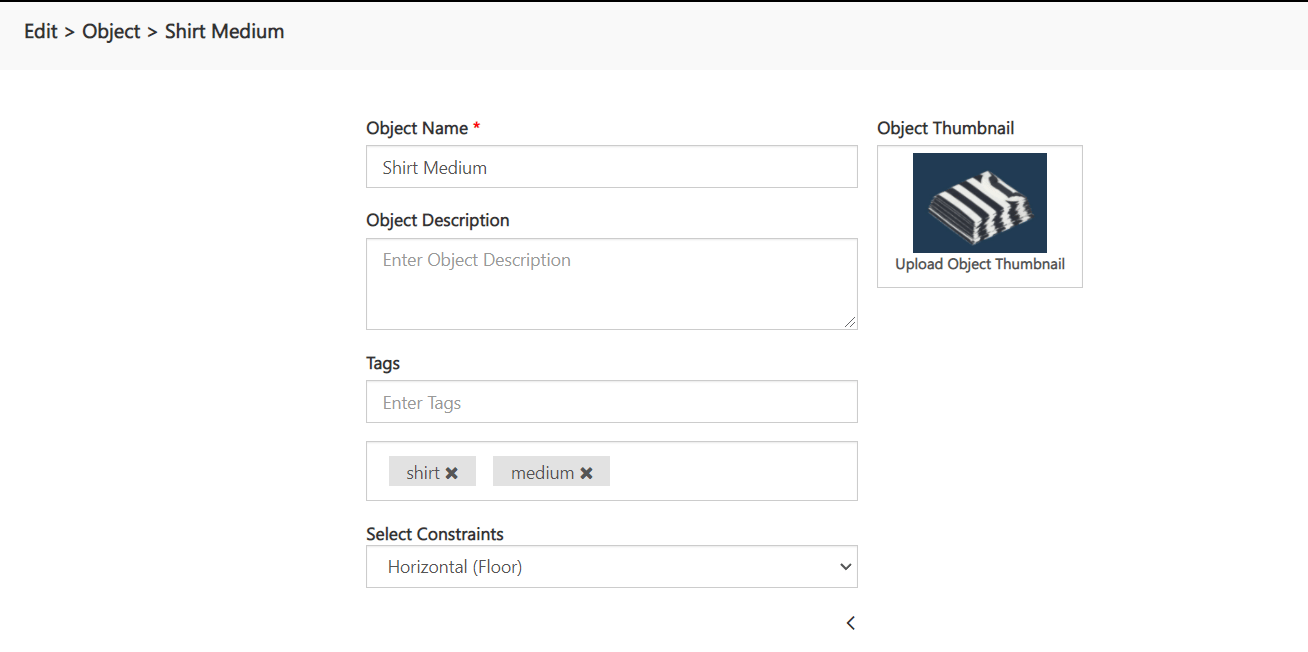
* add type (can be any tag) and size (only tags **small** / **medium** / **large**) to tag list when creating or editing the object in the portal
### Slots for objects of a specific type and size
*Object Requirements:*
* the 'Slot' GameObject parent name to follow the pattern: Slot$SizeofSlot#TypeOfObject ex. Slot$Medium#Shirt
*Portal Requirements:*
* add type (can be any tag) and size (only tags **small** / **medium** / **large**) to tag list when creating or editing the object in the portal
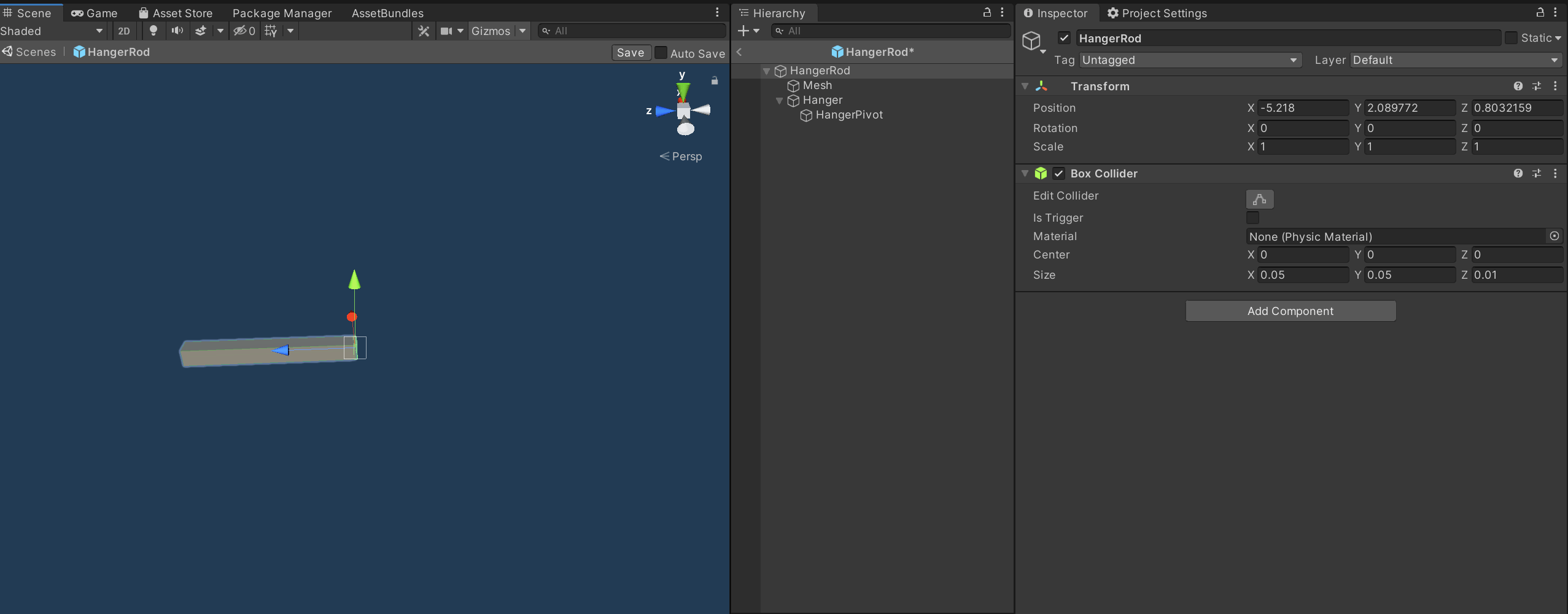
 ## Adding Hanger on a vertical placed object
*Object Requirements:*
* a GameObject named 'HangerPivot' as a child of the object parent where the hanger object will be spawned
* a collider on the GameObject parent collider should be at the back side and z direction facing forward (+Z)
*Portal Requirements:*
* set the constraints of the object to **Vertical (Wall)** when creating or editing the object in the portal
## Adding Hanger on a vertical placed object
*Object Requirements:*
* a GameObject named 'HangerPivot' as a child of the object parent where the hanger object will be spawned
* a collider on the GameObject parent collider should be at the back side and z direction facing forward (+Z)
*Portal Requirements:*
* set the constraints of the object to **Vertical (Wall)** when creating or editing the object in the portal
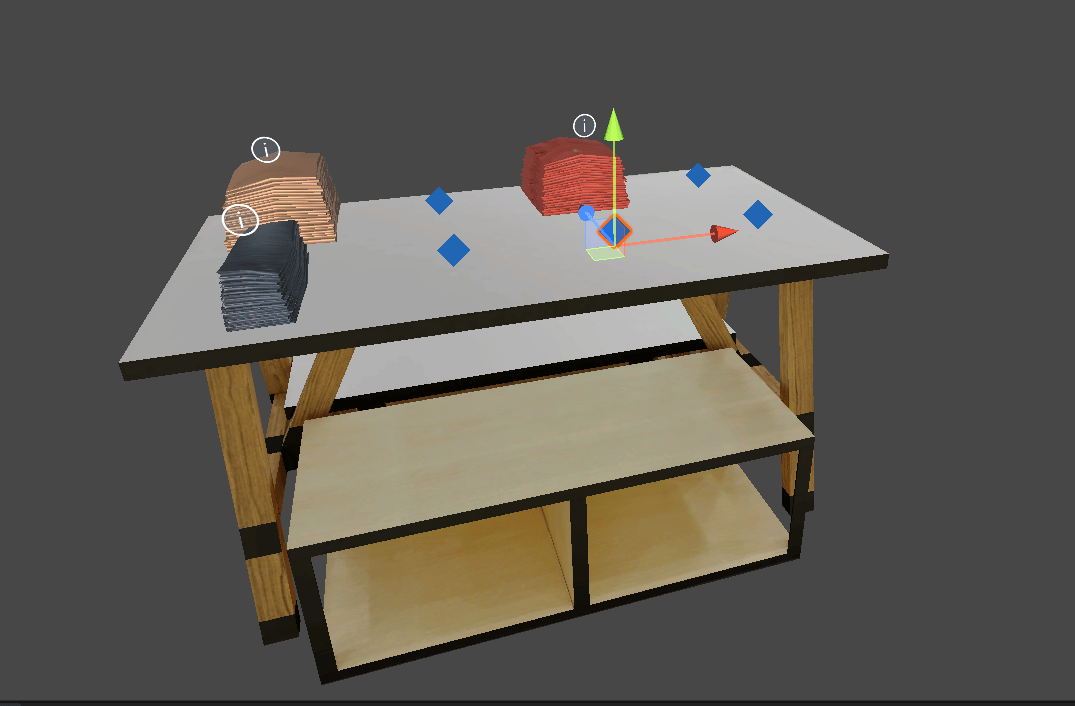
 ## Adding Slots to an Object with Horizontal Surface
Adding a slots to an object will allow for other objects to be added in specific slots on the object if there are horizontal surfaces defined in the object.
### Slots for objects of any size or type
*Object Requirements:*
* horizontal surfaces on the object (see above for how to add a horizontal surface to an object)
* a GameObject named 'Slot' with children at the positions of the slots
* the slots transform y direction should be facing upwards (+Y)
## Adding Slots to an Object with Horizontal Surface
Adding a slots to an object will allow for other objects to be added in specific slots on the object if there are horizontal surfaces defined in the object.
### Slots for objects of any size or type
*Object Requirements:*
* horizontal surfaces on the object (see above for how to add a horizontal surface to an object)
* a GameObject named 'Slot' with children at the positions of the slots
* the slots transform y direction should be facing upwards (+Y)
 ### Slots for objects of a specific type and any size
*Object Requirements:*
* the 'Slot' GameObject parent name to follow the pattern: Slot$TypeOfObject ex. Slot$Shirt
*Portal Requirements:*
* add type (can be any tag) to tag list when creating or editing the object in the portal
### Slots for objects of a specific type and size
*Object Requirements:*
* the 'Slot' GameObject parent name to follow the pattern: Slot$SizeofSlot#TypeOfObject ex. Slot$Medium#Shirt
*Portal Requirements:*
* add type (can be any tag) and size (only tags **small** / **medium** / **large**) to tag list when creating or editing the object in the portal
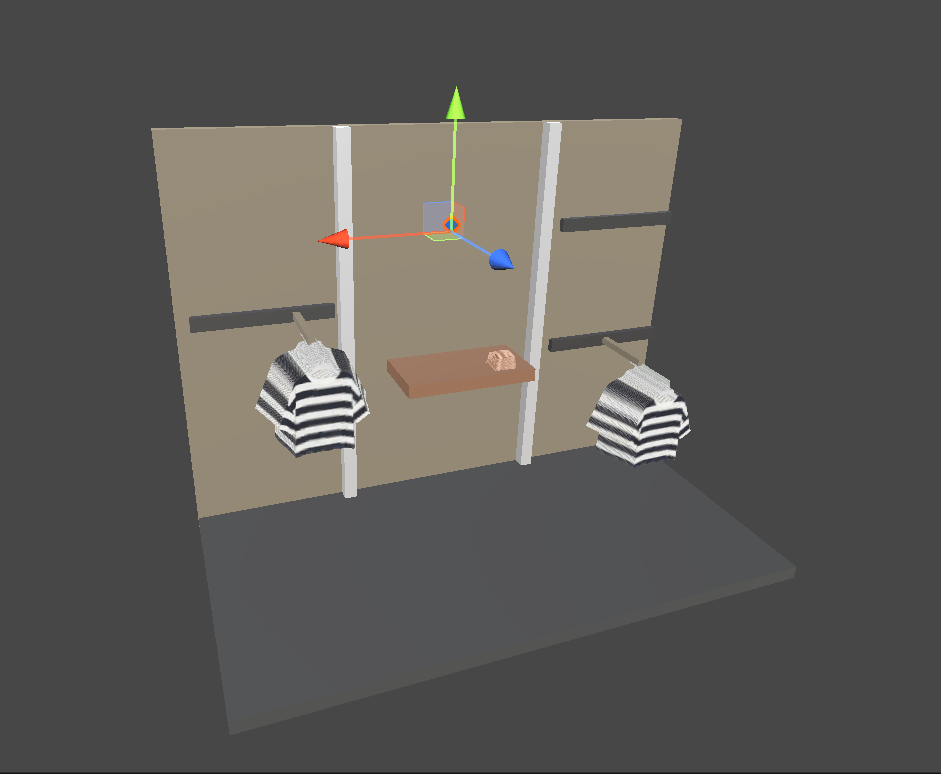
## Adding Slots to an Object with Vertical Surface
*Object Requirements:*
* same as Slots with horizontal surface
* only change is Slot z direction should be facing forward (+Z)
### Slots for objects of a specific type and any size
*Object Requirements:*
* the 'Slot' GameObject parent name to follow the pattern: Slot$TypeOfObject ex. Slot$Shirt
*Portal Requirements:*
* add type (can be any tag) to tag list when creating or editing the object in the portal
### Slots for objects of a specific type and size
*Object Requirements:*
* the 'Slot' GameObject parent name to follow the pattern: Slot$SizeofSlot#TypeOfObject ex. Slot$Medium#Shirt
*Portal Requirements:*
* add type (can be any tag) and size (only tags **small** / **medium** / **large**) to tag list when creating or editing the object in the portal
## Adding Slots to an Object with Vertical Surface
*Object Requirements:*
* same as Slots with horizontal surface
* only change is Slot z direction should be facing forward (+Z)
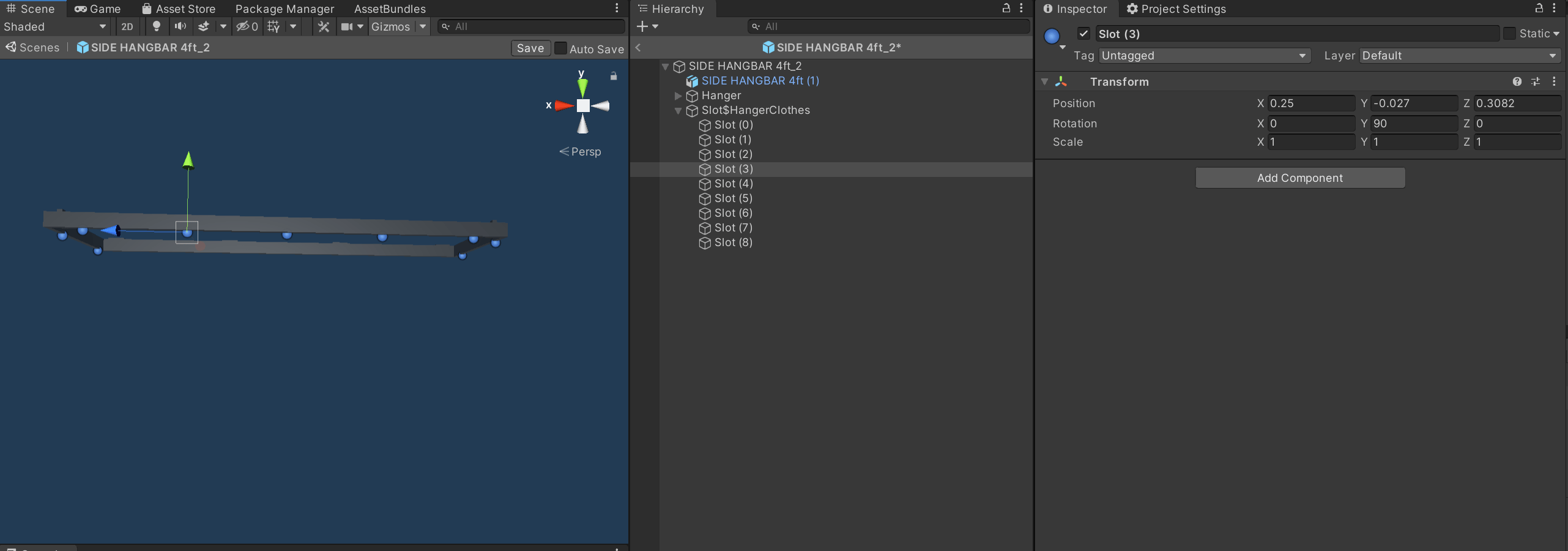
 ## Adding Slots to an Object with Hanger Surface
*Object Requirements:*
* the 'Slot' GameObject parent name to follow the pattern: Slot$TypeOfObject ex. Slot$HangerClothes
* the slots transform y direction should be facing upwards (+Y)
*Portal Requirements:*
* add type (can be any tag) to tag list when creating or editing the object in the portal
## Adding Slots to an Object with Hanger Surface
*Object Requirements:*
* the 'Slot' GameObject parent name to follow the pattern: Slot$TypeOfObject ex. Slot$HangerClothes
* the slots transform y direction should be facing upwards (+Y)
*Portal Requirements:*
* add type (can be any tag) to tag list when creating or editing the object in the portal
 # Object Filtering
## Adding a Tag to an Object
Create an empty GameObject as a child of the object which we need the filter for. This tag can be added to an [object in the portal for filtering](/docs/tutorials/hello-world-space-builder/upload-object).
Filter naming convention - $Filter#TagName Eg - $Filter#Pant
# Object Filtering
## Adding a Tag to an Object
Create an empty GameObject as a child of the object which we need the filter for. This tag can be added to an [object in the portal for filtering](/docs/tutorials/hello-world-space-builder/upload-object).
Filter naming convention - $Filter#TagName Eg - $Filter#Pant