> ## Documentation Index
> Fetch the complete documentation index at: https://docs.altoura.com/llms.txt
> Use this file to discover all available pages before exploring further.
# Audit Logs for Experiences
> Audit logs are detailed records that capture and document all the activities, events, and transactions within a system, serving as an essential tool for monitoring and security management. They provide a chronological trail of who did what, when, and where within the system. By maintaining a comprehensive history of these events, audit logs help organizations detect unauthorized access, identify suspicious behavior, ensure compliance with regulatory requirements, and troubleshoot operational issues. They are critical for forensic investigations in the event of a security breach, allowing administrators to analyze the sequence of actions that led to the incident and implement appropriate measures to prevent future occurrences. Audit logs contribute significantly to the overall security posture and operational integrity of an organization.
As part of the first phase of this development, Altoura will capture the Audit Logs relevant to the Altoura Experience System, and this will be displayed in the Altoura Portal.
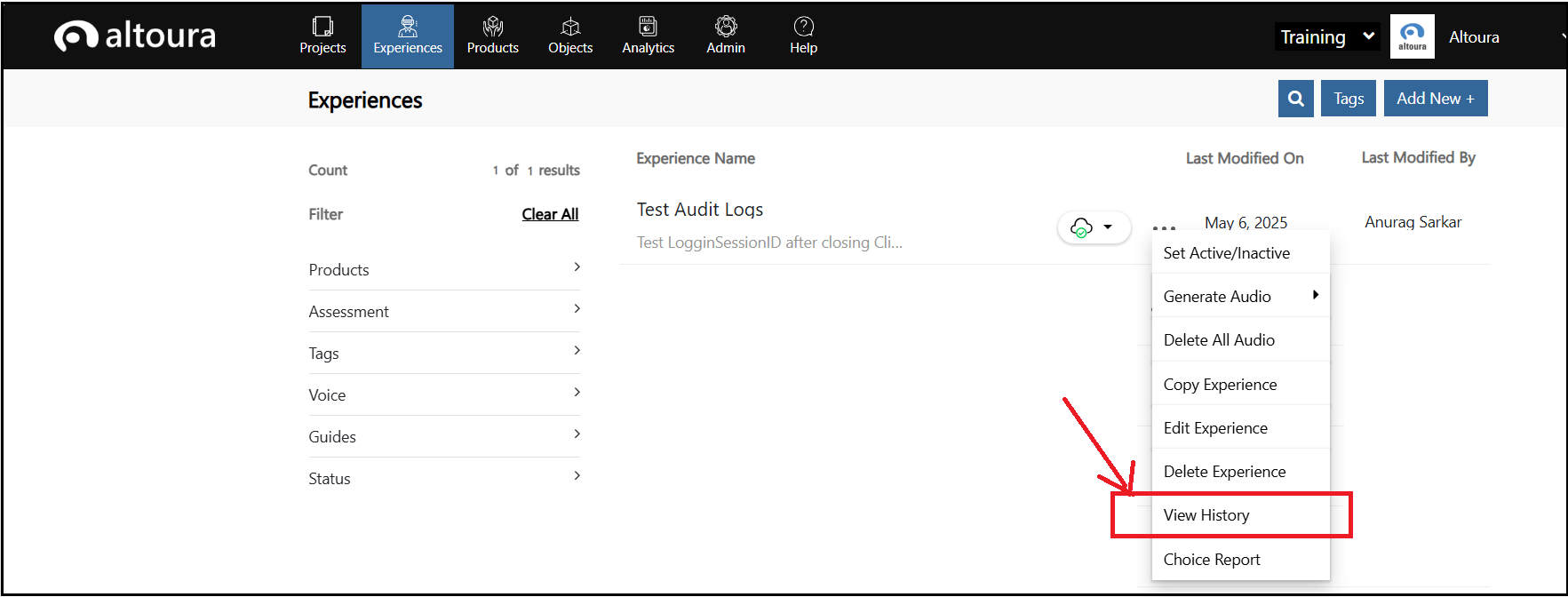
To view the Audit Logs for an experience, go to the Experiences tab. Select an experience from the list of Experiences, click on More Actions (... the 3 dots)
 Here, select **View History**
 A new page with all the history details of the experience is displayed as shown.
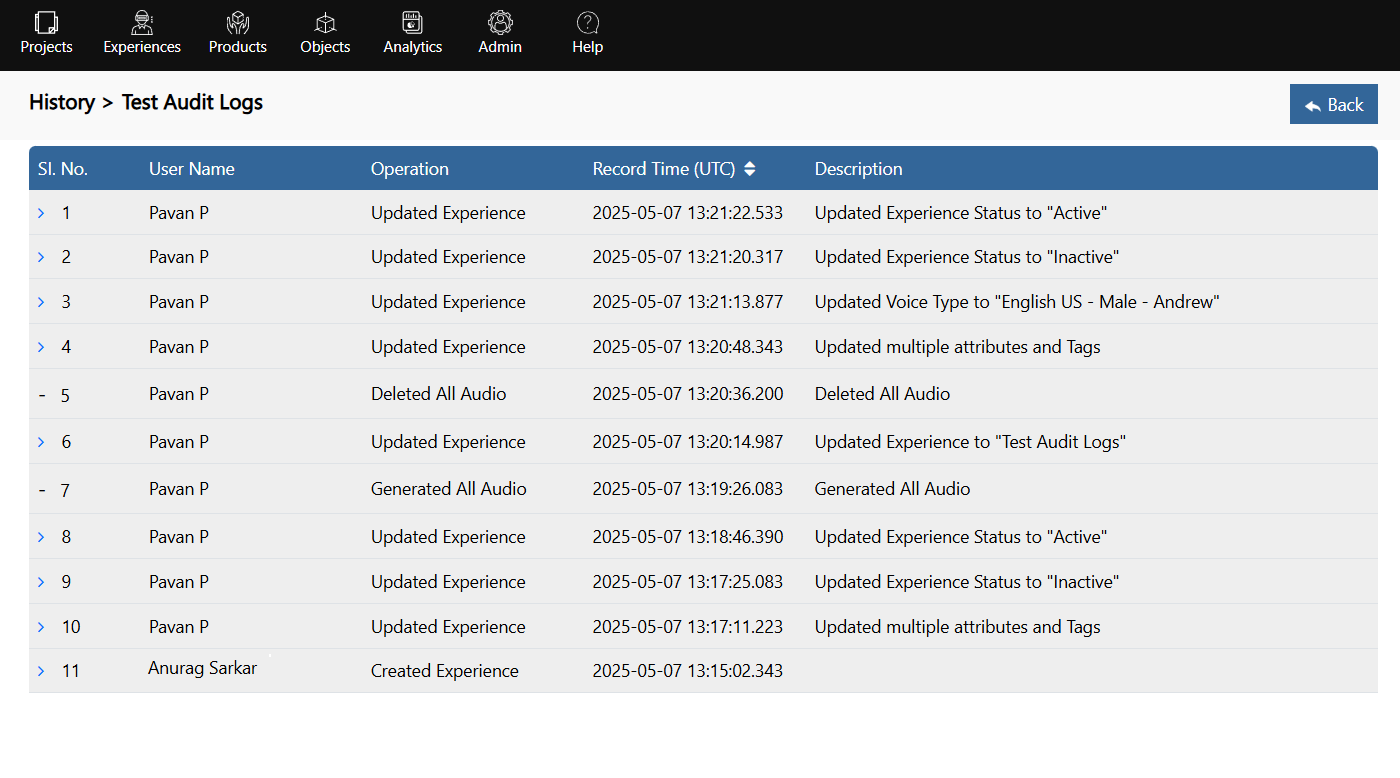 Here, username, the operation performed, the time of operation in UTC and the description of the operation are displayed.
The user can sort on the Record time field and retrieve the data both in ascending and descending orders.
Also, when the user clicks on the link on every row, the details of the operation will be displayed as follows:
Here, username, the operation performed, the time of operation in UTC and the description of the operation are displayed.
The user can sort on the Record time field and retrieve the data both in ascending and descending orders.
Also, when the user clicks on the link on every row, the details of the operation will be displayed as follows:
