> ## Documentation Index
> Fetch the complete documentation index at: https://docs.altoura.com/llms.txt
> Use this file to discover all available pages before exploring further.
# Audit Logs for Nodes and Connectors in an Experience
> An Altoura Experience consists of Nodes and Connectors.
> * **Nodes** are the individual points of interaction or content.
> * **Connectors** are the links between nodes that define the navigation and action between nodes.
When a user edits an experience, whether they are adding, updating or deleting the nodes or connectors - every action is recorded in the Audit Logs. This ensures full traceability of changes and makes it easy to figure out who did what, and when.
## UI Overview
### Experiences List view
On the Experiences List page, when the user selects View History menu Audit Logs page is displayed. it contains two tabs.
* Logs – a complete, chronological record of all actions at the experience level.
* Summary – complete chronological entries showing activity on individual nodes and connectors
### Experiences Node Editor view
In the Node Editor for an experience the layout splits into three panels:
* Canvas - is the area where the nodes and connectors are visually arranged.
* Properties - the settings and metadata for the currently selected element.
* History - A detailed breakdown of all the modifications made to the nodes and connectors.
### Audit Logs Generation
1. In the Experience tab, create a new experience.
2. Click on More Actions (3 dots ...) and select **View History**
3. The Audit Logs page is displayed. Here click on the Summary tab
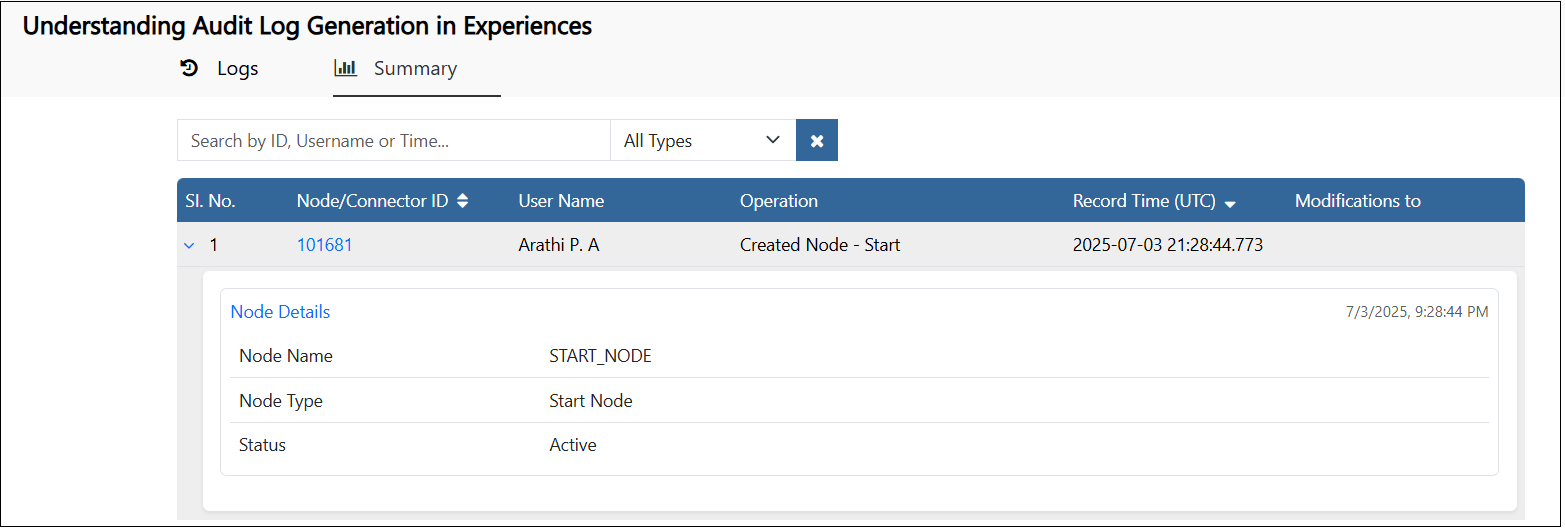
1. A row is added to the logs showing that the experience is created with a Start node.
2. The NodeID, the user who created it and the timestamp are displayed.
3.  Expand the row, details like the node name, type and status of the node are displayed.
4.
Expand the row, details like the node name, type and status of the node are displayed.
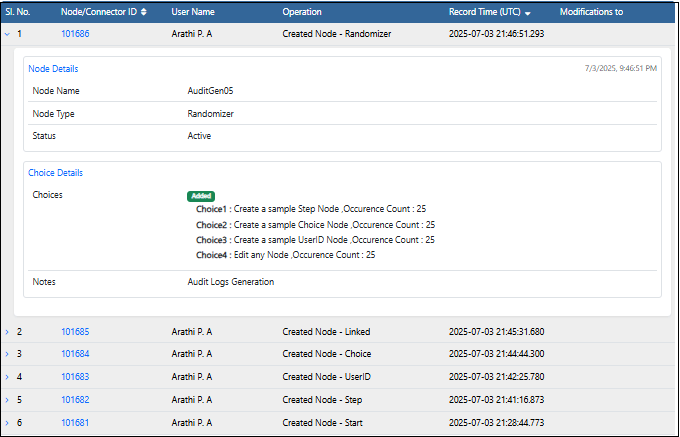
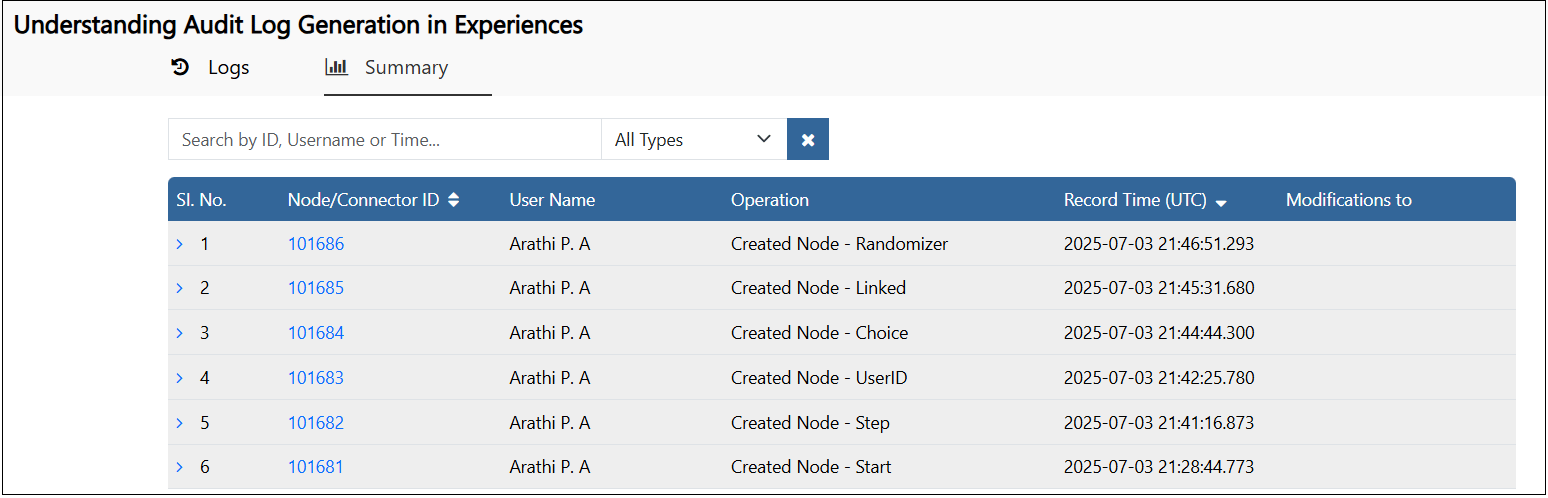
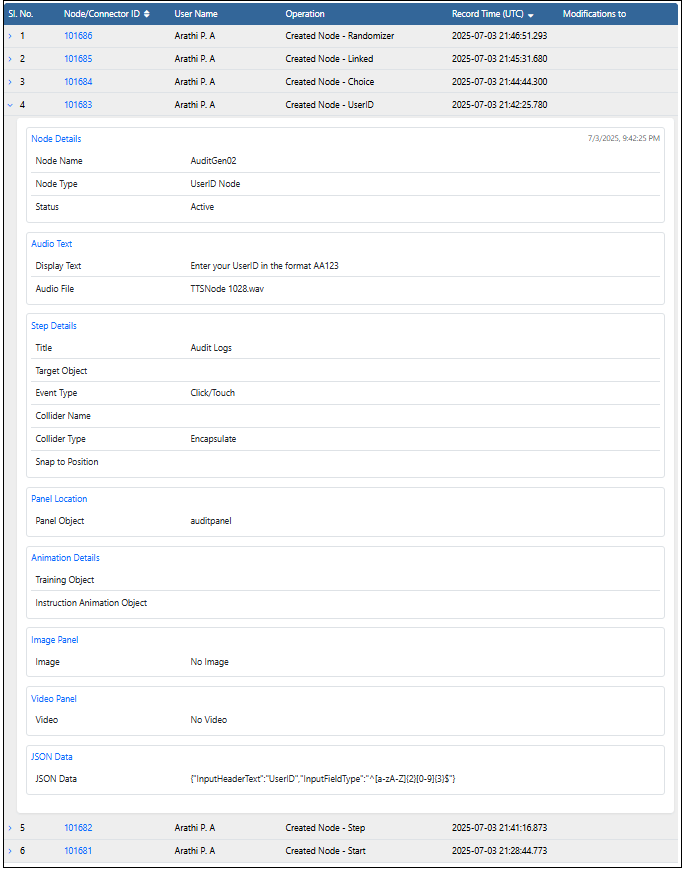
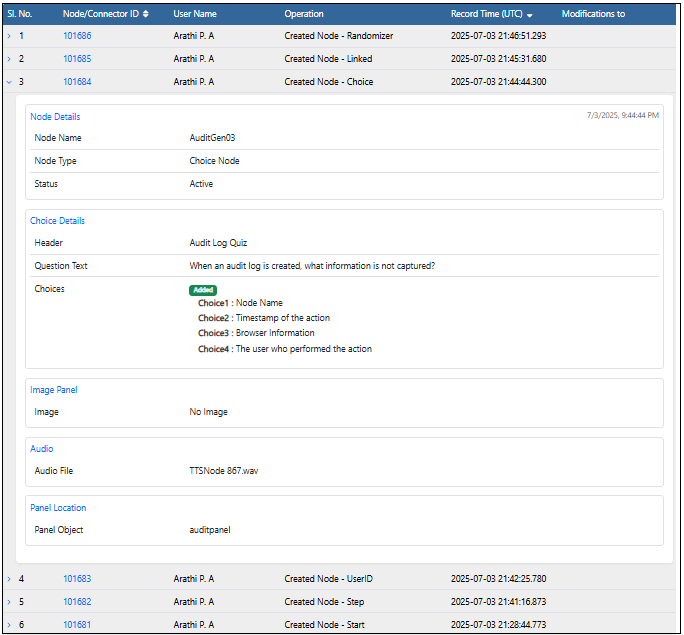
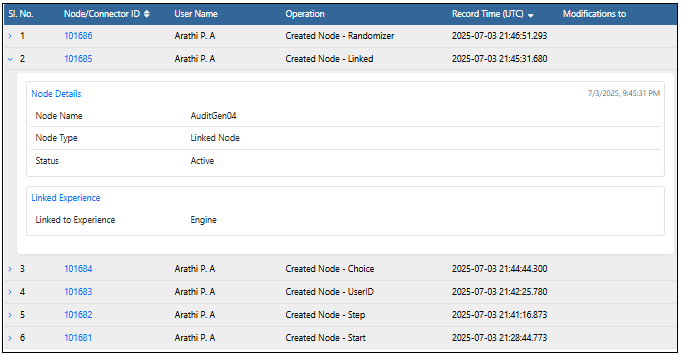
4.  In the Node Editor, add different types of nodes - a Step Node, UserID Node, Choice Node, Linked Node and a Randomizer. Entries are added in the Audit logs for each node recording the NodeID, Username and Timestamp of creation. Along with this, the operation - 'Created Node' with the type of node created is also displayed.
5.
In the Node Editor, add different types of nodes - a Step Node, UserID Node, Choice Node, Linked Node and a Randomizer. Entries are added in the Audit logs for each node recording the NodeID, Username and Timestamp of creation. Along with this, the operation - 'Created Node' with the type of node created is also displayed.
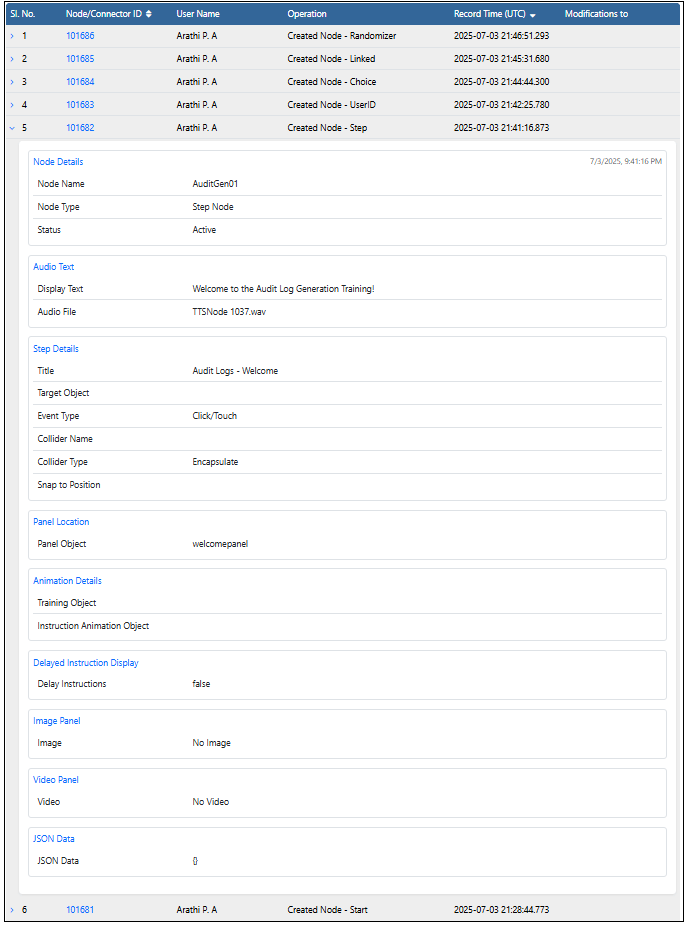
5.  Expand the rows, all the properties that are added to the node are displayed. If no values are entered against the property blank values are displayed.
* ### Step Node
Expand the rows, all the properties that are added to the node are displayed. If no values are entered against the property blank values are displayed.
* ### Step Node
 ### User ID Node
 * ### Choice Node
 * ### Linked Node
 * ### Randomizer