> ## Documentation Index
> Fetch the complete documentation index at: https://docs.altoura.com/llms.txt
> Use this file to discover all available pages before exploring further.
# Experience Filters
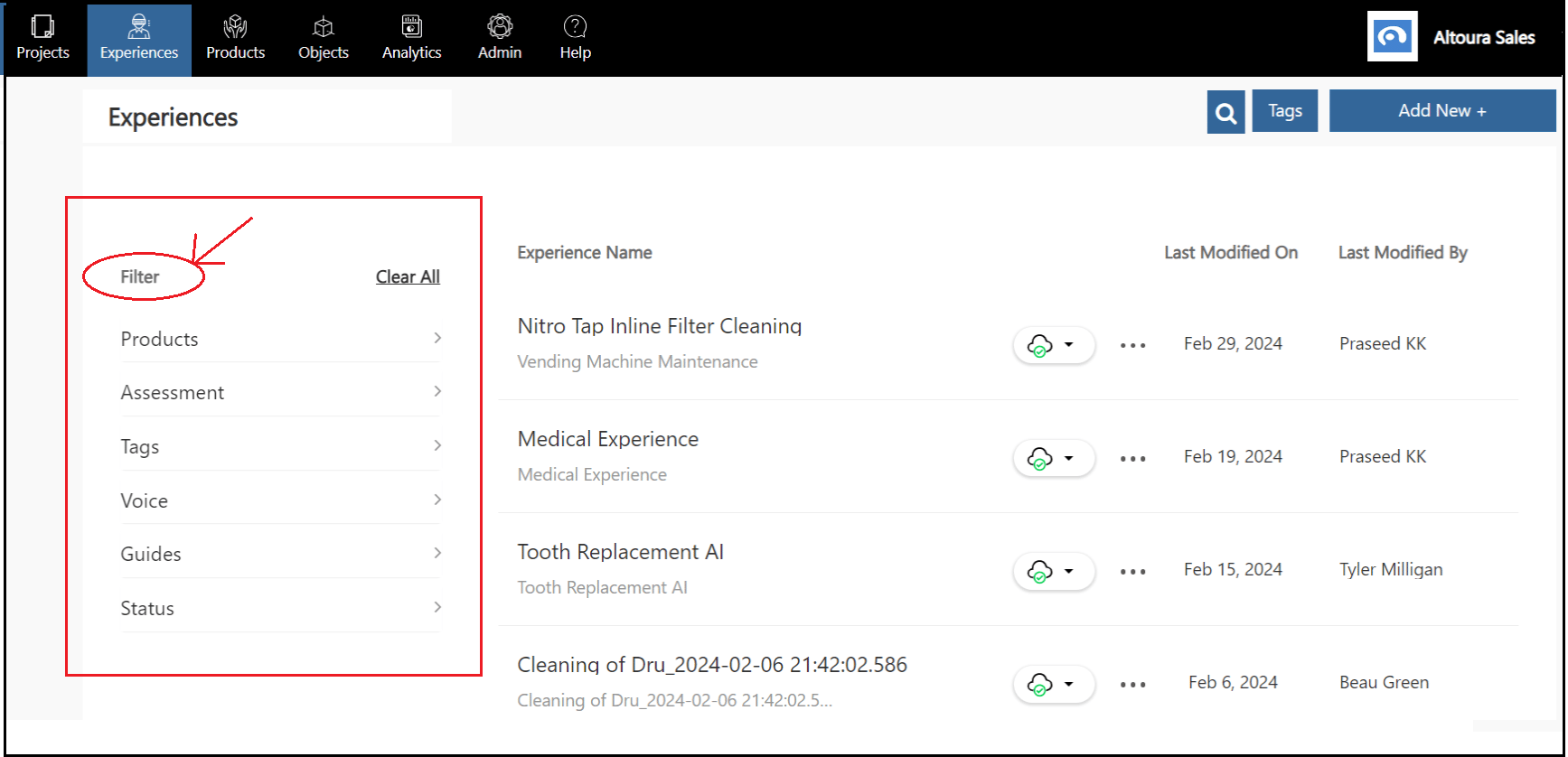
> The left section of the Experiences page has all the filters that can be applied to the list of experiences to narrow them down to a subset of experiences.
 ## Products Filter
The Products filter can be used to filter the experiences based on the product associated with the experience. If a product has multiple experiences associated with it, then selecting that product will list all the experiences.
## Products Filter
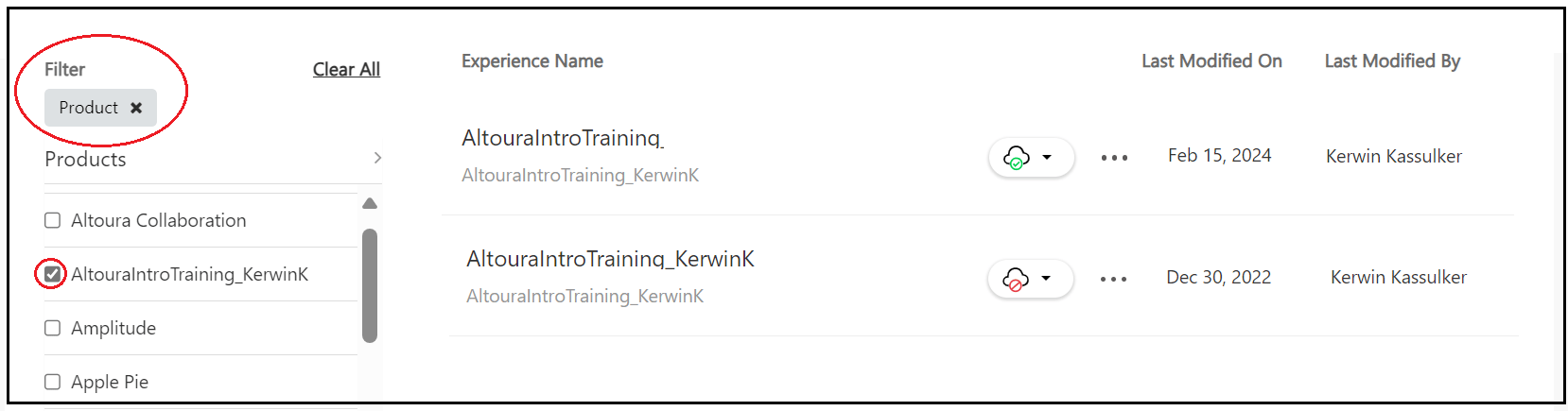
The Products filter can be used to filter the experiences based on the product associated with the experience. If a product has multiple experiences associated with it, then selecting that product will list all the experiences.
 ## Assessment Filter
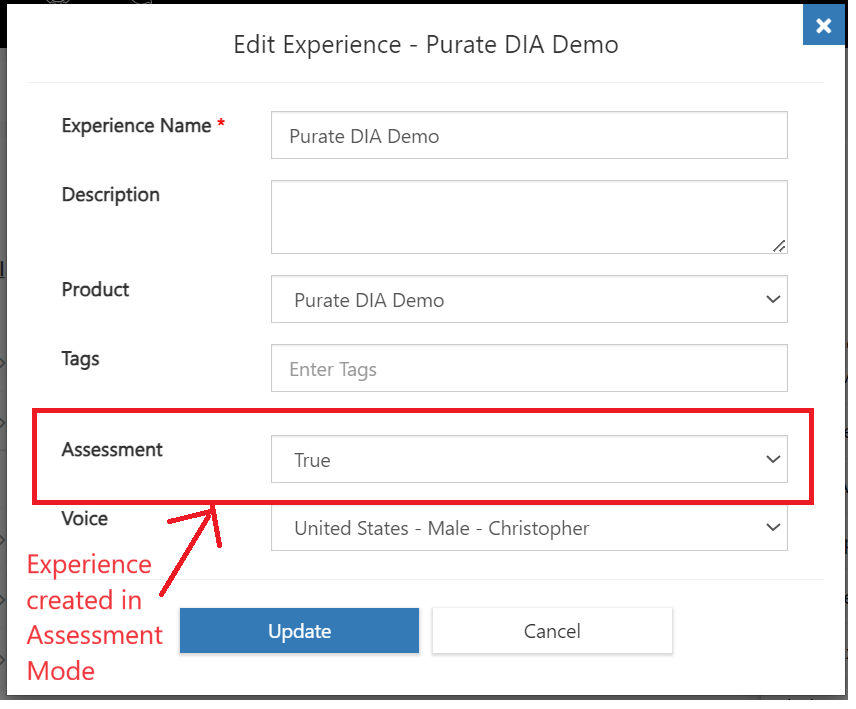
The Assessment filter can be used to get a subset of all experiences that can be run in assessment mode. While creating an experience if the assessment flag of the experience is set to True then that experience can be run in Assessment mode.
## Assessment Filter
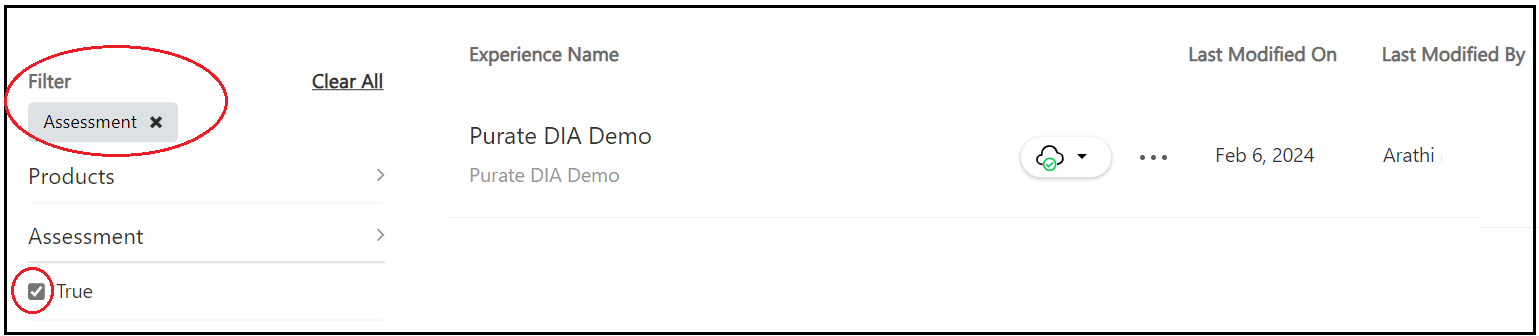
The Assessment filter can be used to get a subset of all experiences that can be run in assessment mode. While creating an experience if the assessment flag of the experience is set to True then that experience can be run in Assessment mode.
 ## Guides Filter
When a Guides tenant connection from a customer Organization is established within Altoura, experiences can be created within Altoura by importing the Guides from the customer tenant. Also, experiences created within Altoura can be exported to Guides.
To view the list of experiences that were imported from Guides, the user has to select the Guides filter and under that select the **Imported form D365 Guides** option.
## Guides Filter
When a Guides tenant connection from a customer Organization is established within Altoura, experiences can be created within Altoura by importing the Guides from the customer tenant. Also, experiences created within Altoura can be exported to Guides.
To view the list of experiences that were imported from Guides, the user has to select the Guides filter and under that select the **Imported form D365 Guides** option.
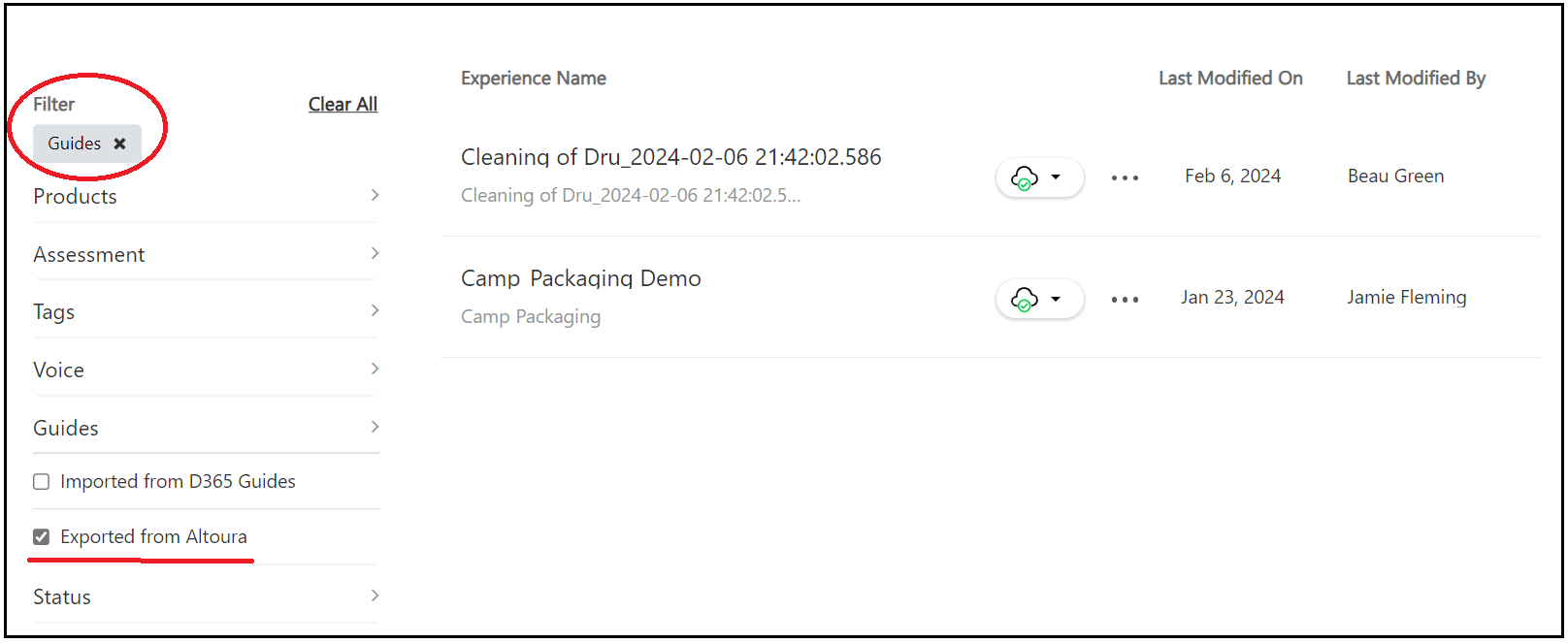
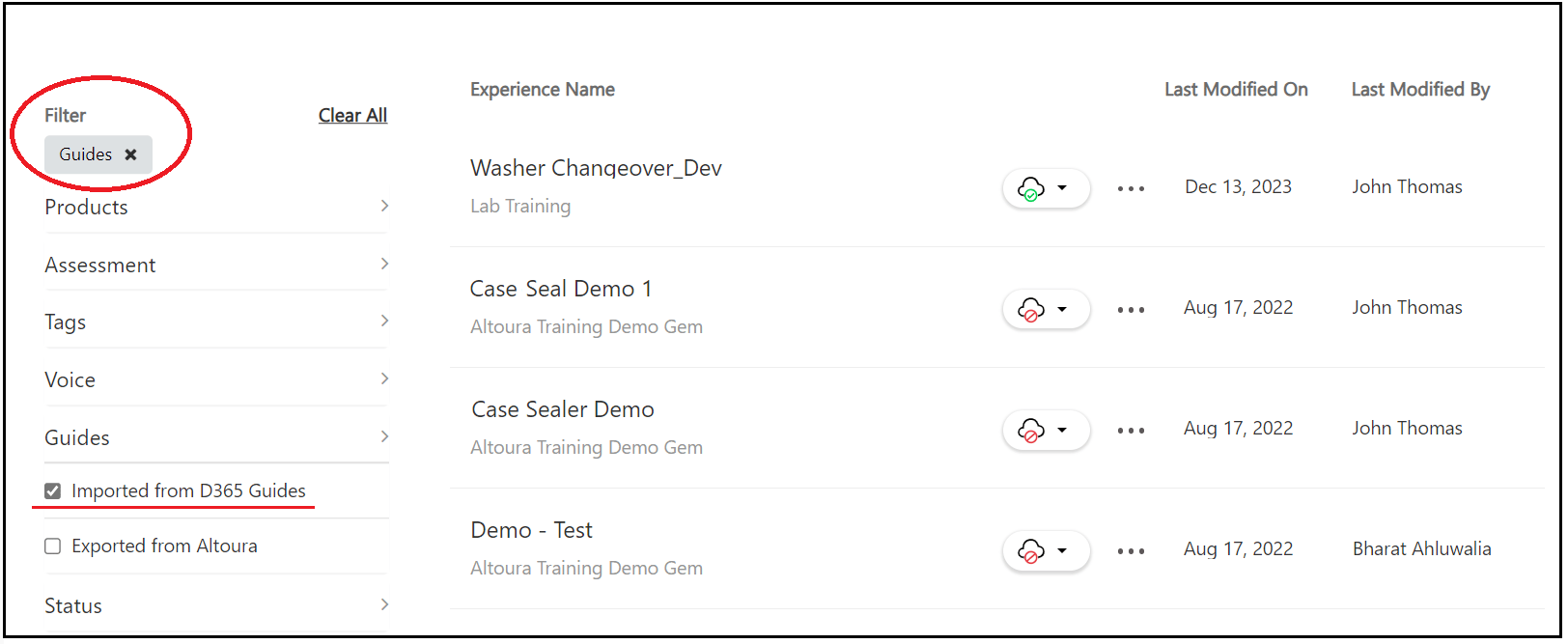 To view the list of experiences that were created within Altoura and exported to the customer's Guides tenant, the user has to select the Guides filter and under that select the **Exported from Altoura** option.