> ## Documentation Index
> Fetch the complete documentation index at: https://docs.altoura.com/llms.txt
> Use this file to discover all available pages before exploring further.
# Igloo Integration
> Altoura can integrate with Igloo hardware to stream the current scene onto the Igloo projector from the Altoura Desktop App.
## Feature Demo
## Instructions
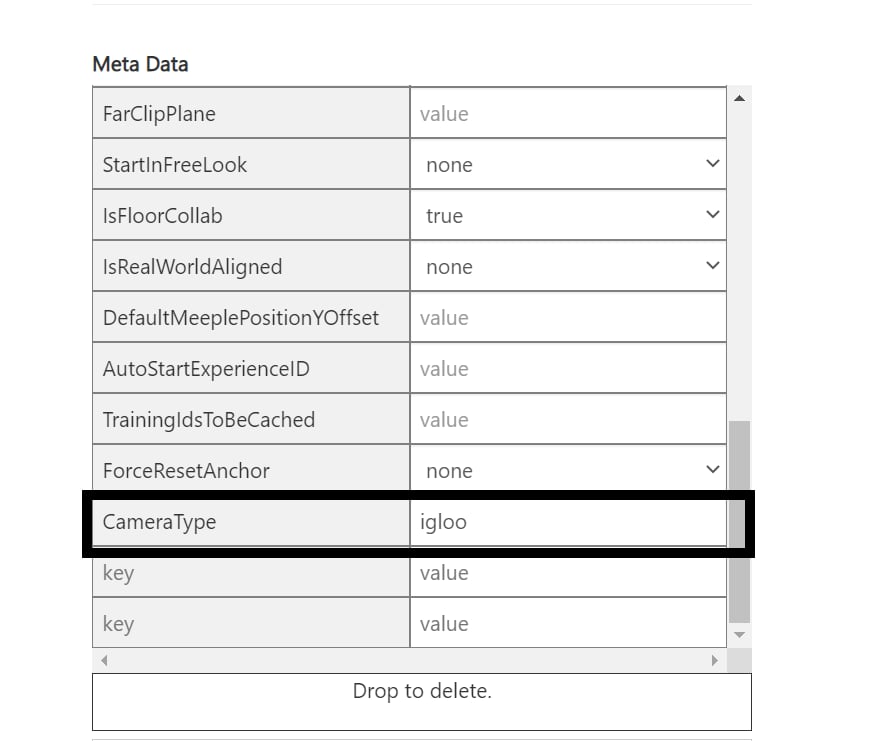
• Please use space metadata **CameraType** = igloo for the space to be projected in igloo. • The screen is projected only when you’re in freelook mode inside the space. • If you want to test without the Igloo setup, please install the [Igloo Preview App](https://studio216.blob.core.windows.net/tools/IglooPreviewApp.zip)
 ## How to use the feature:
• Go to the space in which the metadata CameraType is set. • Go to freelook mode • Now the stream should be available either in igloo or in igloo preview app under receive.
### If u don’t see the app listed under receive in igloo preview app, please run the app in administrator mode.
## How to use the feature:
• Go to the space in which the metadata CameraType is set. • Go to freelook mode • Now the stream should be available either in igloo or in igloo preview app under receive.
### If u don’t see the app listed under receive in igloo preview app, please run the app in administrator mode.