> ## Documentation Index
> Fetch the complete documentation index at: https://docs.altoura.com/llms.txt
> Use this file to discover all available pages before exploring further.
# Settings
> iPad app settings reference: the profile menu and QR code anchoring size.
This page is a **lookup reference** for the settings available in the Frontline iPad app. Use it when you need to change how the app is configured — most commonly the physical size of your printed QR codes.
## Profile Menu
Select the **Profile** icon on the Home page to open your account menu.
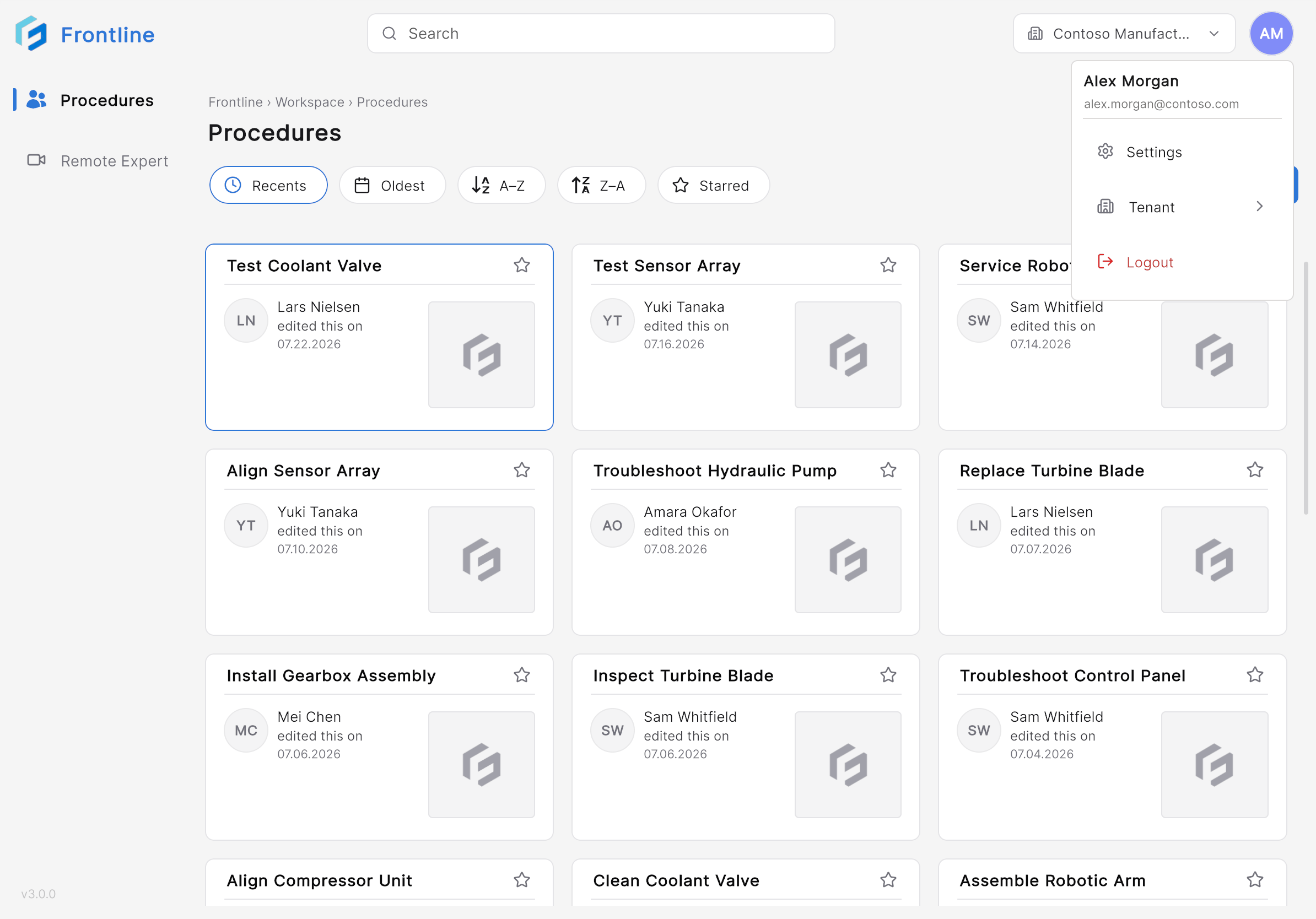 From this menu, you can:
* View your account information.
* Access application settings.
* Configure QR code anchoring.
* Sign out of the application.
## QR Code Anchoring
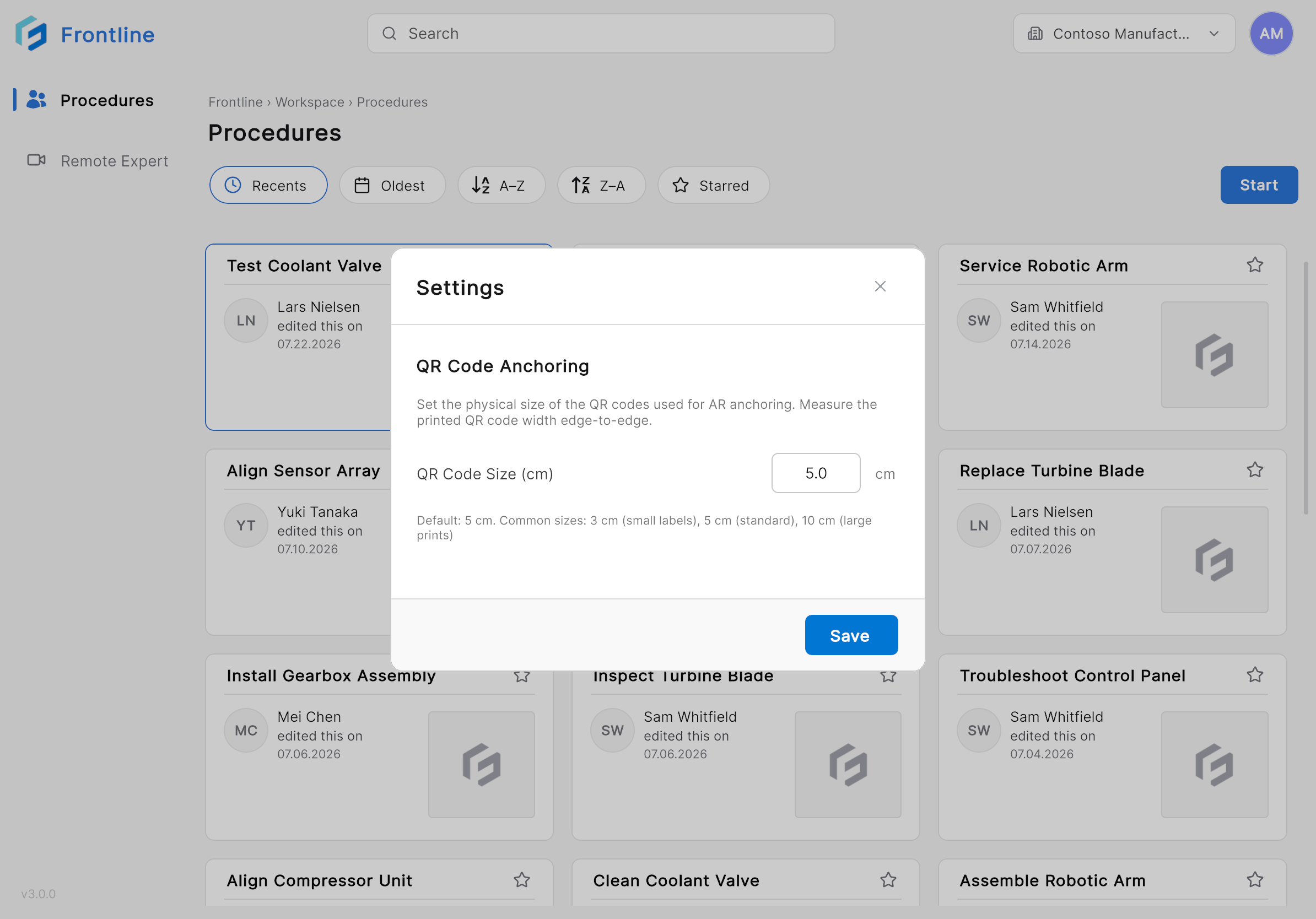
The QR Code Anchoring setting defines the physical size of the QR codes used for augmented reality anchoring. Measure the printed QR code from edge to edge and enter the corresponding width in centimeters.
From this menu, you can:
* View your account information.
* Access application settings.
* Configure QR code anchoring.
* Sign out of the application.
## QR Code Anchoring
The QR Code Anchoring setting defines the physical size of the QR codes used for augmented reality anchoring. Measure the printed QR code from edge to edge and enter the corresponding width in centimeters.
 | Setting | Description |
| ---------------- | ----------------------------------------------------------------------- |
| **QR Code Size** | Specifies the physical width of the printed QR code used for anchoring. |
The default value is **5 cm**. Common QR code sizes:
| Size | Typical Use |
| --------- | ----------------------- |
| **3 cm** | Small equipment labels |
| **5 cm** | Standard printed labels |
| **10 cm** | Large signs or posters |
Using the correct QR code size improves anchoring accuracy and helps ensure that augmented reality content aligns correctly with the physical environment. For the anchoring workflow itself, see [Anchor with a QR Code](/frontline/ipad/operate/anchor-with-qr); for the concept, see [Anchoring and QR Codes](/frontline/overview/concepts/anchoring-and-qr-codes).
| Setting | Description |
| ---------------- | ----------------------------------------------------------------------- |
| **QR Code Size** | Specifies the physical width of the printed QR code used for anchoring. |
The default value is **5 cm**. Common QR code sizes:
| Size | Typical Use |
| --------- | ----------------------- |
| **3 cm** | Small equipment labels |
| **5 cm** | Standard printed labels |
| **10 cm** | Large signs or posters |
Using the correct QR code size improves anchoring accuracy and helps ensure that augmented reality content aligns correctly with the physical environment. For the anchoring workflow itself, see [Anchor with a QR Code](/frontline/ipad/operate/anchor-with-qr); for the concept, see [Anchoring and QR Codes](/frontline/overview/concepts/anchoring-and-qr-codes).