> ## Documentation Index
> Fetch the complete documentation index at: https://docs.altoura.com/llms.txt
> Use this file to discover all available pages before exploring further.
# 3D Model Behavior in Operator Mode
 ## Overview
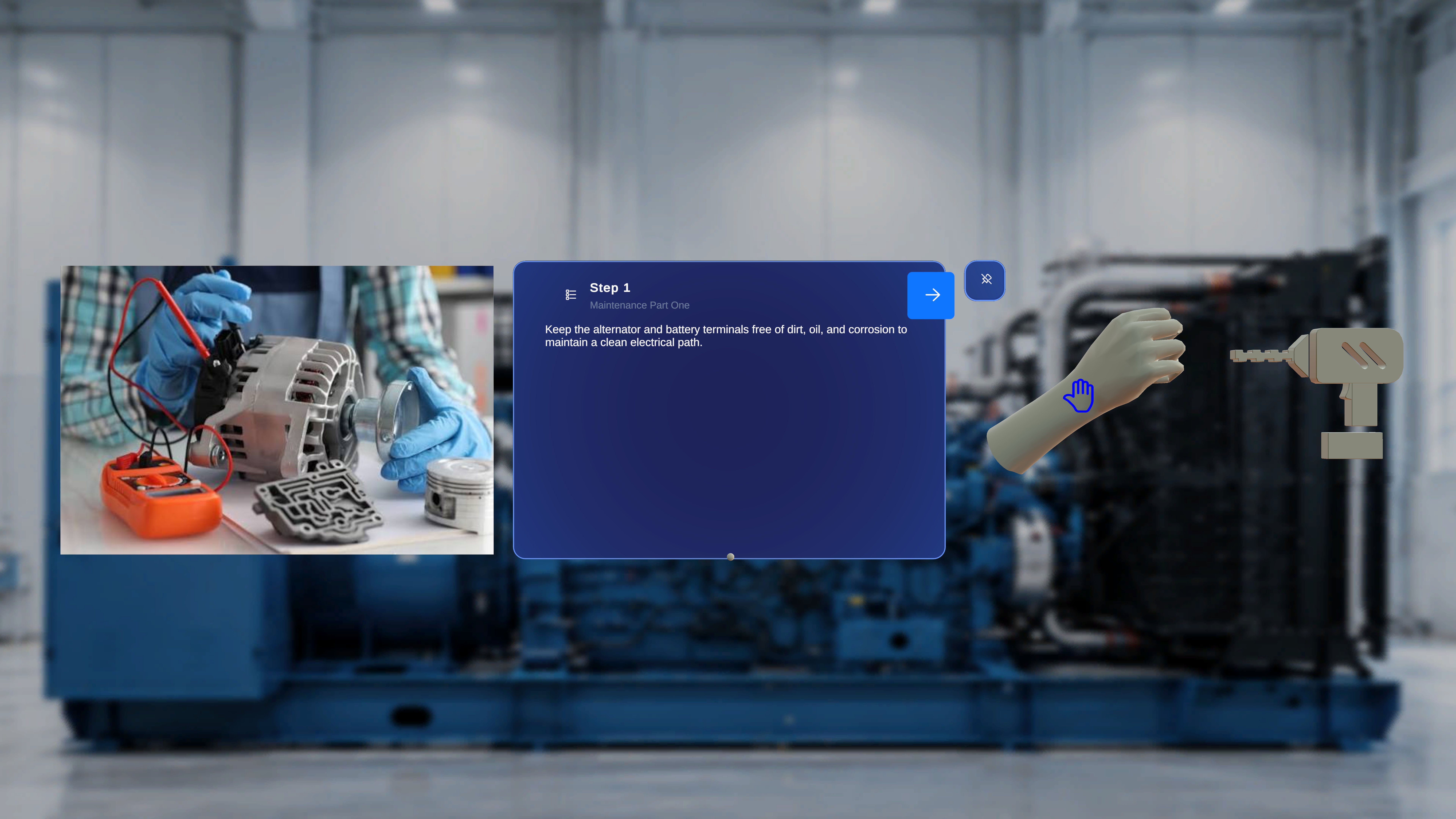
In Operator Mode, 3D model behavior is entirely governed by configuration defined in Author Mode.
Operators cannot modify:
* Interactability
* Ghost behavior
* Animation settings
* Playback speed or direction
All interaction capabilities are read-only and enforced based on how the model was configured during authoring.
***
# 1. Interactable
## Definition
The **Interactable** setting determines whether a 3D model can be manipulated by the operator during execution.
This setting is configured in Author Mode at the model level.
***
## Configuration in Author Mode
In Author Mode:
* The author selects a model.
* Enables or disables the **Interactable** toggle.
This configuration is saved as part of the step state.
***
## Behavior in Operator Mode
## Overview
In Operator Mode, 3D model behavior is entirely governed by configuration defined in Author Mode.
Operators cannot modify:
* Interactability
* Ghost behavior
* Animation settings
* Playback speed or direction
All interaction capabilities are read-only and enforced based on how the model was configured during authoring.
***
# 1. Interactable
## Definition
The **Interactable** setting determines whether a 3D model can be manipulated by the operator during execution.
This setting is configured in Author Mode at the model level.
***
## Configuration in Author Mode
In Author Mode:
* The author selects a model.
* Enables or disables the **Interactable** toggle.
This configuration is saved as part of the step state.
***
## Behavior in Operator Mode
 ### If Interactable = Disabled
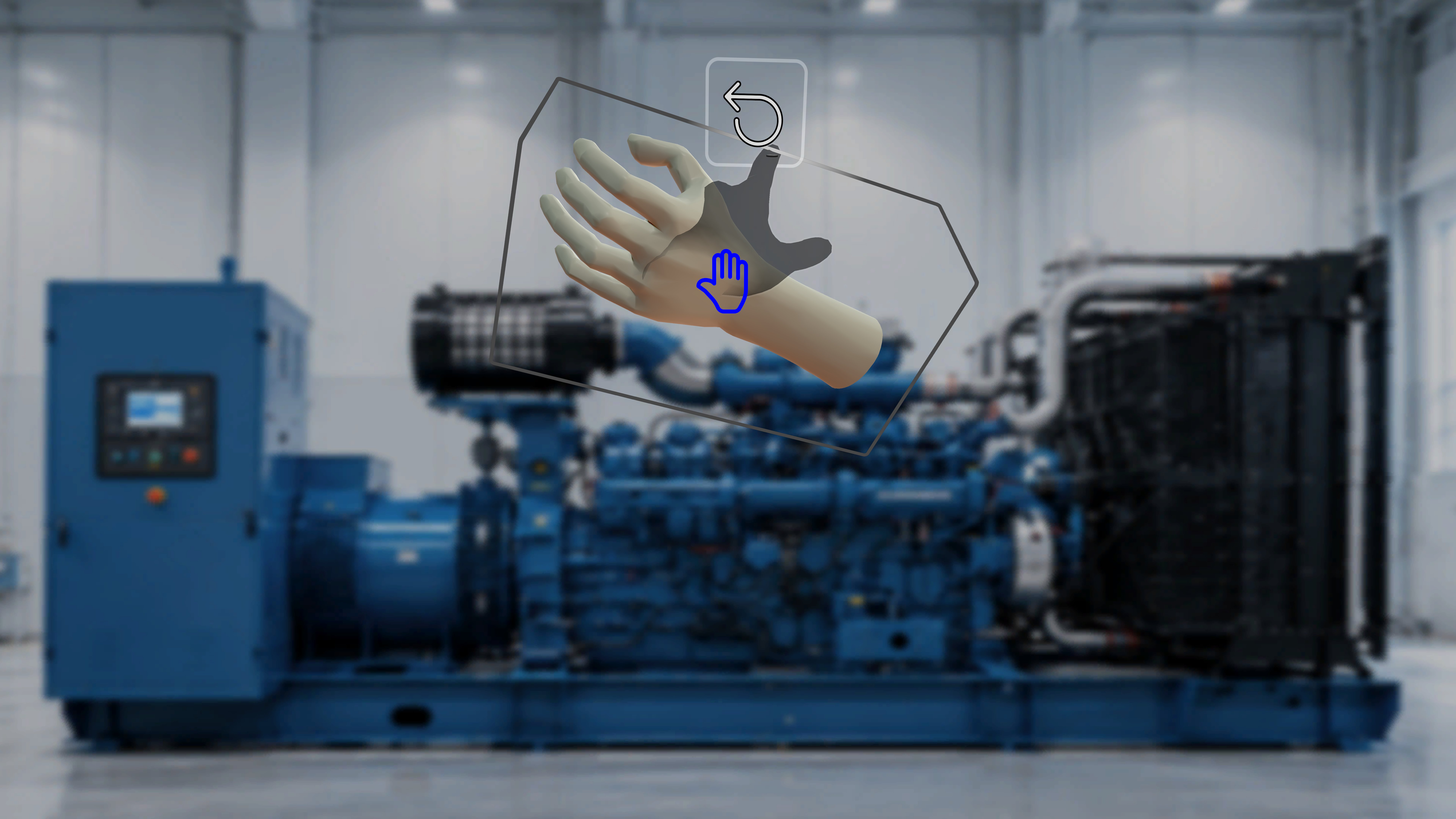
* The model appears in its authored position.
* The operator cannot grab, move, or reposition the model.
* The model remains fixed in space.
* The model functions as a visual reference only.
### If Interactable = Enabled
* The operator can grab and move the model.
* The model can be repositioned in physical space.
* Movement affects only the current session.
* The original authored configuration is not permanently modified.
***
## Important Notes
* Operators cannot toggle Interactable on or off.
* Interactable behavior is enforced exactly as defined during authoring.
* Interactable is evaluated per model, per step.
***
# 2. Interactable Ghost
### If Interactable = Disabled
* The model appears in its authored position.
* The operator cannot grab, move, or reposition the model.
* The model remains fixed in space.
* The model functions as a visual reference only.
### If Interactable = Enabled
* The operator can grab and move the model.
* The model can be repositioned in physical space.
* Movement affects only the current session.
* The original authored configuration is not permanently modified.
***
## Important Notes
* Operators cannot toggle Interactable on or off.
* Interactable behavior is enforced exactly as defined during authoring.
* Interactable is evaluated per model, per step.
***
# 2. Interactable Ghost
 ## Definition
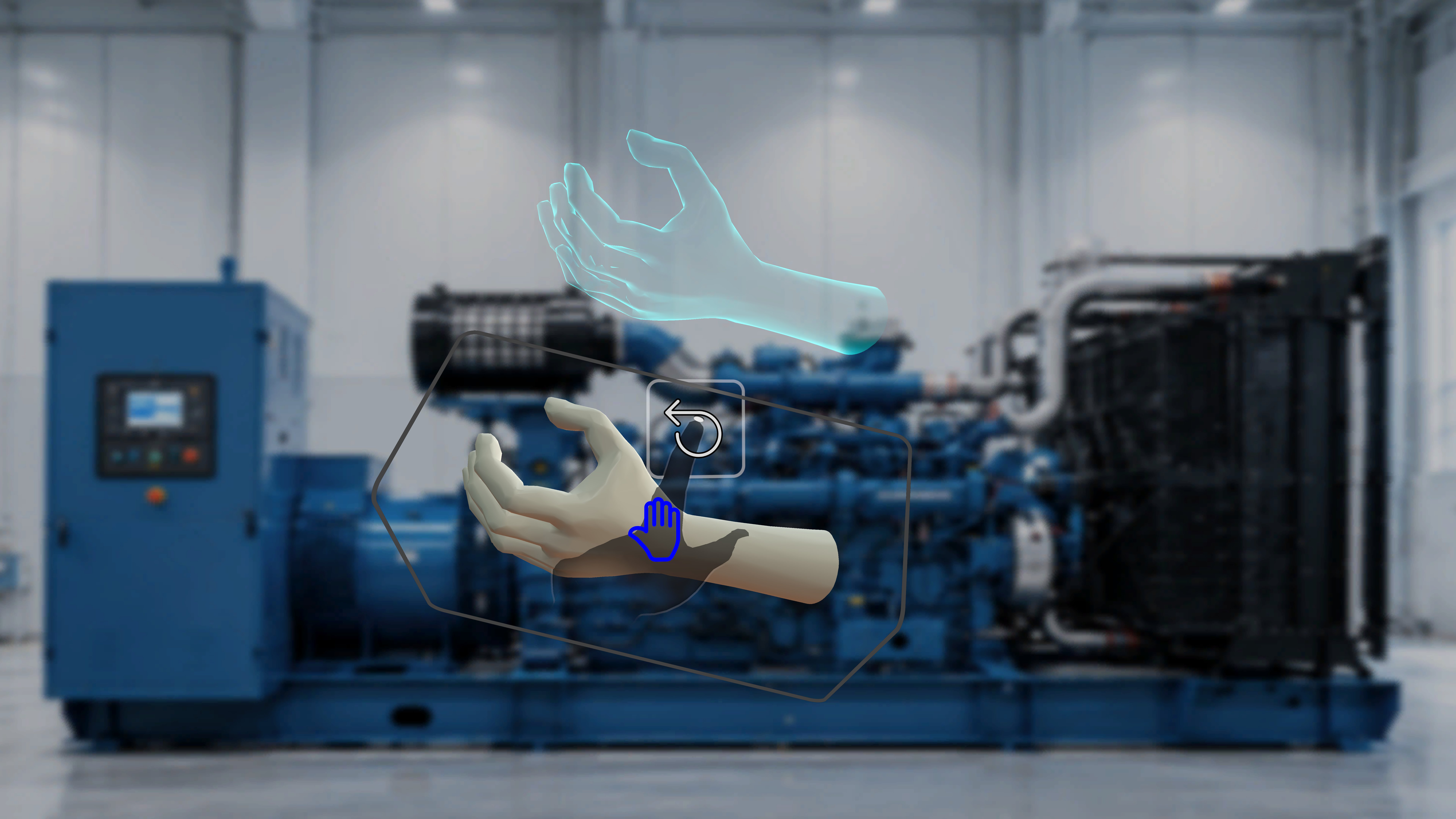
**Interactable Ghost** provides a visual reference to the model’s original authored position after it has been moved in Operator Mode.
This setting depends on Interactable being enabled.
***
## Configuration in Author Mode
In Author Mode:
* Ghost can only be enabled if Interactable is enabled.
* If Interactable is disabled, Ghost is automatically unavailable.
* Ghost is configured per model.
This configuration is stored at the step level.
***
## Behavior in Operator Mode
### If Interactable = Enabled and Ghost = Enabled
* When the operator moves the model:
* A shadow or ghost remains at the original authored position.
* The ghost indicates the intended placement.
* The moved model and the ghost are both visible.
### If Interactable = Enabled and Ghost = Disabled
* The model can be moved.
* No ghost appears.
* Only the relocated model is visible.
### If Interactable = Disabled
* Ghost behavior does not apply.
* The model cannot be moved.
* No ghost is shown.
***
## Functional Relationship
The dependency chain is:
Interactable must be enabled
→ Ghost can be enabled
If Interactable is turned off in Author Mode:
→ Ghost is automatically inactive in Operator Mode.
***
# 3. Animation (Takes)
## Definition
Animation (Takes) controls playback behavior of animated 3D models.
Animation settings are configured entirely in Author Mode.
***
## Configuration in Author Mode
Authors can configure:
* Animation enabled or disabled
* Selected Take (if multiple exist)
* Playback mode:
* Loop
* Once
* Ping Pong
* Direction
* Playback speed (e.g., 0.5x, 1x, 2x, etc.)
These settings are stored with the model configuration for that step.
***
## Behavior in Operator Mode
In Operator Mode:
* The animation plays automatically according to the defined configuration.
* Playback mode, direction, and speed are fixed.
* The operator cannot:
* Change the animation take
* Modify playback mode
* Adjust speed
* Pause or resume animation (unless otherwise configured; not shown in UI)
If animation was disabled in Author Mode:
* The model remains static.
***
## Step-Level Behavior
Animation is evaluated per model, per step.
When navigating between steps:
* Only animations attached to the active step are active.
* Models in other steps are not visible.
* Animation configuration persists exactly as authored.
## Definition
**Interactable Ghost** provides a visual reference to the model’s original authored position after it has been moved in Operator Mode.
This setting depends on Interactable being enabled.
***
## Configuration in Author Mode
In Author Mode:
* Ghost can only be enabled if Interactable is enabled.
* If Interactable is disabled, Ghost is automatically unavailable.
* Ghost is configured per model.
This configuration is stored at the step level.
***
## Behavior in Operator Mode
### If Interactable = Enabled and Ghost = Enabled
* When the operator moves the model:
* A shadow or ghost remains at the original authored position.
* The ghost indicates the intended placement.
* The moved model and the ghost are both visible.
### If Interactable = Enabled and Ghost = Disabled
* The model can be moved.
* No ghost appears.
* Only the relocated model is visible.
### If Interactable = Disabled
* Ghost behavior does not apply.
* The model cannot be moved.
* No ghost is shown.
***
## Functional Relationship
The dependency chain is:
Interactable must be enabled
→ Ghost can be enabled
If Interactable is turned off in Author Mode:
→ Ghost is automatically inactive in Operator Mode.
***
# 3. Animation (Takes)
## Definition
Animation (Takes) controls playback behavior of animated 3D models.
Animation settings are configured entirely in Author Mode.
***
## Configuration in Author Mode
Authors can configure:
* Animation enabled or disabled
* Selected Take (if multiple exist)
* Playback mode:
* Loop
* Once
* Ping Pong
* Direction
* Playback speed (e.g., 0.5x, 1x, 2x, etc.)
These settings are stored with the model configuration for that step.
***
## Behavior in Operator Mode
In Operator Mode:
* The animation plays automatically according to the defined configuration.
* Playback mode, direction, and speed are fixed.
* The operator cannot:
* Change the animation take
* Modify playback mode
* Adjust speed
* Pause or resume animation (unless otherwise configured; not shown in UI)
If animation was disabled in Author Mode:
* The model remains static.
***
## Step-Level Behavior
Animation is evaluated per model, per step.
When navigating between steps:
* Only animations attached to the active step are active.
* Models in other steps are not visible.
* Animation configuration persists exactly as authored.