> ## Documentation Index
> Fetch the complete documentation index at: https://docs.altoura.com/llms.txt
> Use this file to discover all available pages before exploring further.
# Procedures Landing Page
 ## Overview
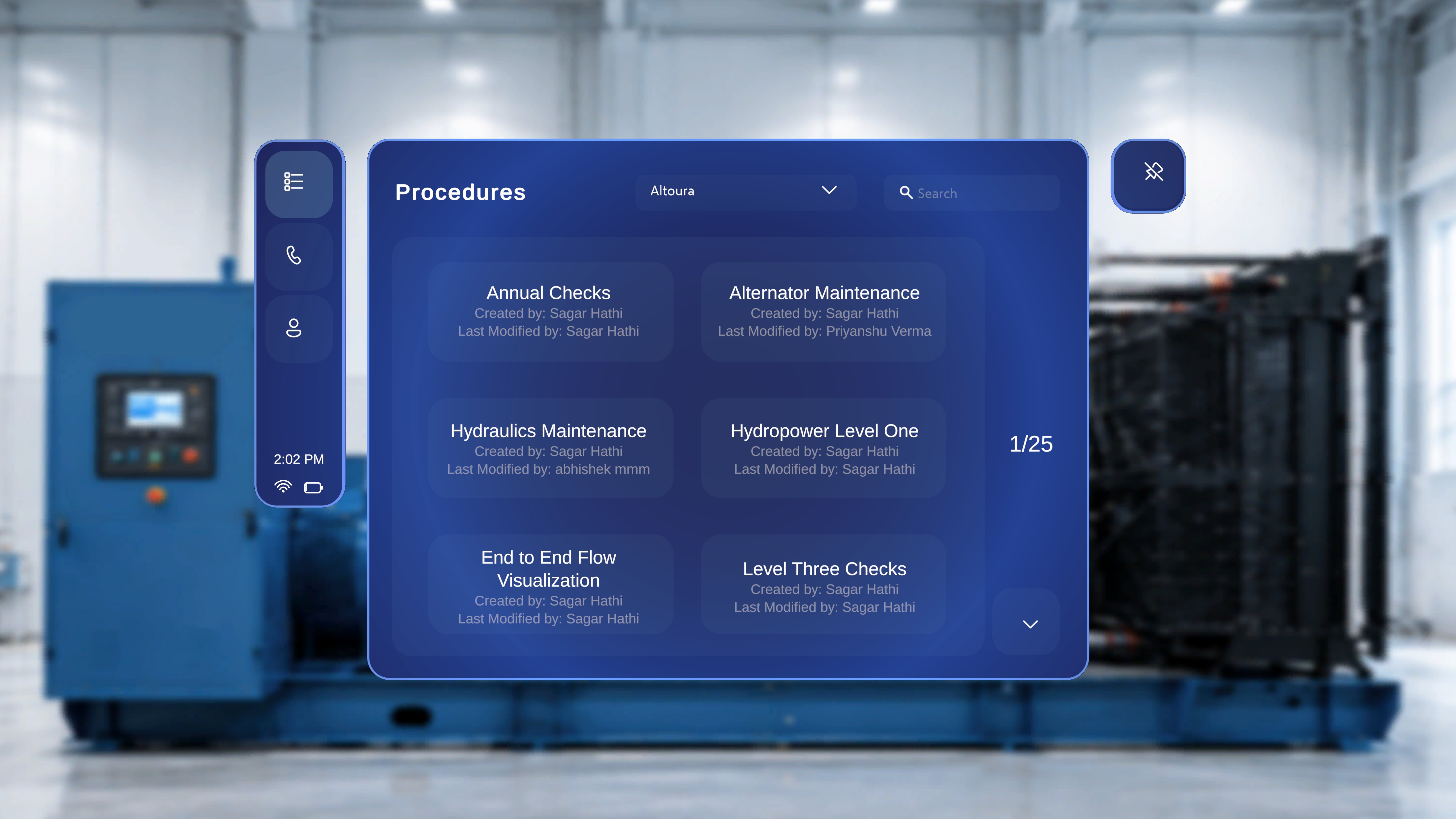
The **Procedures** page provides a centralized view of all available procedures within the selected organization. It allows you to:
* View procedure names and ownership details
* Filter procedures by organization
* Search for specific procedures
* Navigate through the available list
This page serves as the primary location for locating and accessing procedures.
## When to Use This Feature
Use the **Procedures** page when you need to:
* Find a specific procedure by name
* Review procedures created or modified by a specific user
* Switch between organizations to view different procedure sets
* Browse available procedures within your current organization
***
## Access the Procedures Page
## Overview
The **Procedures** page provides a centralized view of all available procedures within the selected organization. It allows you to:
* View procedure names and ownership details
* Filter procedures by organization
* Search for specific procedures
* Navigate through the available list
This page serves as the primary location for locating and accessing procedures.
## When to Use This Feature
Use the **Procedures** page when you need to:
* Find a specific procedure by name
* Review procedures created or modified by a specific user
* Switch between organizations to view different procedure sets
* Browse available procedures within your current organization
***
## Access the Procedures Page
 ### Step-by-Step Instructions
1. Select the **top icon** in the left-side navigation menu (list icon).
### What Happens Next
The system opens the **Procedures** page and displays the list of available procedures for the currently selected organization.
***
## View Procedures
Each procedure is displayed as a card containing:
* **Procedure name** (for example, *Air Filter Replacement*)
* **Created by** information
* **Last Modified by** information
On the right side of the page, a count indicator (for example, **1/7**) shows the number of procedures currently displayed relative to the total available.
If multiple procedures are available, they appear in a grid layout.
***
## How to Search for a Procedure?
### Step-by-Step Instructions
1. Select the **top icon** in the left-side navigation menu (list icon).
### What Happens Next
The system opens the **Procedures** page and displays the list of available procedures for the currently selected organization.
***
## View Procedures
Each procedure is displayed as a card containing:
* **Procedure name** (for example, *Air Filter Replacement*)
* **Created by** information
* **Last Modified by** information
On the right side of the page, a count indicator (for example, **1/7**) shows the number of procedures currently displayed relative to the total available.
If multiple procedures are available, they appear in a grid layout.
***
## How to Search for a Procedure?
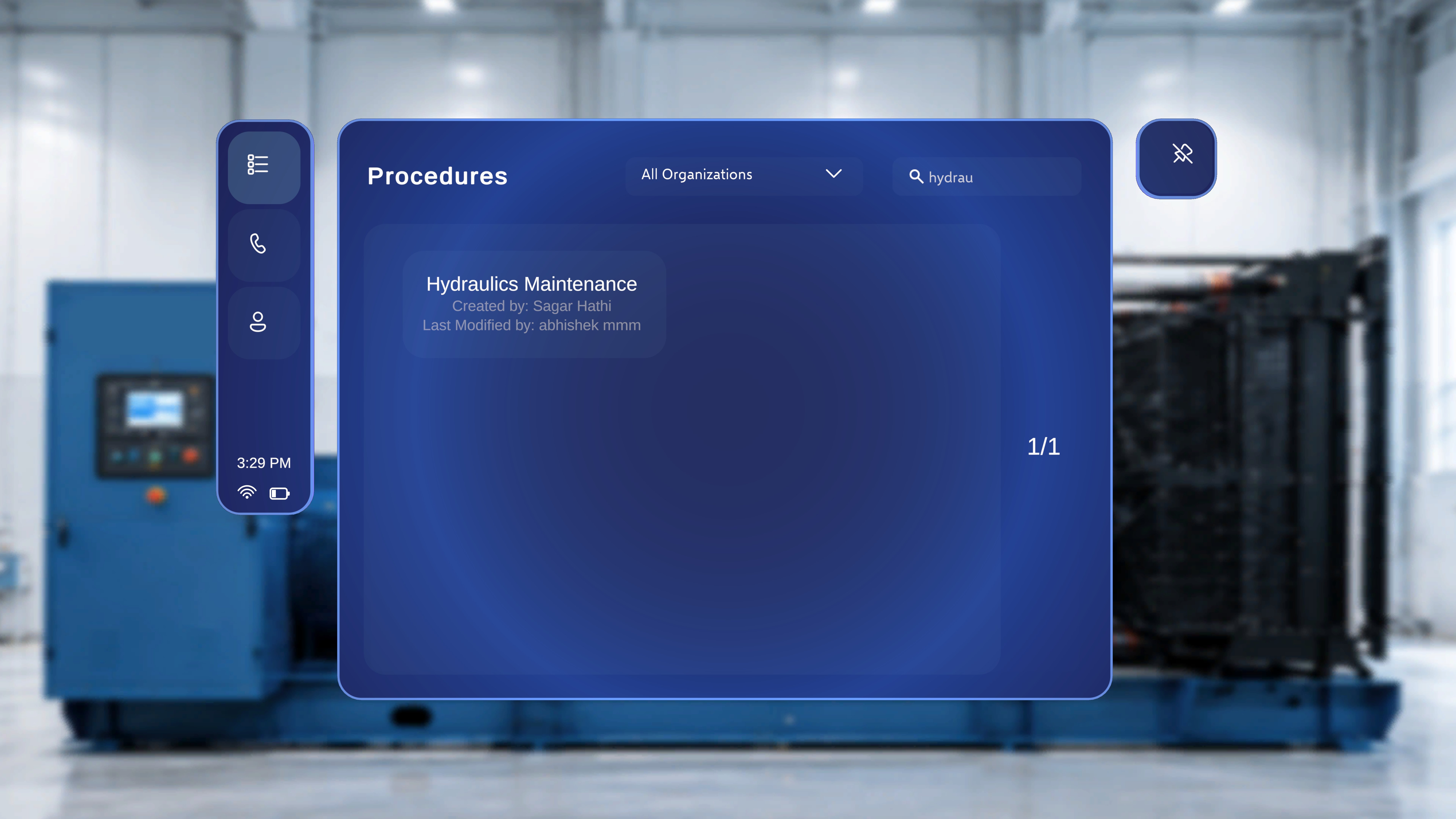 Use the search field to quickly locate a specific procedure.
### Step-by-Step Instructions
1. Click the **Search** field in the top-right area of the page.
2. Enter a procedure name or keyword.
### What Happens Next
The system filters the procedure list and displays only procedures that match your search criteria.
For example, entering **Air** shows procedures that contain “Air” in the title.
The results count updates accordingly (for example, **1/1**).
***
## Filter Procedures by Organization
Use the organization dropdown to switch between procedure groups.
Use the search field to quickly locate a specific procedure.
### Step-by-Step Instructions
1. Click the **Search** field in the top-right area of the page.
2. Enter a procedure name or keyword.
### What Happens Next
The system filters the procedure list and displays only procedures that match your search criteria.
For example, entering **Air** shows procedures that contain “Air” in the title.
The results count updates accordingly (for example, **1/1**).
***
## Filter Procedures by Organization
Use the organization dropdown to switch between procedure groups.
 ### Step-by-Step Instructions
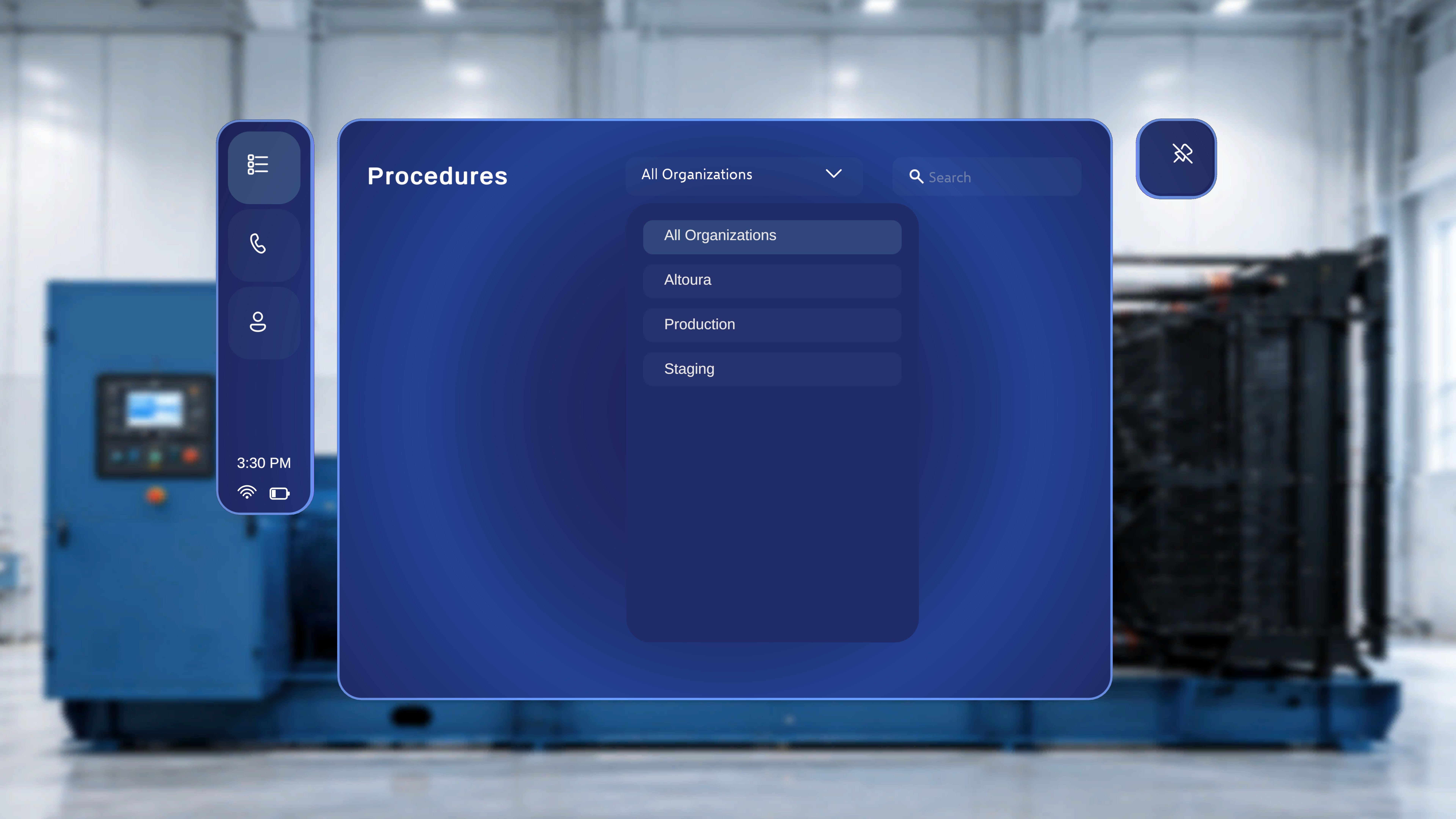
1. Click the organization dropdown at the top of the page (for example, **Altoura**).
2. Select one of the available options for example:
* **All Organizations**
* **Altoura**
* **Production**
* **Staging**
### What Happens Next
The system refreshes the list to display procedures associated with the selected organization.
Only procedures within the selected organization are shown.
### Step-by-Step Instructions
1. Click the organization dropdown at the top of the page (for example, **Altoura**).
2. Select one of the available options for example:
* **All Organizations**
* **Altoura**
* **Production**
* **Staging**
### What Happens Next
The system refreshes the list to display procedures associated with the selected organization.
Only procedures within the selected organization are shown.