> ## Documentation Index
> Fetch the complete documentation index at: https://docs.altoura.com/llms.txt
> Use this file to discover all available pages before exploring further.
# Step Anchor (Gem) in Operator Mode
 ## Overview
In **Operator Mode**, the Step Anchor (Gem) is not configurable.
Operators cannot place, move, or remove anchors.
However, if a step-level anchor was placed during Author Mode, it is visible in Operator Mode exactly as authored.
The anchor provides spatial guidance during procedure execution.
***
## Visibility Rules
The Step Anchor appears in Operator Mode only if:
* The author placed a gem anchor for that specific step.
If no anchor was configured for a step:
* No gem or tethered line appears.
Anchor visibility is evaluated per step.
***
## What the Operator Sees
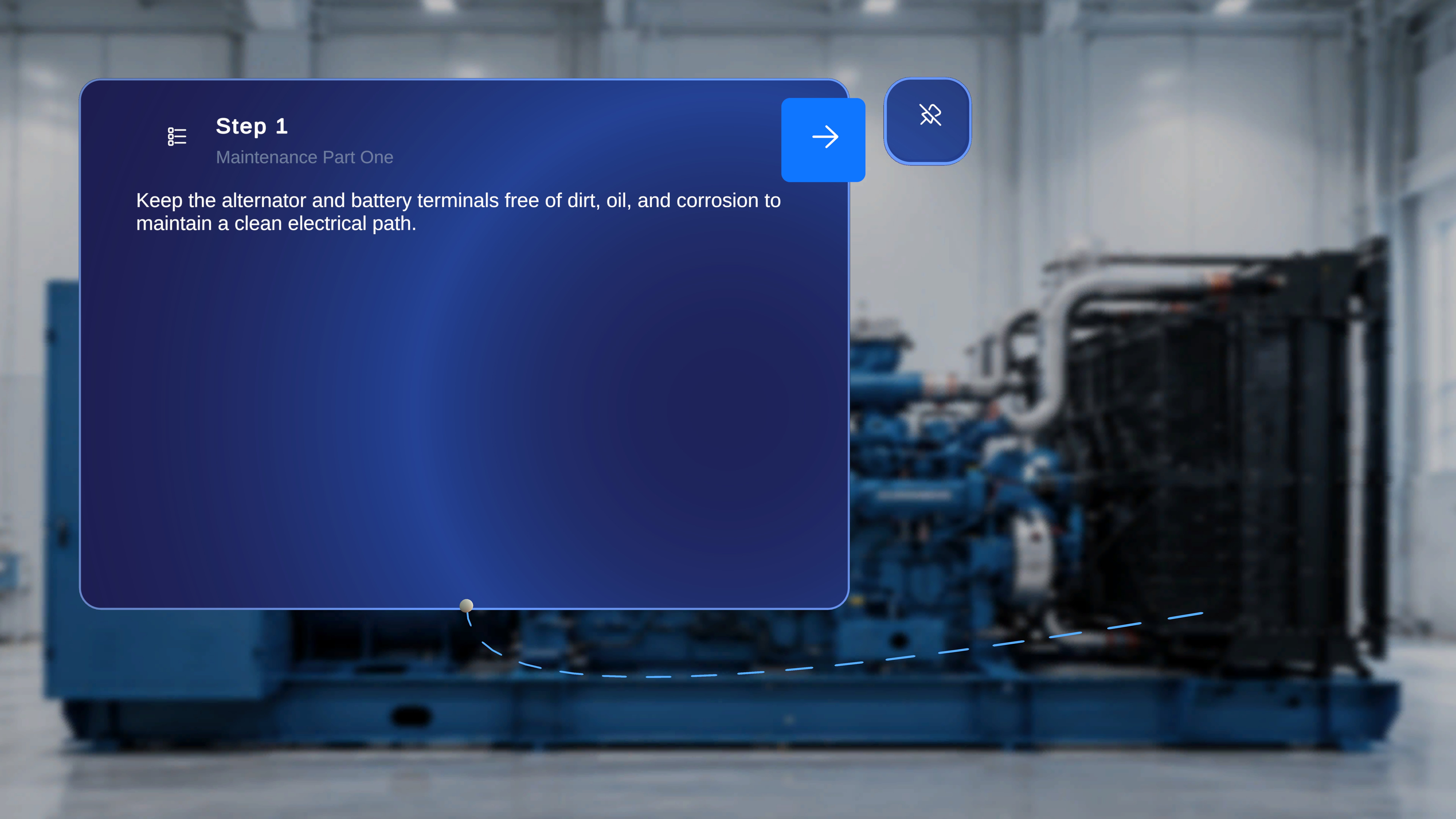
When a gem was placed during authoring:
* The anchor is visible in the physical environment.
* A tethered line connects the Step Main Panel to the anchor.
* The line updates dynamically as the user moves.
This visual connection helps the operator understand:
* Where the step applies
* Which physical location is relevant
* Where attention or action is required
***
## Interaction Behavior
In Operator Mode:
* The gem icon cannot be selected.
* The anchor cannot be repositioned.
* The tether cannot be modified.
* The anchor remains fixed relative to the QR anchor.
All anchor behavior is locked to the author-defined configuration.
***
## Step-Level Behavior
Gem placement is step-specific.
When navigating between steps:
* If the new step has an anchor, the tether appears.
* If the new step does not have an anchor, no tether is shown.
* The system does not carry anchors across steps.
Each step maintains its own independent anchor configuration.
***
## Relationship to QR Anchor
The gem placement is spatially relative to the confirmed QR anchor.
If the operator performs a **Rescan**:
* The QR anchor updates.
* The step anchor repositions accordingly.
* The relative placement defined by the author is preserved.
This ensures consistent spatial alignment even after re-anchoring.
## Overview
In **Operator Mode**, the Step Anchor (Gem) is not configurable.
Operators cannot place, move, or remove anchors.
However, if a step-level anchor was placed during Author Mode, it is visible in Operator Mode exactly as authored.
The anchor provides spatial guidance during procedure execution.
***
## Visibility Rules
The Step Anchor appears in Operator Mode only if:
* The author placed a gem anchor for that specific step.
If no anchor was configured for a step:
* No gem or tethered line appears.
Anchor visibility is evaluated per step.
***
## What the Operator Sees
When a gem was placed during authoring:
* The anchor is visible in the physical environment.
* A tethered line connects the Step Main Panel to the anchor.
* The line updates dynamically as the user moves.
This visual connection helps the operator understand:
* Where the step applies
* Which physical location is relevant
* Where attention or action is required
***
## Interaction Behavior
In Operator Mode:
* The gem icon cannot be selected.
* The anchor cannot be repositioned.
* The tether cannot be modified.
* The anchor remains fixed relative to the QR anchor.
All anchor behavior is locked to the author-defined configuration.
***
## Step-Level Behavior
Gem placement is step-specific.
When navigating between steps:
* If the new step has an anchor, the tether appears.
* If the new step does not have an anchor, no tether is shown.
* The system does not carry anchors across steps.
Each step maintains its own independent anchor configuration.
***
## Relationship to QR Anchor
The gem placement is spatially relative to the confirmed QR anchor.
If the operator performs a **Rescan**:
* The QR anchor updates.
* The step anchor repositions accordingly.
* The relative placement defined by the author is preserved.
This ensures consistent spatial alignment even after re-anchoring.