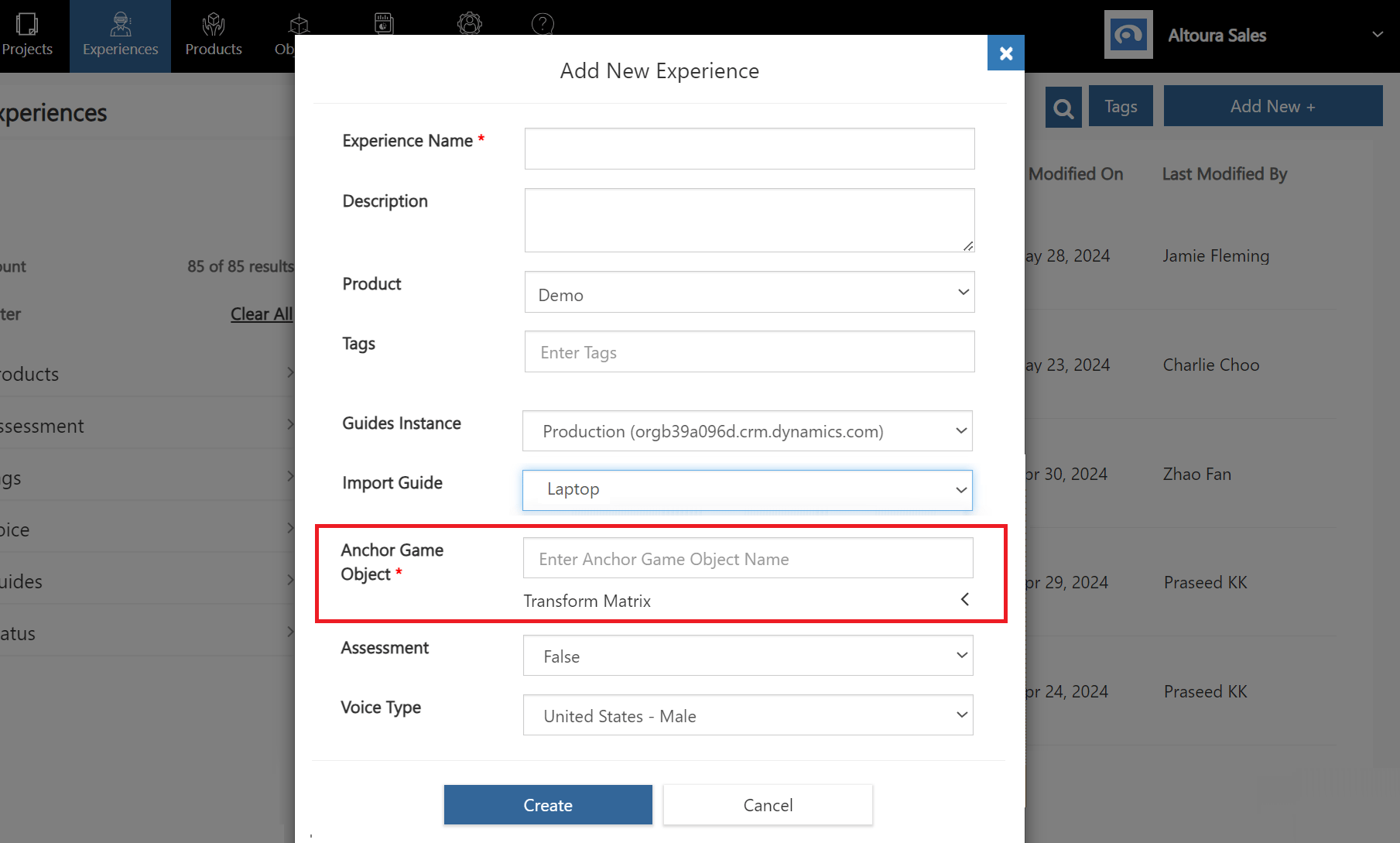
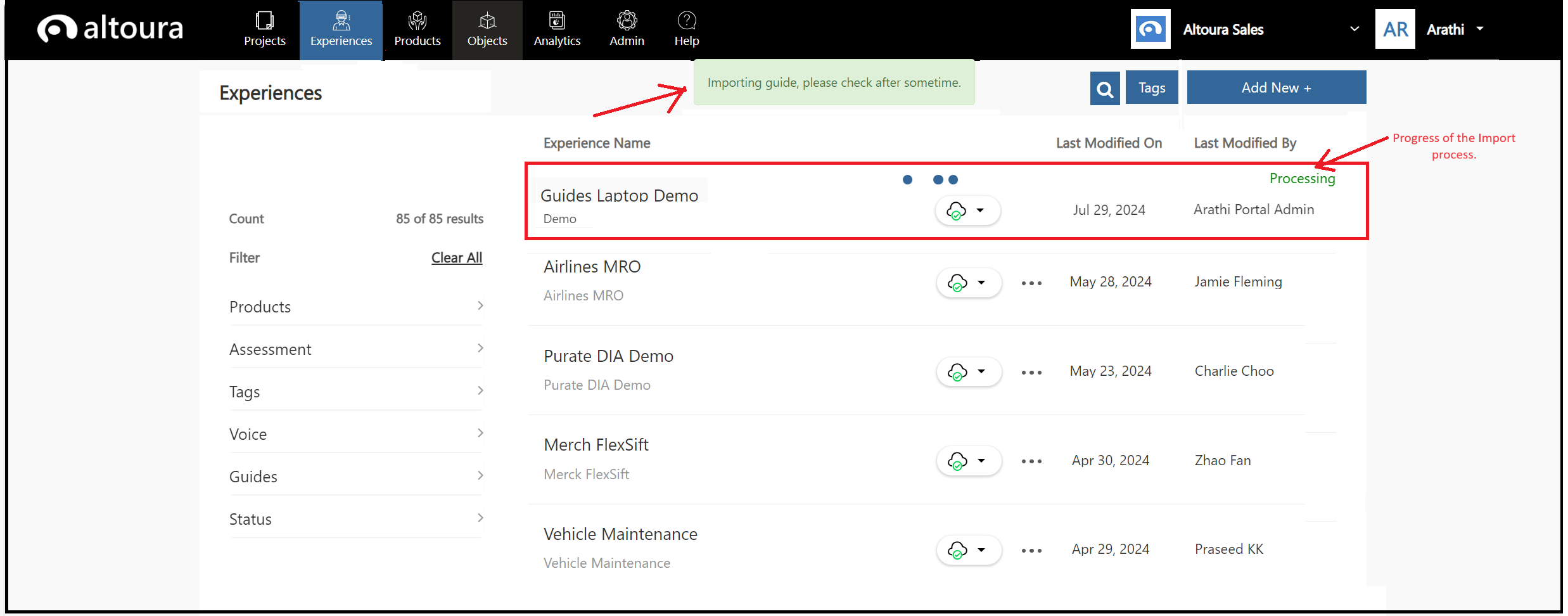
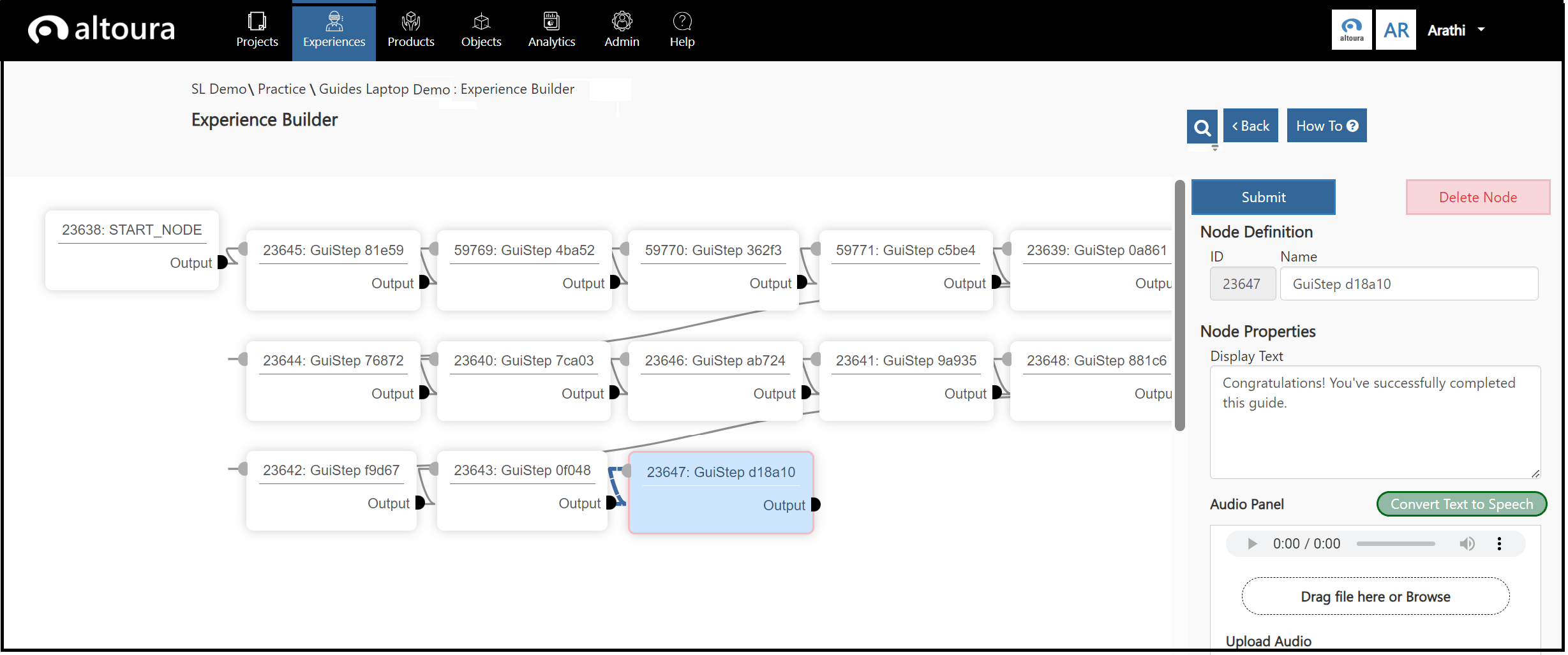
Steps to follow within Altoura to import Dynamics 365 Guides
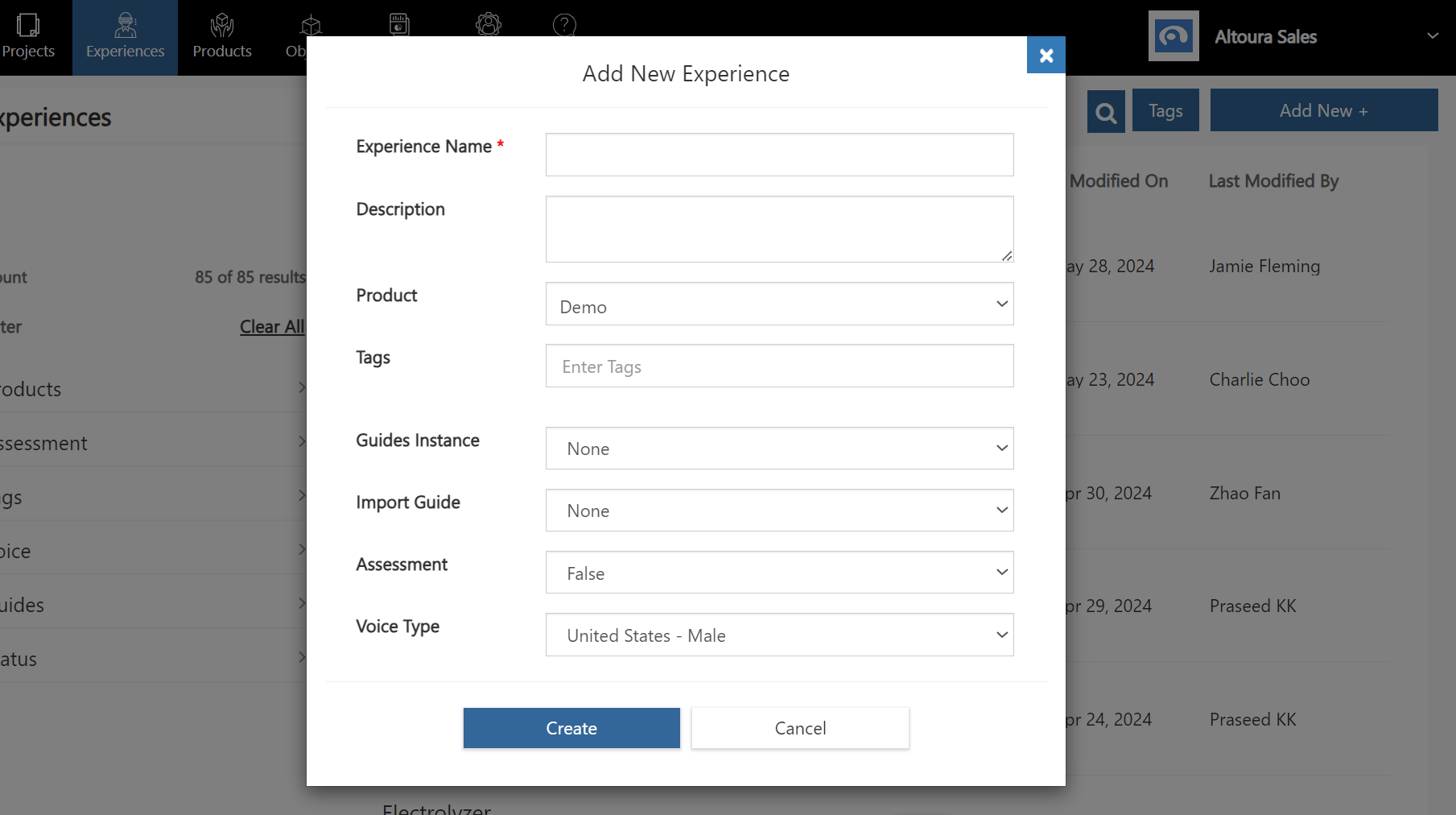
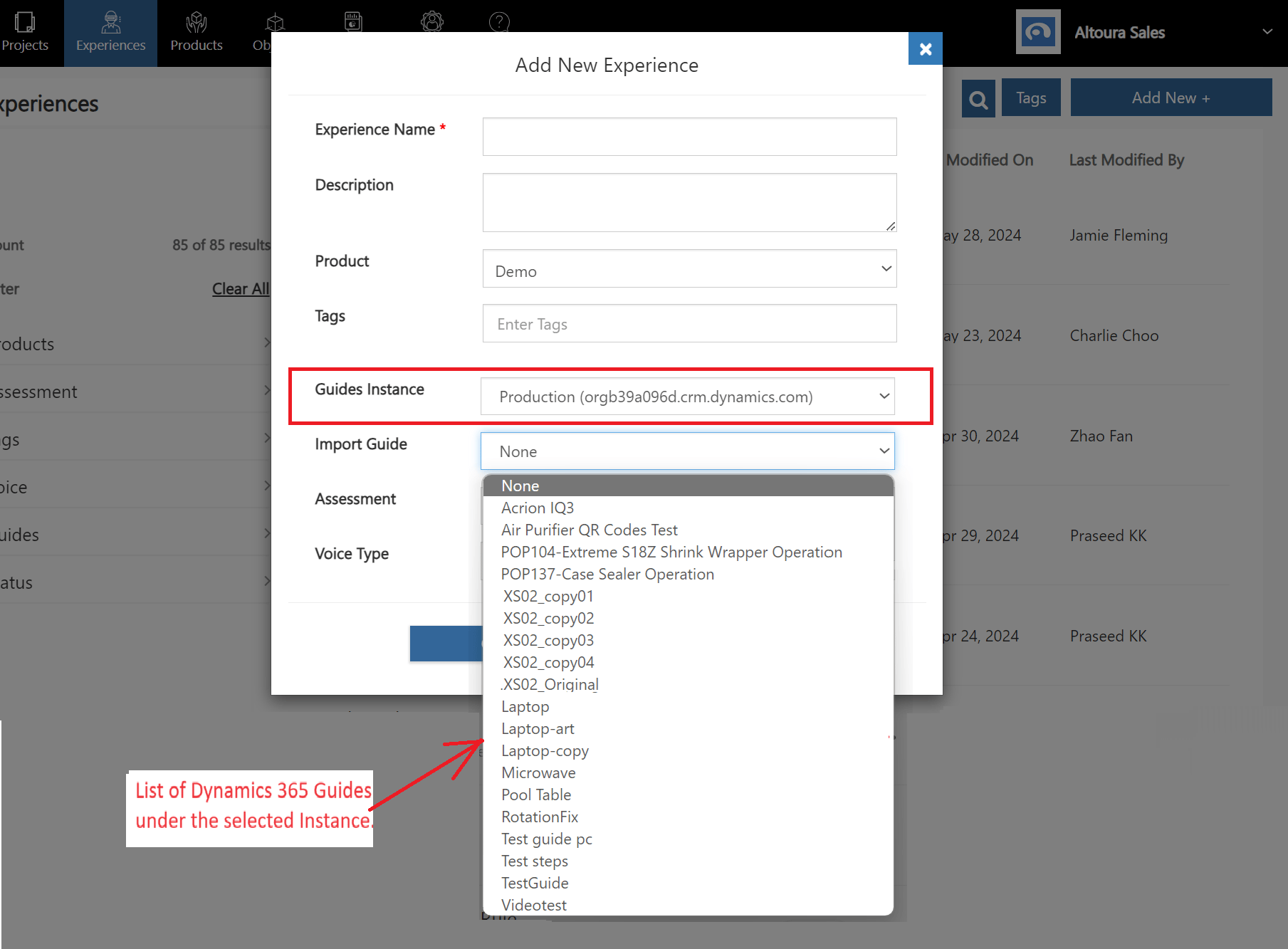
In the Altoura Portal, click on the Experiences tab, a list of all the experiences will be displayed. Here, click on the “Add New +” button to add a new Altoura experience.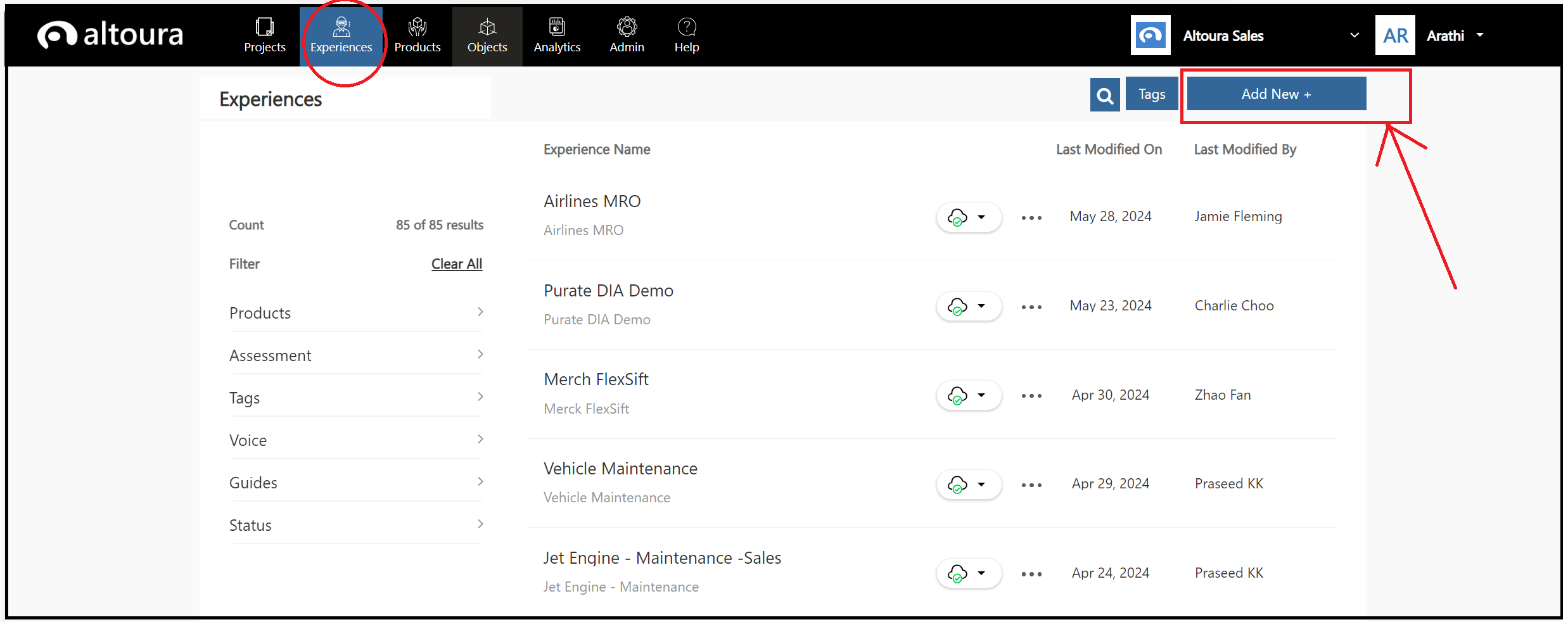
New Guides
If new Guides are added to the customer’s Dynamics 365 Guides environment, then a Guides Refresh needs to be run by the Altoura Admin for the new Guides to appear in this list.