

Objects for Surface Types
When creating for the object system there are a few requirements based on the surface type for the object to be able to spawn on.Floor Object
Object Requirements:- the pivot of the GameObject parent should be at the bottom center of the mesh object
- a collider on the GameObject parent that covers the area of the object that will be clickable / draggable (if there is no collider added at this level there will be a box collider generated on this level by the code)
- set the constraints of the object to Horizontal (Floor) when creating or editing the object in the portal
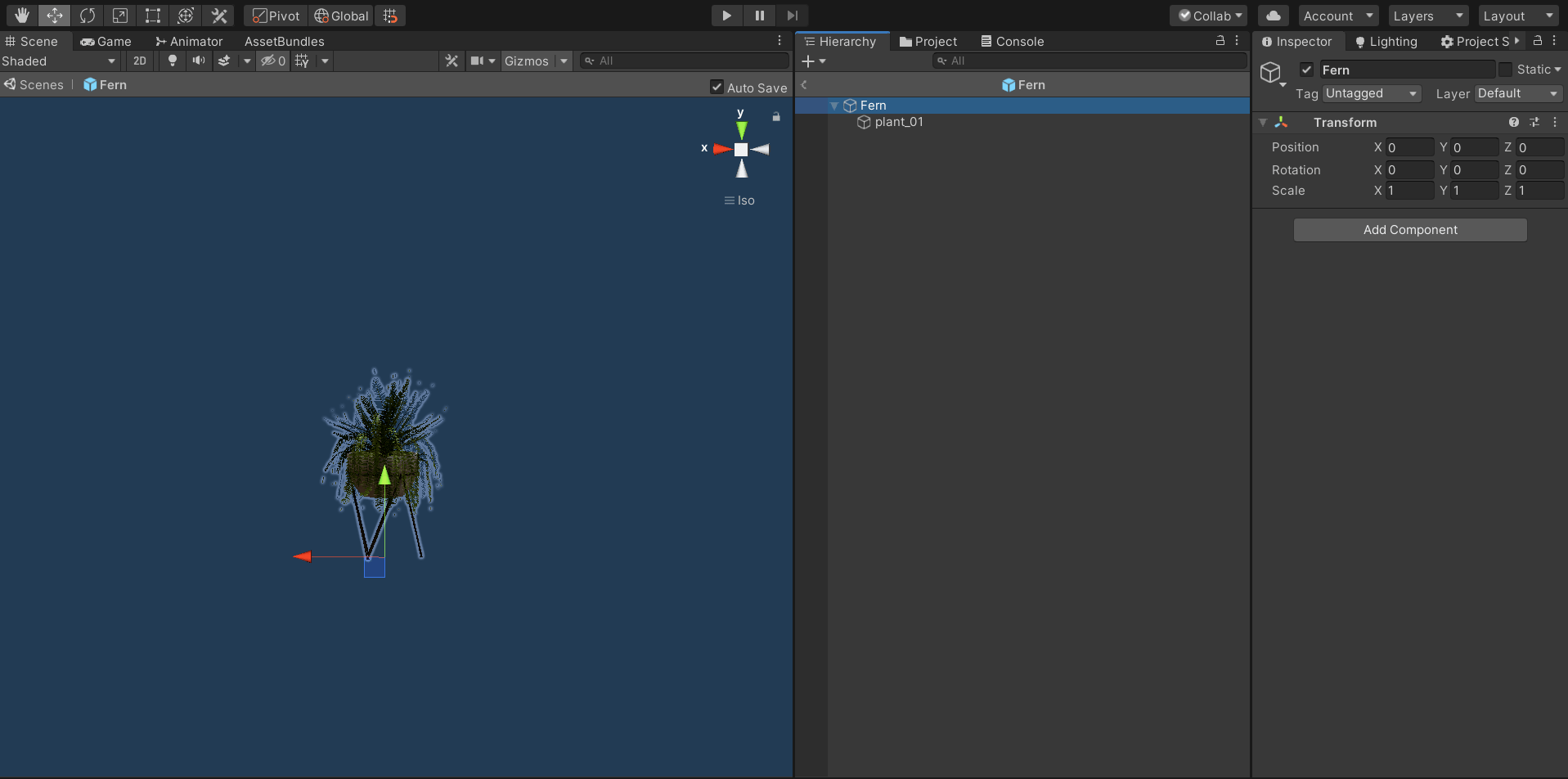
floor object example
Wall Object
Object Requirements:- the pivot of the GameObject parent should be at the back center of the mesh object
- the z forward of the pivot should be facing backwards to define the front of the GameObject is
- a collider on the GameObject parent that covers the area of the object that will be clickable / draggable (if there is no collider added at this level there will be a box collider generated on this level by the code)
- set the constraints of the object to Vertical (Wall) when creating or editing the object in the portal
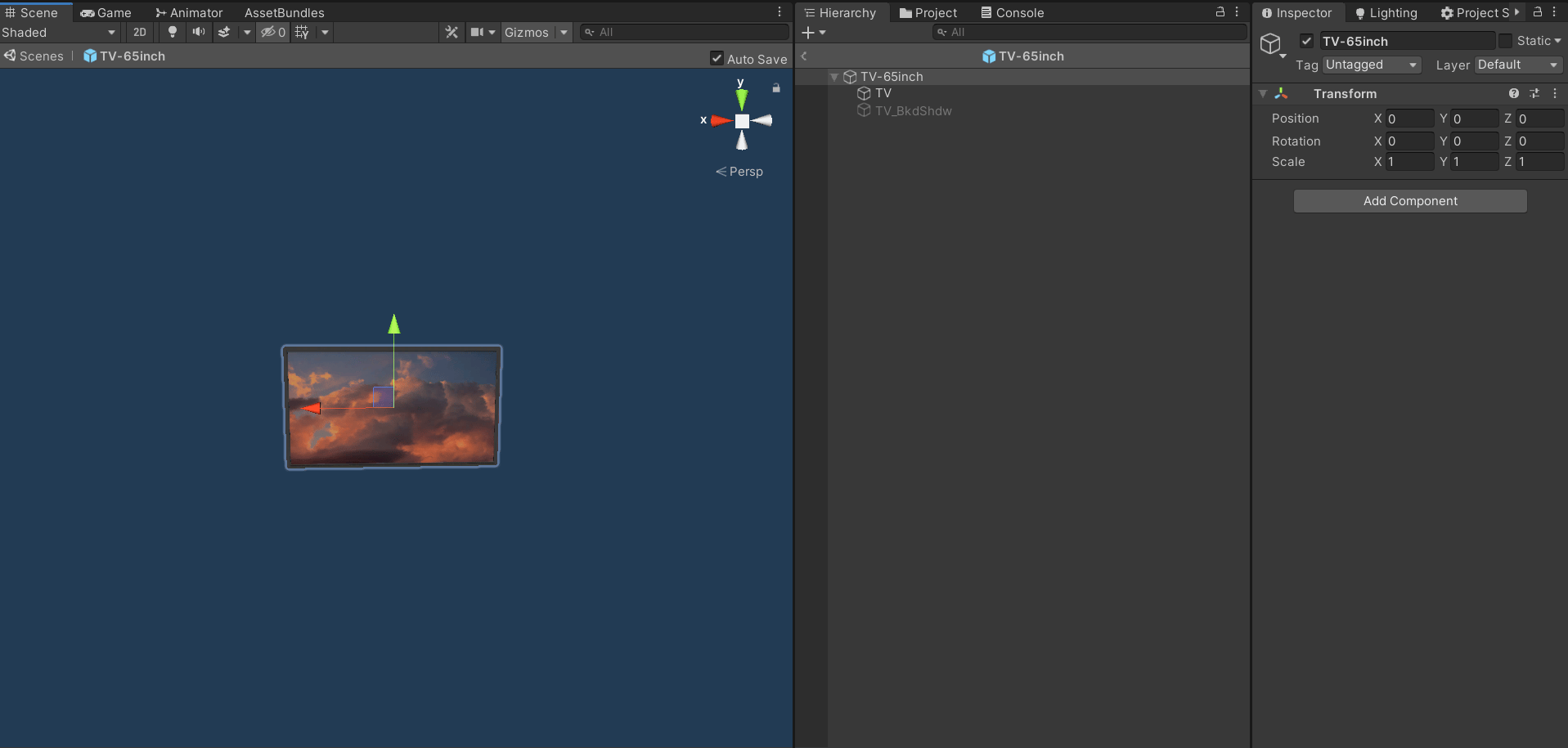
wall object example
Ceiling Object
Object Requirements:- the pivot of the GameObject parent should be at the top center of the mesh object
- a collider on the GameObject parent that covers the area of the object that will be clickable / draggable (if there is no collider added at this level there will be a box collider generated on this level by the code)
- set the constraints of the object to Ceiling when creating or editing the object in the portal
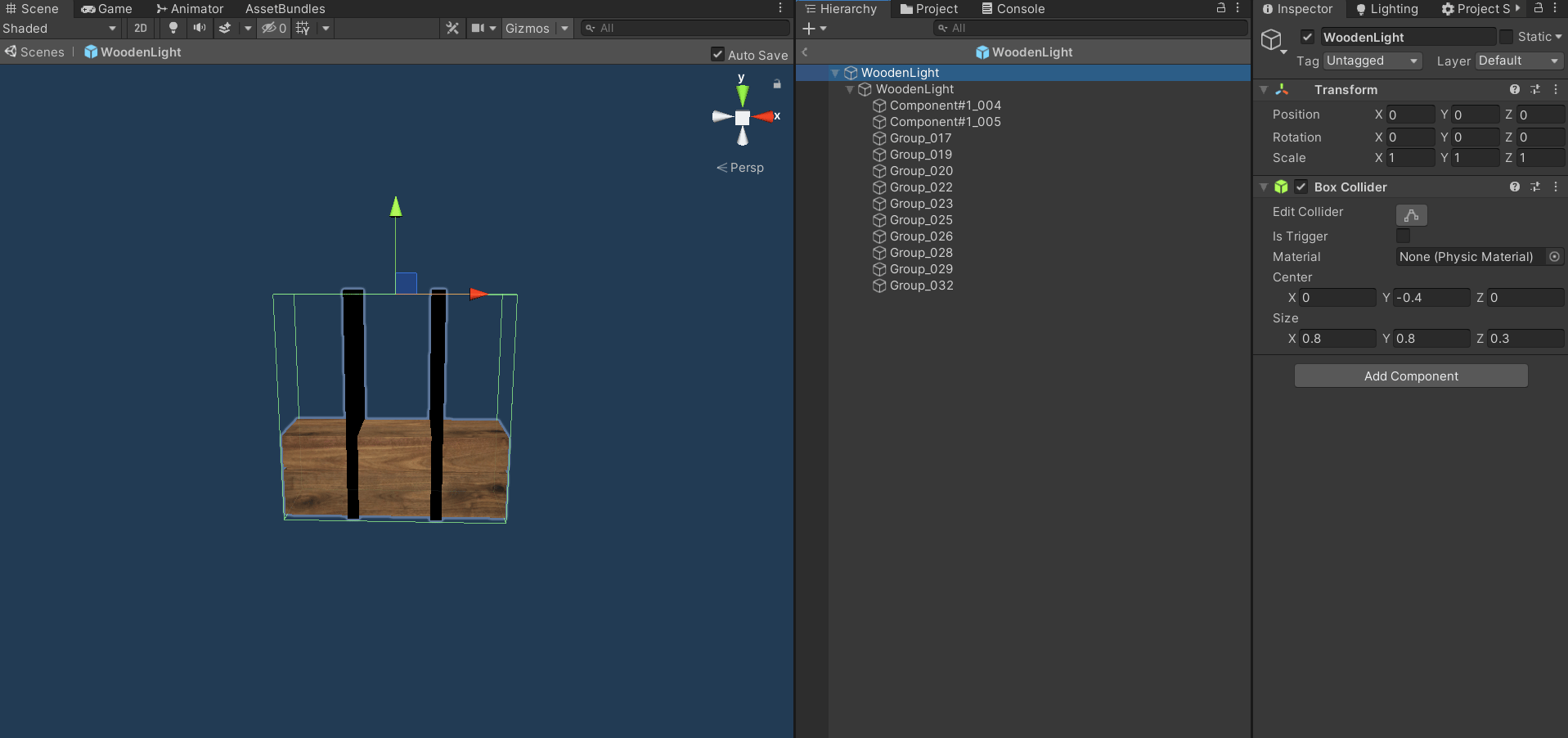
ceiling object example
Hanger Object
Object Requirements:- the pivot of the GameObject parent should be at the top center of the mesh object
- a collider on the GameObject parent that covers the area of the object that will be clickable / draggable (if there is no collider added at this level there will be a box collider generated on this level by the code)
- set the constraints of the object to Hanger when creating or editing the object in the portal
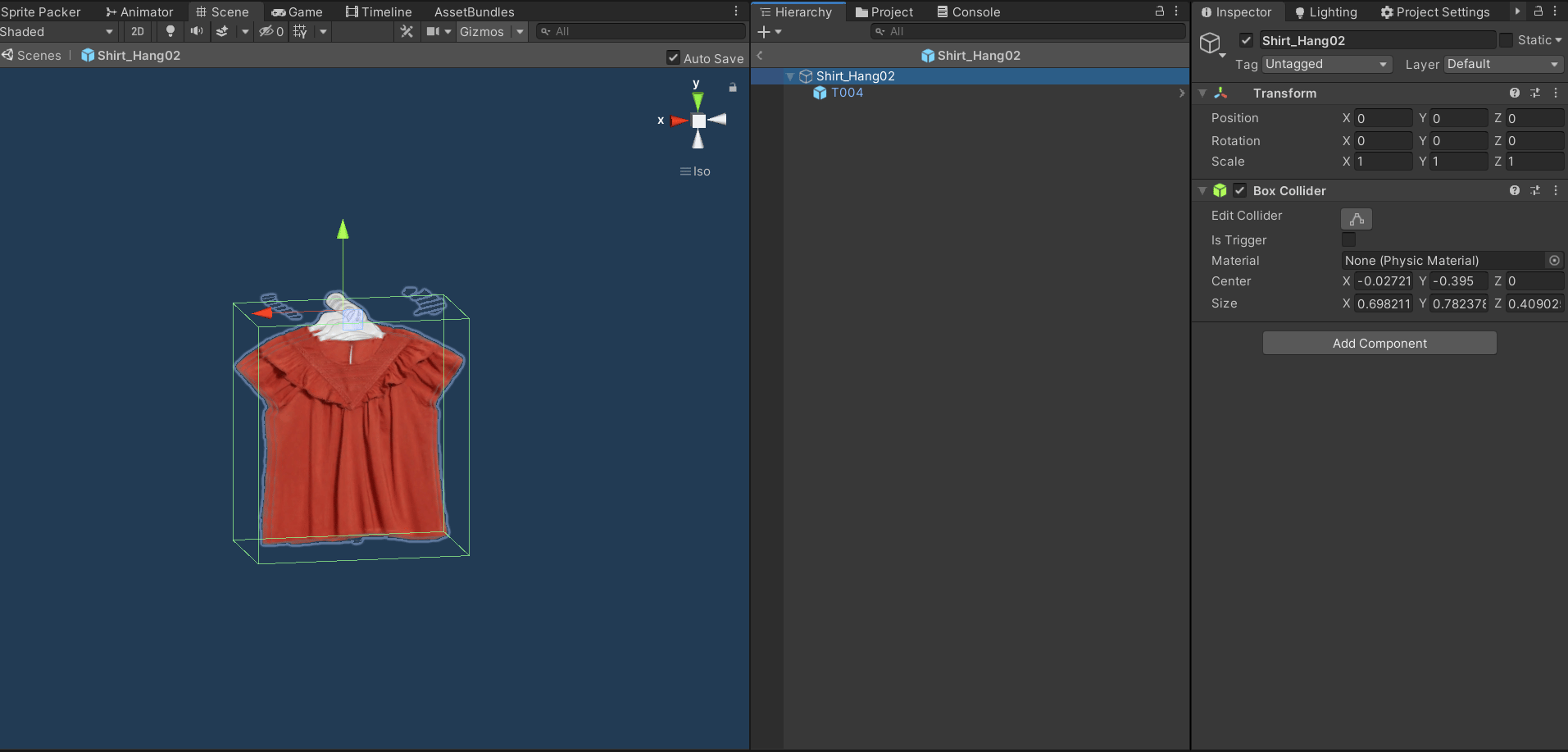
hanger object example
Additional Object Customization
Adding a Horizontal Surface
Adding a horizontal surface to an object will allow for other objects with the horizontal constraint to be added on top of the object. Object Requirements:- a GameObject named ‘Horizontal’ as a child of the object parent
- a collider on the GameObject parent that covers the area of the object that will be clickable to add a another object to
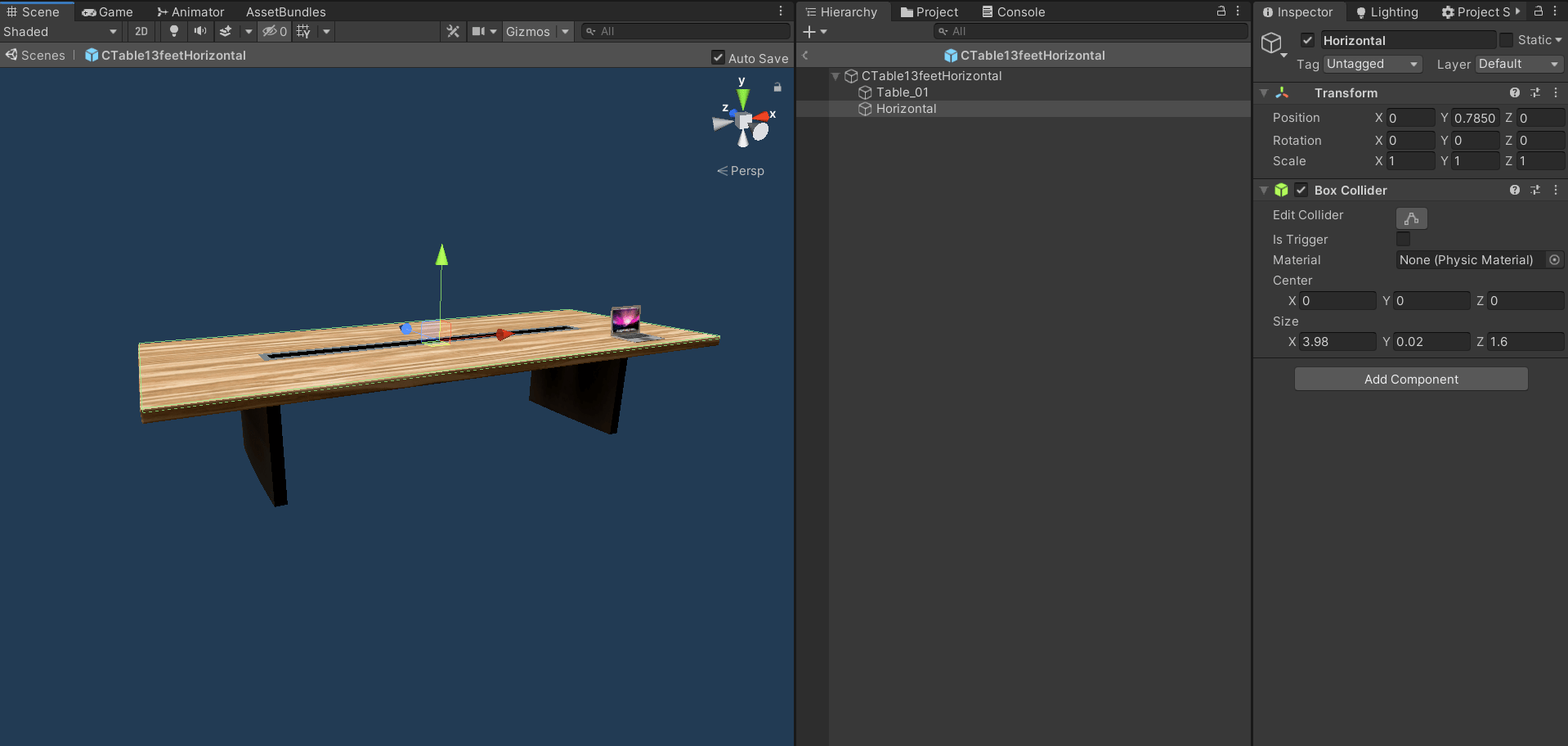
horizontal surface example
Adding a Vertical Surface
Adding a vertical surface to an object will allow for other objects with the vertical constraint to be added on top of the object. Object Requirements:- a GameObject named ‘Vertical’ as a child of the object parent
- a collider on the GameObject parent that covers the area of the object that will be clickable to add a another object to
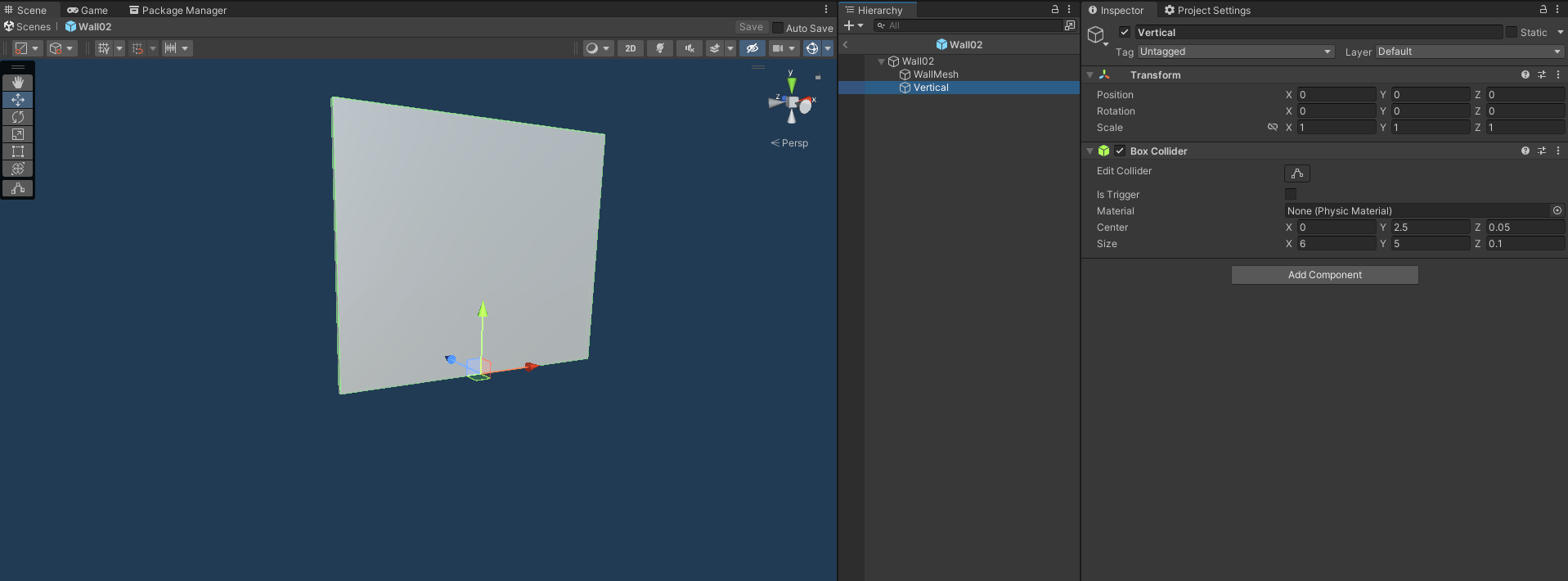
vertical surface example
Adding Slots to an Object
Adding a slots to an object will allow for other objects to be added in specific slots on the object if there are horizontal surfaces defined in the object.Slots for objects of any size or type
Object Requirements:- horizontal surfaces on the object (see above for how to add a horizontal surface to an object)
- a GameObject named ‘Slot’ with children at the positions of the slots
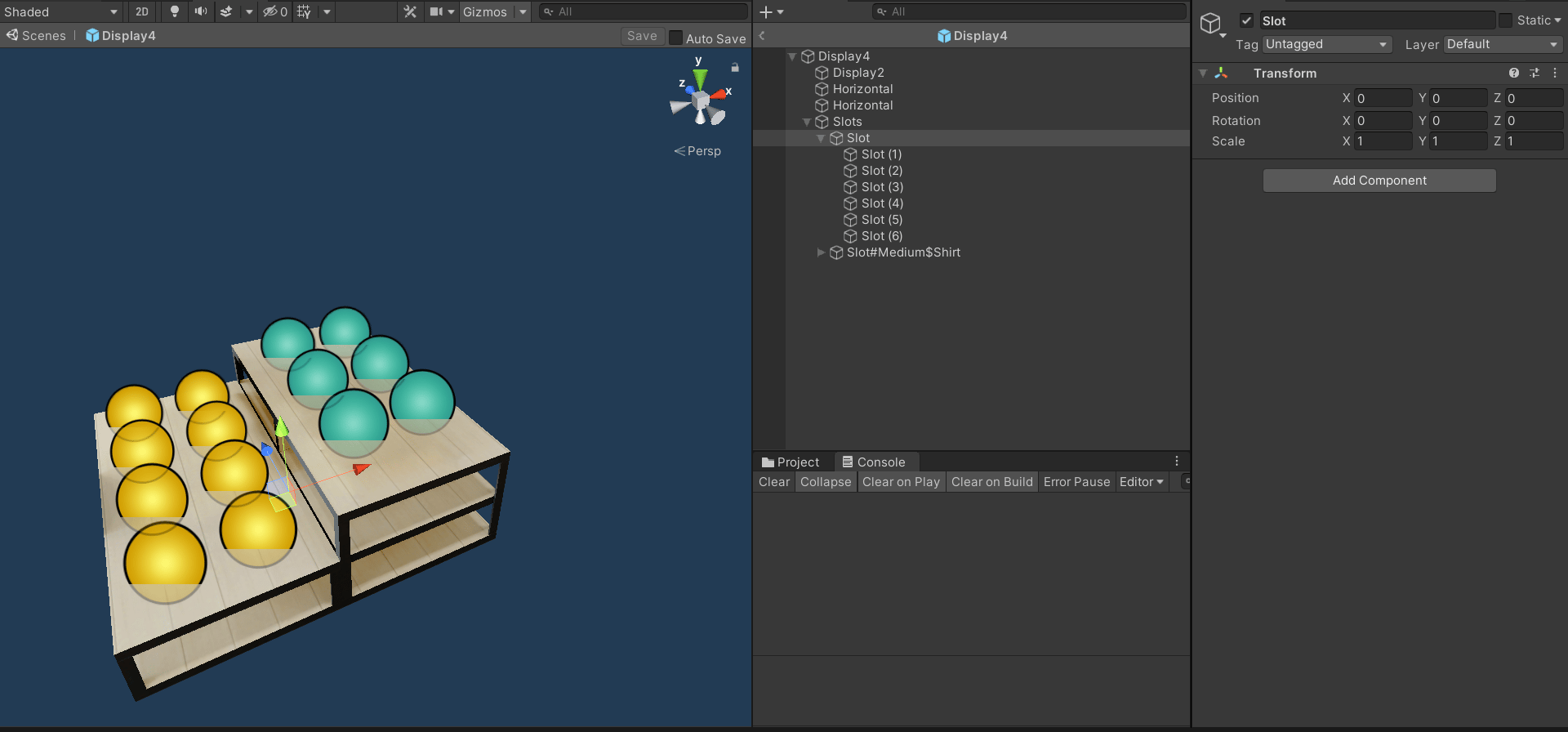
slots example
Slots for objects of a specific type and any size
Object Requirements:- the ‘Slot’ GameObject parent name to follow the pattern: SlotShirt
- add type (can be any tag) to tag list when creating or editing the object in the portal
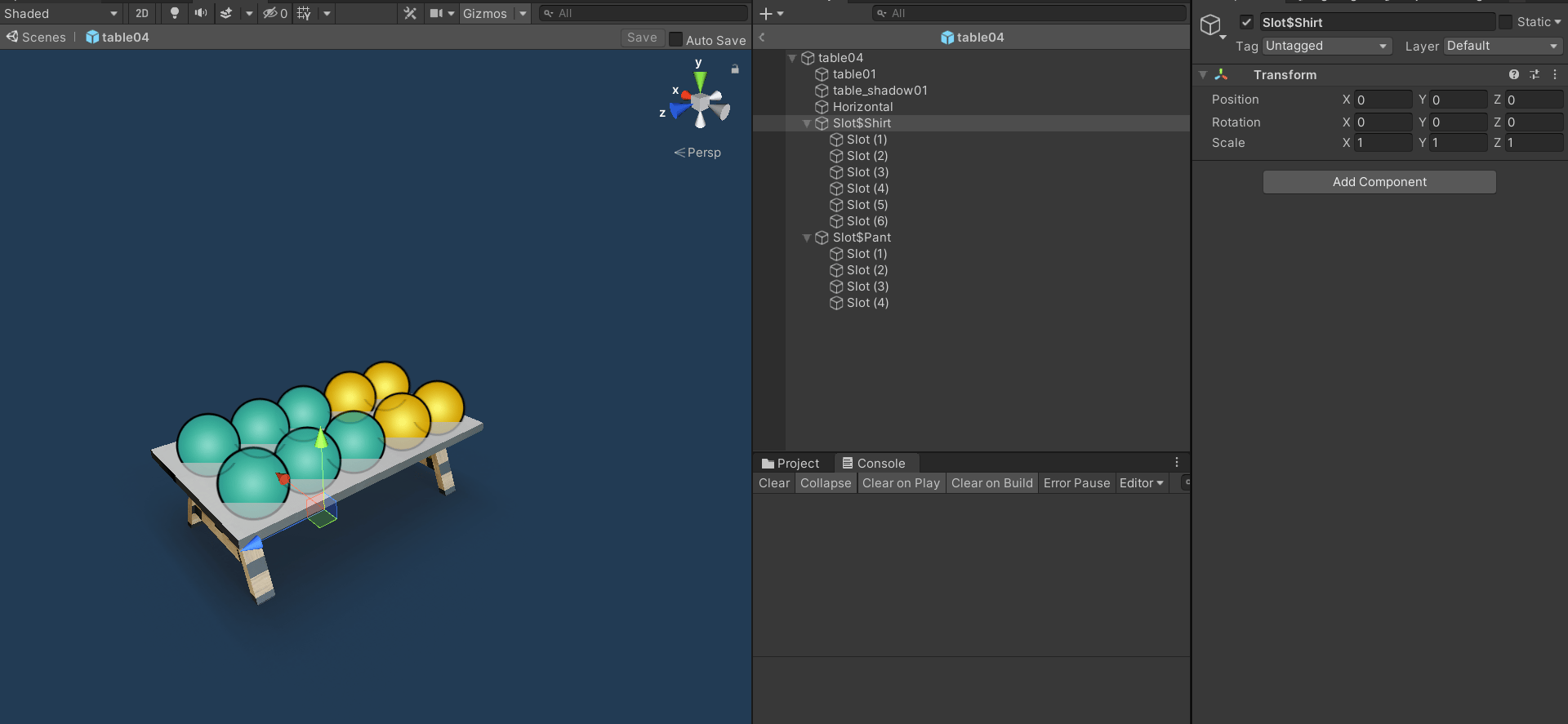
slots with object type example
Slots for objects of a specific type and size
Object Requirements:- the ‘Slot’ GameObject parent name to follow the pattern: SlotSizeofSlot#TypeOfObject ex. SlotMedium#Shirt
- add type (can be any tag) and size (only tags small / medium / large) to tag list when creating or editing the object in the portal
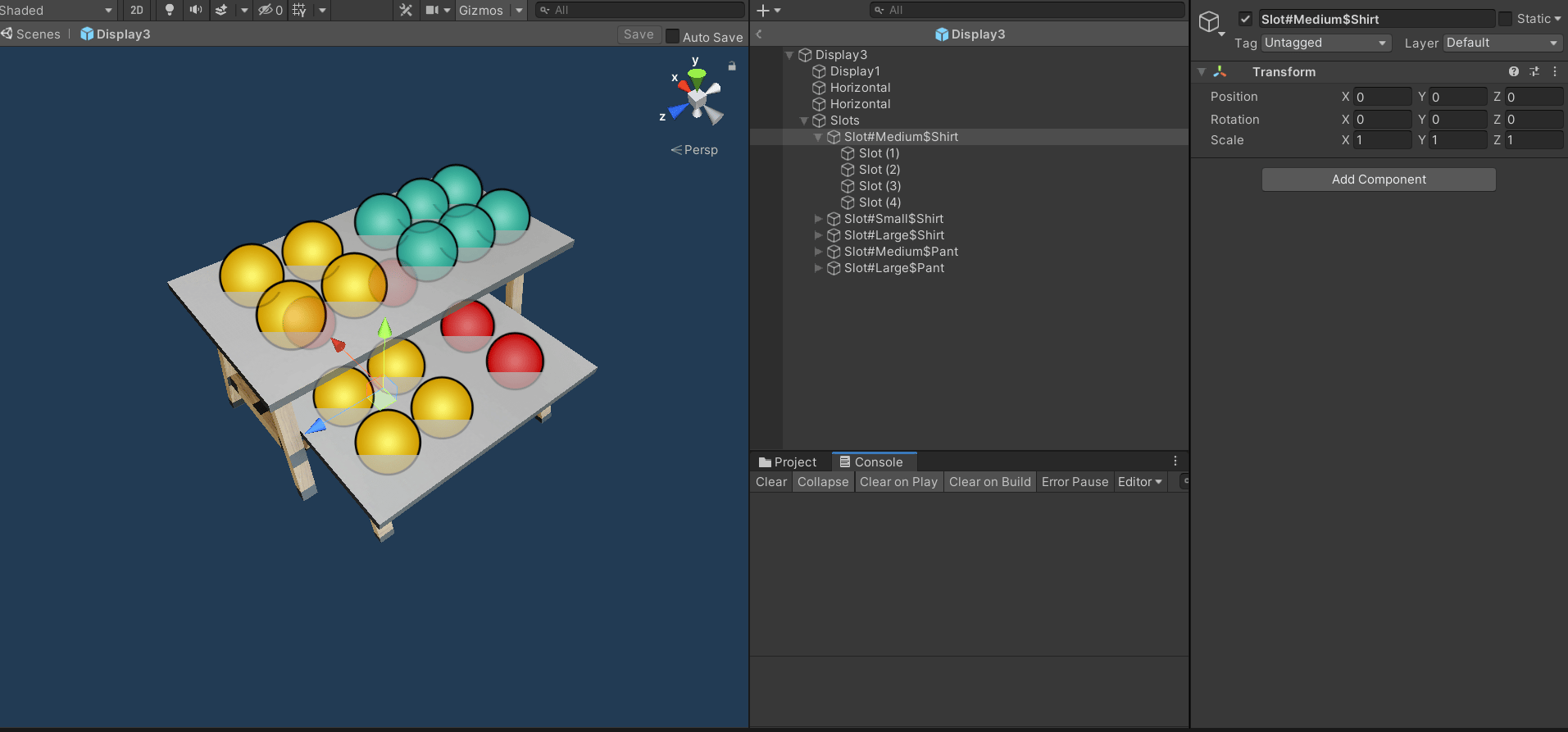
slots with object type and size example
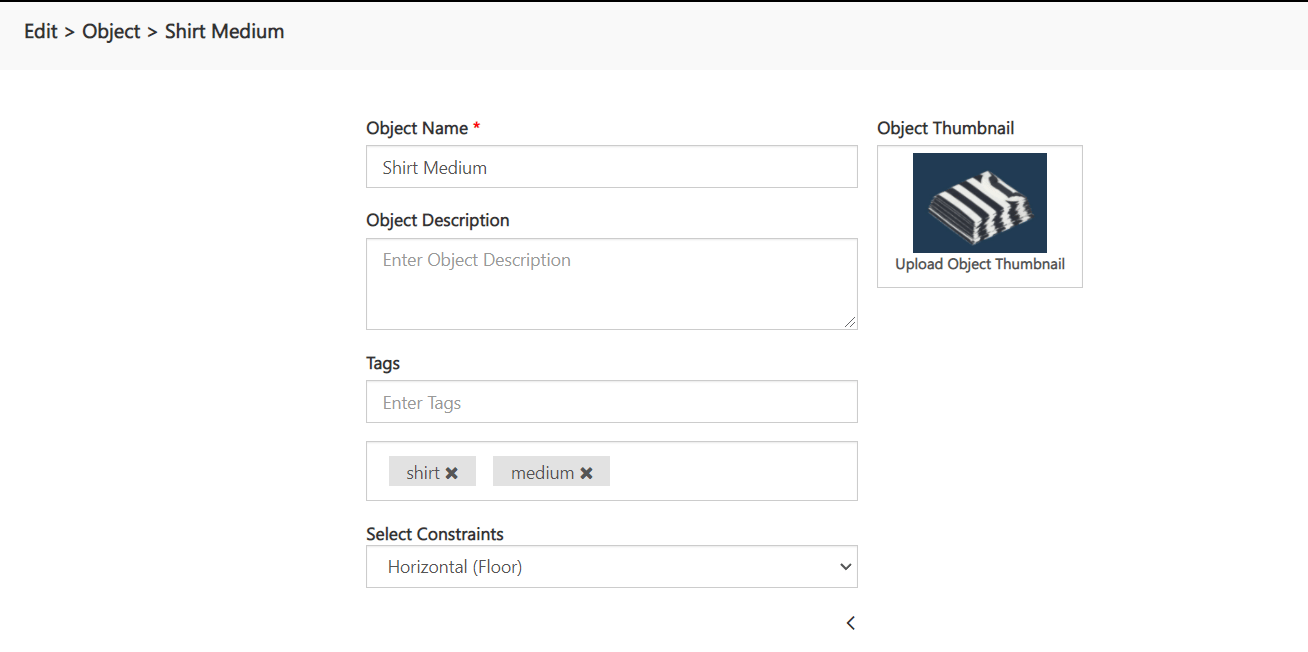
object with type and size example
Adding Hanger on a vertical placed object
Object Requirements:- a GameObject named ‘HangerPivot’ as a child of the object parent where the hanger object will be spawned
- a collider on the GameObject parent collider should be at the back side and z direction facing forward (+Z)
- set the constraints of the object to Vertical (Wall) when creating or editing the object in the portal
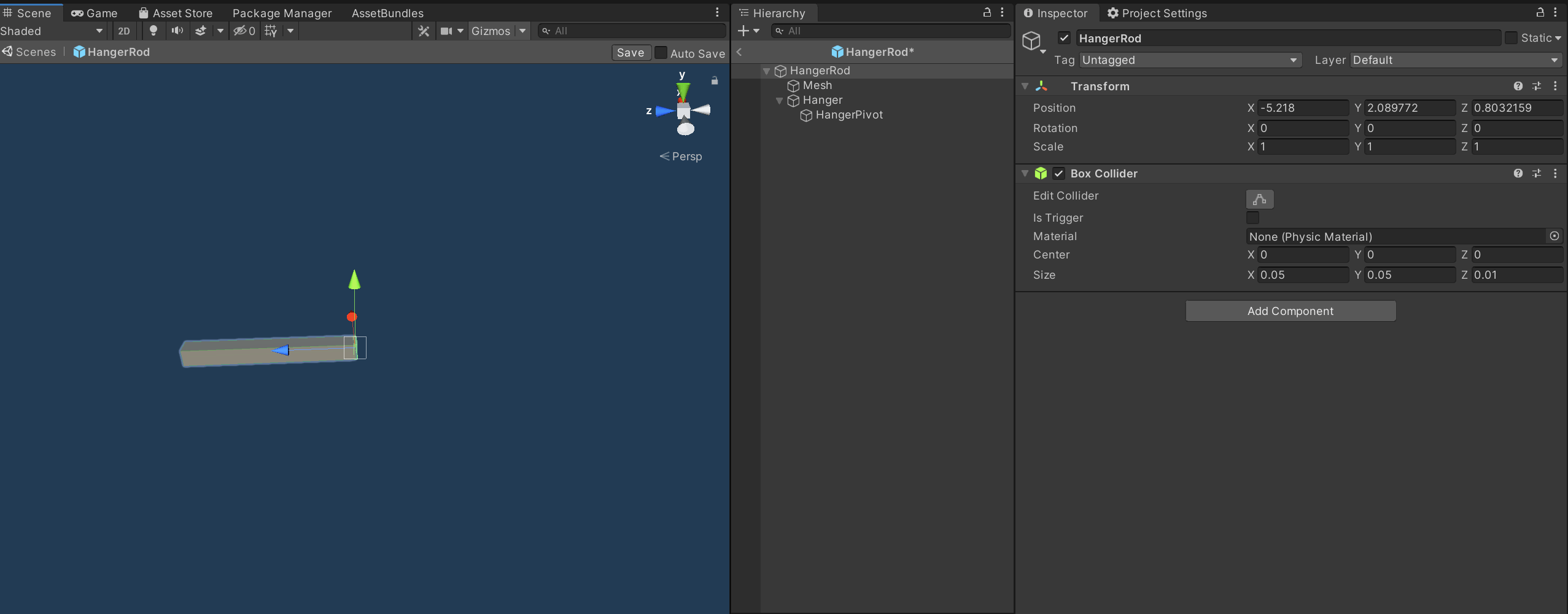
Hanger on a vertical placed object example
Adding Slots to an Object with Horizontal Surface
Adding a slots to an object will allow for other objects to be added in specific slots on the object if there are horizontal surfaces defined in the object.Slots for objects of any size or type
Object Requirements:- horizontal surfaces on the object (see above for how to add a horizontal surface to an object)
- a GameObject named ‘Slot’ with children at the positions of the slots
- the slots transform y direction should be facing upwards (+Y)
slots example
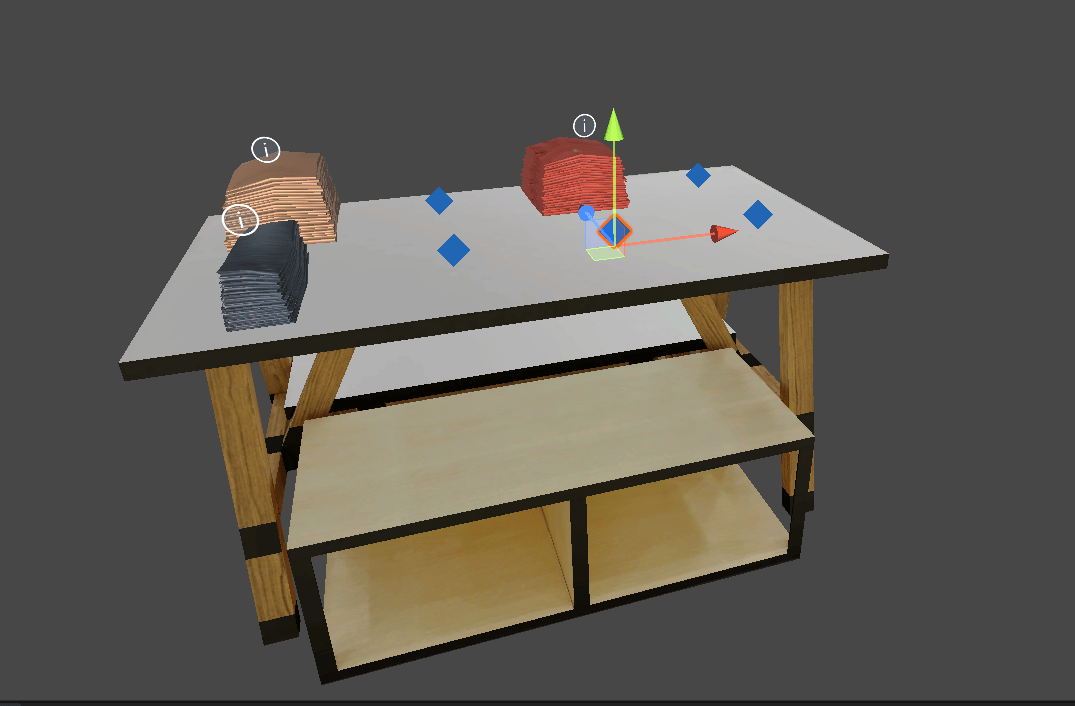
Slot point direction
Slots for objects of a specific type and any size
Object Requirements:- the ‘Slot’ GameObject parent name to follow the pattern: SlotShirt
- add type (can be any tag) to tag list when creating or editing the object in the portal
slots with object type example
Slots for objects of a specific type and size
Object Requirements:- the ‘Slot’ GameObject parent name to follow the pattern: SlotSizeofSlot#TypeOfObject ex. SlotMedium#Shirt
- add type (can be any tag) and size (only tags small / medium / large) to tag list when creating or editing the object in the portal
slots with object type and size example
object with type and size example
Adding Slots to an Object with Vertical Surface
Object Requirements:- same as Slots with horizontal surface
- only change is Slot z direction should be facing forward (+Z)
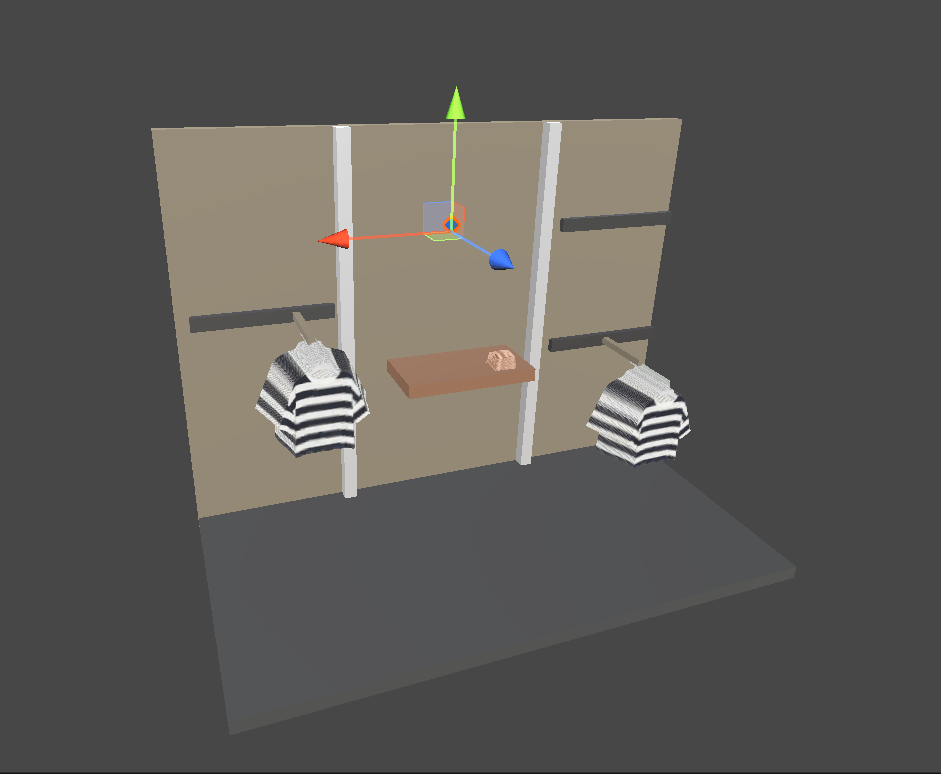
Slot point direction
Adding Slots to an Object with Hanger Surface
Object Requirements:- the ‘Slot’ GameObject parent name to follow the pattern: SlotHangerClothes
- the slots transform y direction should be facing upwards (+Y)
- add type (can be any tag) to tag list when creating or editing the object in the portal
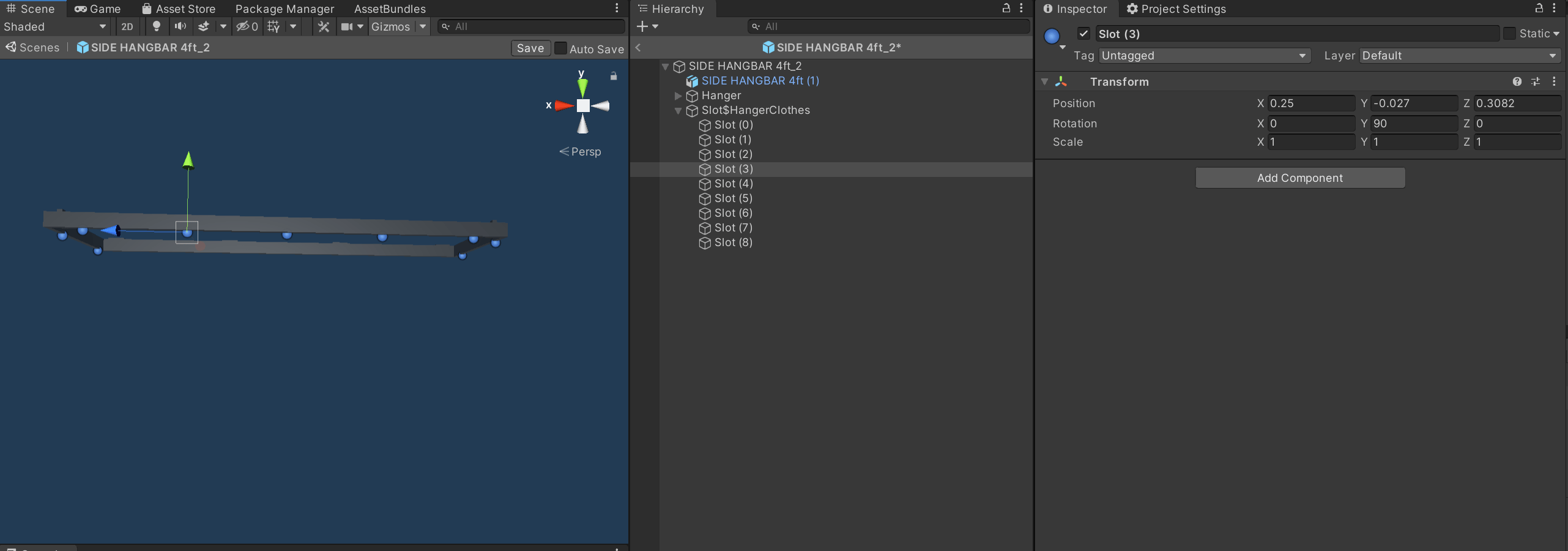
slots with hanger surface example
Object Filtering
Adding a Tag to an Object
Create an empty GameObject as a child of the object which we need the filter for. This tag can be added to an object in the portal for filtering. Filter naming convention - Filter#TagName Eg - Filter#Pant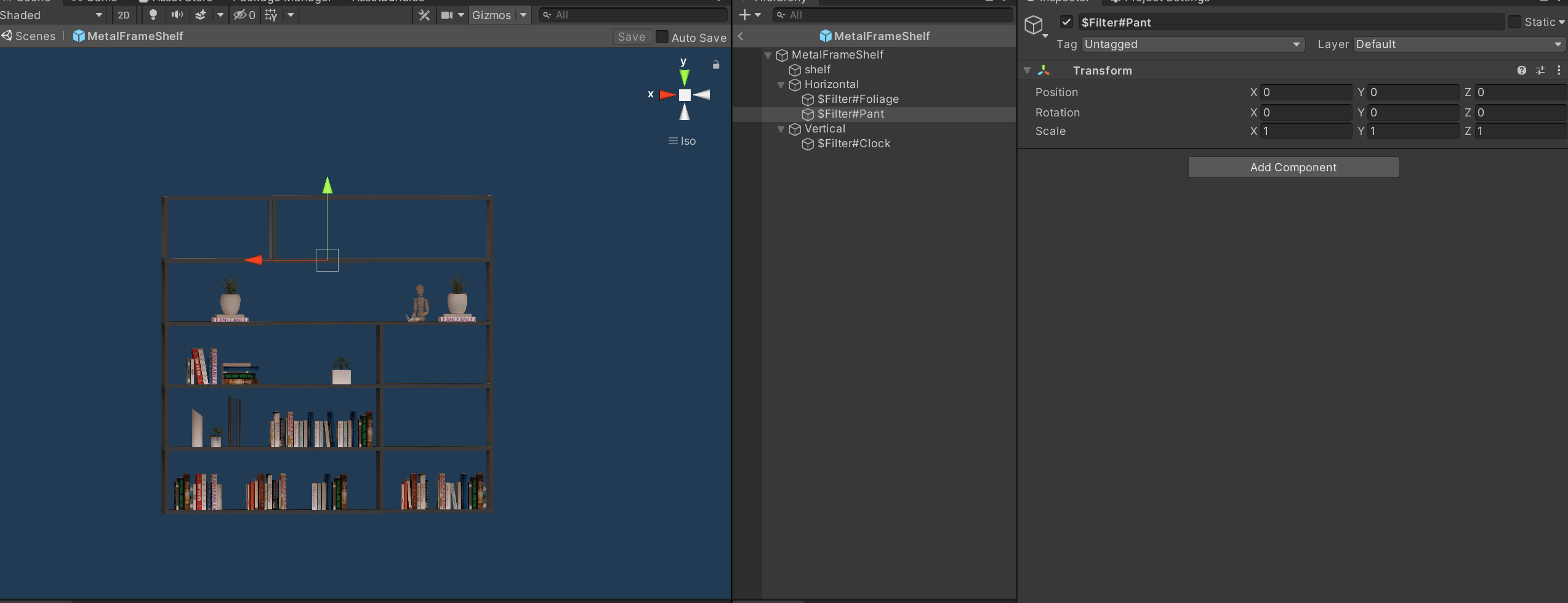
Object Filter Example
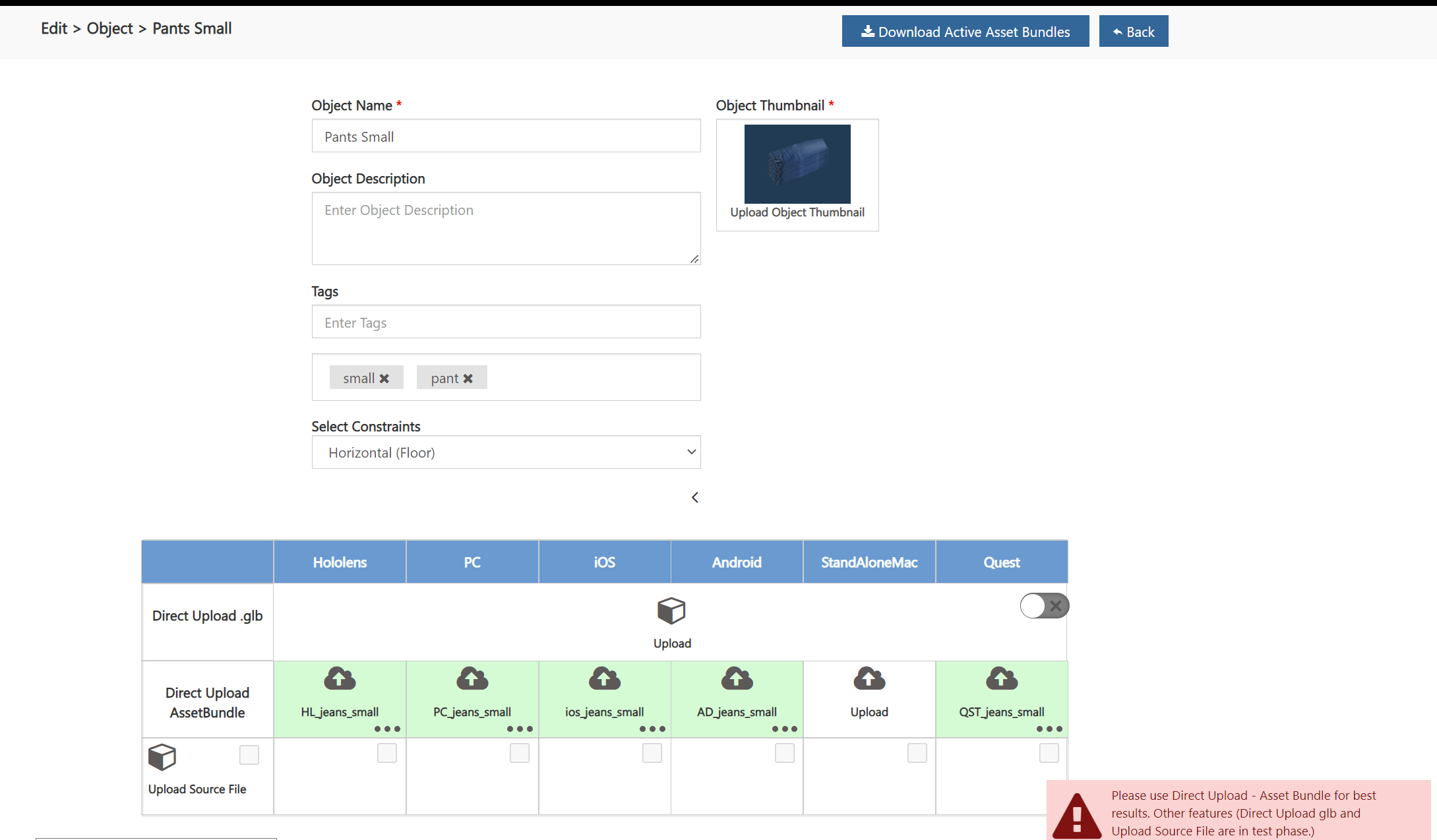
Portal tag example