

Surface Types
Floor
In the space asset bundle there should already be a floor created as per the Realscale requirements. To turn on the ability to add objects to the existing floor in the space during a meeting, set isFloorCollab to true in the space metdata.Wall
Requirements:- a GameObject name to follow this pattern: Wall#UniqueNumber ex. Wall#1, $Wall#2 if there are two walls in the space
- a collider on the GameObject parent that covers the area of the surface that a wall object will be addable
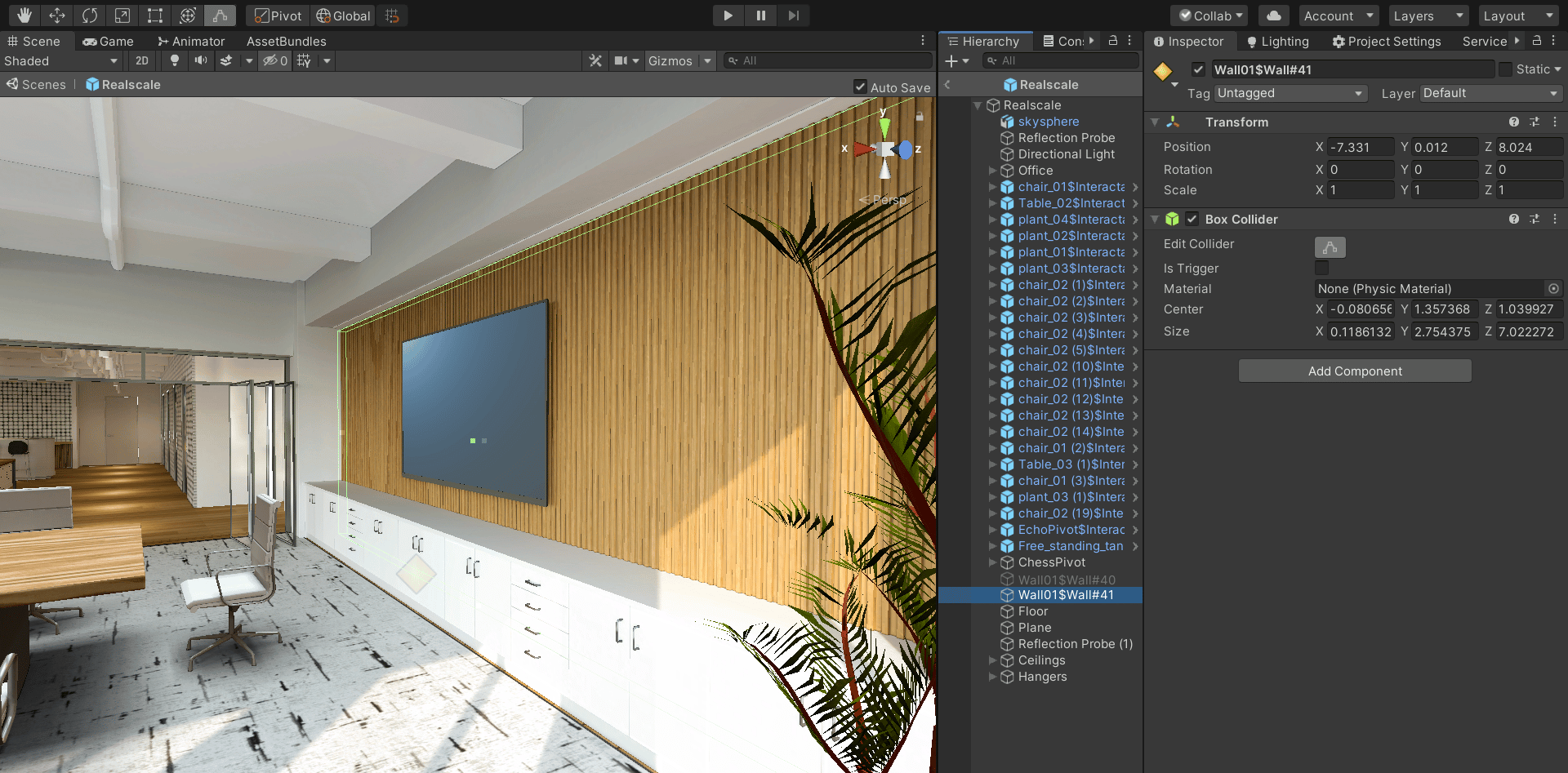
wall surface
Ceiling
Requirements:- a GameObject name to follow this pattern: Ceiling#UniqueNumber ex. Ceiling#01, $Ceiling#02 if there are two ceilings in the space
- a collider on the GameObject parent that covers the area of the surface that a ceiling object will be addable
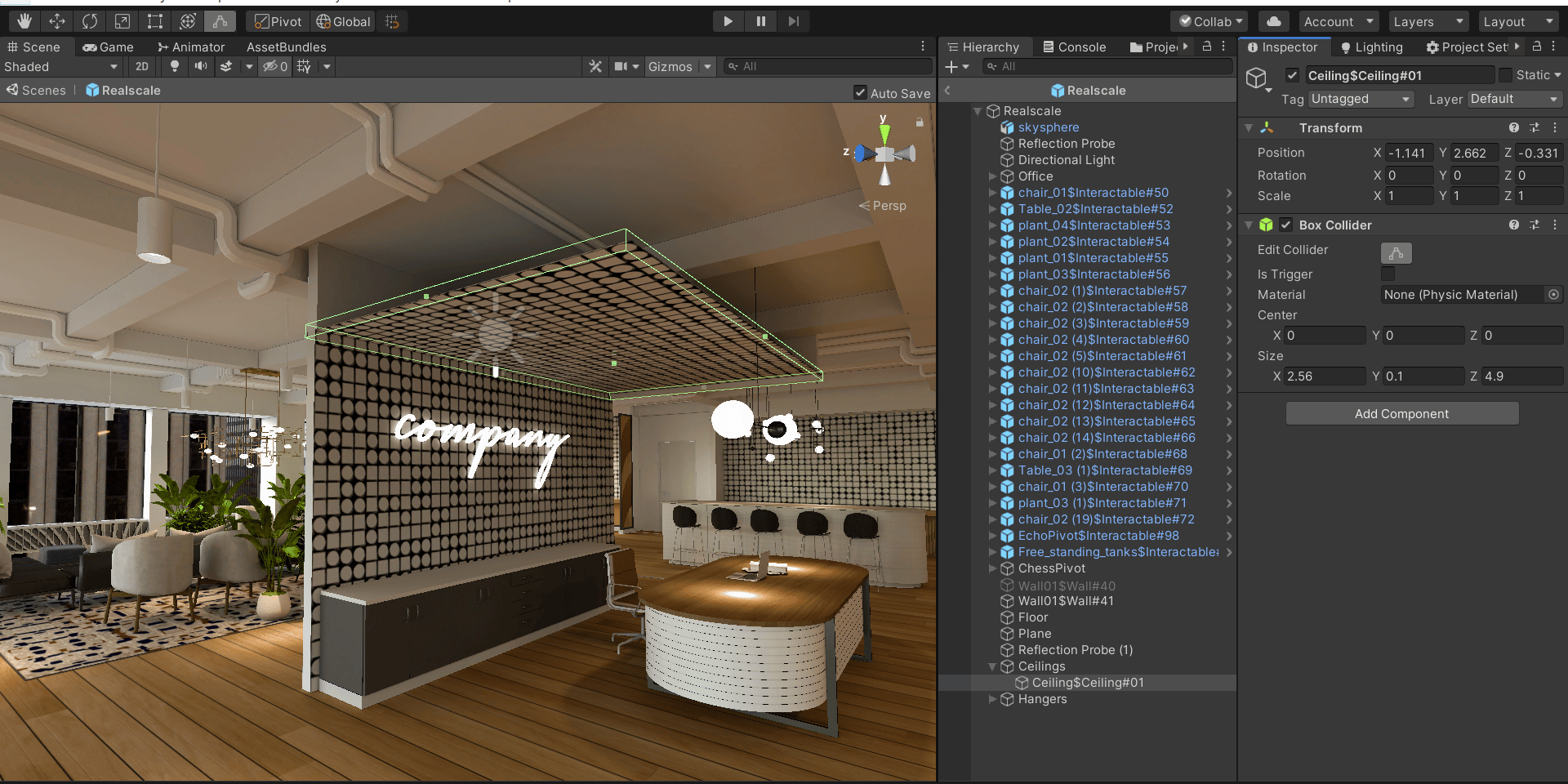
ceiling surface
Hanger
Requirements:- a GameObject name to follow this pattern: Hanger#UniqueNumber ex. Hanger#01, $Hanger#02 if there are two hangers in the space
- a collider on the GameObject parent that covers the area of the surface that a hanger object will be addable
- a Gameobject of name of ‘HangerPivot’ as a child of hanger collider parent where the hanger object will be spawned
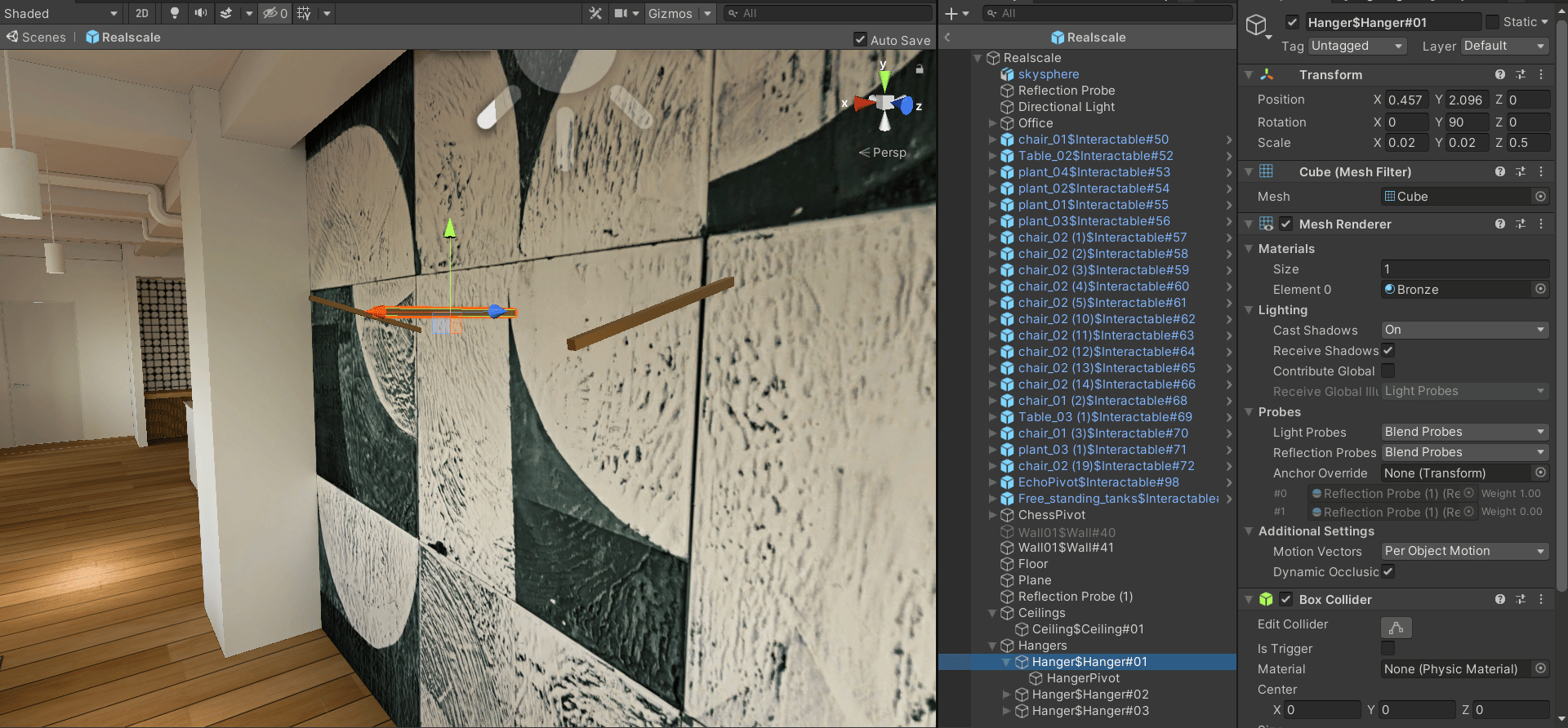
hanger surface