

Importing Models
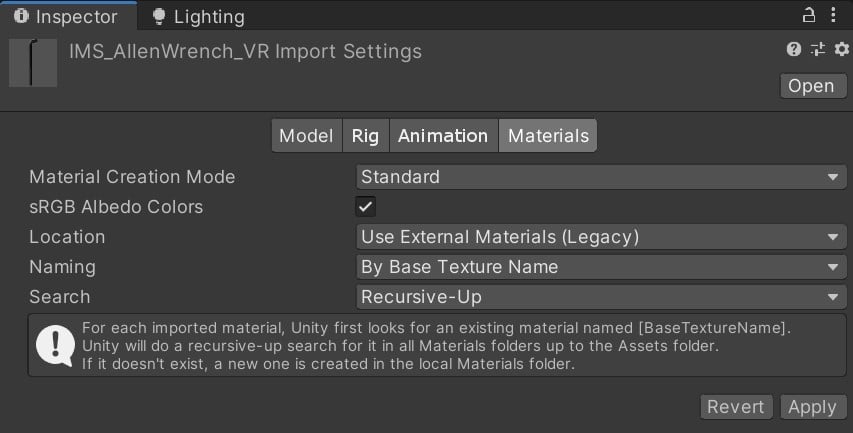
Accessing the Import Settings window- Open the Project window and the Inspector so that you can see both at once.
- Select the Model file you want to import from the Asset folder in the Project window. The Import Settings window opens in the Inspector showing the Model tab by default.
Creating a Unity Package
Altoura separates its content into two Unity prefabs: Dollhouse & Realscale. Dollhouse is the three dimensional miniature version of your space. The Dollhouse allows you to see the entire space at a smaller scale, and to teleport around the space. In a head mounted display like HoloLens, you will see the Dollhouse at about waist height, surrounded by a ring when you anchor a project. On a screen device, like an iPhone or PC, you will see this model when you first open the project. Realscale is the version of the model that a user will physically or virtually around in in the app. The content in this prefab will appear at “real-scale.” The goal is to organize the content into these two chunks so that the app will organize teleportation and anchoring for you. In the Altoura Toolkit there is a scene called ‘Basic Scene’ that you can copy an example of the Realscale and Dollhouse prefab.
- Floor: defines the walkable area in the space.
- DefaultMeeplePosition: the location that the user will start at when entering the space

Don’t forget to apply your prefab overrides!
When editing the content in your Dollhouse and Realscale prefabs, make sure you’re editing in Prefab Mode or applying the overrides if you are editing in the Scene.
Testing Tips & FAQ
If you’re have an issue with your content in Altoura after you’ve uploaded to a space in the Altoura portal, run through the steps above to make sure you’ve set up your asset bundle correctly. It may be one of these: Space Isn’t Loading? This could be a few things:- You may be building on a too new or too old version of Unity, ensure you are building on a Unity 2019.3 variation.
- You may have scripts on objects in your prefabs, Unity asset bundles do not process with scripts. Remove the script components from your objects and rebuild.