

Requirement Details
When Training is designed, there are stages where it would be required to disable ‘Back’ button for certain Step Nodes in the training. This is to ensure that User does not have option to go back to previous node. User should be able to move only in one direction (that is to the next step). The need is for the Admin / designer to specifically identify the training panels and have the ability to disable the back button. The choice to disable ‘Back’ button is required at individual panel.Steps to enable the requirement
A new JSON string has been defined to support the ability to disable the ‘Back’ button at individual node level. Details of the JSON string to enable this functionality is provided below:- Login to Altoura Portal
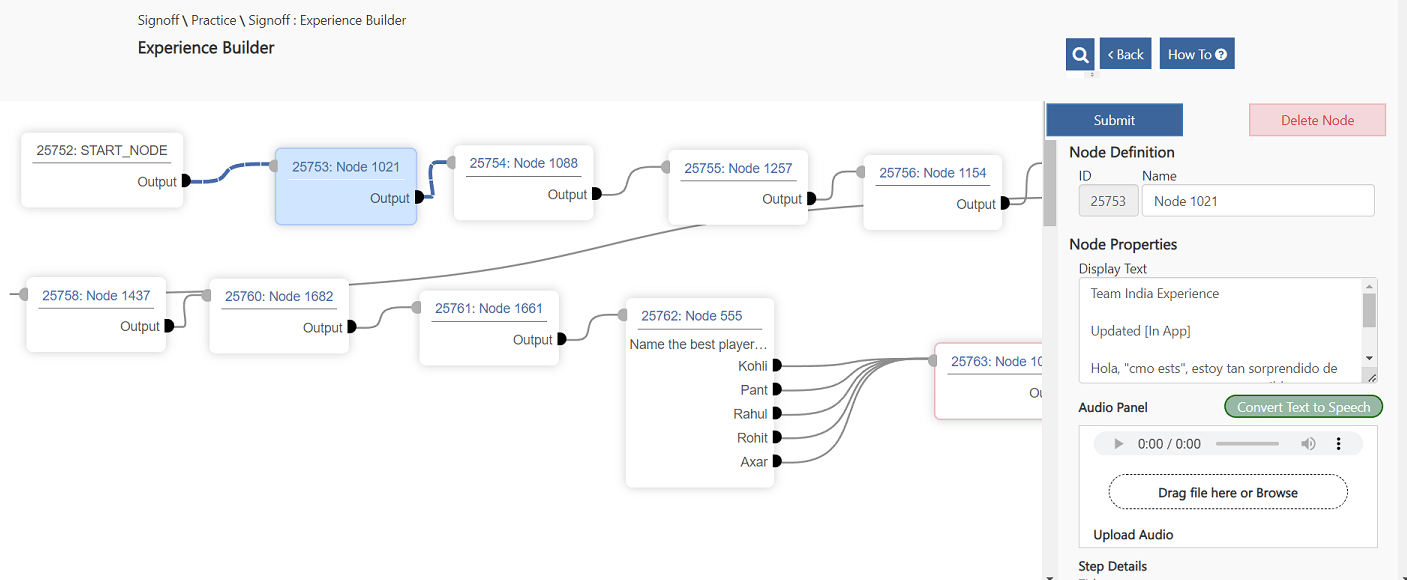
- Go to the Experience and click on the Step Node for which the ‘Back’ button needs to be disabled:
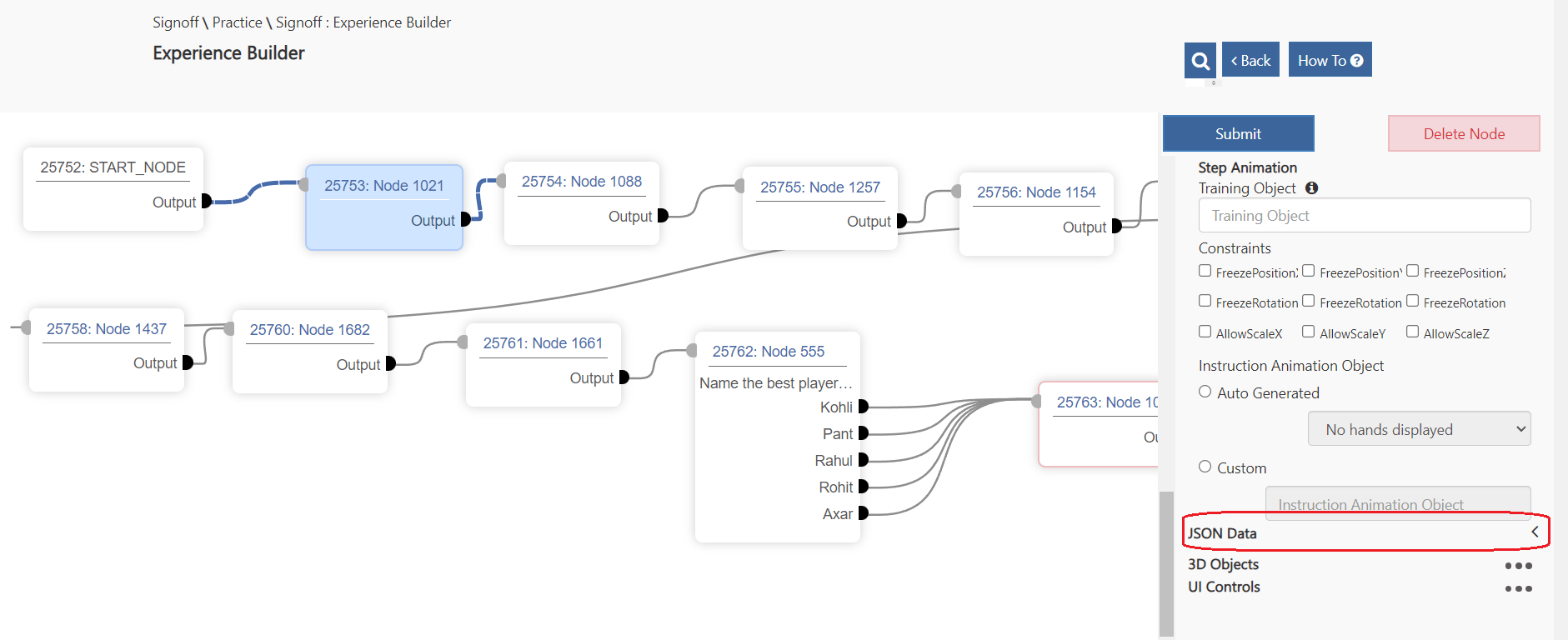
- Scroll down on the Step Node properties window till you see ‘JSON Data’ section (as shown in the screenshot below):
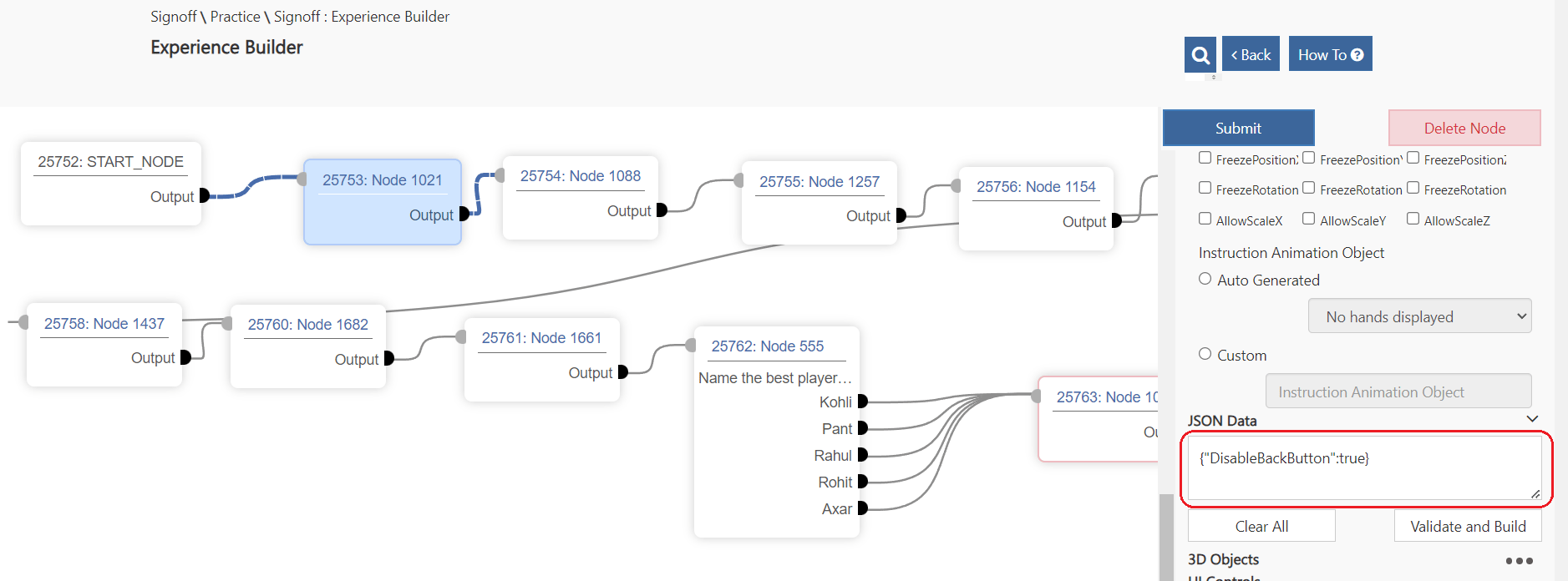
- Expand the section and enter following JSON string: {“DisableBackButton”:true}
- Click on the ‘Submit’ button to save changes
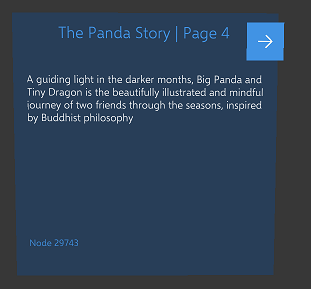
- Once the above changes are done, login to client and check all the Panels where {“DisableBackButton”:true} JSON string was updated. For all those panels the ‘Back’ button will be disabled (as shown below):
- If the User wants to enable the ‘Back’ button for any of these panels, they just need to go back to Portal => JSON Data section and remove the {“DisableBackButton”:true} string from the section.