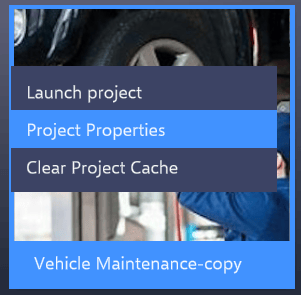
Go to the Altoura Client Dashboard and right-click on the Project for which the cache needs to be cleared. On right click a menu will appear, which will have options to clear the Project cache.Click on the ‘Clear Project Cache’ to clear the Project cache.This will clear cache for the selected Project.
Assistant
Responses are generated using AI and may contain mistakes.