

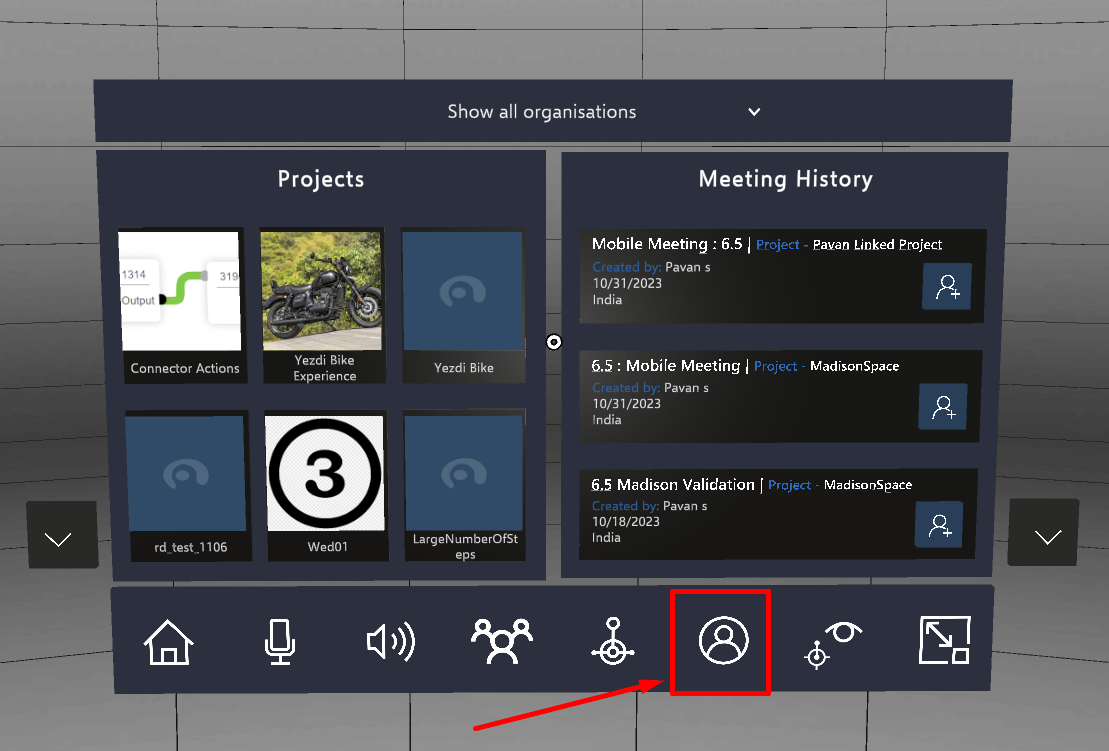
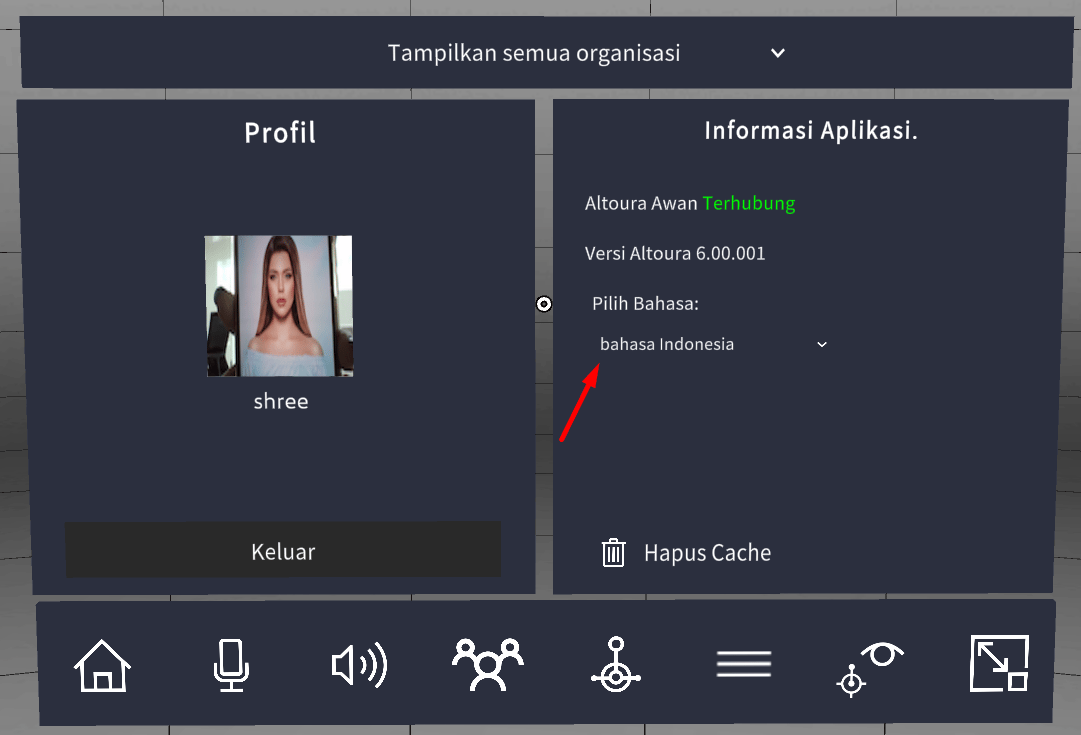
- On home screen, Click on the “user icon” available on the toolbelt menu.
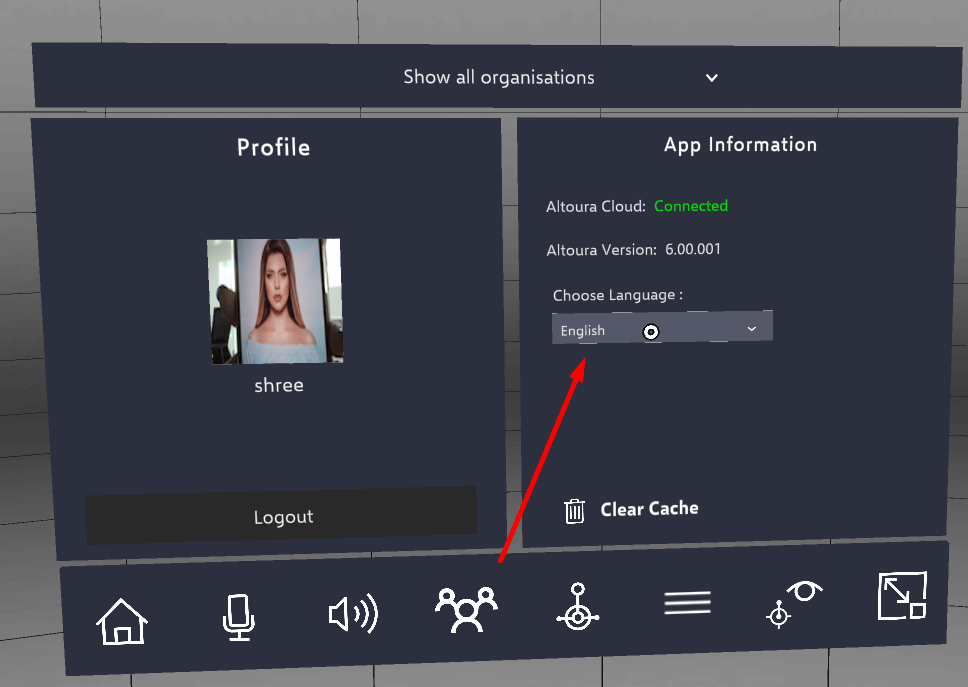
- Under “App Information” panel on the right side, Selected language is shown.
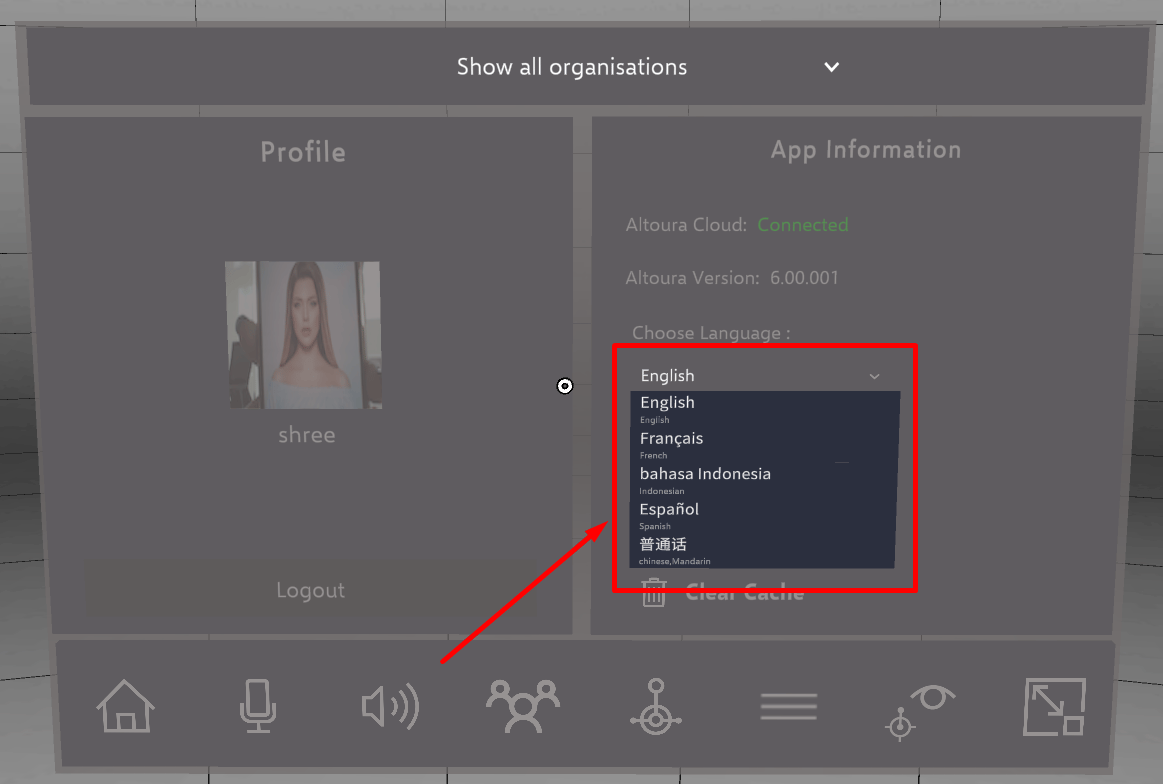
- On clicking the selected language, dropdown gets active containing list of all the language options available.
- User can tap on the any language to select it.
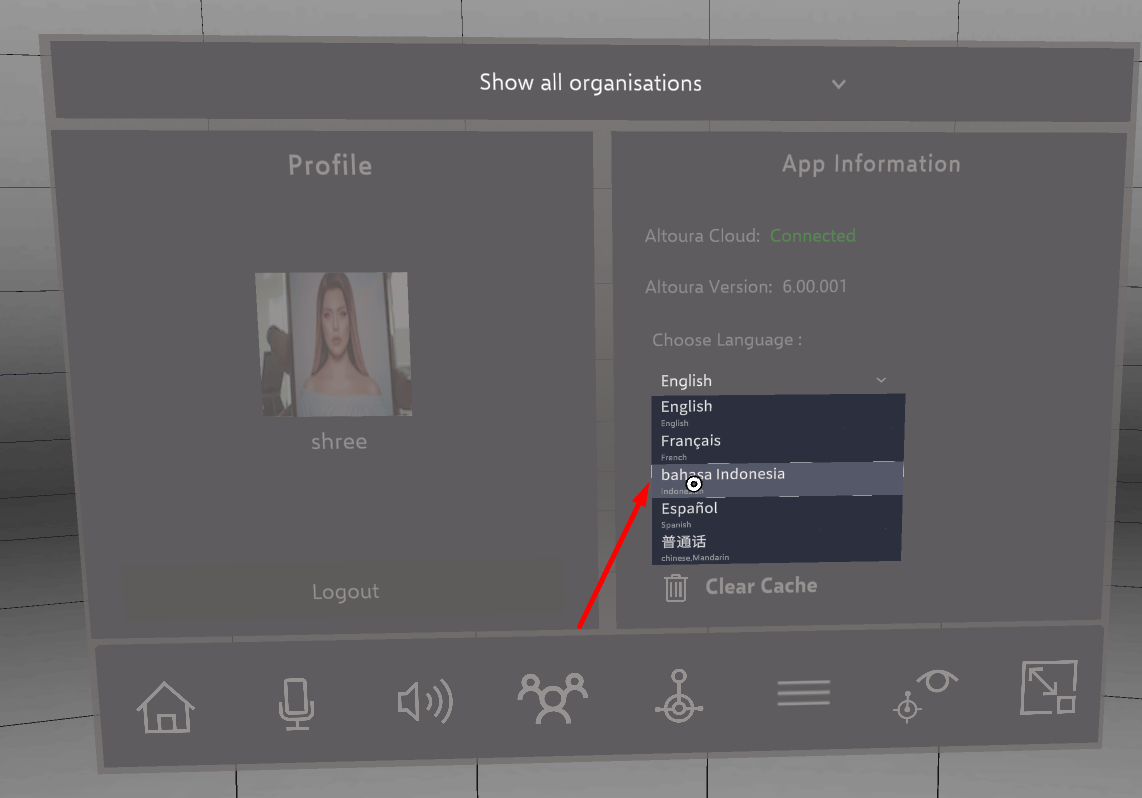
- All the text menus will be changed to the selected language.
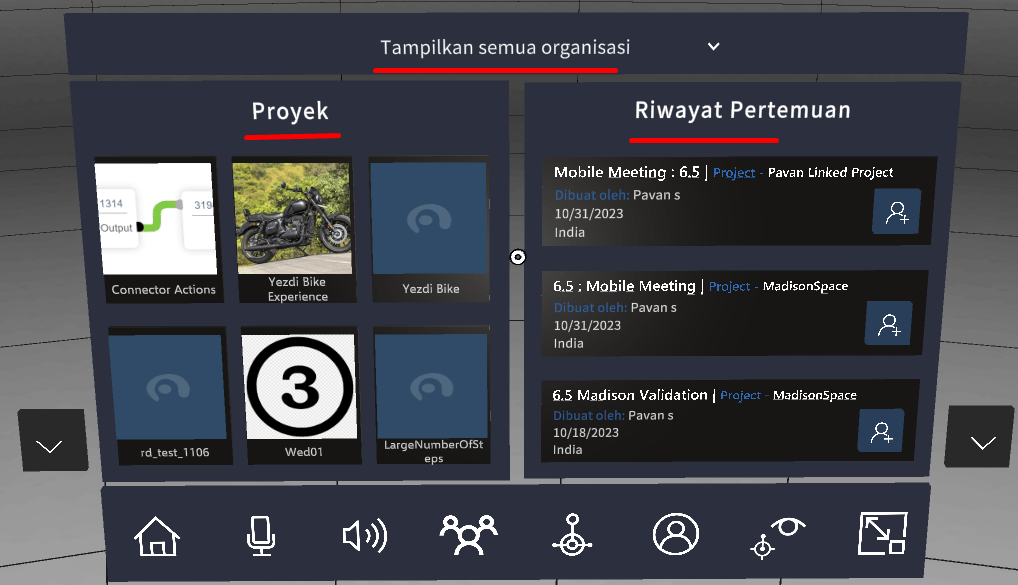
- Home screen after selecting “Indonesian” language.
HoloLens 2