

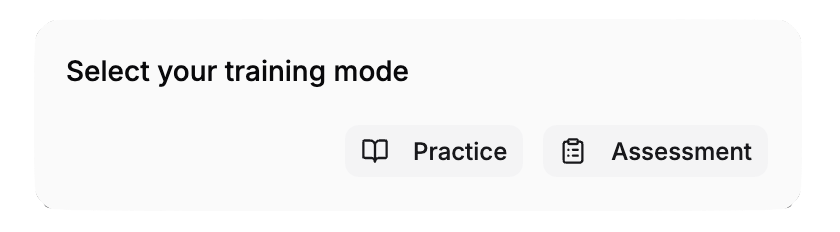
What is Assessment Mode?
Assessment mode = Guided training with all the helpful visual hints removed. Think of it like the difference between:- Guided training: Someone shows you exactly where and how to do something
- Assessment mode: Someone watches you do it without guidance to see if you remember
What’s Different in Assessment Mode
Assessment mode generates an assessment based on the steps in your training. For steps that require interaction (tap, move, or rotate), the following are hidden:- The Title text on the step panel (replaced by the step number)
- The Display Text on the step panel
- The direction indicator arrow
- Any uploaded Audio
- Any uploaded Images or Videos
- The Instruction Animation (ghost hands)
- The Back button (the Next button is hidden unless the step includes a text input field)
You Must Remember What You Learned
For interactive steps, you need to remember:- Which object to interact with — no glowing highlights tell you
- Where objects are located — no hand pointing them out
- How to move or rotate them — no animation showing the correct technique
- In what order — no step text or navigation arrows to guide you
What Happens When You Tap the Wrong Object
You get feedback: The step panel shows the message “You have selected the wrong object”, and the object you tapped is tinted red. Both clear after a few seconds. What it means: You tapped an object, but it’s not the correct one for this step. What to do:- Think about which object should be interacted with
- Try tapping a different object
- No penalty — wrong taps are just feedback
Why Assessment Mode Exists
Tests Real Understanding- Guided trainings teach you with visual help
- Assessment mode proves you can do it without that help
- It’s closer to real-world performance where there won’t be animated hands
- Trainers want to know you understand the “why,” not just the “where”
- Assessment shows you’ve learned the concepts, not just memorized hand positions
- Some roles require you to pass an assessment to prove competency
- Assessment scores may be recorded for compliance or certification
Tips for Succeeding in Assessment Mode
Before Assessment: Complete Guided Training
- Do the guided training first — don’t skip directly to assessment
- Pay close attention to:
- What each object looks like
- Where objects are positioned in the scene
- The exact steps in order
- How objects are manipulated (move, rotate, tap)
During Assessment: Strategies
Remember Object Appearance- Think about what you saw during guided training
- Objects look the same, just without the glow
- Recall their colors, shapes, and sizes
- In guided mode, ghost hands pointed to locations
- In assessment mode, recall where those objects were positioned
- Rotate your view to search if needed
- There’s usually no time limit
- It’s okay to take 30 seconds to find and click the right object
- Wrong clicks are not penalized
- Rotate the scene to see all angles
- Zoom in to find small objects or details
- Adjust camera height to see high or low objects
- These tools are available even without visual guides
Completion
Once you complete the assessment, your completion is recorded. You can retake the assessment by using Reset Training from the floating controls.Real-World Comparison
Think of it this way: Guided Training = Learning with an instructor showing you everything- Instructor points: “Click this button”
- Instructor demonstrates: “Drag it like this”
- You practice with constant feedback
- Boss or evaluator watches silently
- You remember what to do from training
- You perform without live guidance
- You prove you know the material
Troubleshooting
I keep tapping the wrong object — how many tries do I get?
I keep tapping the wrong object — how many tries do I get?
There’s usually no limit on wrong taps. Keep trying and thinking through the logic. If you need the guided training again, reset and go back to the non-assessment version.
Do wrong taps count against me?
Do wrong taps count against me?
It depends on your training’s scoring rules. Some trainings just care if you get it right eventually. Some score based on wrong attempts. Check your training’s instructions or ask your trainer.
Can I skip assessment mode?
Can I skip assessment mode?
Only if your training makes it optional. Most required assessments must be completed. Ask your trainer if you can opt out.
Will I fail the assessment if I take too long?
Will I fail the assessment if I take too long?
No time limits. Take as long as you need. Assessment is about knowledge, not speed.
Can I go back to guided mode if I fail assessment?
Can I go back to guided mode if I fail assessment?
Usually yes! Reset and go back to the guided version to review. There’s no penalty for reviewing.