

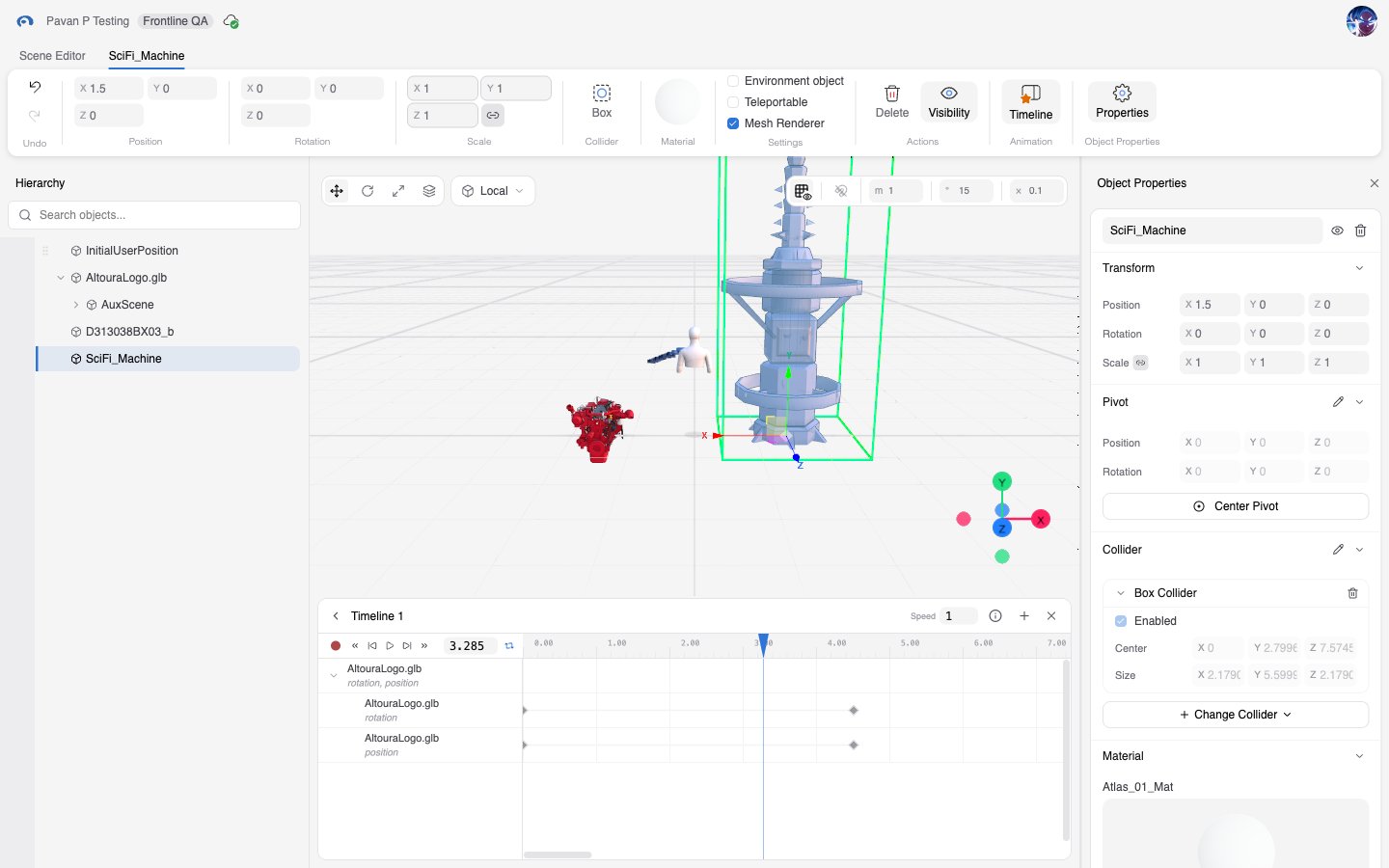
Scene Manager Overview

Scene Manager is a browser-based 3D scene authoring workspace. It is used to open an existing scene, place and organize 3D objects, edit object properties, create timeline-based animation, configure collision behavior, and save the result back to the platform. The application is a focused editor rather than a general-purpose dashboard. Most users enter it from a scene link provided by another Altoura application.

What You Can Do in Scene Manager

In the standard production experience, Scene Manager supports:
  • Opening and loading a scene tied to an organization
  • Inspecting and selecting scene objects in a 3D viewport and hierarchy tree
  • Editing object transforms, materials, pivots, animation settings, and colliders
  • Managing object placement and parent-child relationships
  • Creating and managing one or more animation timelines
  • Recording, previewing, and refining movement-based animation
  • Saving changes manually or through autosave
  • Pairing a device from the profile menu

Who Uses Scene Manager

Primary users include:
  • Scene authors and editors working in an authenticated Altoura environment
  • Organization members who open scenes assigned to their organization
  • Advanced content creators who need timeline animation, materials, pivots, and collider editing

Access Model

  • Scene Manager does not operate as an anonymous public app.
  • Users must be authenticated before the editor opens.
  • Users must belong to the organization identified by the scene link.
  • Users without the required scene or asset permission are blocked from the editor rather than placed into a customer-facing read-only mode.

Core Concepts

ConceptMeaning
SceneThe complete 3D environment being edited
OrganizationThe organization that owns the scene
ObjectAny 3D item in the scene, such as a model, mesh, group, light, camera, label, or empty helper object
HierarchyThe parent-child structure of objects shown in the hierarchy panel
TimelineA named animation workspace that stores tracks, keyframes, and visibility changes
TrackA row inside a timeline
KeyframeA time-based value on a track
ColliderA collision shape associated with an object