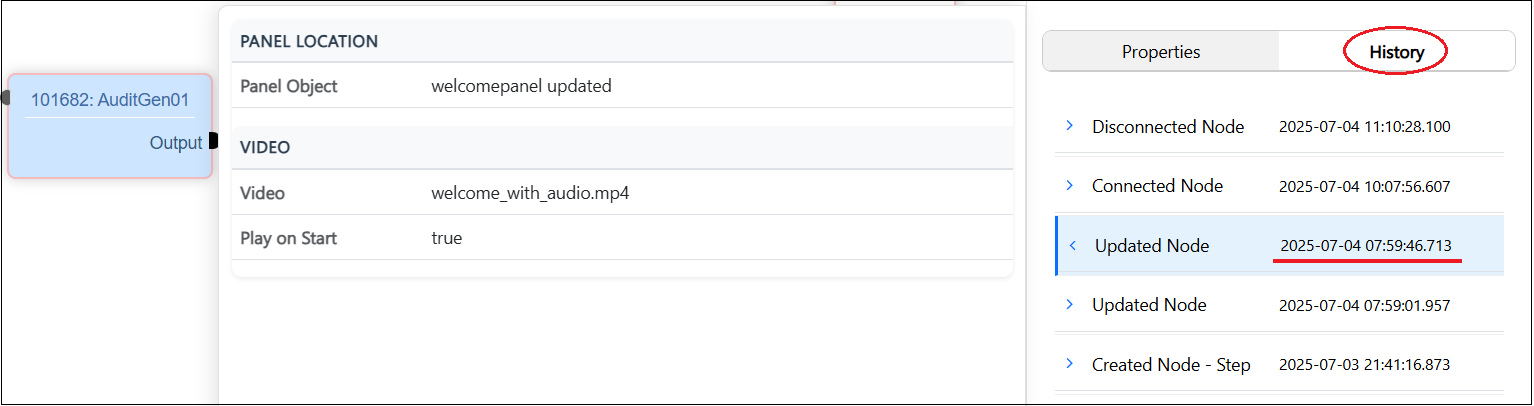
- Clickable IDs - Every NodeID and ConnectorID in the summary table appears as a link.
- One-click navigation - Selecting an ID opens the History tab for that entity in the Node Editor.
- Automatic highlighting - The exact log row that was clicked is brought into focus and highlighted.
- Full detail display - All recorded information - timestamps, usernames, property changes, etc. is shown in context of other nodes and connectors.
- Seamless context switch - This helps provide the user a seamless switch into the Node Editor workspace. Also, users can click on the Summary button on the Node Editor to navigate back to the Summary page.
- Consistent behavior- Nodes and connectors both support this same pattern.