

Nodes - Updates
When a node is updated, the audit logs will record the following:- Operation displays Updated Node
-
Modifications to lists the updated property sections.
- If one or two properties sections are updated, each section name will be displayed.
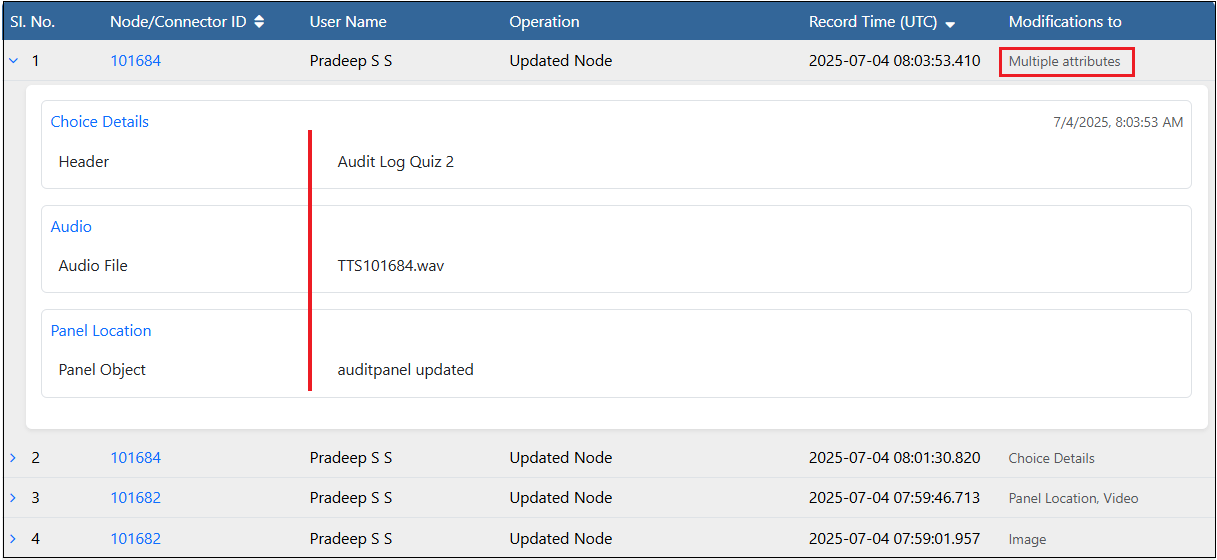
- If more than two sections are updated, “Multiple attributes” is displayed.
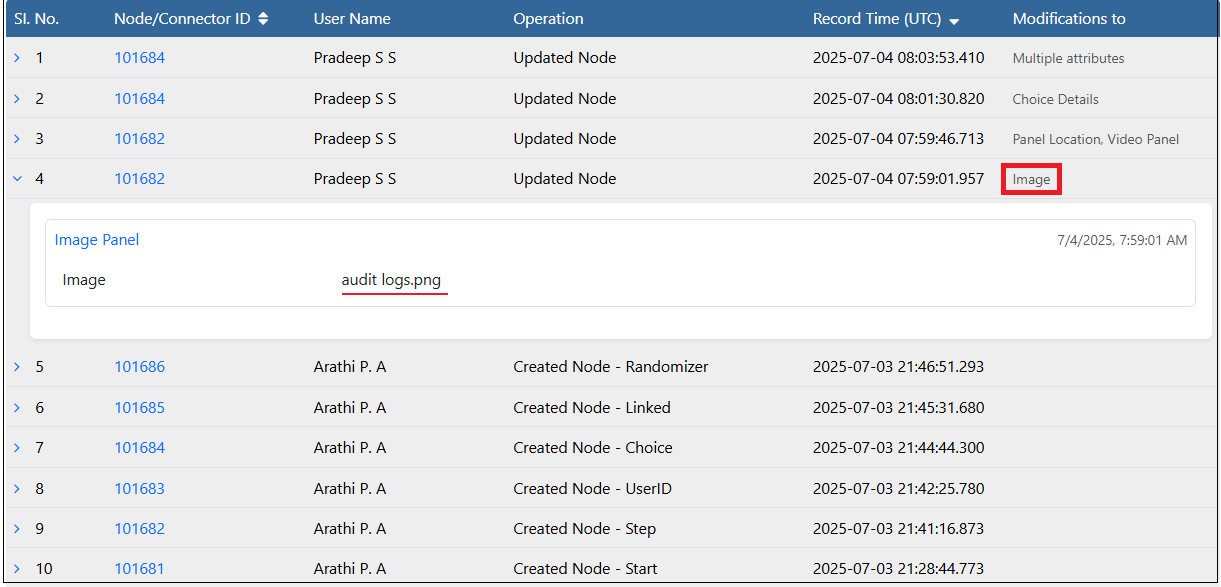
- Select the Step Node and add an image. The logs are updated to show the addition of the image.
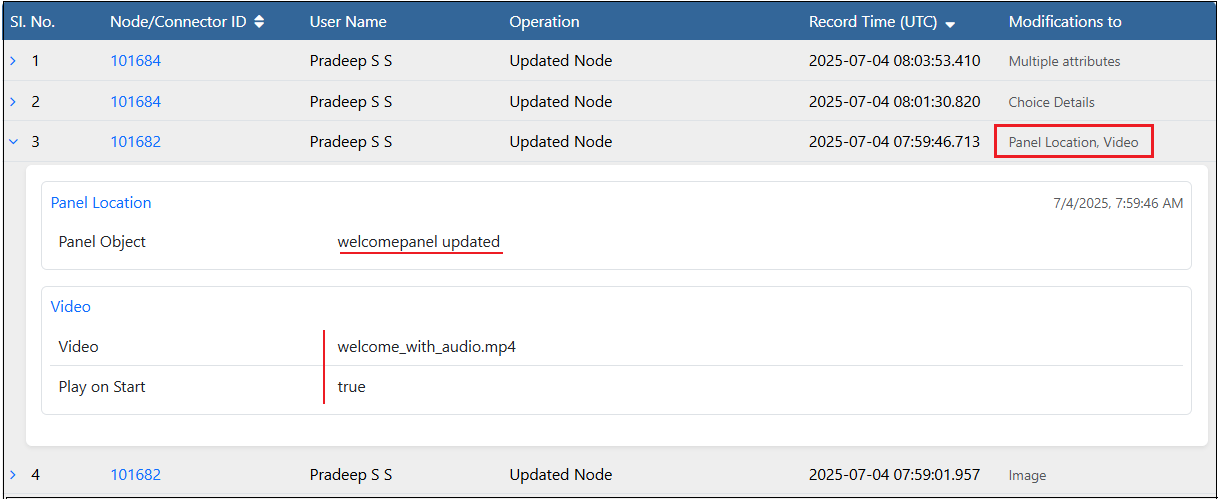
- Select the Step Node and add a Video, set it to Play on Start mode and update the Panel Location.
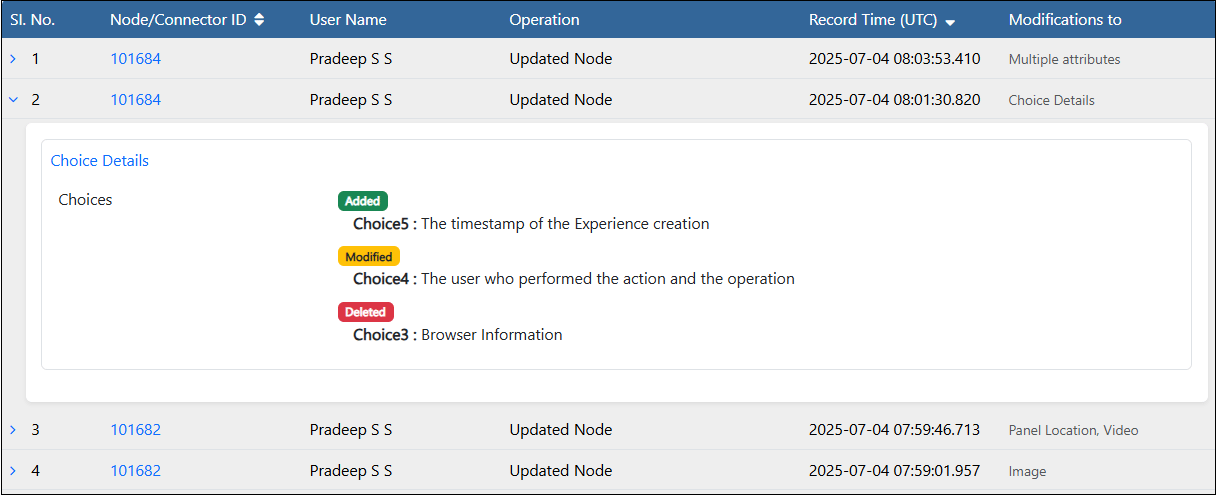
- Select the Choice node and make multiple changes to the choices.
- Select the Choice node and make changes to the Choice Header, regenerate the audio file to reflect the new changes in choices and update the panel position.
Nodes - 3D Objects and UI Controls
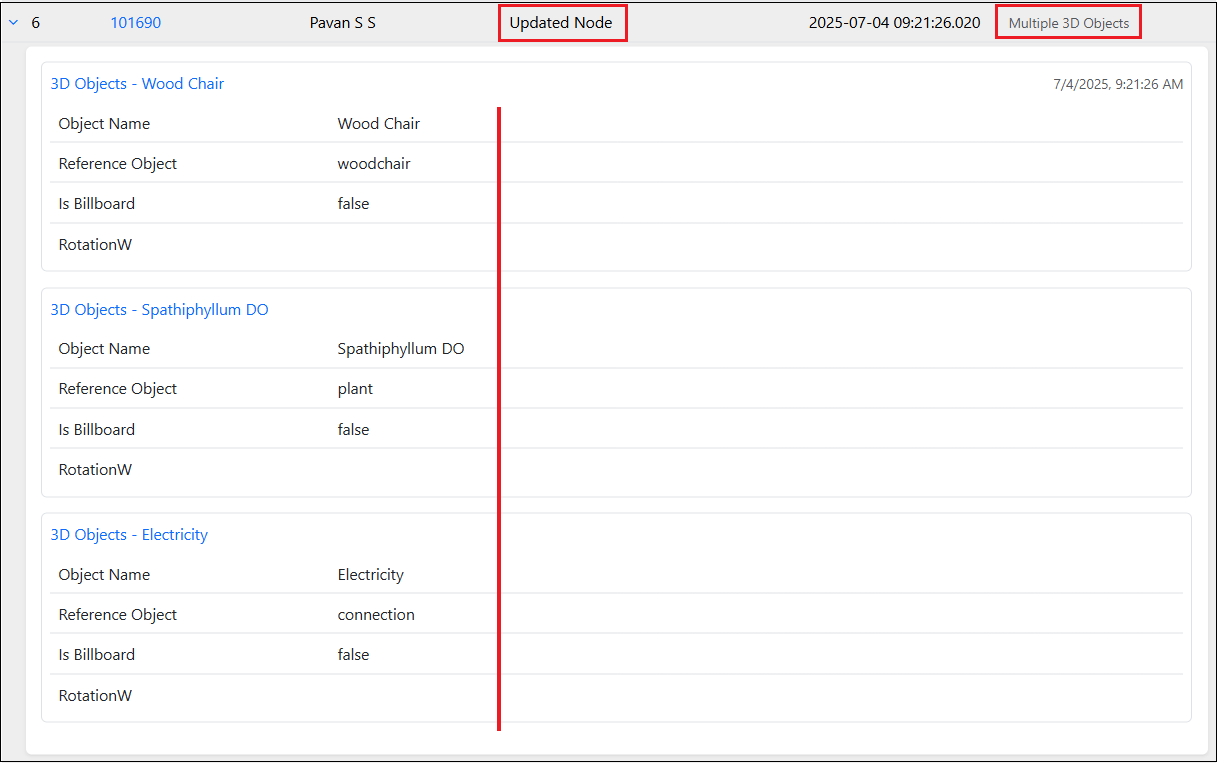
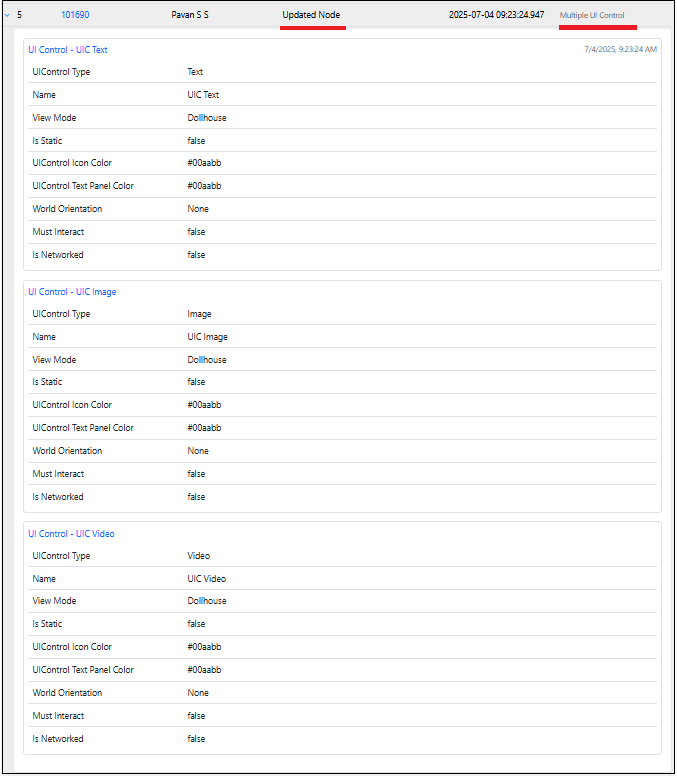
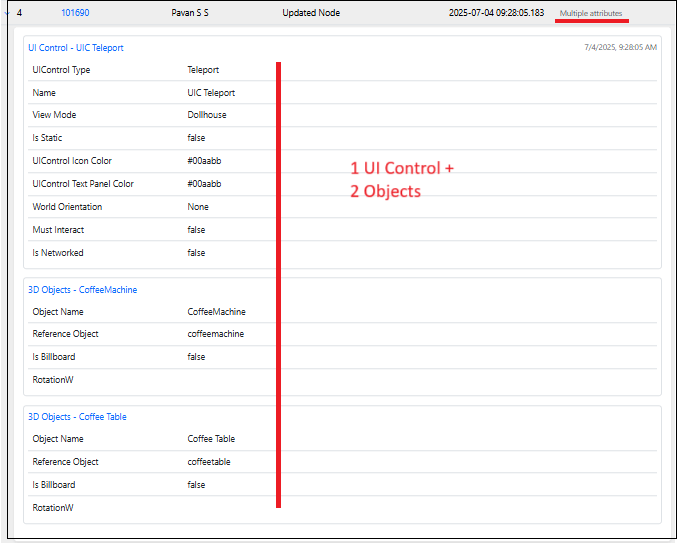
When 3D Objects or UI Controls are added to a node, the audit log records an “Updated Node” entry under the Operation column and updates the Modifications to column as follows:-
Single category changes
- If only 3D Objects are modified (added, updated, or deleted), Modifications to shows Multiple3D Objects.
- If only UI Controls are modified (added, updated, or deleted), Modifications to shows Multiple UI Controls.
-
Multiple category changes
- If both 3D Objects and UI Controls are modified and the count is greater than two, it lists Multiple attributes.
- If a third category is included alongside those two, it consolidates under Multiple attributes.

Details
Delete Operation
All delete actions are recorded as single-entry rows in the audit logs. All delete entries are final and cannot be expanded for additional details. Every 3D Object or UI Control deletion will be recorded separately, and the names of the items will be shown under the Operation column. When a node is deleted, an entry will be made in the Audit Logs as shown below.