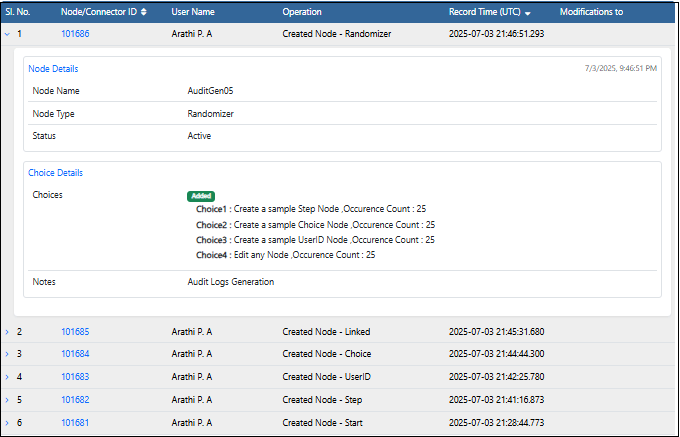
When a user edits an experience, whether they are adding, updating or deleting the nodes or connectors - every action is recorded in the Audit Logs. This ensures full traceability of changes and makes it easy to figure out who did what, and when.
- Nodes are the individual points of interaction or content.
- Connectors are the links between nodes that define the navigation and action between nodes.
UI Overview
Experiences List view
On the Experiences List page, when the user selects View History menu Audit Logs page is displayed. it contains two tabs.- Logs – a complete, chronological record of all actions at the experience level.
- Summary – complete chronological entries showing activity on individual nodes and connectors
Experiences Node Editor view
In the Node Editor for an experience the layout splits into three panels:- Canvas - is the area where the nodes and connectors are visually arranged.
- Properties - the settings and metadata for the currently selected element.
- History - A detailed breakdown of all the modifications made to the nodes and connectors.
Audit Logs Generation
- In the Experience tab, create a new experience.
- Click on More Actions (3 dots …) and select View History
-
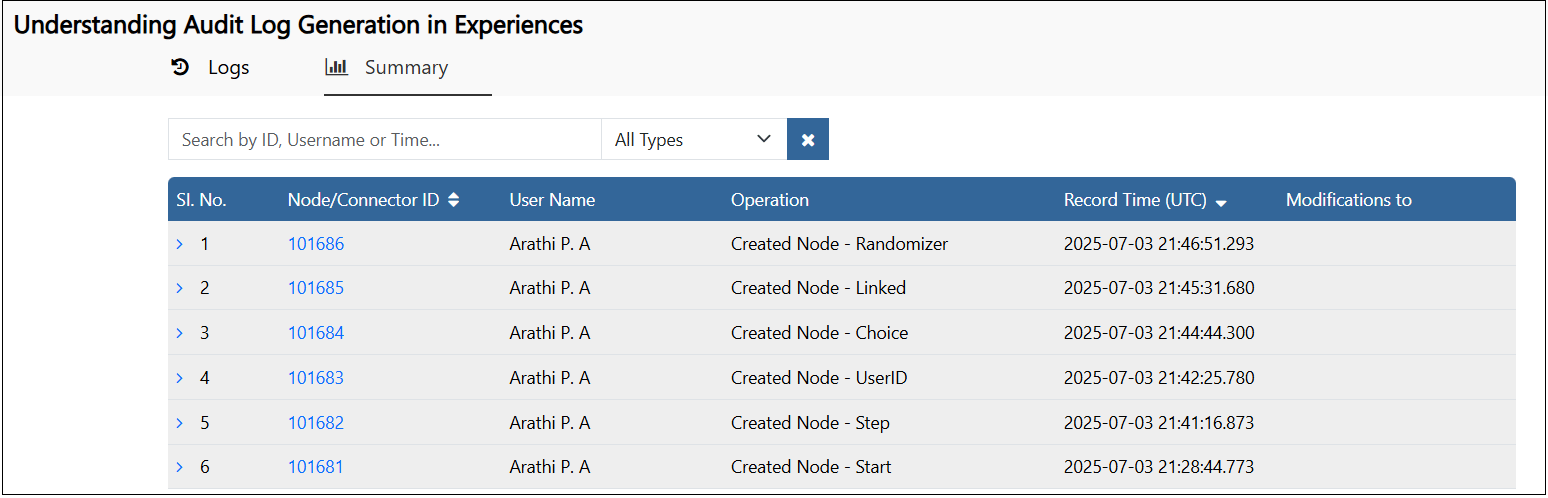
The Audit Logs page is displayed. Here click on the Summary tab
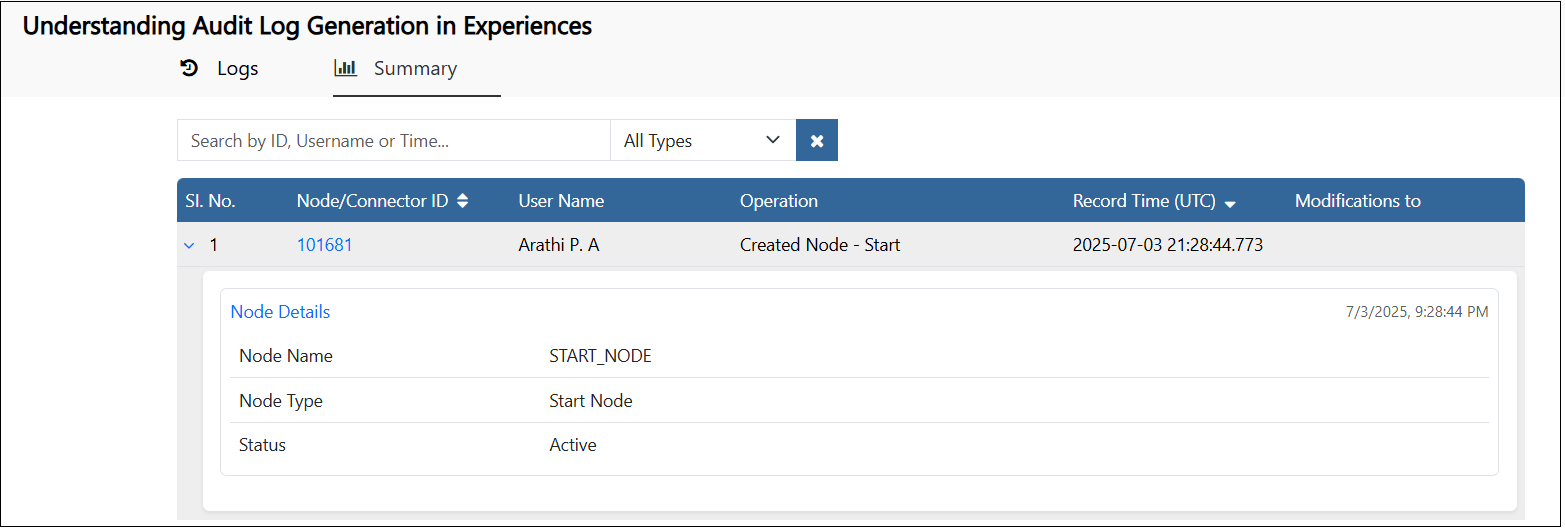
- A row is added to the logs showing that the experience is created with a Start node.
- The NodeID, the user who created it and the timestamp are displayed.
-

-
-
-
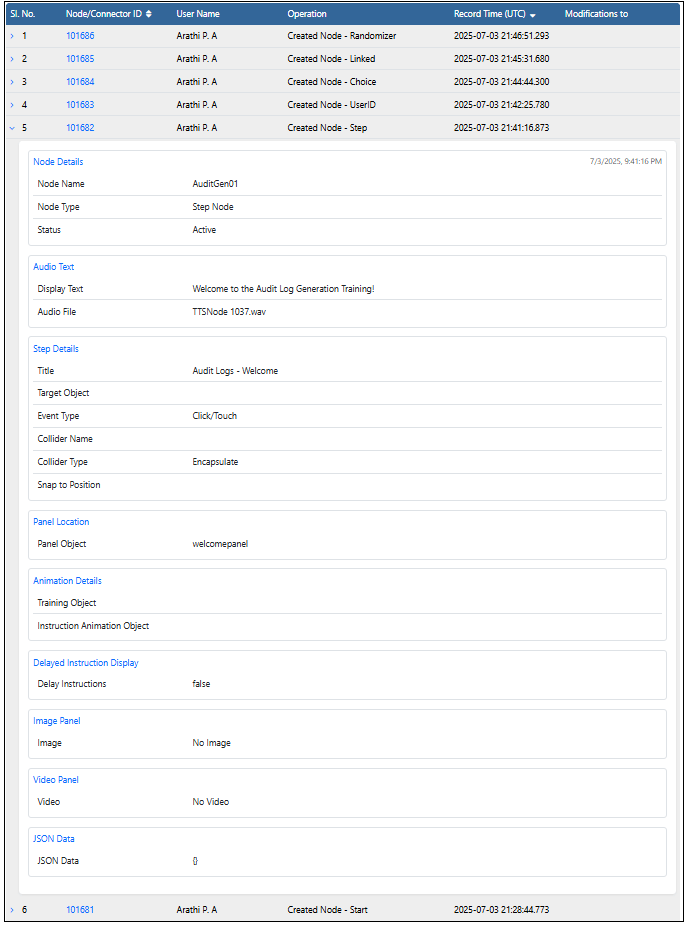
Step Node
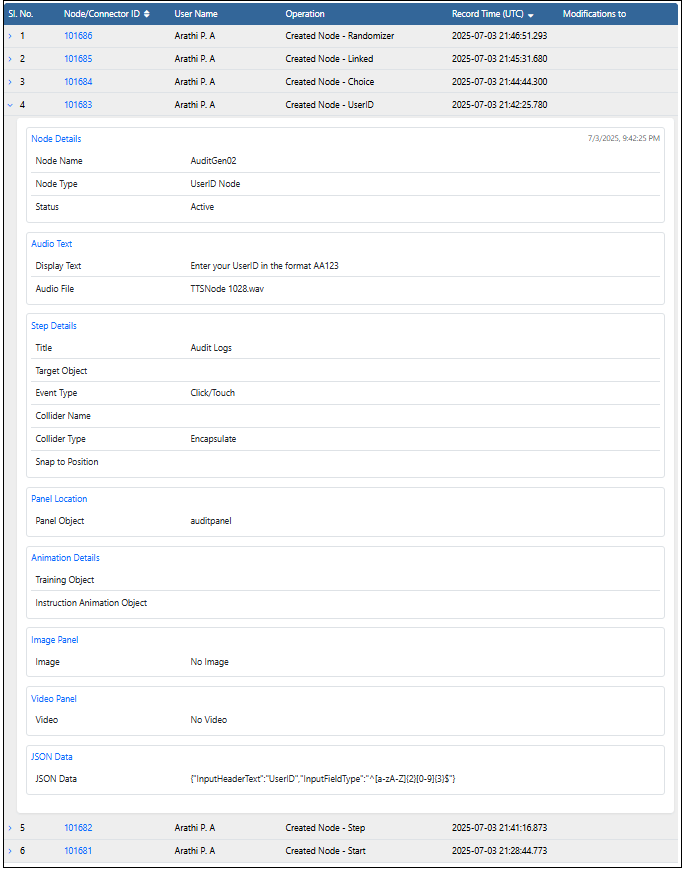
User ID Node
-
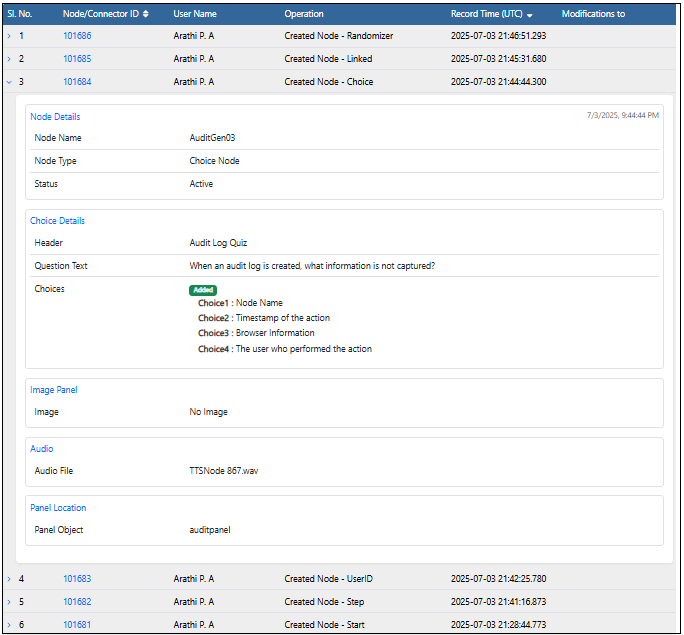
Choice Node
-
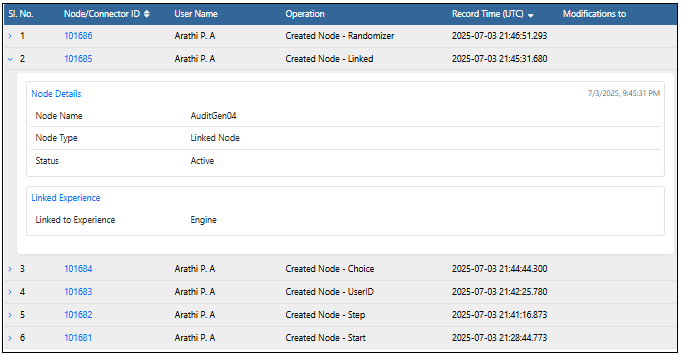
Linked Node
-
Randomizer