

Portal Experience Builder
Text to Speech Auto Generate
Batch create text-to-speech audio for all nodes in an Experience from the Altoura Portal.
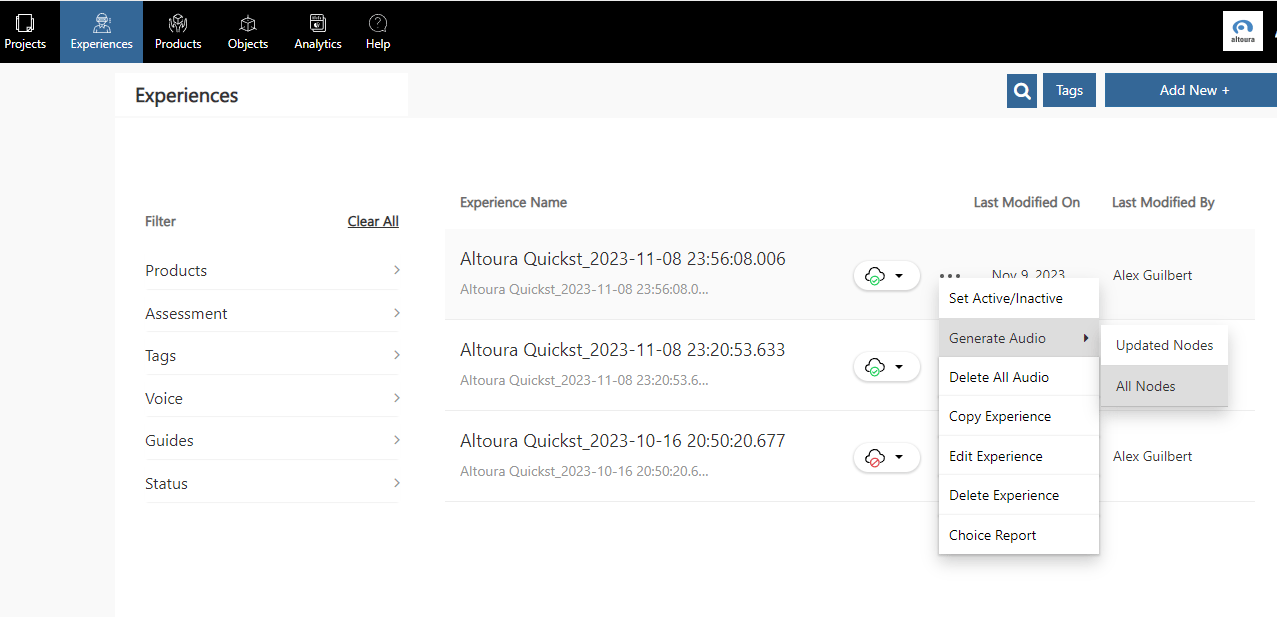
If you’d like to batch create text to speech for your nodes, go to the Experiences tab in the Portal and click on the ellipsis (…) in the Experience for which you’d like to generate audio. A dropdown menu will appear — choose Generate Audio and you’ll see the option to generate audio for all nodes, or just the nodes that have been updated.