

There is no separate “save” button on the HoloLens: spatial content you author on the device is stored against the procedure and stays in sync with the Procedures Portal — models added on the HMD appear on the same step in the Portal, and changes on either side propagate to the other. If a session looks stale, tap Procedures in the side menu on the device, or refresh the browser tab in the Portal. See How Content Flows.
Exit the Procedure via the Side Menu
While inside a procedure, raise either hand with your palm facing toward you to open the contextual side menu. It has three buttons (with the current time and system status at the bottom):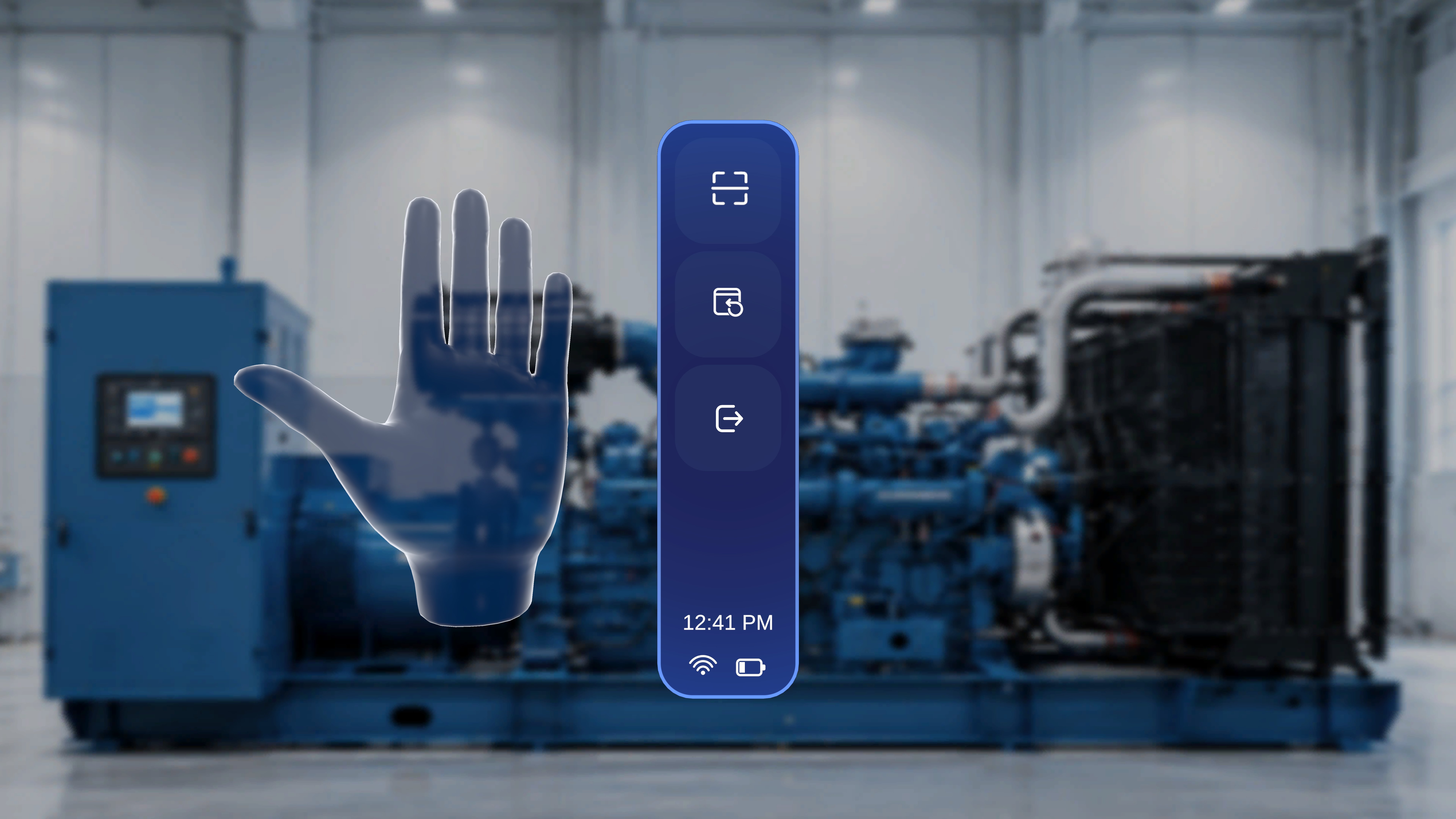
1
Open the side menu
Lift either hand and face your palm toward yourself.
2
Select Exit
Select the Exit button (bottom icon). A confirmation panel appears: “You are about to exit this procedure” with Resume and Exit Procedure options.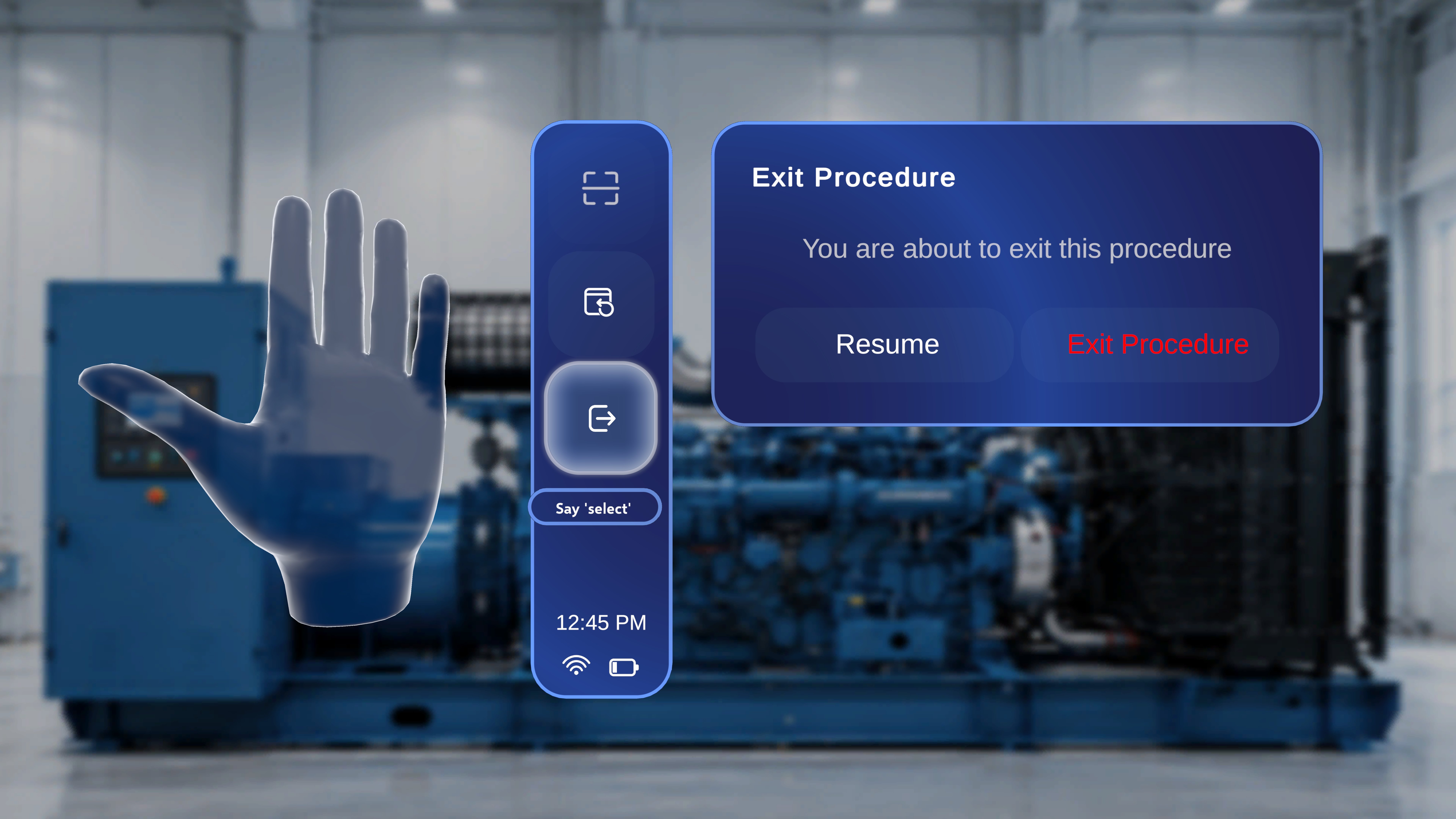
3
Confirm
Select Exit Procedure to return to the Procedures page — or Resume to close the panel and continue from the current step.
Verify Your Work in Operator Mode
The most reliable preview is to run the procedure exactly as an operator will. From the Procedures page, open the same procedure again — and this time choose Operator (Use a procedure) in the mode-selection dialog (see Enter Author Mode). Scan the same QR code at the same position. As you walk through, check that:- Models appear where you placed them, anchored correctly to the QR position.
- Interactable settings behave as configured — models with Interactable off cannot be moved; models with Interactable Ghost on leave a shadow at the original position when moved.
- Gems and tethered lines point operators to the right physical locations on the steps where you placed them.
- Media plays on the steps where it is attached.
- Every choice branch can be walked to a proper Completion Step.
Publish So Operators Can Run It
Publishing is done from the web Procedures Portal, not on the device:Manage Procedures
Manage and publish your procedure from the Procedures Portal.
Run Mode
Preview how the procedure runs, step by step, from the Portal.
Next: Walk the full journey end to end in Your First Procedure, or see how operators experience your work in Find and Open a Procedure.