

Overview
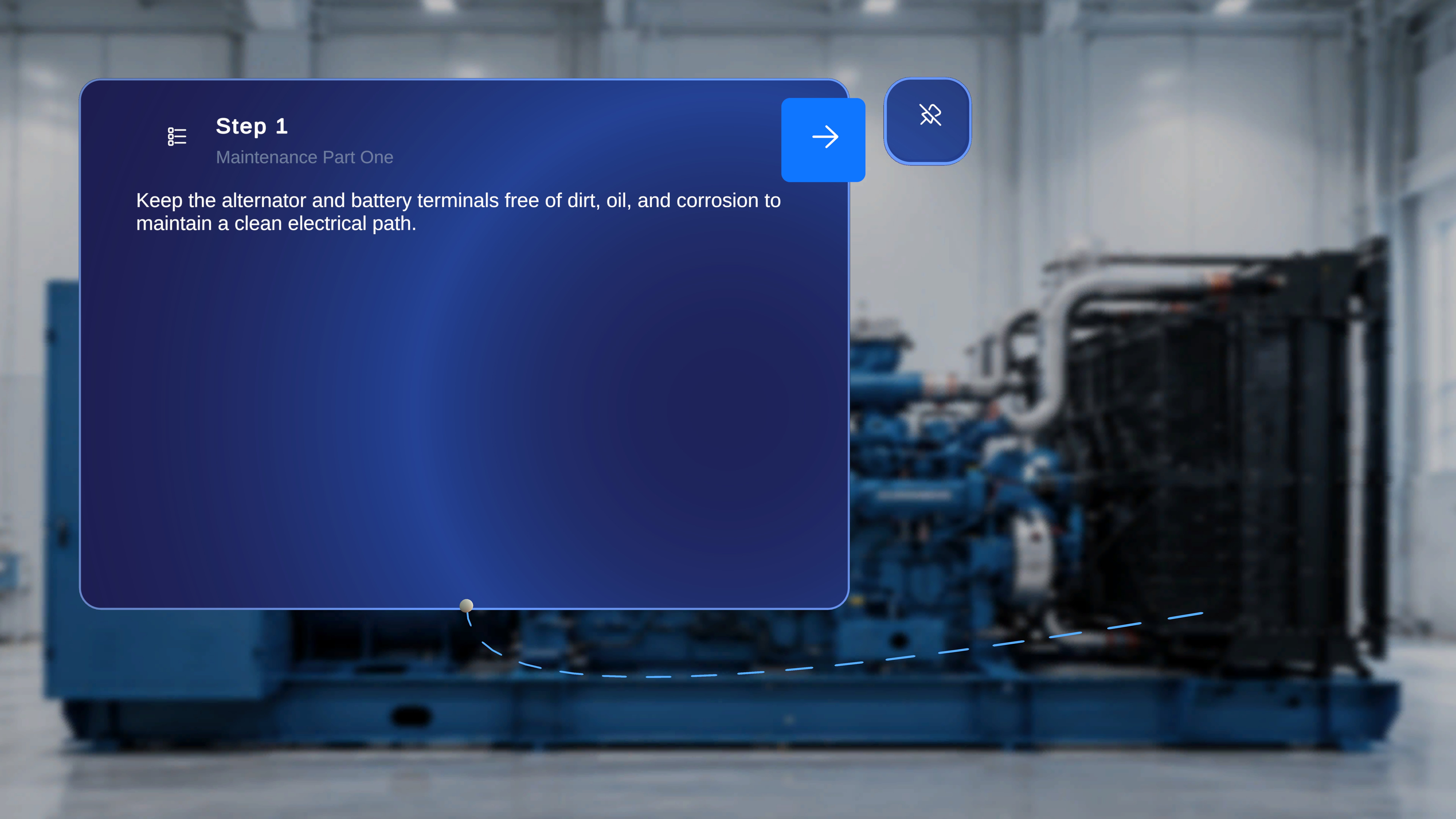
In Operator Mode, the Step Anchor (Gem) is not configurable. Operators cannot place, move, or remove anchors. However, if a step-level anchor was placed during Author Mode, it is visible in Operator Mode exactly as authored. The anchor provides spatial guidance during procedure execution.Visibility Rules
The Step Anchor appears in Operator Mode only if:- The author placed a gem anchor for that specific step.
- No gem or tethered line appears.
What the Operator Sees
When a gem was placed during authoring:- The anchor is visible in the physical environment.
- A tethered line connects the Step Main Panel to the anchor.
- The line updates dynamically as the user moves.
- Where the step applies
- Which physical location is relevant
- Where attention or action is required
Interaction Behavior
In Operator Mode:- The gem icon cannot be selected.
- The anchor cannot be repositioned.
- The tether cannot be modified.
- The anchor remains fixed relative to the QR anchor.
Step-Level Behavior
Gem placement is step-specific. When navigating between steps:- If the new step has an anchor, the tether appears.
- If the new step does not have an anchor, no tether is shown.
- The system does not carry anchors across steps.
Relationship to QR Anchor
The gem placement is spatially relative to the confirmed QR anchor. If the operator performs a Rescan:- The QR anchor updates.
- The step anchor repositions accordingly.
- The relative placement defined by the author is preserved.