Overview
Procedure Analytics shows how operators run each procedure and where they get stuck. You open a procedure's report from its card on the Dashboard.
For Remote Expert call activity, see Remote Expert Analytics.
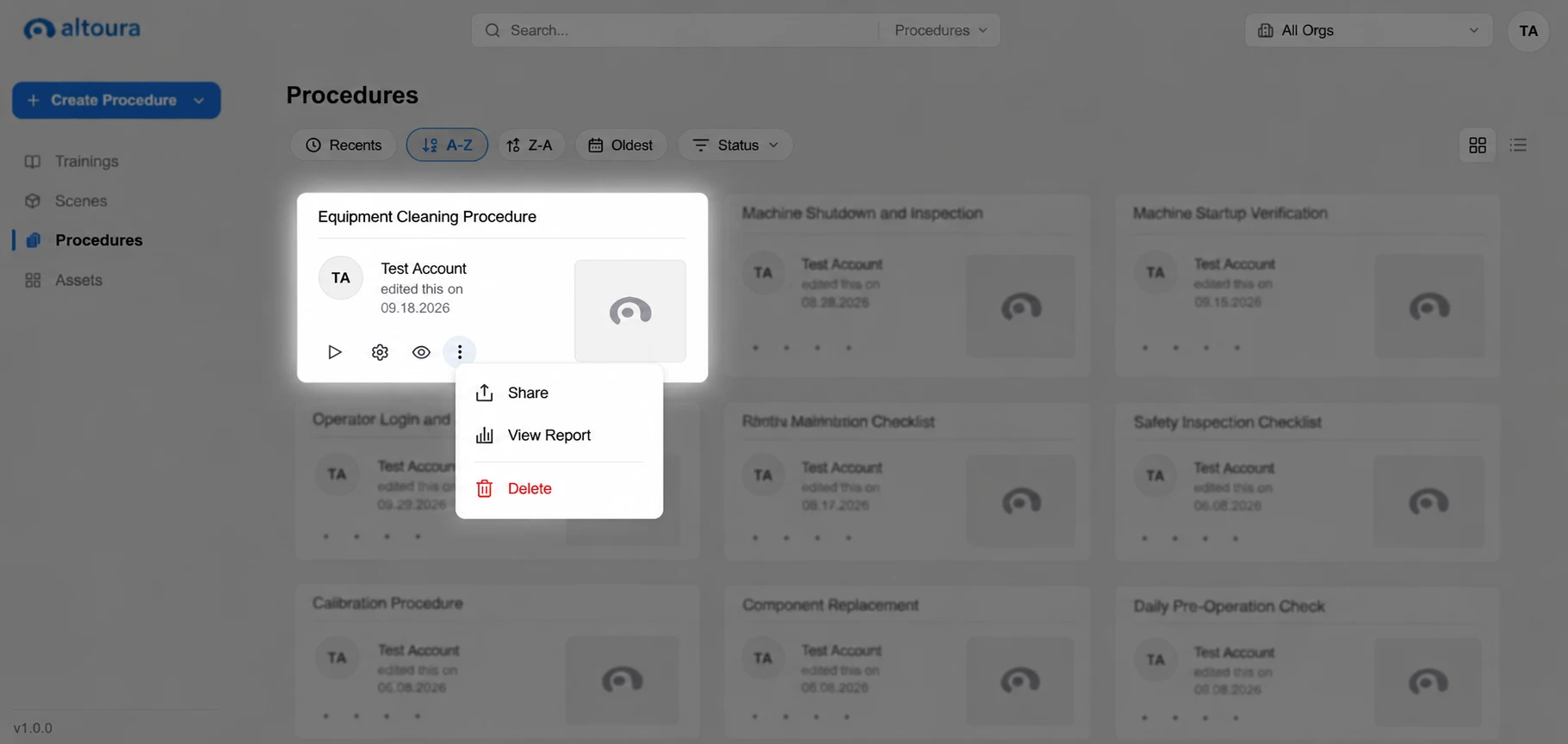
Open a Procedure Report
- On the Dashboard, find the procedure's card.
- Select More options (⋮).
- Select View Report.
The report opens in Altoura analytics with two tabs.
Read the Report
| Tab | What it shows |
|---|---|
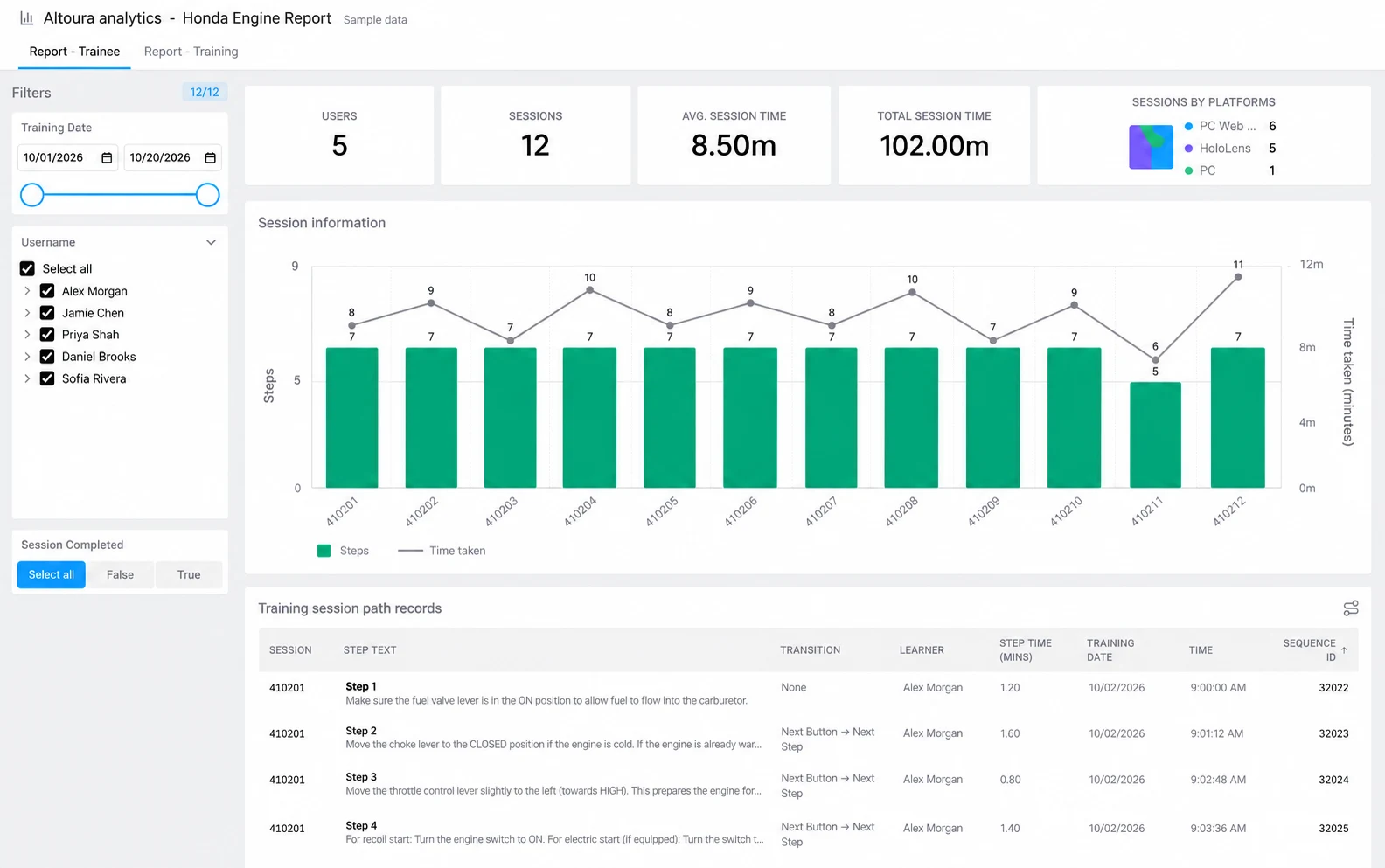
| Report - Trainee | Users, sessions and session time, sessions by platform, steps and time taken per session, and each session's step-by-step path |
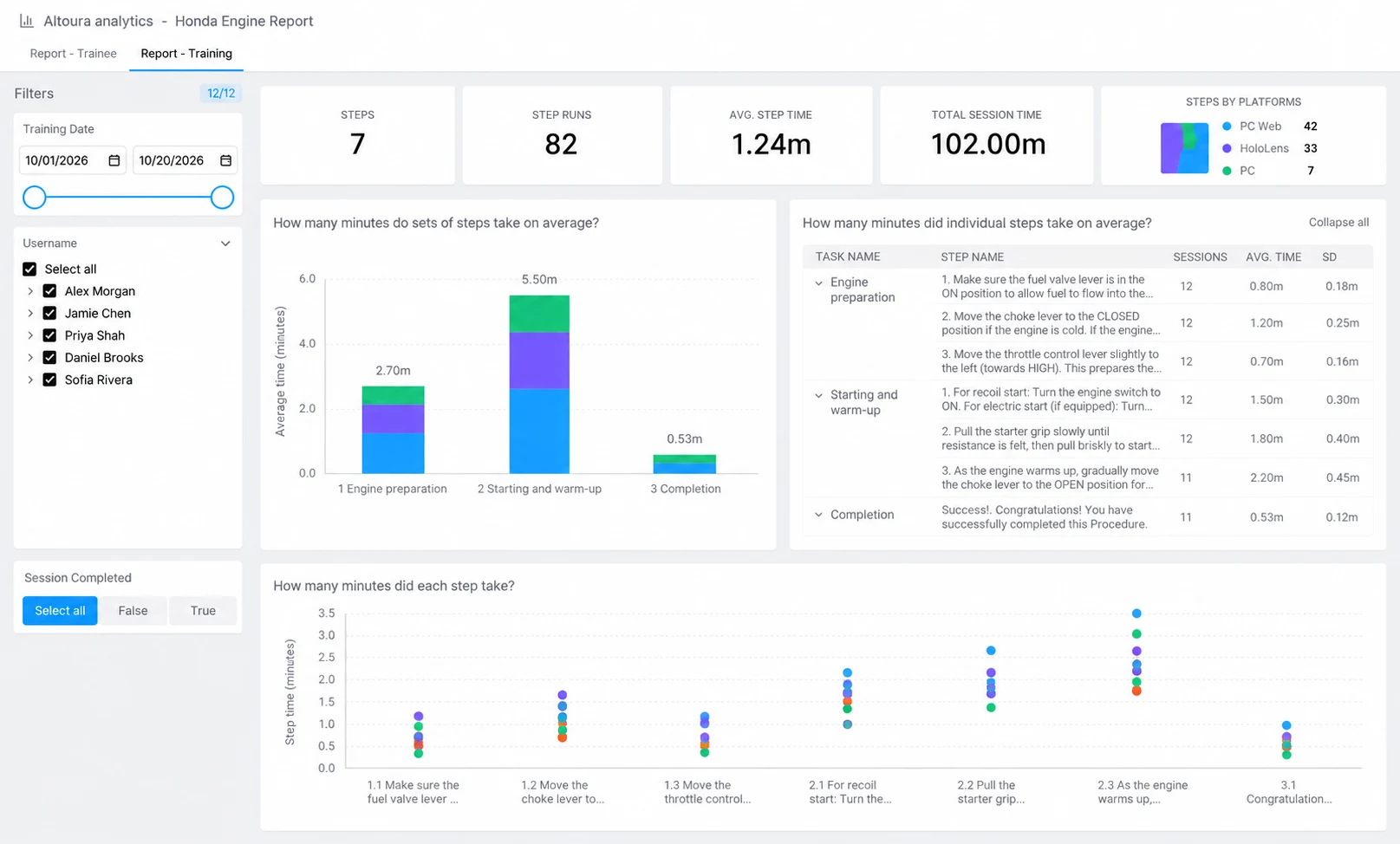
| Report - Training | Step runs and average step time, time per task, average time for each step, and how long each step took per session |
Use the Filters panel to narrow the report by training date, user, and whether the session was completed.