

Platforms: Web, HoloLens 2, Meta Quest, iPad, Remote Expert
Updates to authoring, training, collaboration and 3D content
This release brings Frontline procedures to Meta Quest, adds a unified web portal, and introduces multi-user authoring, LMS integration and faster 3D model loading.
Highlights
- Unified Portal — Sign in once to access Altoura apps and Frontline procedures from one dashboard.
- Procedures on Meta Quest — Run Frontline procedures on Meta Quest with interactive steps and 3D content.
- New Interaction System — Select and manipulate scene content with redesigned handles and clearer controls.
- Style Support — Use the full Dynamics 365 Guides style set.
- Multi-User Authoring — Work on the same procedure across portals and devices.
- LMS Integration — Deliver procedures through any SCORM 1.2 LMS.
- Step Hierarchy — Browse every object in the current step and find it in the scene.
- Analytics — Separate portals for Procedure Analytics and Remote Expert Analytics.
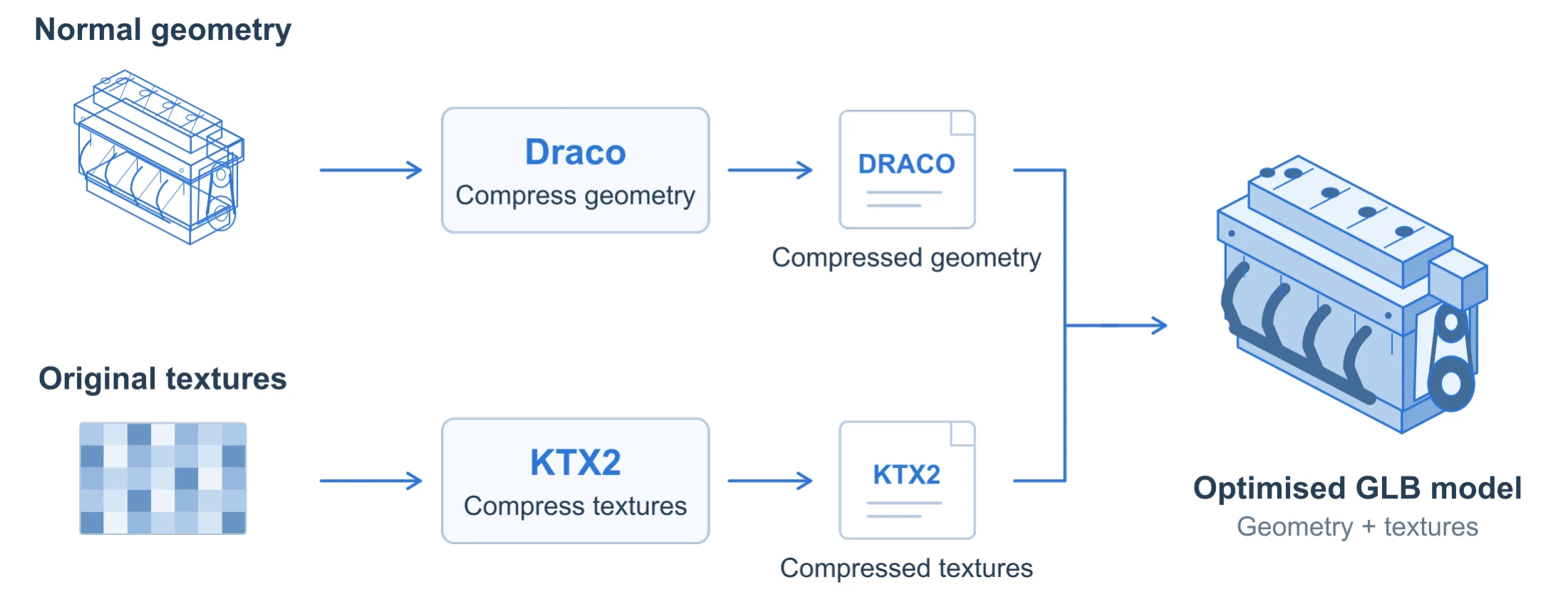
- Draco + KTX2 Support — Load GLB models faster with compressed geometry and textures.
Unified Portal
Sign in once at app.altoura.com to access Altoura apps and Frontline procedures from one dashboard. The new portal is built on the vNext platform.
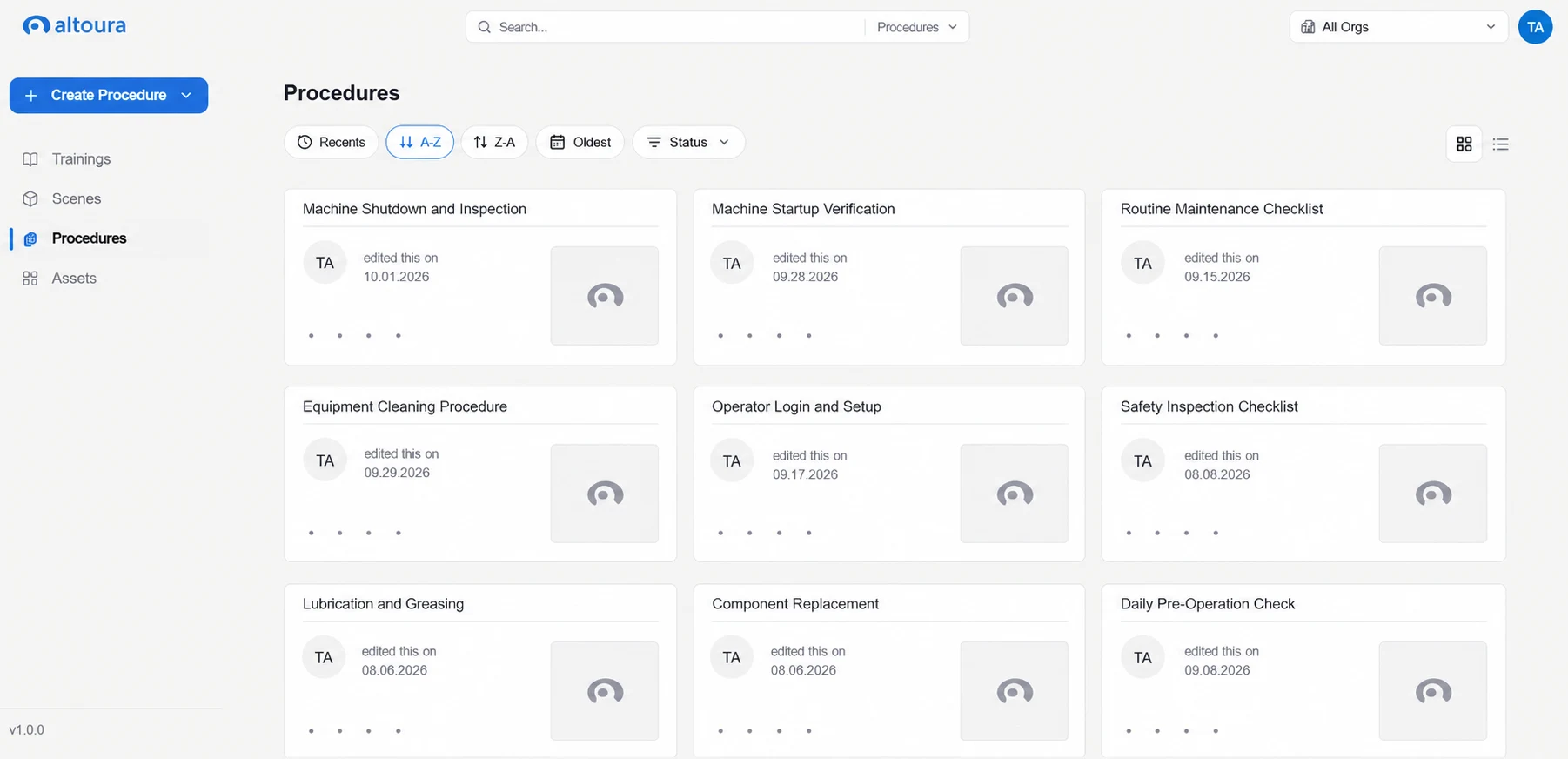
Platforms: Web
See Sign In to the Web Portal.
Procedures on Meta Quest
Run Frontline procedures on Meta Quest with interactive steps and 3D content. Performance and the complete procedure flow have been validated on device.
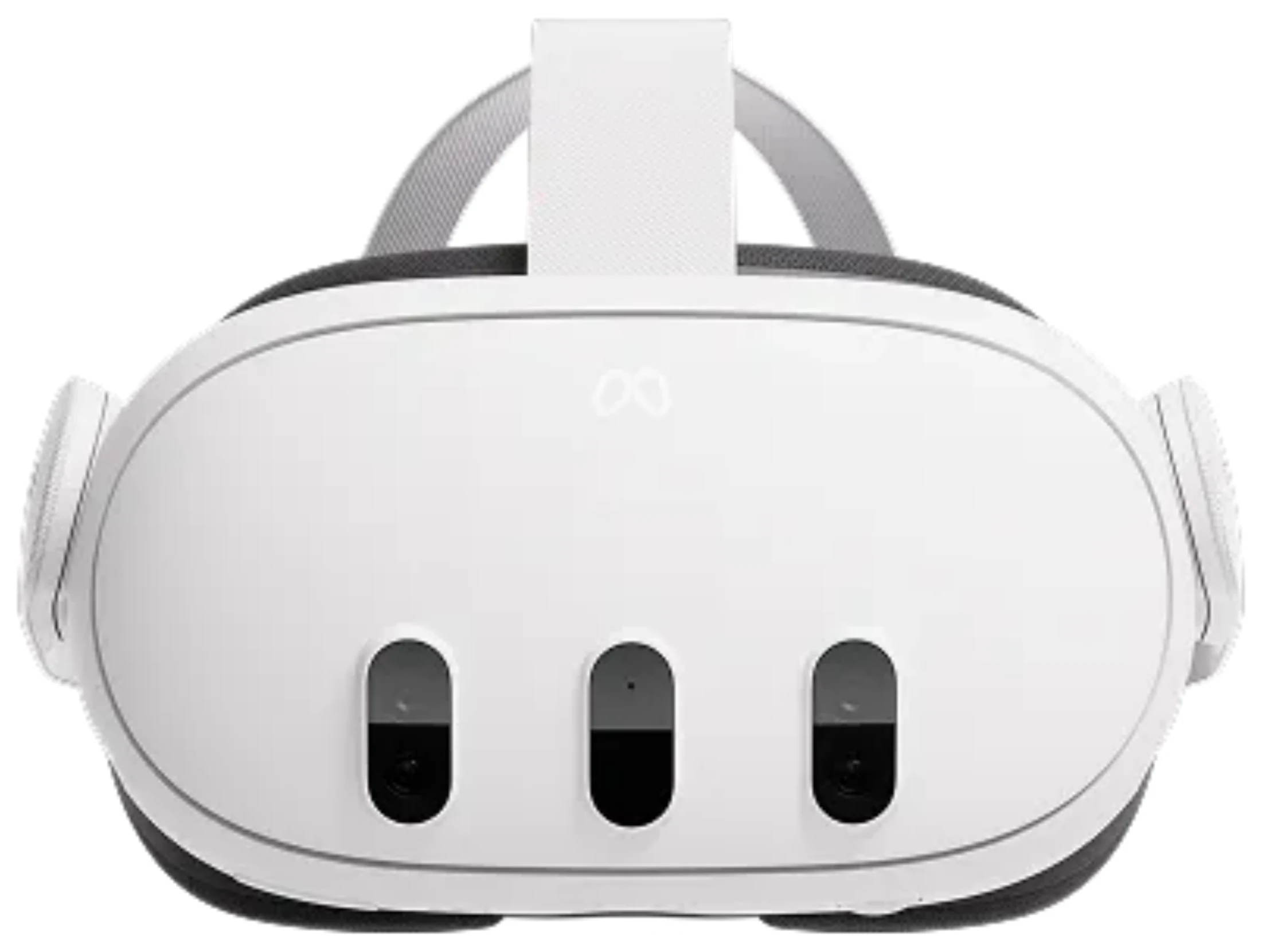
Platforms: Meta Quest
New Interaction System
Select and manipulate content in the scene using redesigned handles and clearer controls.
Platforms: HoloLens 2, Meta Quest, iPad
Learn more:
- HoloLens 2: Model Controls
- iPad: Move, Rotate, and Scale
- Procedures: 3D Model Authoring
Style Support
Use the full Dynamics 365 Guides style set for visual cues, outlines, transparency and metallic finishes. Imported styles are preserved.
Available styles: Original, Red, Green, Caution, X-ray, Outline, Dashed outline, Metallic, 50% transparent, 75% transparent, Obscure and Pass-through. Red, Green and X-ray are animated.
Platforms: HoloLens 2, Meta Quest, iPad
Learn more:
- HoloLens 2: Model Styles
- iPad: Apply Styles to Objects
Multi-User Authoring
Two users can work on the same procedure across separate portals or devices. A single user can also author in the portal, place content on a device, and continue editing in the portal while wearing the device.
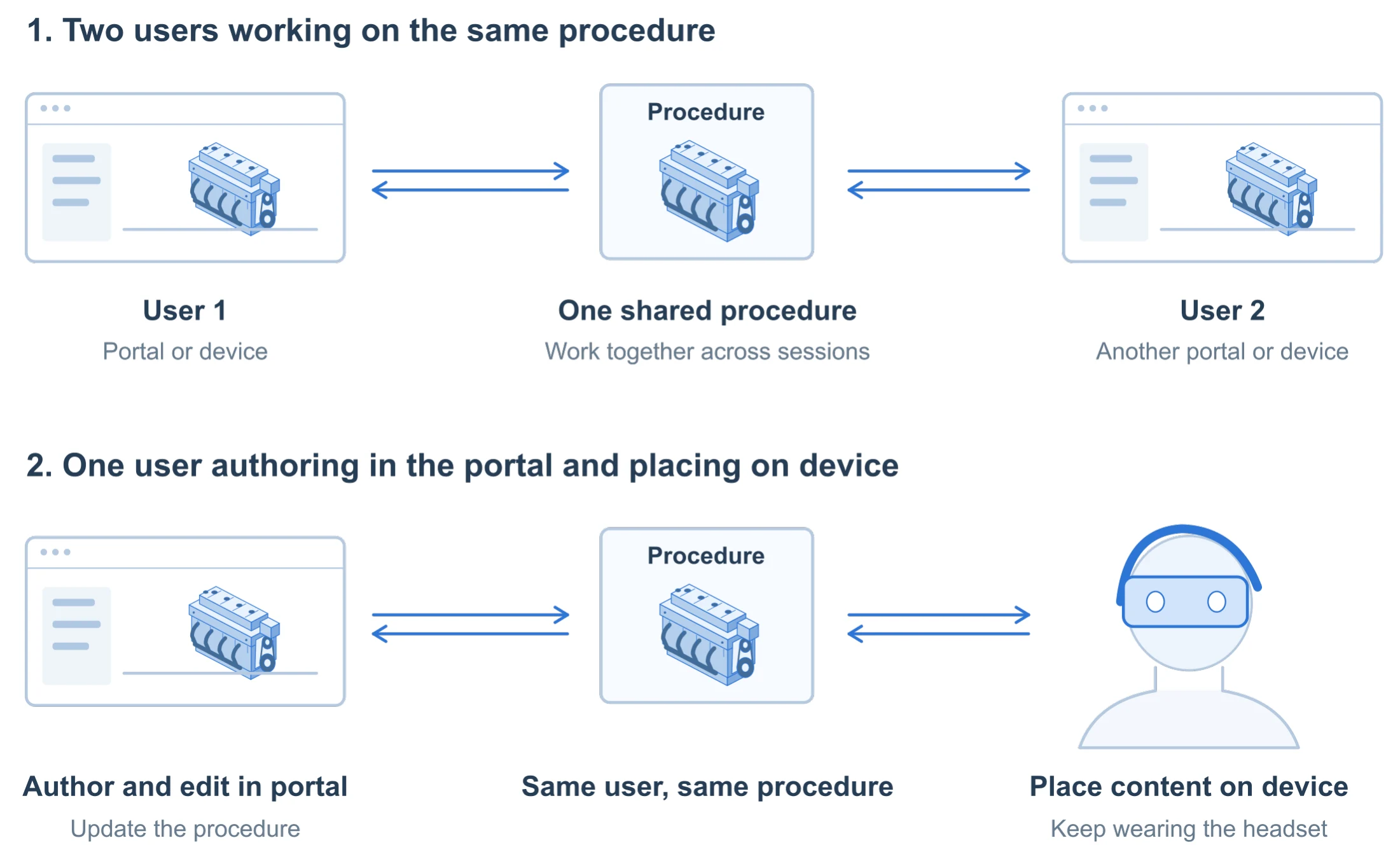
Platforms: Web portal and devices
Learn more:
- iPad: Multi-User Authoring
LMS Integration
Deliver Altoura procedures through any LMS that supports SCORM 1.2. Operators run the procedure in Altoura, and completion is reported back to the LMS.
- Add the procedure package to a SCORM 1.2-compatible LMS.
- Run the procedure — operators launch it from the LMS and follow the steps in Altoura.
- Track completion — results return to your LMS.
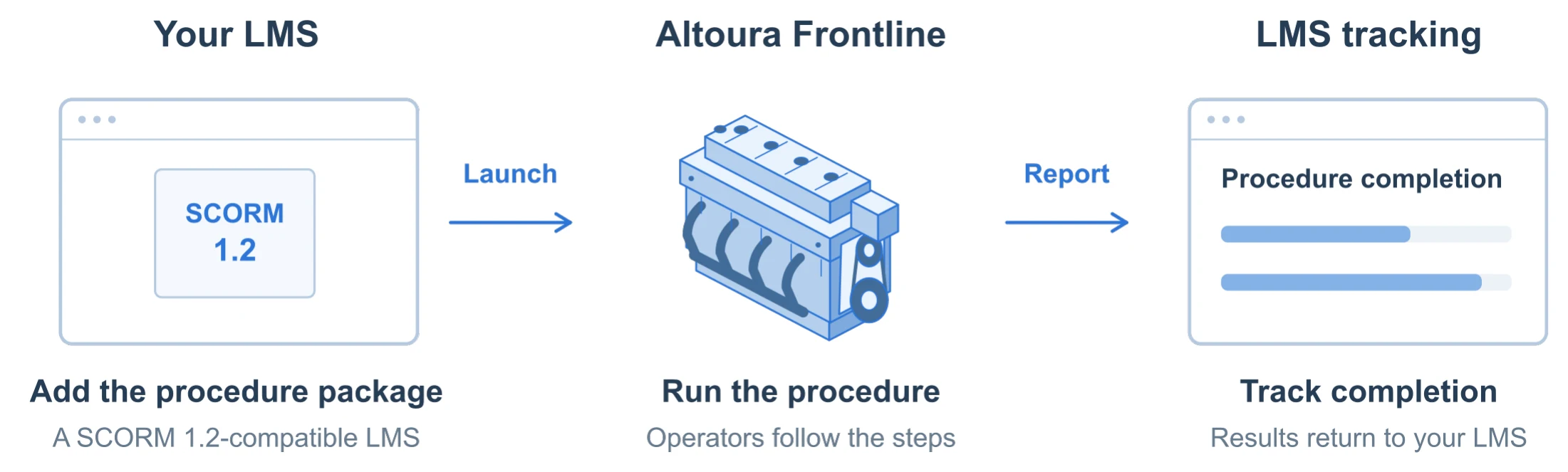
Platforms: HoloLens 2, Meta Quest, iPad
Step Hierarchy
See all objects in the current step's scene in a collapsible hierarchy. Find-in-scene guidance helps you locate a selected scene object.
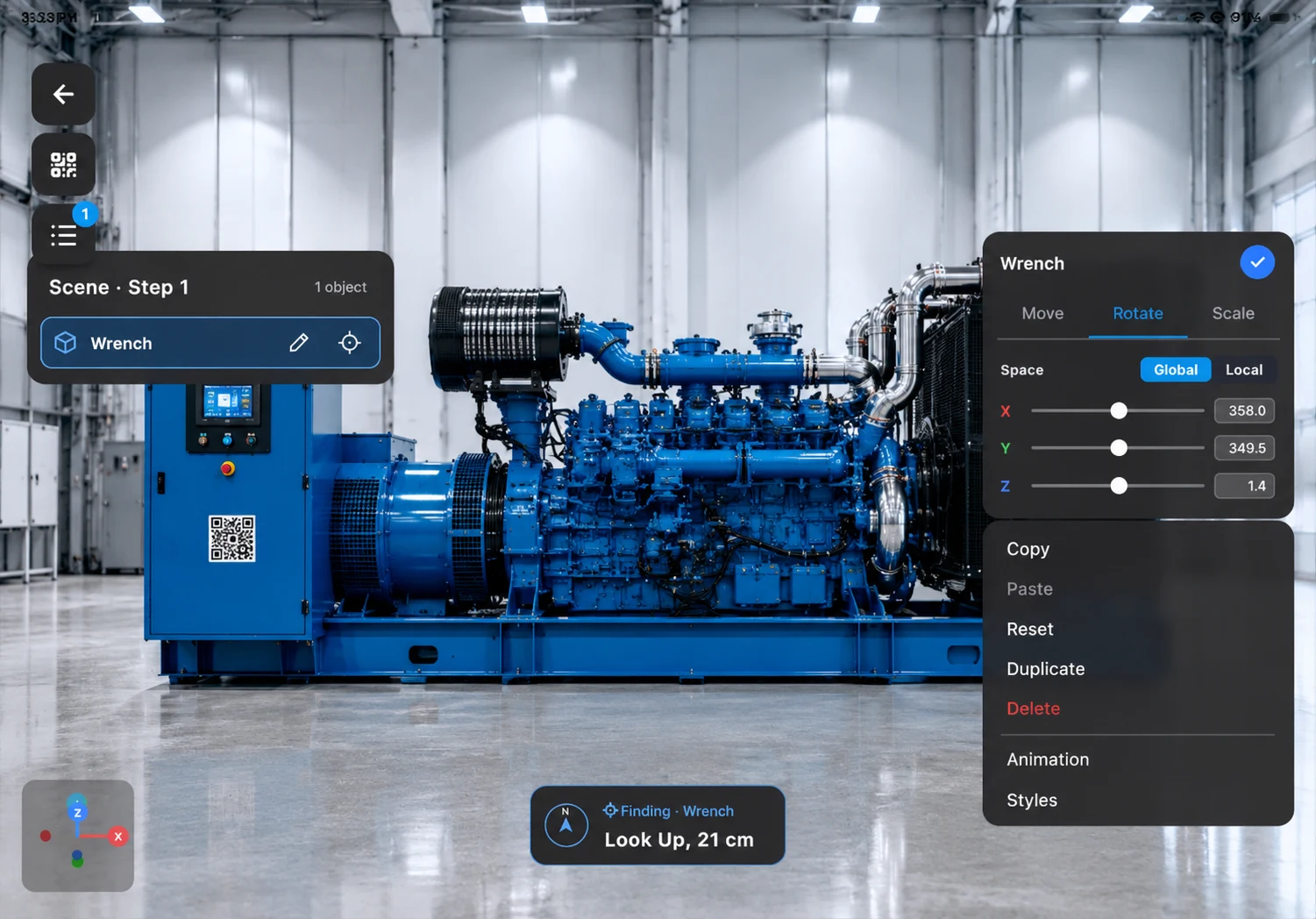
Platforms: Procedures
Learn more:
- HoloLens 2: Hierarchy Window, Find a Model in Your Space
- iPad: Manage Objects in the Hierarchy Window, Locate an Object
Analytics
Use two separate analytics portals:
- Procedure Analytics — Shows how operators run procedures and where they get stuck.
- Remote Expert Analytics — Provides call analytics. View the reports at remoteexpert.altoura.com.
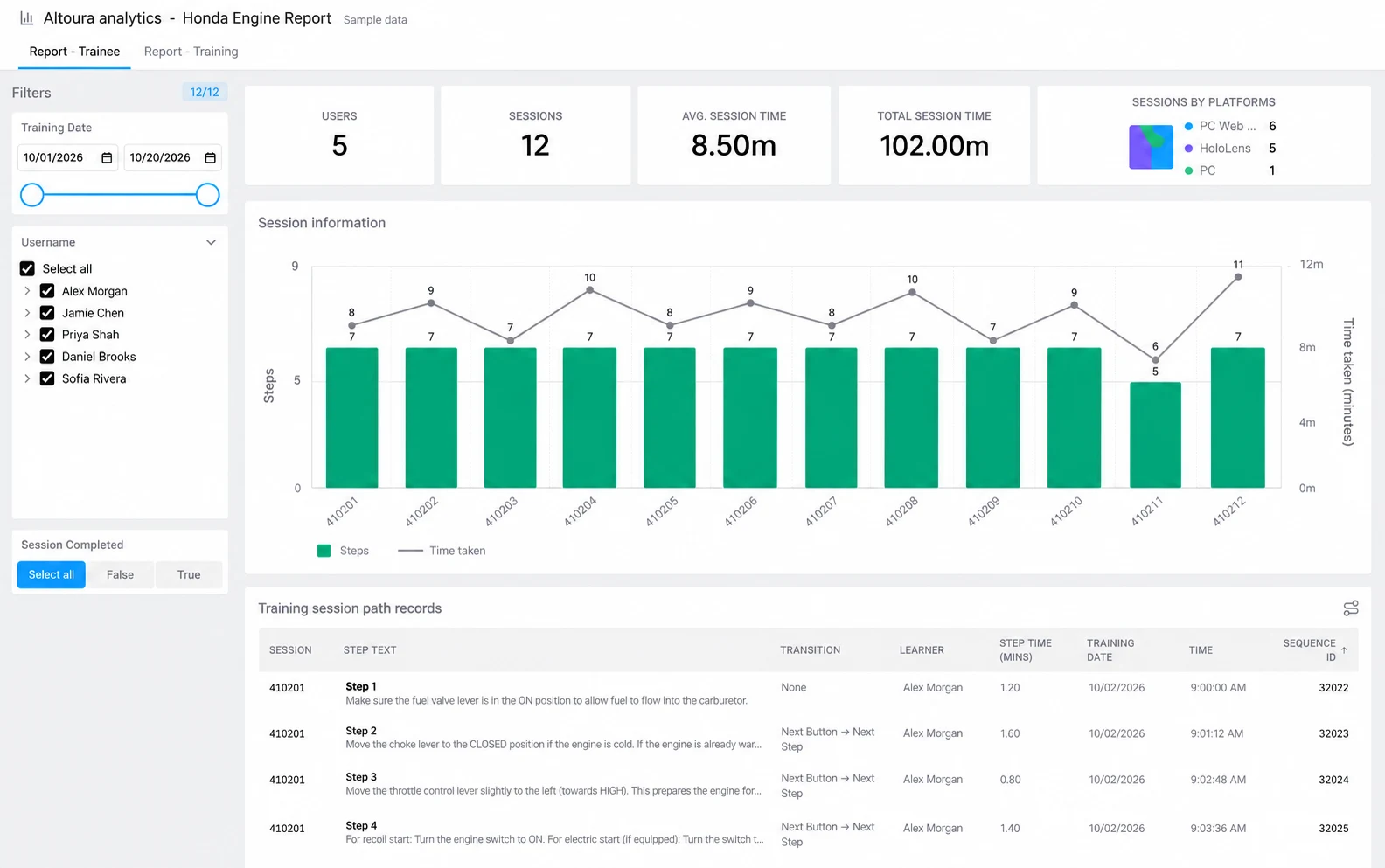
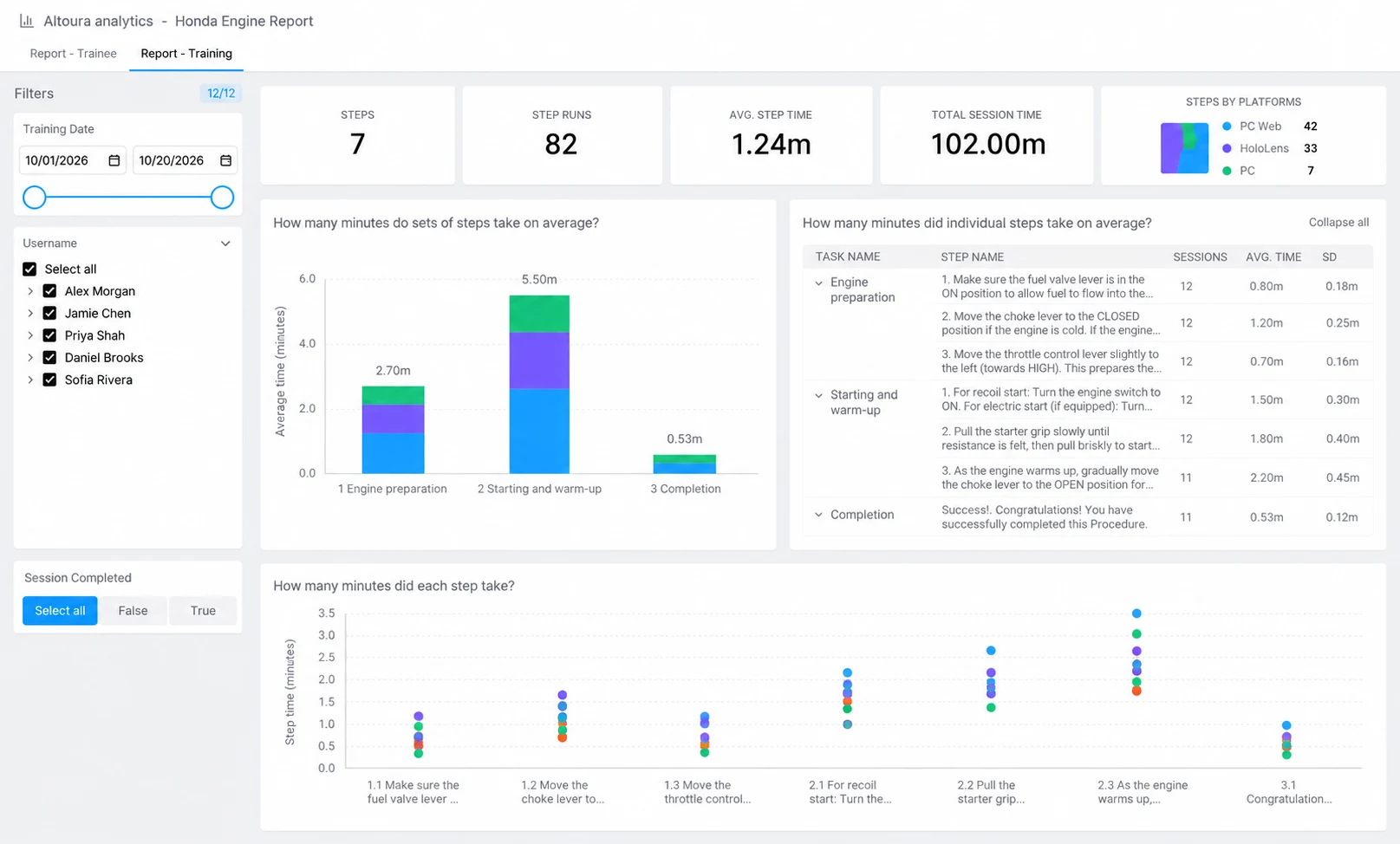
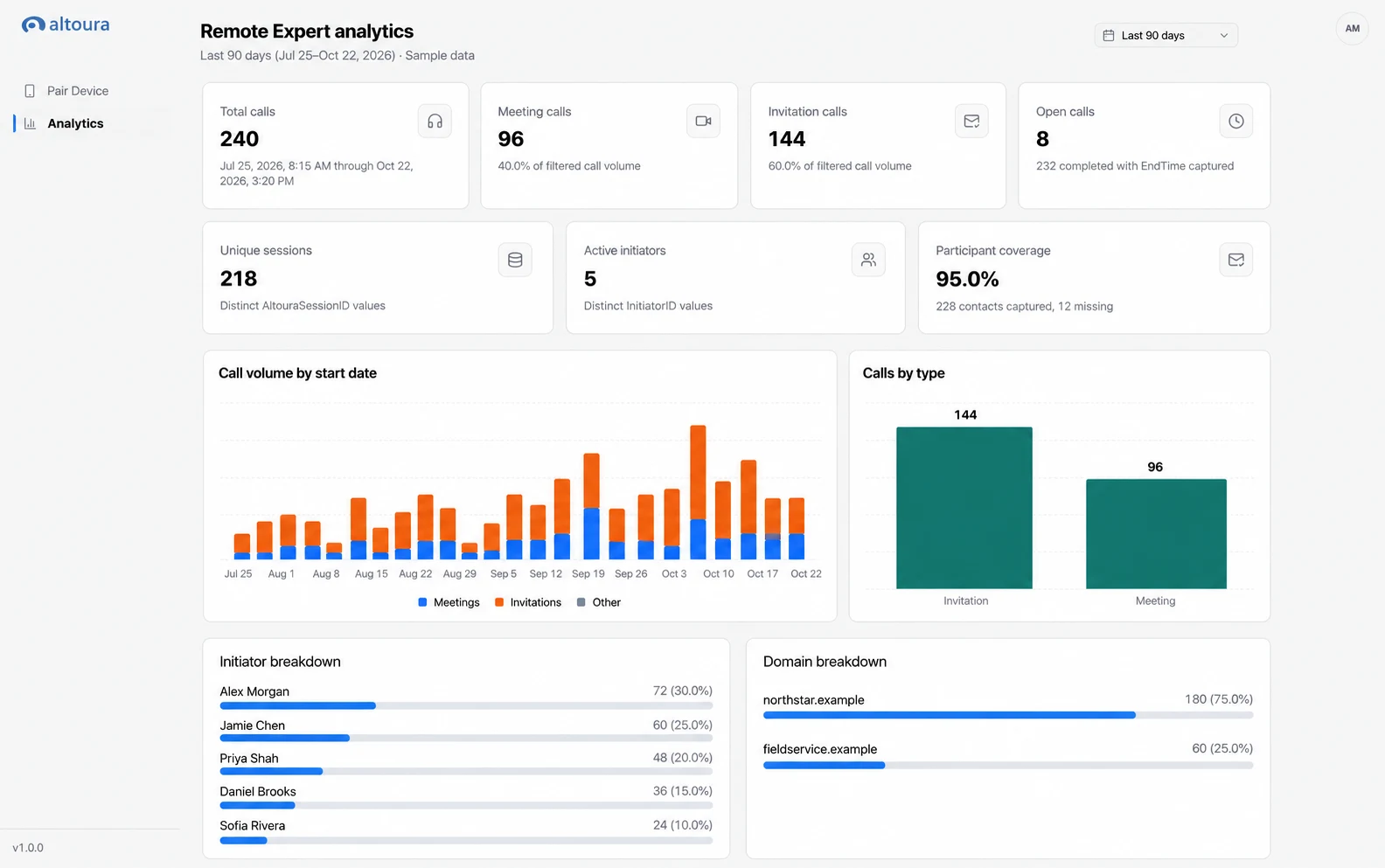
The screenshots show illustrative sample data with fictional operator names.
Platforms: Web analytics portals
Learn more:
- Web Portal: Procedure Analytics
- Remote Expert: Remote Expert Analytics
Draco + KTX2 Support
Load GLB models faster with Draco geometry and KTX2 textures, with lower memory use and more reliable step loading. KTX2 supports ETC1S and UASTC.
Platforms: All platforms
More improvements
Procedures
- Readable object aliases in the hierarchy — HoloLens 2 · iPad
- Audio instructions for procedure steps — iPad
Web
- Folders and filters for 3D, images, video and audio — Web Portal
iPad
- Procedure icons and a dashboard profile photo — iPad
- Add library photos and videos to a step — iPad
- Capture media without leaving the procedure — iPad
Remote Expert
- Dedicated file-sharing window on HoloLens 2 and Meta Quest — HoloLens 2
- Predictable placement of shared files — HoloLens 2 · iPad · Teams
- Join via Teams web, with faster screenshots — Teams · Screenshots
- Updated interactions on HoloLens 2 and Meta Quest — HoloLens 2
Refinements and fixes
- Scale triggers and objects on individual axes — HoloLens 2 · iPad
- Play videos automatically when a step loads — HoloLens 2 · Procedures (Author) · Procedures (Operator)
- Preserve interactables imported from Microsoft Guides — Web Portal · Procedures
- Repositioned Remote Expert delete button on HoloLens 2 and Meta Quest — HoloLens 2