

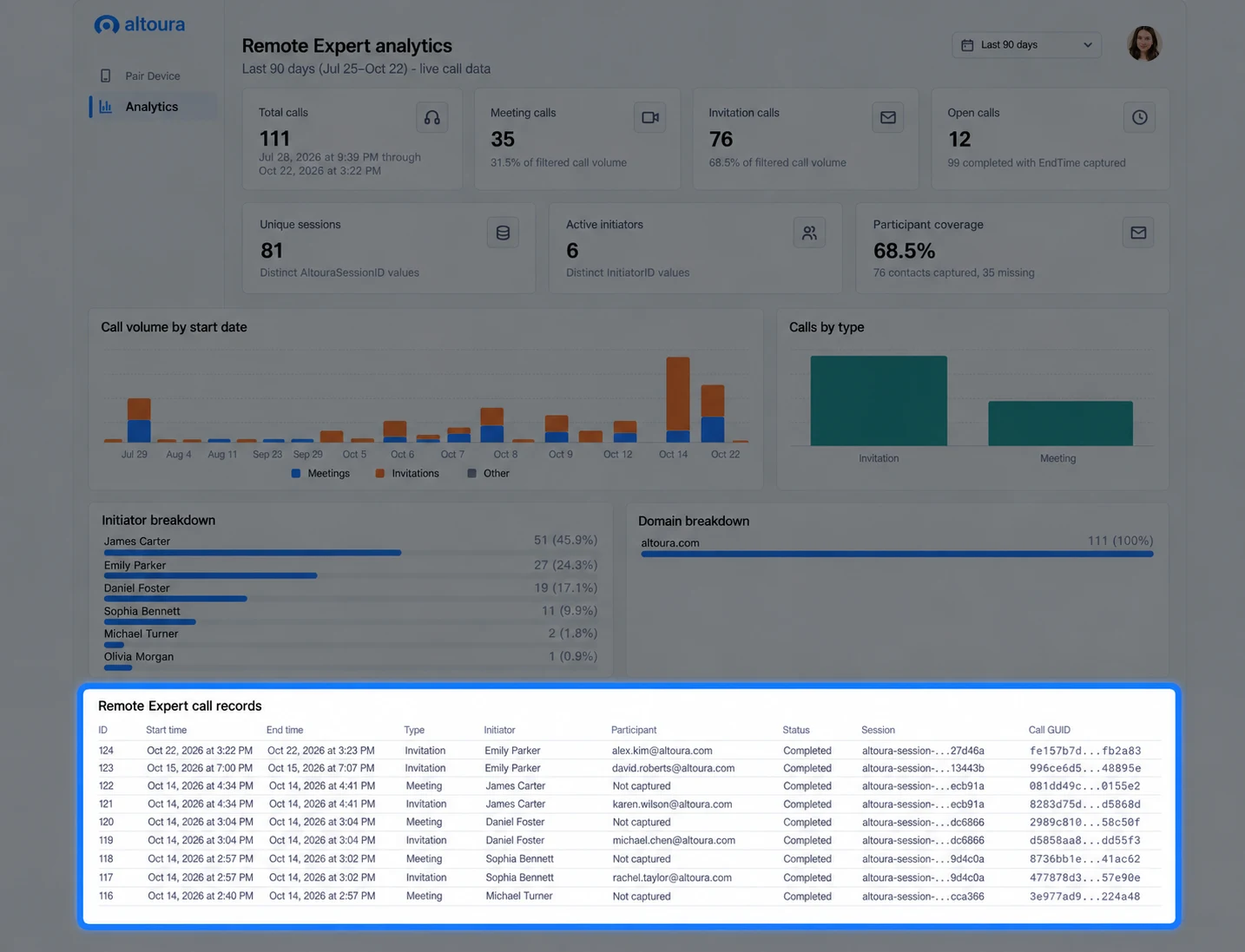
The Analytics page in the Altoura Remote Expert Portal provides an overview of Remote Expert call activity, including call statistics, usage trends, and session records.
Access Analytics
- Open the Altoura Remote Expert Portal.
- Select Analytics from the left navigation menu.
- The Analytics dashboard displays the available call information.
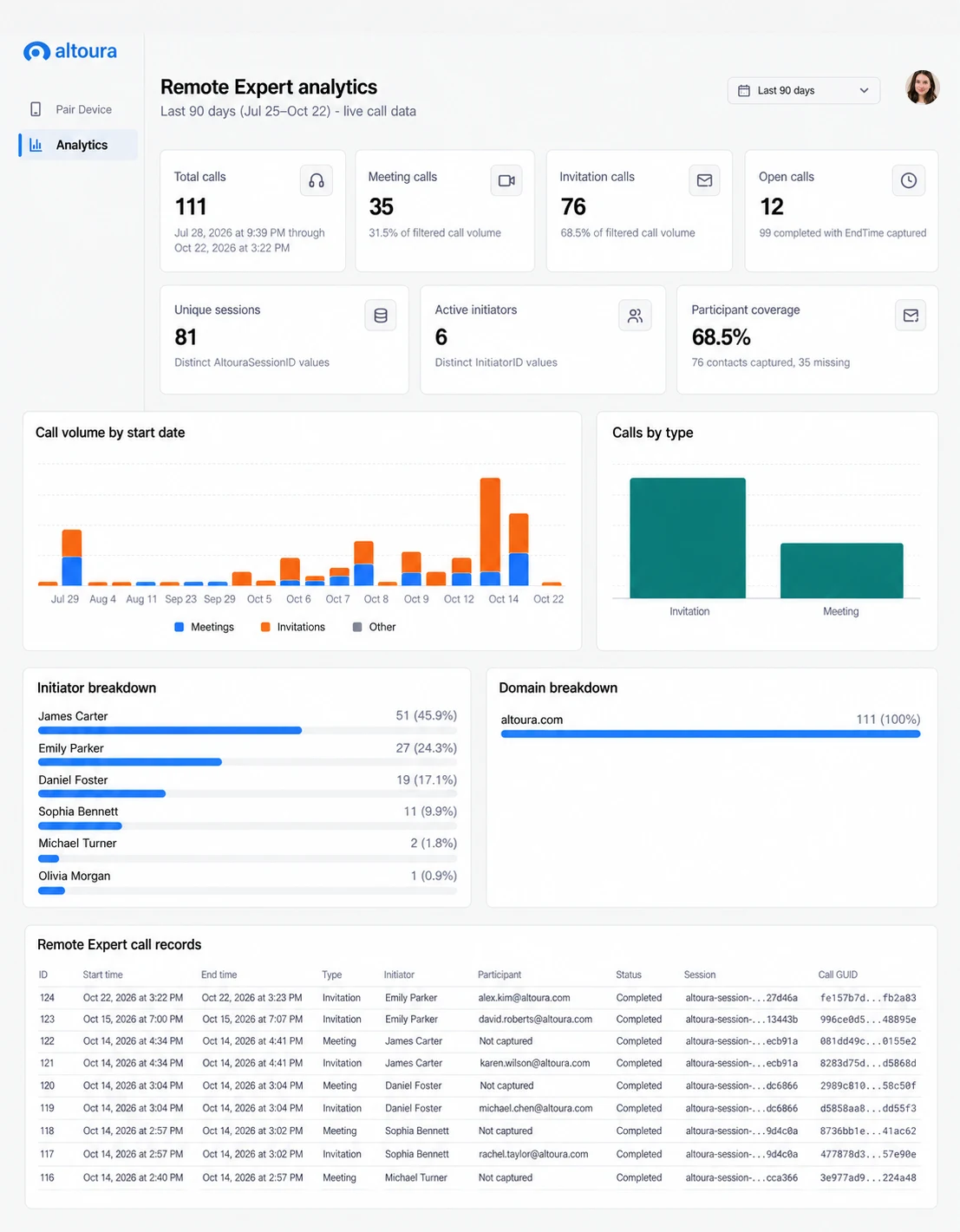
Call Overview
The top section of the dashboard displays a summary of Remote Expert call activity.
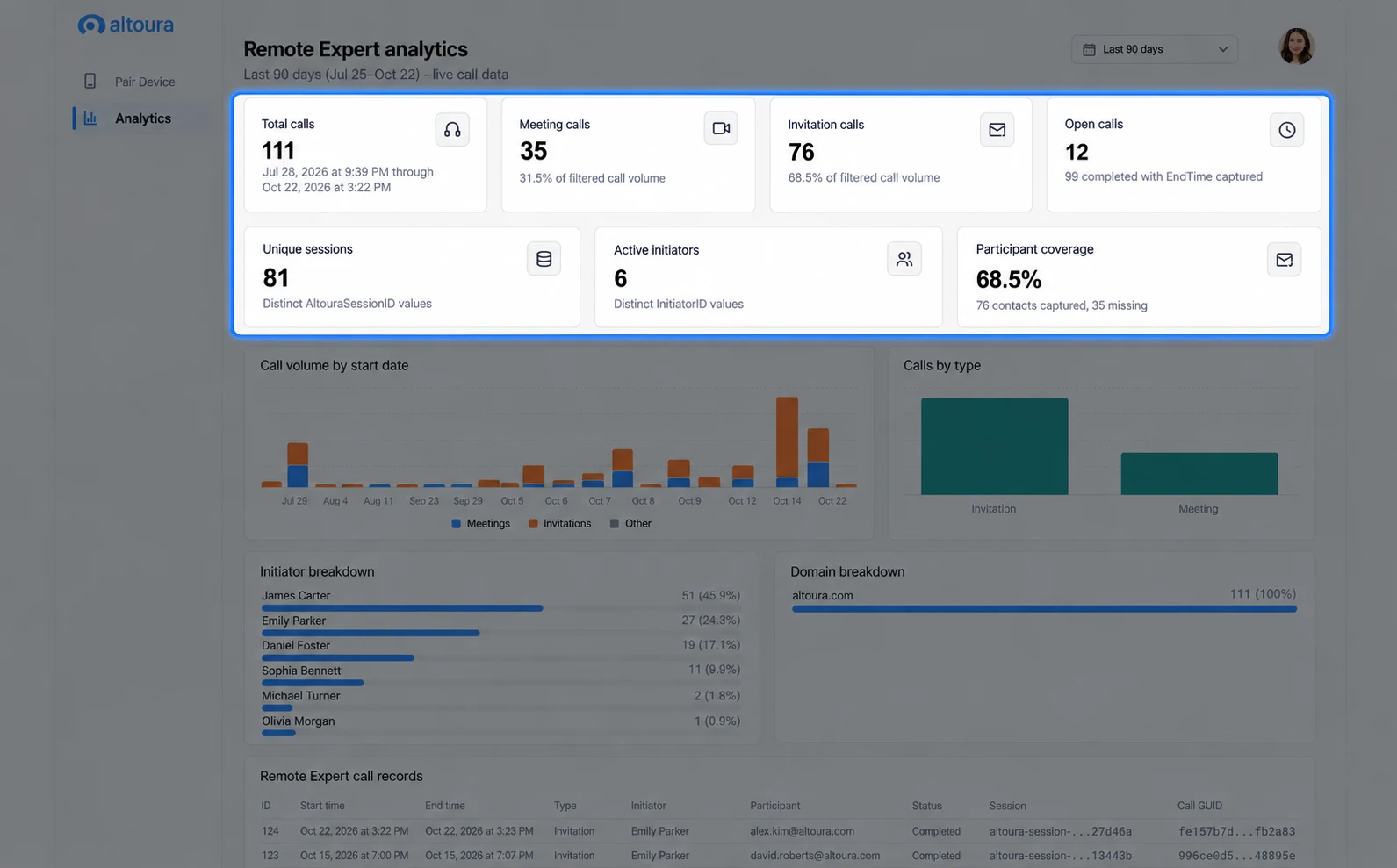
| Metric | Description |
|---|---|
| Total calls | Total number of calls recorded for the displayed period. |
| Meeting calls | Number of calls categorized as meetings. |
| Invitation calls | Number of calls categorized as invitations. |
| Open calls | Number of calls shown as open. |
| Unique sessions | Number of distinct Remote Expert sessions. |
| Active initiators | Number of distinct call initiators. |
| Participant coverage | Percentage of call records with participant information captured. |
A date-range selector is displayed in the upper-right corner of the dashboard.
Call Activity
The dashboard includes two charts showing Remote Expert call activity.
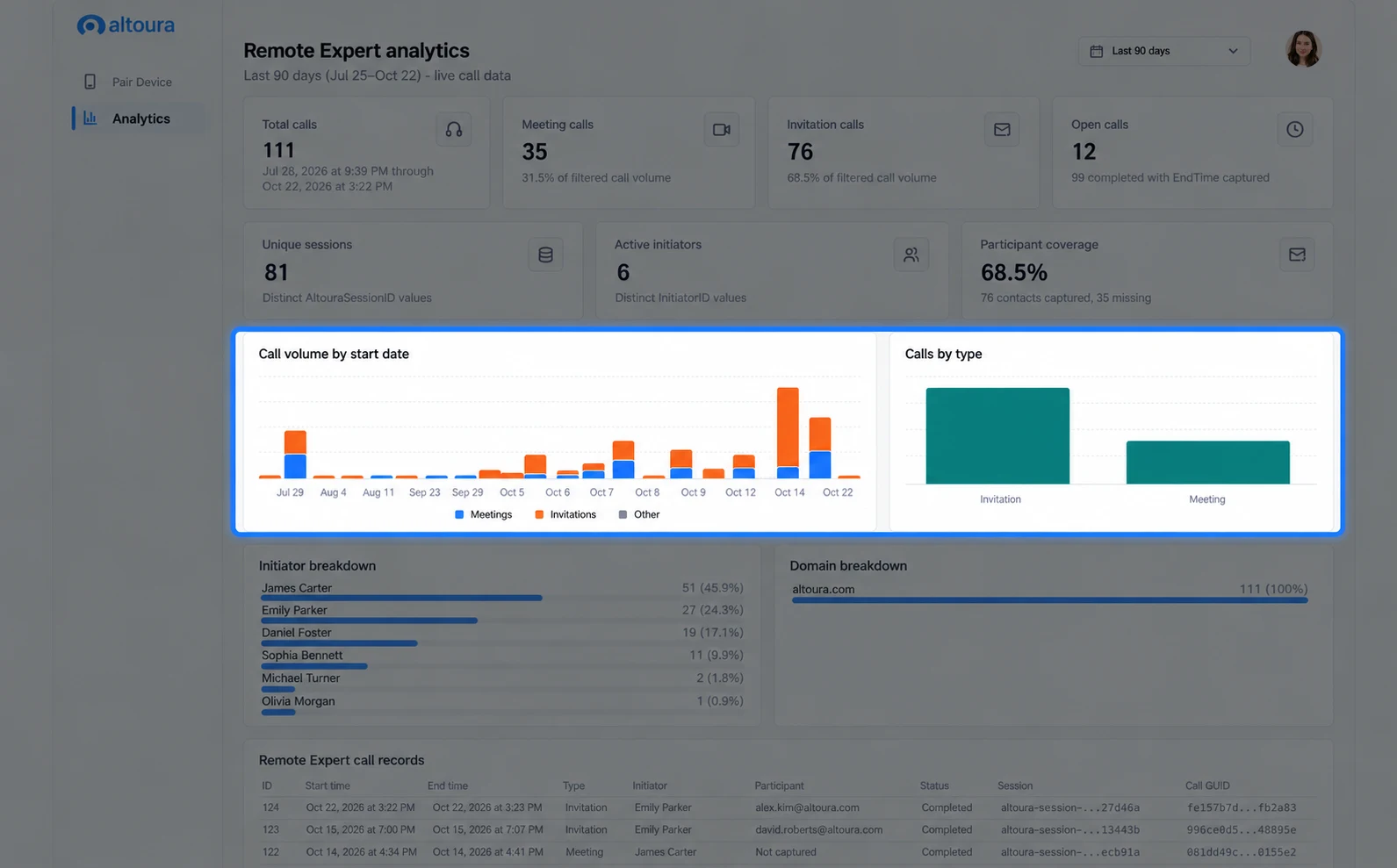
Call Volume by Start Date
The Call volume by start date chart displays call activity across different dates. Calls are represented using different colors for Meetings, Invitations, and Other.
Calls by Type
The Calls by type chart displays the number of calls categorized as Invitation and Meeting.
Initiator and Domain Breakdown
The dashboard also provides a breakdown of call activity by initiator and domain.
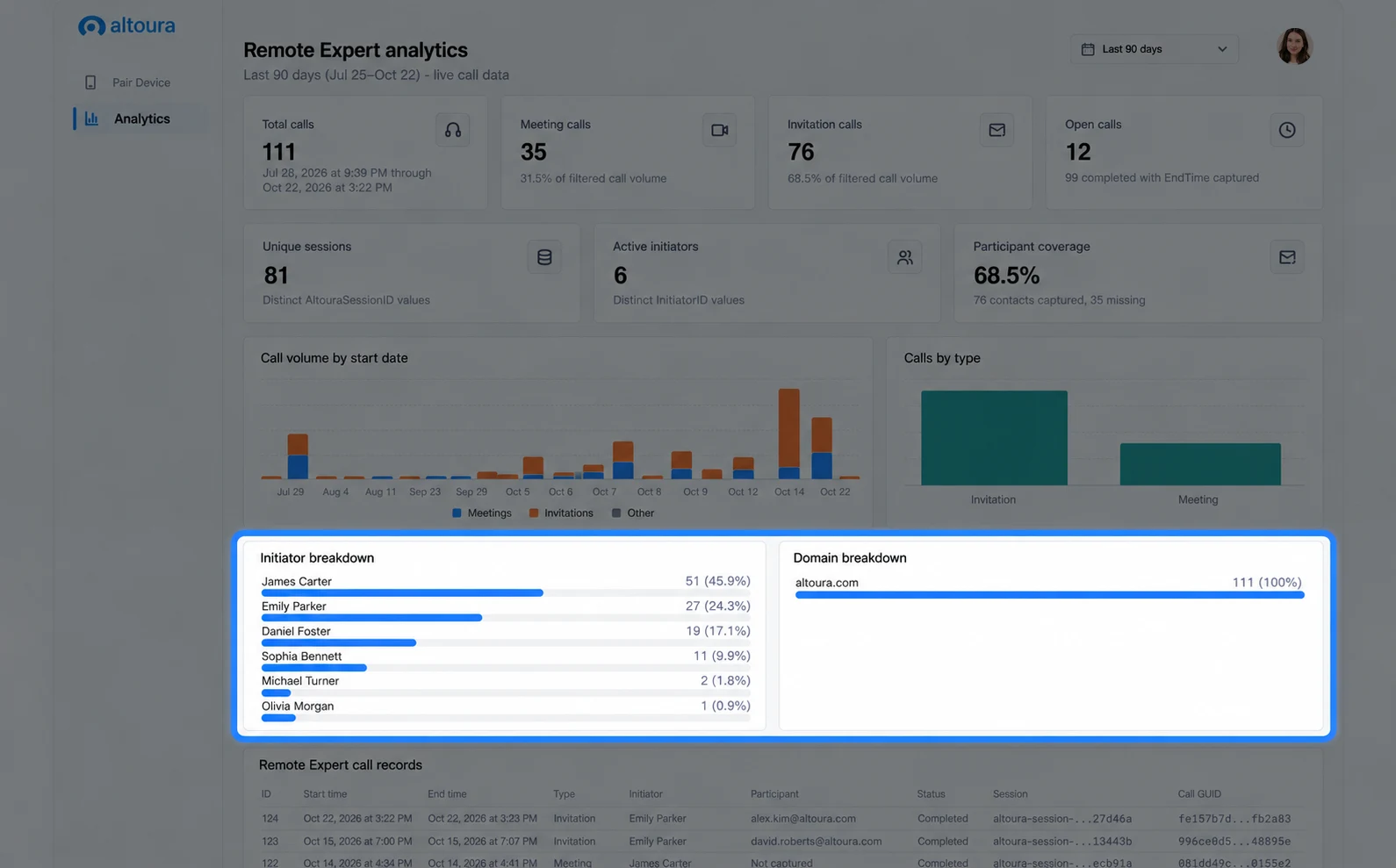
Initiator Breakdown
The Initiator breakdown section displays the users who initiated Remote Expert calls. Each entry shows the initiator's name, number of calls, and percentage of total call activity.
Domain Breakdown
The Domain breakdown section displays call activity grouped by domain. Each domain shows its total number of calls and the corresponding percentage.
Remote Expert Call Records
The Remote Expert call records table displays information about individual Remote Expert calls.
| Column | Description |
|---|---|
| ID | Identifier assigned to the call record. |
| Start time | Date and time when the call started. |
| End time | Date and time when the call ended, if recorded. |
| Type | Call type, such as Meeting or Invitation. |
| Initiator | Name of the user who initiated the call. |
| Participant | Participant information, when available. |
| Status | Recorded call status. |
| Session | Session identifier associated with the call. |
| Call GUID | Unique identifier associated with the call. |
Some records may display Not captured when participant information is unavailable.