Import from Package
Import an existing procedure package into the Altoura Procedures Portal.
The Import from Package option allows you to upload a supported procedure package and create a procedure from its contents.
Import a Procedure Package
- Sign in to the Altoura Portal.
- Select Procedures from the left navigation menu.
- Select the organization where you want to import the procedure.
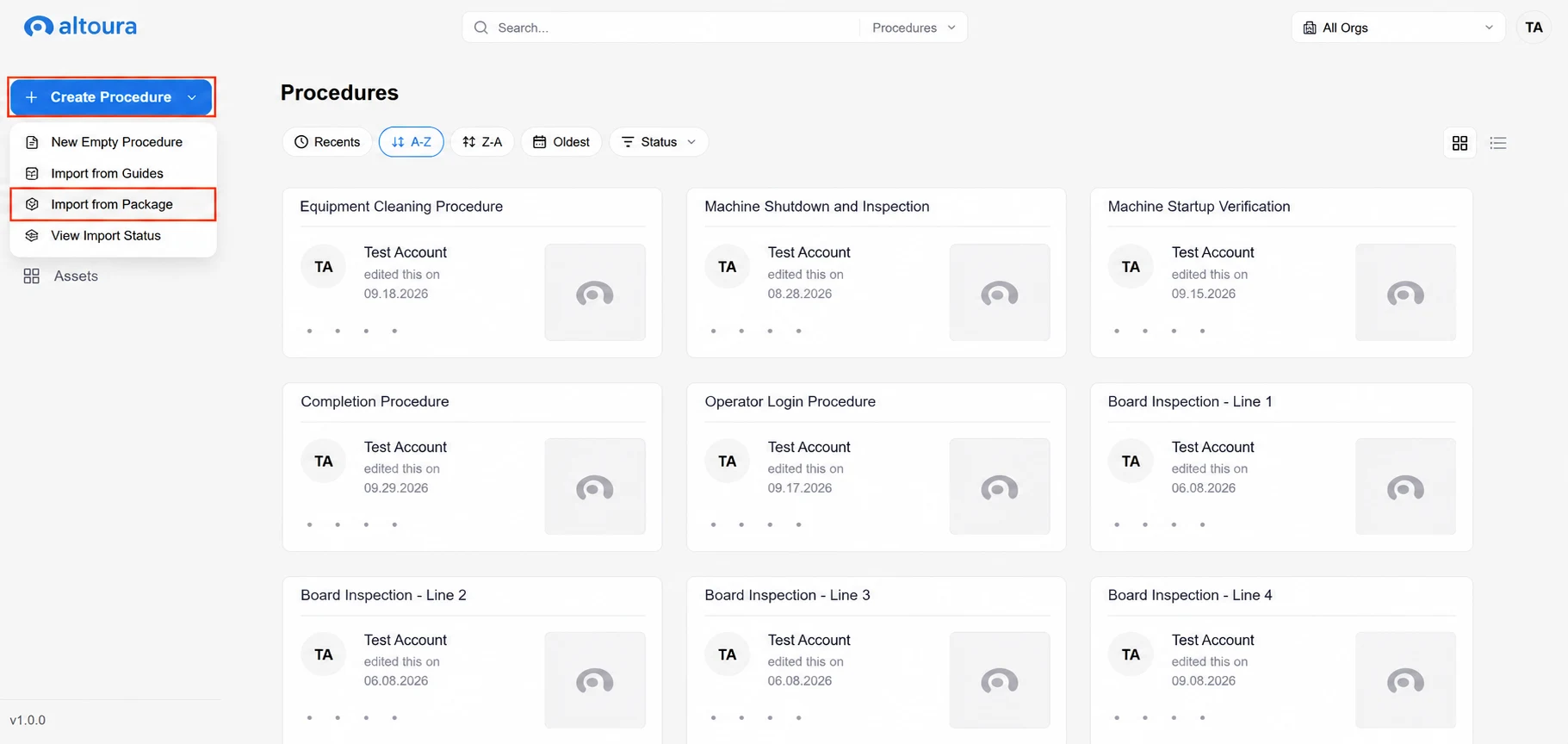
- Select Create Procedure.
- From the dropdown menu, select Import from Package.
Select a Package
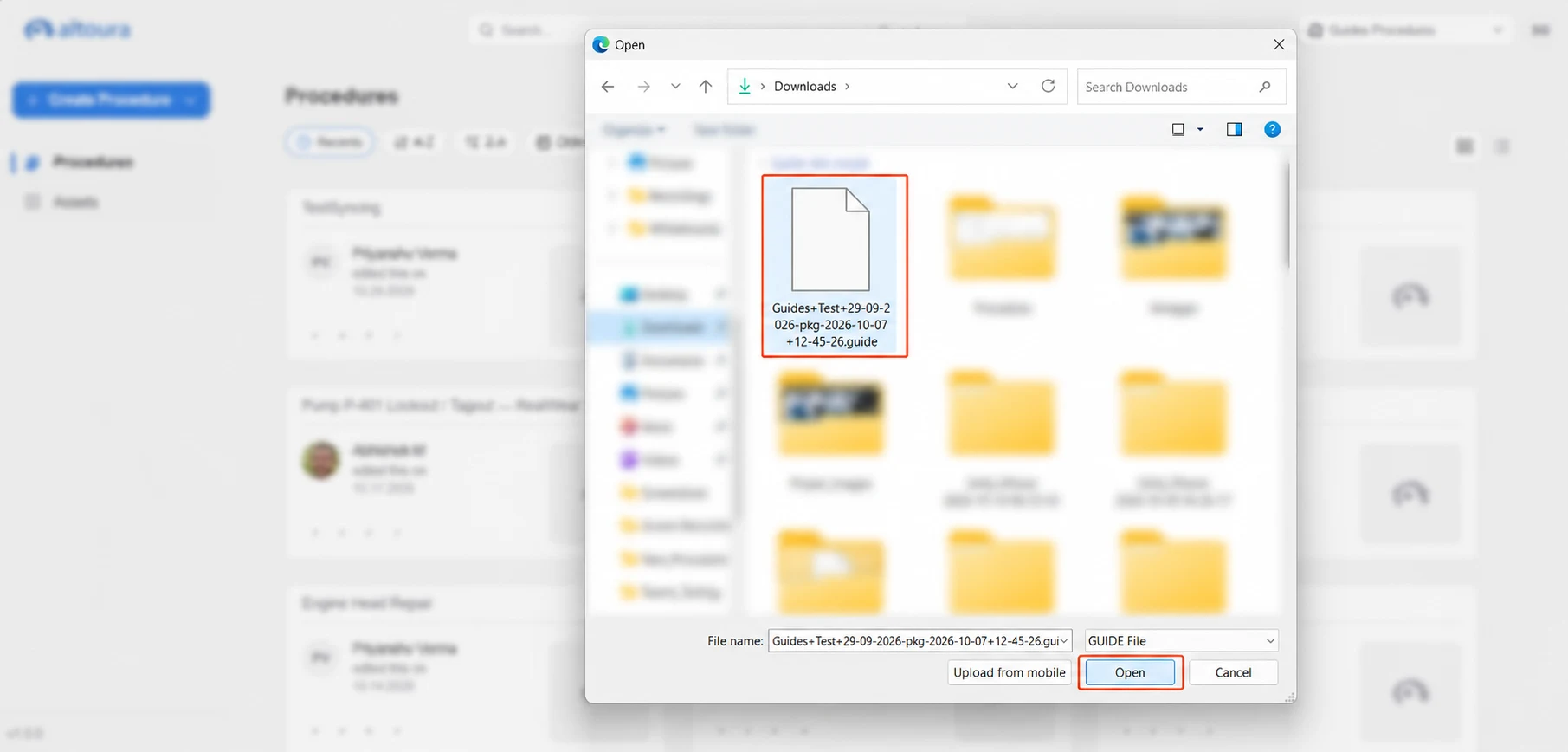
- The file selection window opens.
- Navigate to the folder containing your procedure package.
- Select the package file.
- Select Open to begin importing the package.
View Import Progress
After selecting the package, the import process starts automatically.
A Package import started notification appears, and the imported procedure is displayed in the Procedures list with its processing status.
The procedure card displays:
- Processing status while the import is running.
- A progress percentage and the current import activity.
- View details to access additional information about the import.
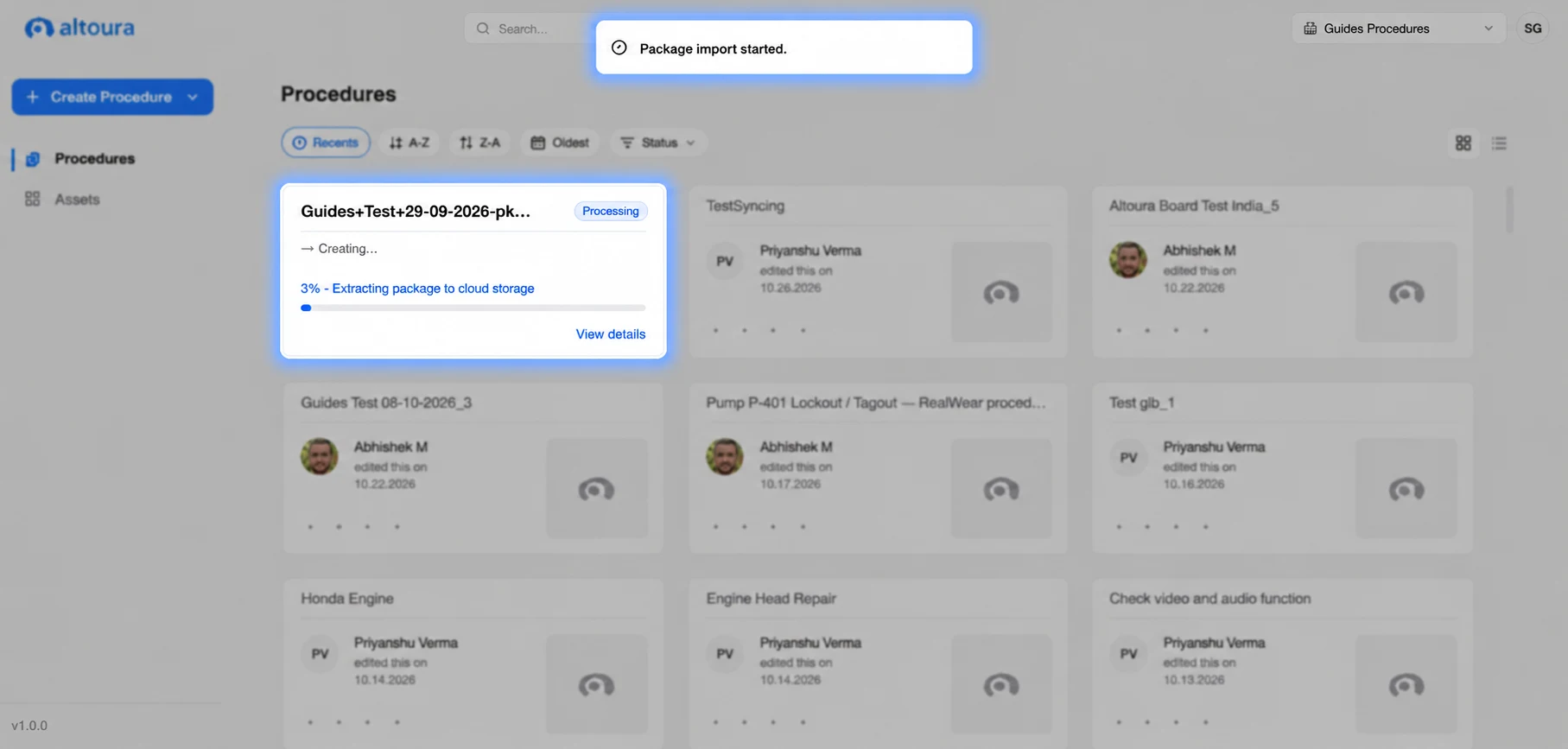
Wait for the import process to finish before using the imported procedure.
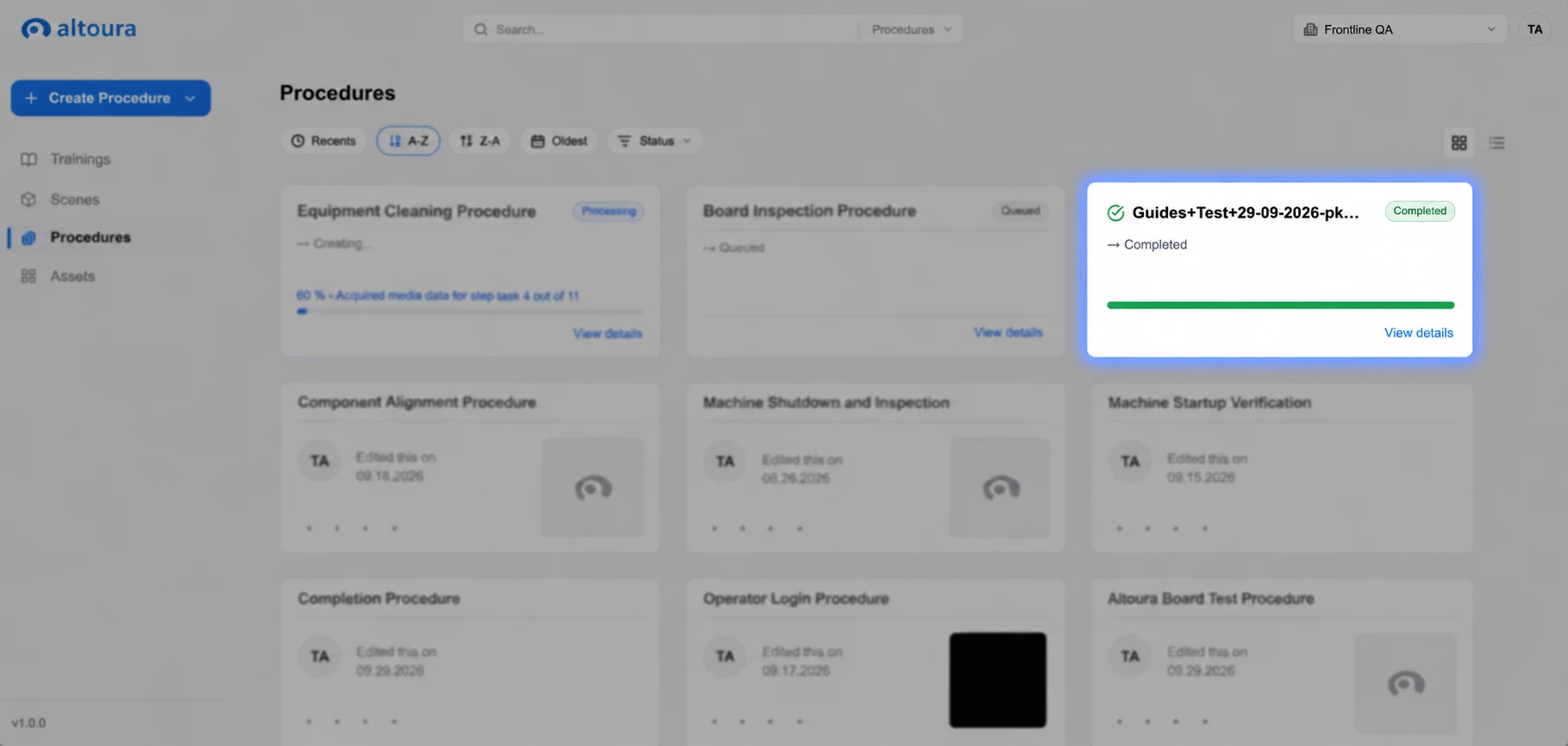
Import Completed
Once the package is successfully imported, the procedure card displays a Completed status with a green progress bar.
Select View details to see additional information about the import.