

Overview
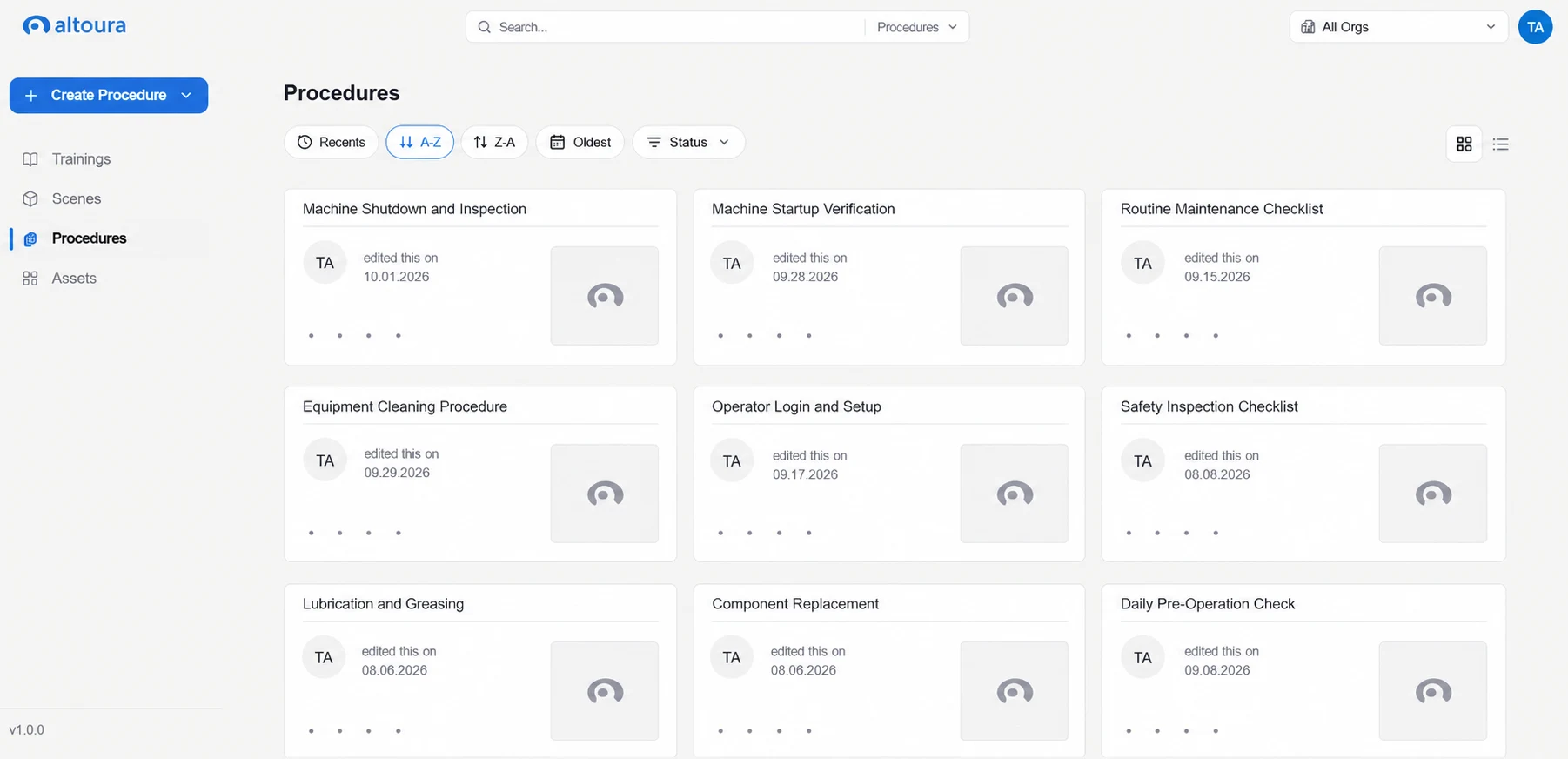
The interactive demo is a hands-on replica of the Procedures Portal that runs in your browser. Use it to see how the portal looks and works before you sign in, or to try a feature before you use it on your own procedures.
The demo comes with sample procedures, assets, and reports. It does not connect to your organization, so no sign-in is needed and nothing you do is saved.
Start the Demo
- Select Start the demo.
- Follow the guided tour. It takes about 3–4 minutes and walks you through creating a procedure, adding steps and media, previewing the procedure, and opening its report. Some tour steps wait until you do what they describe.
- When the tour ends, explore on your own. The Altoura Feature Tour procedure is a good place to start.
You only need to finish the tour once in each browser. To replay it, select the profile icon (TA) at the top right of the demo, then select Take the tour.
To return the demo to its starting sample data, select Restart above the demo.
What You Can Try
| Area | What to try | Learn more |
|---|---|---|
| Procedures page | Search, sort, and filter procedures, switch between grid and list view, and use the actions on a procedure card. | Dashboard |
| Create Procedure | Create an empty procedure, import procedures from guides or from a package, and check the import status. | Manage Procedures |
| Step Editor | Add tasks and steps, write step instructions, add images, videos, and 3D models, and set up question steps with responses. | Authoring Procedures |
| Preview | Step through a procedure the way an operator sees it. | Run Mode (Web) |
| View Report | Explore sample analytics for a procedure. | Procedure Analytics |
| Assets | Browse system and custom assets, and preview images, videos, and 3D models. | Assets & Media |
In the Step Editor, the Try it checklist at the bottom of the canvas suggests six things to do, such as adding a 3D model to a step and setting a destination for a question response.
About the Demo
- Sample data only. The organizations (Altoura and Frontline QA), the Test Account user, and all procedures, assets, and reports are examples.
- Nothing is saved. Your changes last until you restart the demo or leave the page.
- Some features are not included. Signing in, signing out, and Pair Device are not part of the demo.
- It is a simplified replica. Some labels, dialogs, and options might differ from the Procedures Portal you use. For exact steps, follow the guides linked on this page.